
PCs and laptopsHelping You Find the Best
PCs and laptopsHelping You Find the Best

PCs and laptops
New ArrivalsFeatured Rankings Similar to PCs and laptops
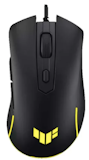
Budget Gaming Mice
10 Best
Logitech | Gaming Mouse | G304 , Asus | TUF Gaming M3 Gen II | P309, VXE | Dragonfly R1 Series Wireless Gaming Mouse | ATK R1 Series, Fantech | Kanata S Wired Gaming Mouse | VX9S , Aula-Mojing| | Lightweight Gaming Mouse | SC620
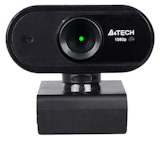
Budget Webcams
10 Best
A4Tech | Full HD 1080p | PK-925H, Emeet | 4K Ultra HD Webcam | C60E , Rapoo | HD Web Camera 1080p | C260 , Inplay | Wired USB Web Camera FHD 1080p | C1080 Pro , Ansen | 2K 1080p Webcam for PC
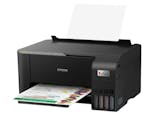
Affordable Printers
10 Best
Epson | EcoTank L5390 A4 Wi-Fi All-in-One Ink Tank Printer, HP | Smart Tank 670 Wireless All-in-One Printer, Brother | Wireless Ink Tank Printer | DCP-T730DW , Epson | EcoTank L3350 A4 Wi-Fi All-in-One Ink Tank Printer , HP | Smart Tank 520 Wireless All-in-One Printer
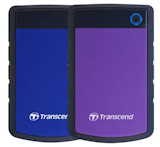
External Hard Drives
10 Best
Samsung | 1TB T7 Shield Portable SSD | MU-PE1T0S, WD | Portable External HDD Storage (1 TB/2 TB/4 TB/5 TB/6 TB) , Kingston | 500 GB/1 TB/2 TB High-Performance Portable SSD | XS2000 , Sandisk® | Extreme Portable SSD V2 | SDSSDE61, Transcend | Storejet Shockproof External Hard Drive | 25H3, 25M3

Laptops Below 20k
10 Best
Lenovo | 12.5-Inch ThinkPad | X280 , Lenovo | ThinkPad Laptop | X13, X390 , Asus | 11.6-Inch Chromebook Laptop | C204MA-YB02-GR , HP | 14-Inch Chromebook Laptop | HP 14

PC Speakers
10 Best
Edifier | Powered Bluetooth Bookshelf Speakers | R1280DB , Logitech | 2.1 Speaker System | Z625 , Logitech | Bluetooth Wireless Speakers | Z407, Razer | Nommo V2 Pro, Inplay | Mini Digital Speaker | MS246

Laptops for Working From Home
10 Best
Apple | 13-inch M4 chip with 10-core CPU and 10-core GPU, 24GB, 512GB SSD | MacBook Air , Apple | MacBook Pro (14-inch, M4), HP | OmniBook 5 Flip , Microsoft | Surface Laptop (7th Edition), Apple | MacBook Air 13-inch, M2

Gaming Monitor
10 Best
Samsung | Odyssey Curved 34" OLED Gaming Monitor | G8 G85SD UWQHD , Xiaomi | Curved Gaming Monitor | G34WQi , AOC | 27" Gaming Monitor | U27G4XM , MSI | 26.5" QD-OLED X24 Gaming Monitor | MAG 272QP , Acer | 27" Gaming Monitor | Nitro VG1 VG271U M3BMIIPX
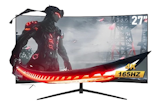
Budget Monitors
10 Best
MSI | 24.5" Monitor | Pro MP251 E14L , Xiaomi | 23.8-Inch Monitor | A24i , Acer | 24.5" Monitor | EK251Q P6bi , Samsung | 24-Inch Monitor | LS24F320GAEXXP , Lenovo | 23.8" Monitor | L24-4C (67DDKAC6PH)
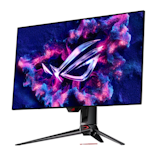
OLED Monitors
10 Best
Asus | ROG Swift 26.5" OLED QHD 480 Hz | PG27AQDP , MSI | 31.5" QD-OLED Gaming Monitor | MPG 321URX , MSI | 26.5" QD-OLED X24 Gaming Monitor | MAG 272QP , Alienware | 27" OLED Gaming Monitor | AW2725D/AW2725DF/AW2725Q/AW2725QF/AW2726DL , Asus | ROG Strix 27" OLED | XG27AQDMES
New ArrivalsProduct Reviews Similar to PCs and laptops

Extreme Portable SSD V2
Sandisk®
External SSDs
₱22,880
Pros:Fast read and write speeds (over 1000MB/s in testing), suitable for large file transfersIP65-rated water and dust resistance for added durabilityDrop-tested up to 2 meters, making it reliable for travel and daily useCompact and lightweight design (56.1g), easy to carry anywhereWorks with Windows, macOS, PS4, PS5, and USB Type-C Android devicesIncludes both USB Type-C cable and USB Type-A adapter for wider compatibilityConsistent real-world performance for photos, videos, and game dataPotential Cons:Premium price compared to entry-level portable SSDsThe SanDisk Extreme Portable SSD V2 is a strong choice for people who need a reliable external SSD for everyday use, especially if you’re often on the go. While most comparable products we tested do not offer water and dust resistance, this model features an IP65 rating for added protection. It has also undergone the brand’s proprietary drop testing, so it can withstand drops from up to 2 meters with minimal risk of data loss.Despite its durability, the device remains compact, slightly smaller and thinner than a smartphone, and lightweight at just 56.1g. There’s also a built-in loop for attaching a strap, making it easy to carry in your bag or bring along during travel.Its data transfer performance is equally impressive. It recorded read speeds of 1055.84MB/s and write speeds of 1028.24MB/s, placing it among the fastest portable SSDs in our comparison. Around half of the competing models, including those from Buffalo, fell below 900MB/s for both read and write speeds. It even exceeded the brand’s claimed speeds of 1,050MB/s read and 1,000MB/s write, effectively disproving claims that “transfer speeds are only around 650MB/s.”In real-world testing, it transferred a 5GB set of photos and videos in 2.5 seconds and a 16.6GB 3D game file in 39.71 seconds, both faster than the overall average of the tested products. While it didn’t quite match Kingston’s faster results, it still delivered quick and consistent performance. Contrary to some user feedback, large file transfers do not feel slow or frustrating in everyday use.It also stands out for its wide compatibility. It works with both Windows and macOS, and can be used with PS4 and PS5 consoles, making it a practical option for gamers. It’s also compatible with Android devices that support USB Type-C. The inclusion of both a USB Type-C cable and a USB Type-A adapter is a practical bonus for different devices.With its compact size and fast transfer speeds, this portable SSD is well-suited for backing up laptop files, storing large photos and videos, or saving game data. It’s a reliable and fast external SSD worth considering for daily use.

G Pro X Superlight 2 Gaming Mouse
Logitech
Gaming Mice
₱7,495
The Logitech G PRO X SUPERLIGHT 2 is ideal for gamers who want a lightweight mouse that supports different grip styles, including palm, claw, and fingertip grip. Its symmetrical shape makes it easier to adapt to various hand sizes, and most testers found it comfortable and well-balanced during gameplay.At just 60g, it delivers excellent control for FPS and TPS games without feeling unstable. Clicks are crisp and responsive, enabling smooth, precise input. Tracking performance is highly customizable, with a polling rate of up to 8000 Hz and DPI adjustable up to 44,000 in fine increments. However, DPI changes require the companion app, as there’s no one-touch button.Battery life lasts up to 95 hours, making it reliable for extended gaming sessions. That said, the side buttons may feel slightly far for users with smaller hands, and the scroll wheel spins very lightly, which could lead to accidental inputs if assigned to in-game skills.The main drawback is the price. At around ₱7,999 (at time of writing), it sits firmly in the premium tier. While trusted by professional players, budget-conscious buyers in the Philippines may want to compare more affordable gaming mouse options before making a decision.

G502 X LIGHTFORCE Gaming Mouse
Logitech
Gaming Mice
₱5,695
The Logitech G502 X LIGHTFORCE Gaming Mouse is a good pick for first-time gaming mouse users, but it may fall short for those who prioritize smooth handling. Unlike the wireless models we tested, the wired design can feel restrictive, with testers noting that the cable can tug during large flick movements.At 89g, it’s heavier than many competing gaming mice, including ultra-light models under 60g. Its larger size and weight may cause fatigue during FPS or TPS games that rely on frequent wrist flicks or fingertip grip. As user reviews suggest, it may feel hard to hold depending on your grip style.On the plus side, it fits comfortably with a palm grip. The non-slip base keeps the mouse stable, movements are smooth, and aiming feels controlled. The light yet responsive clicks make rapid clicking easy, which testers appreciated during gameplay.The scroll wheel offers both free-spin and stepped modes for customizable control. While opinions on the side buttons varied, their firmer feel helps prevent accidental presses. With programmable buttons from G1 to G9, it offers greater customization than simpler models.As noted in reviews, the DPI button is easy to use, allowing 50-DPI adjustments from the top. With a polling rate of up to 1,000Hz, it delivers reliable performance for FPS, MMO, and MOBA games.

HD 720p Webcam
Logitech
Webcams
₱1,195
The Logitech C270 HD Webcam is a good choice for users who prioritize affordability and simplicity over advanced features. While many webcams we compared are priced around ₱3,500–₱4,000, this model costs around ₱1,200. It lacks software-based image adjustments and enhanced privacy features, but it delivers the basic webcam functions at a much lower price.Despite being marketed as offering “sharp and smooth” 720p video, the image quality is only average. Reviewers noted that the face, especially around the eyes, tends to appear dark. Compared with Full HD webcams, the video looked noticeably dimmer, so you may want to consider using supplemental lighting for this webcam.Motion performance is also limited. At 30fps, it feels less smooth than 60fps webcams, with comments from testers such as “slight lag” and “choppy movement.” The lack of autofocus means brightness and clarity can shift when the subject moves, making the image harder to see at times.In contrast, microphone quality stands out. Testers described the audio as “clear” with “very little noise,” performing on par with other webcams that offer noise reduction. For online meetings, voice clarity is a definite strength.The horizontal field of view measures 48 degrees. While narrower than wide-angle webcams, it’s sufficient for solo use. With no support for tripod mounting or desk capture, it’s best suited for standard video calls rather than flexible filming setups.The Logitech C270 does not include a manual privacy shutter, so users need to remember to turn the camera off after use. If you want a simple, low-cost webcam with good audio quality for everyday online meetings, this model is worth considering.

Gaming Mouse
Logitech
Gaming Mice
₱1,919
The Logitech G304 LIGHTSPEED Wireless Gaming Mouse has a noticeable weight, which can make precise movements harder and cause faster hand fatigue. Compared with lighter models under 60 g, this 99 g mouse feels more solid and heavy. Its AA battery design allows up to 250 hours of use, which is a strong advantage, but the added weight may feel tiring during long gaming sessions.When 10 testers tried FPS games, aiming performance received mixed reviews. Its low center of gravity made quick, delicate movements harder, and we couldn’t fully dismiss user feedback saying its tracking accuracy feels “not quite there.” The compact size also makes it less ideal for palm grip users with larger hands, though it works better for claw grip users.Click feedback is light and shallow, which some testers liked, but it may lead to accidental presses. The scroll wheel feels stiff, and the small side buttons were also noted as hard to press.On the positive side, customization is solid. DPI ranges from 200 to 12,000, adjustable in 50-step increments, including popular FPS settings like 400, 800, and 1,600 DPI. The polling rate reaches 1,000 Hz, which is more than enough for smooth real-world gaming.Priced around ₱1,700, it’s one of the most affordable wireless gaming mice we tested. With stable wireless performance, it’s a good choice for budget-conscious gamers. However, if you prefer a lightweight mouse for faster, more precise control, other options may suit you better.
Most ViewedFeatured Rankings Similar to PCs and laptops
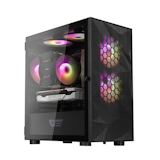
PC Cases for Gaming
10 Best
Phanteks | Eclipse P300A Mesh Edition PC Gaming Case, Dark Flash | Mesh Mid Tower Case | DLM21, Montech | Air 100 ARGB Mini Tower Tempered Glass PC Case, Montech | Air 903 Base E-ATX Mid Tower PC Case, Dark Flash | C285MP V2 mATX Tempered Glass Case

Curved Monitors
10 Best
MSI | 34” Curved Ultra-Wide Monitor UWQHD | PRO MP341CQW, LG | 34 inch UltraWide™ Curved Monitor | 34WR55QK-B, Xiaomi | 34 Inch Curved Gaming Monitor | G34WQi, KOORUI | Curved Gaming Monitor | 34E6UC, Nvision | 27 inch 240 HZ Curved Gaming Monitor | ESV27XT-B
External Hard Drives
10 Best
Samsung | 1TB T7 Shield Portable SSD | MU-PE1T0S, WD | Portable External HDD Storage (1 TB/2 TB/4 TB/5 TB/6 TB) , Kingston | 500 GB/1 TB/2 TB High-Performance Portable SSD | XS2000 , Sandisk® | Extreme Portable SSD V2 | SDSSDE61, Transcend | Storejet Shockproof External Hard Drive | 25H3, 25M3
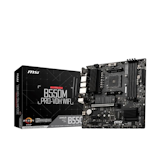
Budget Gaming Motherboards
10 Best
MSI | B550M PRO-VDH WiFi, Asus | Prime B550M-A WiFi II, Gigabyte | B550M DS3H R2, MSI | PRO B650M-B, ASRock | B550M Pro SE

Wireless Keyboards
10 Best
Inplay | Wireless Mechanical Keyboard | SK610, Attack Shark | Wireless Mechanical Keyboard | X85, A4Tech | Multi-Device Wireless Keyboard | FBK-30, Thunderobot | Wireless Keyboard | K96, Rapoo | Wireless Keyboard | E1050

Keyboards for Typing
10 Best
AULA | 99 Keys Customized Gaming Keyboard | Gray Wood Shaft V3, Zeus | EWEADN V102 RGB Mechanical Feel Keyboard, HP | Mechanical Gaming Keyboard | GK100F, SteelSeries | Apex 3 TKL Tenkeyless Wired Gaming Keyboard, Logitech | K120 Wired Keyboard
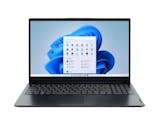
Lenovo Laptops
10 Best
Lenovo | LOQ Gaming Laptop | 83DV016RPH, Lenovo | Ideapad Slim 3 15IRH10 | 16GB (8+8) DDR5 RAM, Lenovo | LOQ 15IAX9E Laptop | i5-12450HX, Lenovo | Legion 15IRX10 | 83LY00EWPH | 16 GB RAM, 512 GB + 1 TB SSD, Lenovo | IdeaPad Slim 3 15AMN8 | 82XQ00T0PH

Keyboards for iPads
10 Best
Logitech | Folio Slim for iPad 10th Generation, Apple | Magic Keyboard Folio for iPad (10th generation) - International English , Apple | Magic Keyboard for iPad Air 11-inch M3 , Goojodoq | Magic Keyboard for iPad, Goojodoq | iPad Case with Keyboard

Portable Monitors
10 Best
ARZOPA | 16.1'' 144Hz Portable Gaming Monitor | Z1FC, Arzopa | 16.1" Kickstand Portable Monitor | Z1C-Gray, Arzopa | 16" 2.5K Portable Monitor | Z1RC, Asus | ZenScreen 16" Portable Monitor | MB169CK, Nvision | 15.6" Portable Monitor | N16P60
All-in-One Printers
10 Best
HP | Smart Ink Tank All-in-One Printer | 670/720, Brother | All-in-One Ink Tank Printer | DCP-T530DW , Epson | EcoTank L3350 A4 Wi-Fi All-in-One Ink Tank Printer , Canon | Refillable Ink Tank System All-in-One Printer | G3010, HP | Smart Ink Tank All-in-One Printer | Smart Tank 520/580
Most ViewedProduct Reviews Similar to PCs and laptops
G Pro X Superlight 2 Gaming Mouse
Logitech
Gaming Mice
₱7,495
The Logitech G PRO X SUPERLIGHT 2 is ideal for gamers who want a lightweight mouse that supports different grip styles, including palm, claw, and fingertip grip. Its symmetrical shape makes it easier to adapt to various hand sizes, and most testers found it comfortable and well-balanced during gameplay.At just 60g, it delivers excellent control for FPS and TPS games without feeling unstable. Clicks are crisp and responsive, enabling smooth, precise input. Tracking performance is highly customizable, with a polling rate of up to 8000 Hz and DPI adjustable up to 44,000 in fine increments. However, DPI changes require the companion app, as there’s no one-touch button.Battery life lasts up to 95 hours, making it reliable for extended gaming sessions. That said, the side buttons may feel slightly far for users with smaller hands, and the scroll wheel spins very lightly, which could lead to accidental inputs if assigned to in-game skills.The main drawback is the price. At around ₱7,999 (at time of writing), it sits firmly in the premium tier. While trusted by professional players, budget-conscious buyers in the Philippines may want to compare more affordable gaming mouse options before making a decision.
G502 X LIGHTFORCE Gaming Mouse
Logitech
Gaming Mice
₱5,695
The Logitech G502 X LIGHTFORCE Gaming Mouse is a good pick for first-time gaming mouse users, but it may fall short for those who prioritize smooth handling. Unlike the wireless models we tested, the wired design can feel restrictive, with testers noting that the cable can tug during large flick movements.At 89g, it’s heavier than many competing gaming mice, including ultra-light models under 60g. Its larger size and weight may cause fatigue during FPS or TPS games that rely on frequent wrist flicks or fingertip grip. As user reviews suggest, it may feel hard to hold depending on your grip style.On the plus side, it fits comfortably with a palm grip. The non-slip base keeps the mouse stable, movements are smooth, and aiming feels controlled. The light yet responsive clicks make rapid clicking easy, which testers appreciated during gameplay.The scroll wheel offers both free-spin and stepped modes for customizable control. While opinions on the side buttons varied, their firmer feel helps prevent accidental presses. With programmable buttons from G1 to G9, it offers greater customization than simpler models.As noted in reviews, the DPI button is easy to use, allowing 50-DPI adjustments from the top. With a polling rate of up to 1,000Hz, it delivers reliable performance for FPS, MMO, and MOBA games.
Extreme Portable SSD V2
Sandisk®
External SSDs
₱22,880
Pros:Fast read and write speeds (over 1000MB/s in testing), suitable for large file transfersIP65-rated water and dust resistance for added durabilityDrop-tested up to 2 meters, making it reliable for travel and daily useCompact and lightweight design (56.1g), easy to carry anywhereWorks with Windows, macOS, PS4, PS5, and USB Type-C Android devicesIncludes both USB Type-C cable and USB Type-A adapter for wider compatibilityConsistent real-world performance for photos, videos, and game dataPotential Cons:Premium price compared to entry-level portable SSDsThe SanDisk Extreme Portable SSD V2 is a strong choice for people who need a reliable external SSD for everyday use, especially if you’re often on the go. While most comparable products we tested do not offer water and dust resistance, this model features an IP65 rating for added protection. It has also undergone the brand’s proprietary drop testing, so it can withstand drops from up to 2 meters with minimal risk of data loss.Despite its durability, the device remains compact, slightly smaller and thinner than a smartphone, and lightweight at just 56.1g. There’s also a built-in loop for attaching a strap, making it easy to carry in your bag or bring along during travel.Its data transfer performance is equally impressive. It recorded read speeds of 1055.84MB/s and write speeds of 1028.24MB/s, placing it among the fastest portable SSDs in our comparison. Around half of the competing models, including those from Buffalo, fell below 900MB/s for both read and write speeds. It even exceeded the brand’s claimed speeds of 1,050MB/s read and 1,000MB/s write, effectively disproving claims that “transfer speeds are only around 650MB/s.”In real-world testing, it transferred a 5GB set of photos and videos in 2.5 seconds and a 16.6GB 3D game file in 39.71 seconds, both faster than the overall average of the tested products. While it didn’t quite match Kingston’s faster results, it still delivered quick and consistent performance. Contrary to some user feedback, large file transfers do not feel slow or frustrating in everyday use.It also stands out for its wide compatibility. It works with both Windows and macOS, and can be used with PS4 and PS5 consoles, making it a practical option for gamers. It’s also compatible with Android devices that support USB Type-C. The inclusion of both a USB Type-C cable and a USB Type-A adapter is a practical bonus for different devices.With its compact size and fast transfer speeds, this portable SSD is well-suited for backing up laptop files, storing large photos and videos, or saving game data. It’s a reliable and fast external SSD worth considering for daily use.
Gaming Mouse
Logitech
Gaming Mice
₱1,919
The Logitech G304 LIGHTSPEED Wireless Gaming Mouse has a noticeable weight, which can make precise movements harder and cause faster hand fatigue. Compared with lighter models under 60 g, this 99 g mouse feels more solid and heavy. Its AA battery design allows up to 250 hours of use, which is a strong advantage, but the added weight may feel tiring during long gaming sessions.When 10 testers tried FPS games, aiming performance received mixed reviews. Its low center of gravity made quick, delicate movements harder, and we couldn’t fully dismiss user feedback saying its tracking accuracy feels “not quite there.” The compact size also makes it less ideal for palm grip users with larger hands, though it works better for claw grip users.Click feedback is light and shallow, which some testers liked, but it may lead to accidental presses. The scroll wheel feels stiff, and the small side buttons were also noted as hard to press.On the positive side, customization is solid. DPI ranges from 200 to 12,000, adjustable in 50-step increments, including popular FPS settings like 400, 800, and 1,600 DPI. The polling rate reaches 1,000 Hz, which is more than enough for smooth real-world gaming.Priced around ₱1,700, it’s one of the most affordable wireless gaming mice we tested. With stable wireless performance, it’s a good choice for budget-conscious gamers. However, if you prefer a lightweight mouse for faster, more precise control, other options may suit you better.
HD 720p Webcam
Logitech
Webcams
₱1,195
The Logitech C270 HD Webcam is a good choice for users who prioritize affordability and simplicity over advanced features. While many webcams we compared are priced around ₱3,500–₱4,000, this model costs around ₱1,200. It lacks software-based image adjustments and enhanced privacy features, but it delivers the basic webcam functions at a much lower price.Despite being marketed as offering “sharp and smooth” 720p video, the image quality is only average. Reviewers noted that the face, especially around the eyes, tends to appear dark. Compared with Full HD webcams, the video looked noticeably dimmer, so you may want to consider using supplemental lighting for this webcam.Motion performance is also limited. At 30fps, it feels less smooth than 60fps webcams, with comments from testers such as “slight lag” and “choppy movement.” The lack of autofocus means brightness and clarity can shift when the subject moves, making the image harder to see at times.In contrast, microphone quality stands out. Testers described the audio as “clear” with “very little noise,” performing on par with other webcams that offer noise reduction. For online meetings, voice clarity is a definite strength.The horizontal field of view measures 48 degrees. While narrower than wide-angle webcams, it’s sufficient for solo use. With no support for tripod mounting or desk capture, it’s best suited for standard video calls rather than flexible filming setups.The Logitech C270 does not include a manual privacy shutter, so users need to remember to turn the camera off after use. If you want a simple, low-cost webcam with good audio quality for everyday online meetings, this model is worth considering.