
10 Best Wireless Gaming Mice in the Philippines 2026 | Logitech, Razer, and More
Finding the perfect wireless gaming mouse is easier than ever with online platforms like Lazada and Shopee, where you can compare specs and read reviews before purchasing. In this guide, we'll highlight the best wireless gaming mice available in the Philippines, focusing on reliable performance and practical features to help you find a mouse that matches your needs.

As a content planner, Jemanuel is fully committed to making sure that consumers can figure out the best choices with ease and convenience. He is always eager to learn new things and is always on the lookout for the latest market and industry trends that can help you make your research much easier.
Why You Can Trust Us
Every mybest article is crafted with hours of in-depth research and interviews with experts. Each month, we are continually expanding our database of products based on our research. By emphasizing user insight and reliable information, we deliver trustworthy content to readers.
How to Choose a Wireless Gaming Mouse – Buying Guide
With countless models available, selecting the right wireless gaming mouse requires focus on your gaming style and technical needs. Consider connection type, sensor quality, and grip comfort to find a mouse that performs well in your favorite games.
Go for a 2.4GHz Mouse With ≥1000 Hz Polling Rate for Smooth and Responsive Gaming

Connection type and polling rate determine how quickly your mouse communicates with your PC. A 2.4 GHz wireless connection offers stable performance with minimal interference from other devices, ensuring smooth gameplay.
Meanwhile, the polling rate measures how frequently your mouse reports its position to the computer. A higher polling rate results in smoother cursor movement and quicker response times. For the best experience, choose a mouse with a polling rate of at least 1000 Hz to ensure instant click and movement registration, which is crucial in fast-paced games like competitive shooters or MOBAs, where split-second reactions make all the difference.
Look for a High-Quality Optical Sensor for Accurate and Consistent Tracking

Your mouse sensor converts physical movement into on-screen action. High-quality optical sensors accurately track across surfaces and maintain consistency across various DPI settings. Premium sensors offer precision for small adjustments and reliable tracking during fast swipes.
Look for sensors that handle high speeds without prediction or acceleration, as these can affect accuracy. Modern sensors perform well on most mouse pads without skipping or jittering. For gamers seeking pinpoint accuracy, investing in a mouse with a proven sensor ensures every movement is reflected accurately on screen.
Pick a Weight and Shape That Match Your Grip Style and Comfort Preferences

Mouse weight and shape significantly impact comfort during extended gaming sessions, with your grip style determining the best fit for natural movement and reduced strain.
Palm Grip: Best for gamers who rest their entire hand on the mouse and prioritize comfort during long sessions. Choose ergonomic shapes with full support and a medium weight (80g–100g) to reduce wrist strain and evenly distribute pressure.
Claw Grip: Ideal for players who arch their fingers slightly for faster clicks and better control in FPS and MOBA games. Opt for medium-sized mice (70g–85g) with raised backs for palm support and quick finger movement for precise aiming.
Fingertip Grip: Suited for users who move the mouse only with their fingertips for quick flicks and precise movements. Choose compact, lightweight mice under 70g to maximize mobility and prevent accidental palm contact.
Match mouse dimensions to your hand size to improve comfort and performance during gaming. Testing different shapes helps find the best design that supports your natural grip without discomfort.
Choose a Battery and Charging Setup That Matches Your Gaming Habits

Battery life and charging methods affect how often you interrupt gaming for recharging or battery replacement. Your usage patterns determine which power solution ensures uninterrupted gameplay.
Rechargeable Batteries with USB-C: Ideal for daily gamers who need quick charging and want to avoid battery replacements. These mice offer 40 to 100 hours per charge, depending on RGB usage and polling rate. USB-C charging takes 1–3 hours, and most models support passthrough play.
Replaceable AA/AAA Batteries: Suited for casual players who prefer extended battery life without frequent charging. These mice run for months on a single set of batteries, providing reliable performance without needing an outlet.
Choose based on your gaming frequency and preference for convenience versus longevity. Rechargeable options reduce ongoing costs and waste for frequent gamers, while replaceable batteries offer longer, uninterrupted use for occasional players.
Check for Software Support and Extra Features if You Want More Control

Customization software lets you adjust settings beyond basic controls, allowing you to create game profiles, change button functions, adjust lighting, and set up actions with a click. Most brands offer free software that saves your settings for quick switching between games.
Extra features like saving settings to the mouse, swapping side buttons, adjusting weight, and customizing lighting add versatility but can raise the price. Choose mice with software support if you play multiple games or share your computer; basic models work for casual gaming but limit personalization.
10 Best Wireless Gaming Mice to Buy Online
| Products | Image | Click to purchase | Popularity | Details | |||||||
|---|---|---|---|---|---|---|---|---|---|---|---|
Polling rate | High-Quality Optical Sensor | Grip Style | Battery Setup | Software Support | Extra Features | Net Weight | |||||
1 | Gaming Mouse|G304 Logitech |  | No.1 | 1000Hz | Palm Grip | Replaceable AA Battery | Logitech G HUB | Programmable Buttons、Durable PTFE Feet、Onboard Memory | 99g | ||
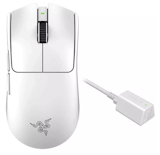
2 | Viper V3 Pro Ultra-Lightweight Razer |  | No.2 | 8000Hz | Claw Grip | Rechargeable (USB-C) | Adjust DPI Sensitivity、 Button Remapping | Onboard Memory | 54g | ||
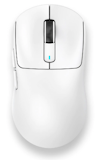
3 | X3 PRO PAW3395 Attack Shark |  | No.3 | 4000Hz/8000Hz | Claw Grip | Rechargeable (USB-C) | Adjust DPI Sensitivity、Program Buttons and Macros、Change Polling Rate | Tri-Mode Connectivity、Smart Sleep Mode、Onboard Memory | 59g | ||
4 | Dragonfly R1 Pro Wireless Gaming Mouse VXE |  | No.4 | 4000Hz | Fingertip Grip | Rechargeable (USB-C) | Adjust DPI Settings、Change Polling Rate、Button Remapping | Dual Mode Connectivity、Onboard Memory | 48g | ||
5 | ROG Keris II Ace|White ASUS |  | No.5 | 4000Hz/8000Hz | Claw Grip | Rechargeable (USB-C) | Button Remapping、Adjust DPI/CPI Levels、Configure Polling Rate | Tri-Mode Connectivity、Onboard Memory | 54g | ||
6 | Basilisk V3 X Hyperspeed Razer |  | No.6 | 1000Hz | Palm Grip | Replaceable AA Battery | Button Remapping、Adjust DPI Settings、Custom Macros、RGB Lighting Control | Onboard Memory、Programmable Controls、Dual Mode Connectivity、RGB Lighting | 110g | ||
7 | Venom II WGC2 Vibe Edition Fantech |  | No.7 | 125Hz | Claw Grip | Rechargeable (USB-C) | RGB Lighting、Dual Power Modes | 95g | |||
8 | M800 MINI Series PAW3395 Delux |  | No.8 | 8000Hz | Fingertip Grip | Rechargeable (USB-C) | Adjust DPI Settings、Button Remapping | Programmable Buttons、Tri-Mode Connectivity、Onboard Memory | 46g | ||
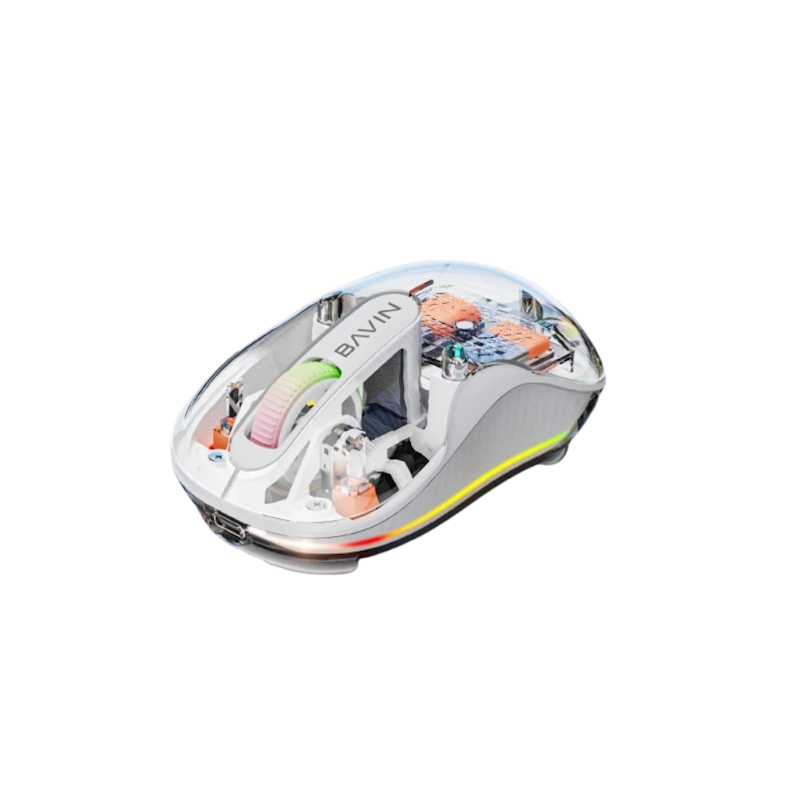
9 | K992 RGB Wireless Gaming Mouse BAVIN |  | No.9 | unknown | Claw Grip | Rechargeable (USB-C) | Tri-Mode Connectivity、Transparent Magnetic Cover | 79g | |||
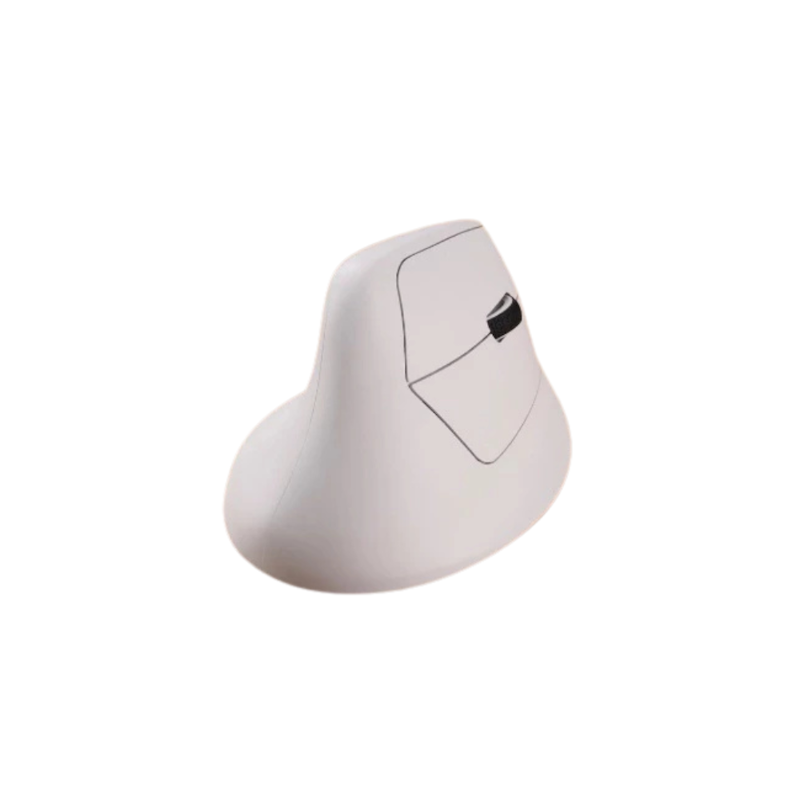
10 | M5 Wireless Ergononic Optical Mouse Keychron |  | No.10 | 8000Hz | Palm Grip | Rechargeable (USB-C) | Button Remapping、Adjust DPI Settings、Change Polling Rate、DPI Stage Switching、Macros Support | Programmable Buttons、Onboard Memory | 97g | ||

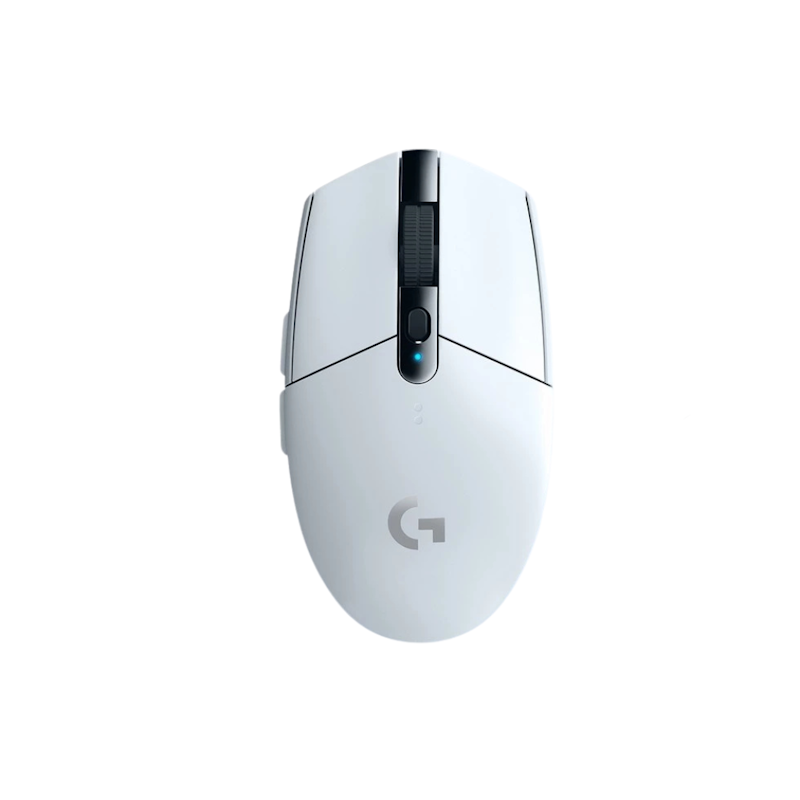
Reviews mention:
Customers rave about the reliable wireless connection that feels as smooth as a wired mouse, even in long sessions. Many praise its value for money compared to pricier options, although some note that the plastic shows wear after heavy use. Several users appreciate the long battery life, noting that they can go weeks or months without replacing it.
| Polling rate | 1000Hz |
|---|---|
| High-Quality Optical Sensor | |
| Grip Style | Palm Grip |
| Battery Setup | Replaceable AA Battery |
| Software Support | Logitech G HUB |
| Extra Features | Programmable Buttons、Durable PTFE Feet、Onboard Memory |
| Net Weight | 99g |
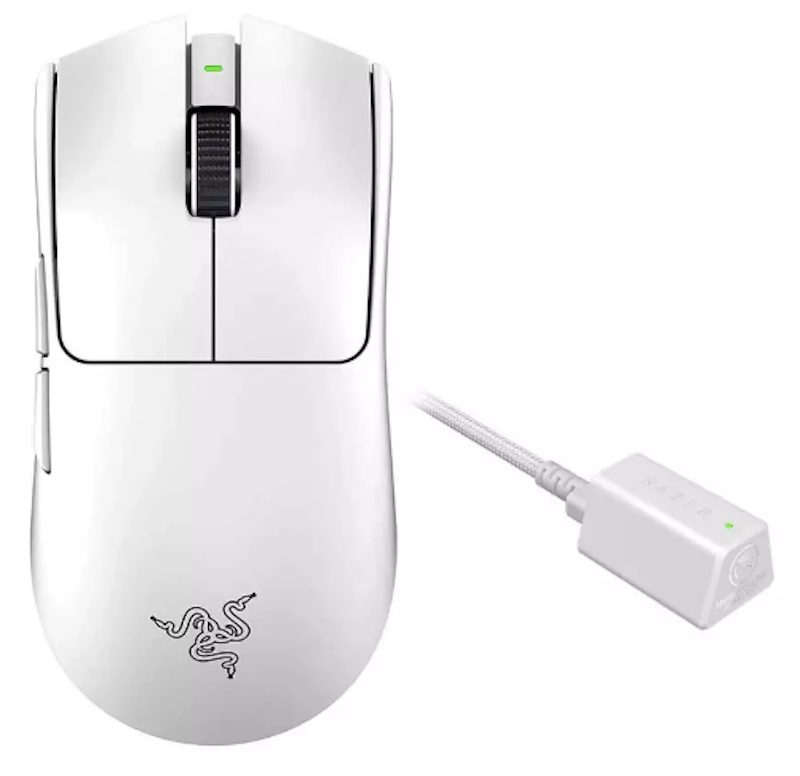
Reviews mention:
Customers find that the low weight and shape make it easy to perform fast clicks and micro-adjustments. They note that the wireless connection feels as responsive as a wired mouse, particularly with higher polling-rate setups. Several reviews also mention that the lack of RGB and stripped-down design helps keep the focus on performance.
| Polling rate | 8000Hz |
|---|---|
| High-Quality Optical Sensor | |
| Grip Style | Claw Grip |
| Battery Setup | Rechargeable (USB-C) |
| Software Support | Adjust DPI Sensitivity、 Button Remapping |
| Extra Features | Onboard Memory |
| Net Weight | 54g |

Reviews mention:
Several users highlight that it delivers strong sensor performance and low latency at a comparatively accessible price. Many find the light shell and shape comfortable for longer FPS sessions once they dial in their preferred DPI. They mention that build quality feels solid considering the cost, though refinement can be a bit behind big-name brands.
| Polling rate | 4000Hz/8000Hz |
|---|---|
| High-Quality Optical Sensor | |
| Grip Style | Claw Grip |
| Battery Setup | Rechargeable (USB-C) |
| Software Support | Adjust DPI Sensitivity、Program Buttons and Macros、Change Polling Rate |
| Extra Features | Tri-Mode Connectivity、Smart Sleep Mode、Onboard Memory |
| Net Weight | 59g |
VXEDragonfly R1 Pro Wireless Gaming Mouse

Reviews mention:
Many find that it feels surprisingly premium for its class, with solid clicks and smooth tracking. Several appreciate how light it is, noting that it helps reduce fatigue during longer ranked sessions. Customers also mention that the shape is easy to adapt to, even for those switching from more established brands.
| Polling rate | 4000Hz |
|---|---|
| High-Quality Optical Sensor | |
| Grip Style | Fingertip Grip |
| Battery Setup | Rechargeable (USB-C) |
| Software Support | Adjust DPI Settings、Change Polling Rate、Button Remapping |
| Extra Features | Dual Mode Connectivity、Onboard Memory |
| Net Weight | 48g |

Reviews mention:
Filipino users highlight that the mouse feels light yet secure in hand, making it comfortable for multi-hour gaming. They note that its sensor performance and click response feel on par with other high-end esports models. Several reviews also appreciate the white finish staying clean in humid conditions but mention software setup can be tricky initially.
| Polling rate | 4000Hz/8000Hz |
|---|---|
| High-Quality Optical Sensor | |
| Grip Style | Claw Grip |
| Battery Setup | Rechargeable (USB-C) |
| Software Support | Button Remapping、Adjust DPI/CPI Levels、Configure Polling Rate |
| Extra Features | Tri-Mode Connectivity、Onboard Memory |
| Net Weight | 54g |
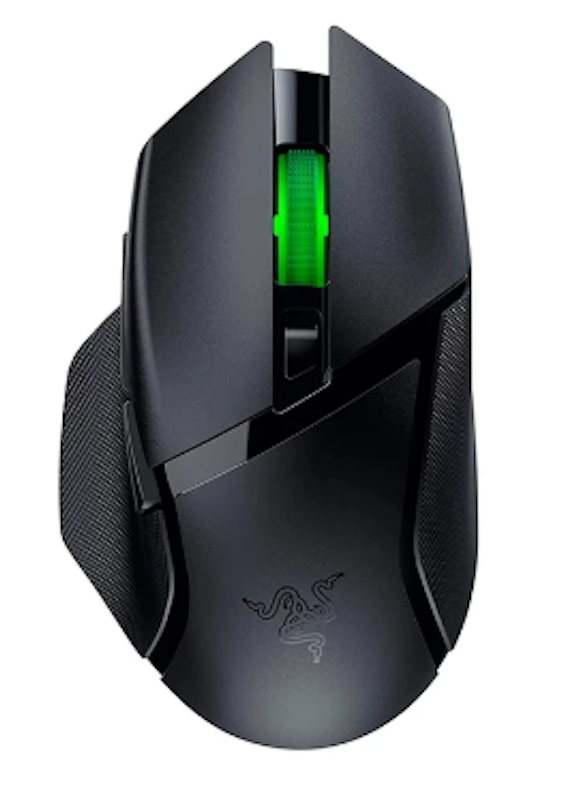
Reviews mention:
Customers find that this mouse’s shape is especially comfortable for palm grip and mixed gaming plus work use. They note that the extra buttons are especially helpful for MMOI skills or quick macros. Other reviews also mention that the wireless connection remains stable with no noticeable lag in typical gaming scenarios.
| Polling rate | 1000Hz |
|---|---|
| High-Quality Optical Sensor | |
| Grip Style | Palm Grip |
| Battery Setup | Replaceable AA Battery |
| Software Support | Button Remapping、Adjust DPI Settings、Custom Macros、RGB Lighting Control |
| Extra Features | Onboard Memory、Programmable Controls、Dual Mode Connectivity、RGB Lighting |
| Net Weight | 110g |

Reviews mention:
Buyers mention that the combination of wireless freedom and RGB lighting makes it a fun choice for budget setups. Several people find the shape comfortable enough for casual to mid-level gaming sessions. Some reviews note that having flexible power options is convenient for travel or shared PCs.
| Polling rate | 125Hz |
|---|---|
| High-Quality Optical Sensor | |
| Grip Style | Claw Grip |
| Battery Setup | Rechargeable (USB-C) |
| Software Support | |
| Extra Features | RGB Lighting、Dual Power Modes |
| Net Weight | 95g |

Reviews mention:
Small-hand users appreciate that it feels truly sized for them while still being high performance. Many of them note that the extremely light weight makes it easy to move quickly across the pad. They also appreciate the build quality, which feels so solid for such a light and compact mouse.
| Polling rate | 8000Hz |
|---|---|
| High-Quality Optical Sensor | |
| Grip Style | Fingertip Grip |
| Battery Setup | Rechargeable (USB-C) |
| Software Support | Adjust DPI Settings、Button Remapping |
| Extra Features | Programmable Buttons、Tri-Mode Connectivity、Onboard Memory |
| Net Weight | 46g |
Reviews mention:
Many casual users highlight the attractive lighting and translucent design as key reasons for choosing it. Several reviews note that the wireless performance is adequate for non-competitive games and daily tasks. They mention that it offers good value for the price, especially for users upgrading from very basic office mice.
| Polling rate | unknown |
|---|---|
| High-Quality Optical Sensor | |
| Grip Style | Claw Grip |
| Battery Setup | Rechargeable (USB-C) |
| Software Support | |
| Extra Features | Tri-Mode Connectivity、Transparent Magnetic Cover |
| Net Weight | 79g |
Keychron M5 Wireless Ergononic Optical Mouse
Reviews mention:
Customers appreciate the quick adaptation period and lasting comfort that eases wrist pain over time. They note its reliable multi-device switching and strong battery life for daily workflows. Several people also mention that it suits larger hands best, with occasional feedback on slippery coating or side button positioning.
| Polling rate | 8000Hz |
|---|---|
| High-Quality Optical Sensor | |
| Grip Style | Palm Grip |
| Battery Setup | Rechargeable (USB-C) |
| Software Support | Button Remapping、Adjust DPI Settings、Change Polling Rate、DPI Stage Switching、Macros Support |
| Extra Features | Programmable Buttons、Onboard Memory |
| Net Weight | 97g |
Frequently Asked Questions
Below are some of the most asked questions on the web answered by the mybest team.
Do Wireless Gaming Mice Have More Input Lag Than Wired Ones?
Modern wireless gaming mice with 2.4GHz connections have input lag comparable to wired models, often under 1ms. High-end wireless mice perform identically to wired versions in competitive gaming. Bluetooth connections introduce more lag and are not recommended for fast-paced games.
Can You Use a Wireless Gaming Mouse While It's Charging?
Most wireless gaming mice support charging while in use via their USB cable. This feature lets you continue gaming without interruption when the battery runs low. Check product specifications to confirm passthrough charging before purchasing.
Does Turning Off RGB Extend Battery Life for Gaming?
Turning off RGB lighting significantly extends battery life, often doubling usage time between charges. RGB LEDs consume substantially more power than other mouse functions. Disable lighting when battery conservation matters more than aesthetics.
How Can I Identify an Original Wireless Gaming Mouse vs. a Fake One?
Check for official branding, serial numbers, and packaging quality. Original mice have consistent build quality, accurate sensor performance, and come with manufacturer warranty cards. Purchase from authorized retailers on Lazada or Shopee to avoid counterfeit products.
Level Up Your Gaming Setup
Complete your gaming station with peripherals designed for performance and comfort. Explore our selections for gaming mouse pads, mechanical keyboards, and wireless gaming headphones to enhance your gameplay and create the ultimate gaming environment.


How We Chose and Ranked Our Product Recommendations
Our buying guide was carefully researched and crafted by the mybest team of writers and editors. We used the buying guide as a basis for choosing and ranking the product recommendations, and we looked at reviews and ratings from different E-commerce sites like Lazada, Shopee, and more.
The descriptions of each product are referenced from content available on manufacturer, brand, and e-commerce sites.