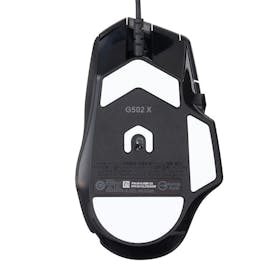

Logitech G502 X LIGHTFORCE Gaming Mouse Review: Pros and Cons After Testing
Logitech’s G502 X LIGHTFORCE Gaming Mouse is marketed as combining fast speed, solid reliability, and precise performance in one device. It’s also well-reviewed for having an easy-to-use DPI button. On the other hand, some users say it’s hard to grip, so you might be unsure whether it’s the right gaming mouse to buy.
To see how it actually performs, we reviewed it based on results from tests in four key areas:
Ease of Use
Ease of Aiming
Button Sensitivity
Customizability
We also compared it with popular gaming mice, including new and best-selling models from other brands. Based on hands-on testing, we clearly explain its real strengths and weaknesses, along with a price comparison that considers points and shipping to help you choose the right gaming mouse.

Logitech G502 X LIGHTFORCE Gaming Mouse Test Review

Our recommendation articles are carefully researched and crafted by the mybest Philippines team of writers and editors. To stay true to our company’s mission and vision to help users’ selection process easier, we also collaborate with experts from various fields to ensure that our content stays factual and useful.
Conclusion: A Reliable Wired Gaming Mouse That’s Easy for Beginners to Use
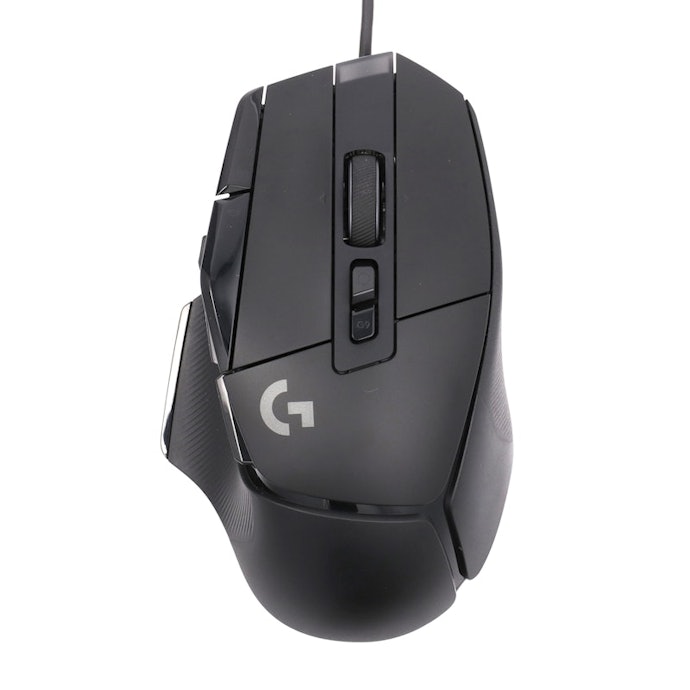
The Logitech G502 X LIGHTFORCE Gaming Mouse is a good pick for first-time gaming mouse users, but it may fall short for those who prioritize smooth handling. Unlike the wireless models we tested, the wired design can feel restrictive, with testers noting that the cable can tug during large flick movements.
At 89g, it’s heavier than many competing gaming mice, including ultra-light models under 60g. Its larger size and weight may cause fatigue during FPS or TPS games that rely on frequent wrist flicks or fingertip grip. As user reviews suggest, it may feel hard to hold depending on your grip style.
On the plus side, it fits comfortably with a palm grip. The non-slip base keeps the mouse stable, movements are smooth, and aiming feels controlled. The light yet responsive clicks make rapid clicking easy, which testers appreciated during gameplay.
The scroll wheel offers both free-spin and stepped modes for customizable control. While opinions on the side buttons varied, their firmer feel helps prevent accidental presses. With programmable buttons from G1 to G9, it offers greater customization than simpler models.
As noted in reviews, the DPI button is easy to use, allowing 50-DPI adjustments from the top. With a polling rate of up to 1,000Hz, it delivers reliable performance for FPS, MMO, and MOBA games.
What is Logitech G502 X LIGHTFORCE Gaming Mouse?
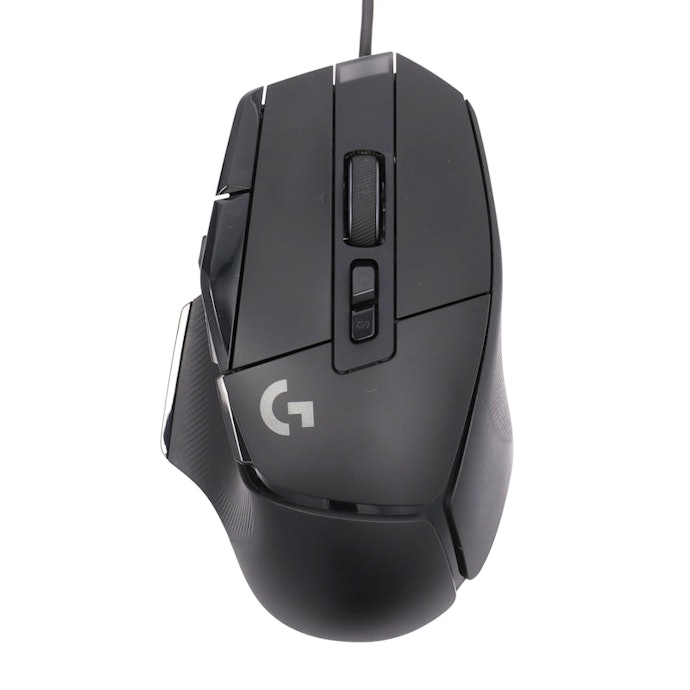
The G502 X LIGHTFORCE Gaming Mouse is made by Logitech, a well-established gaming device brand. It features the LIGHTFORCE switch, which combines optical and mechanical technology for fast, precise, and reliable clicks.
Powered by the HERO 25K sensor, it supports up to 25,600 DPI and delivers highly accurate tracking at sub-micron precision. The scroll wheel offers two modes: a free-spin mode for fast scrolling and a ratcheted mode for precise control.
The DPI shift button can be removed, reversed, or replaced with the included blank cover. With dimensions of 4.11 × 7.92 × 13.14 cm, the mouse features a thin-wall exoskeleton that balances durability and weight. At 89 g, it remains relatively lightweight for a wired mouse while maintaining a solid build.
The G502 Series Comes in Three Models, Including Wireless Options
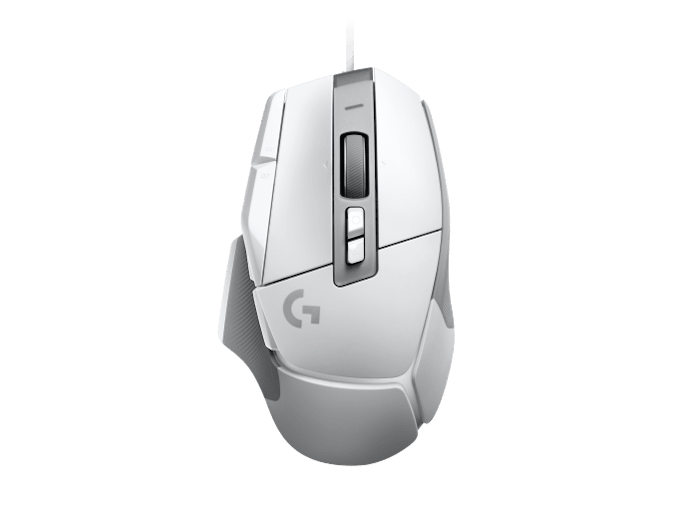
The current G502 lineup includes three models from the G502 X series, available in wired and wireless versions. The wired option is the G502 X LIGHTFORCE, while the wireless models are the G502 X LIGHTSPEED and G502 X PLUS LIGHTSPEED, both of which include a USB-A receiver and extension cable.
All three share the same HERO 25K sensor and LIGHTFORCE hybrid optical-mechanical switches, delivering identical core performance. The main differences are weight and wireless features. The wired G502 X weighs 89g, while the G502 X LIGHTSPEED and G502 X PLUS LIGHTSPEED weigh 102g and 106g.
The G502 X LIGHTSPEED offers up to 140 hours of battery life, while the G502 X PLUS LIGHTSPEED lasts up to 130 hours, or up to 37 hours with RGB lighting on. Both wireless models support optional POWERPLAY wireless charging.
Logitech G502 X Gaming Mouse Review: Honest Pros and Cons After Testing

All product tests
were conducted in-house at mybest

Logitech G502 X Gaming Mouse: Top 3 Reasons It Stands Out
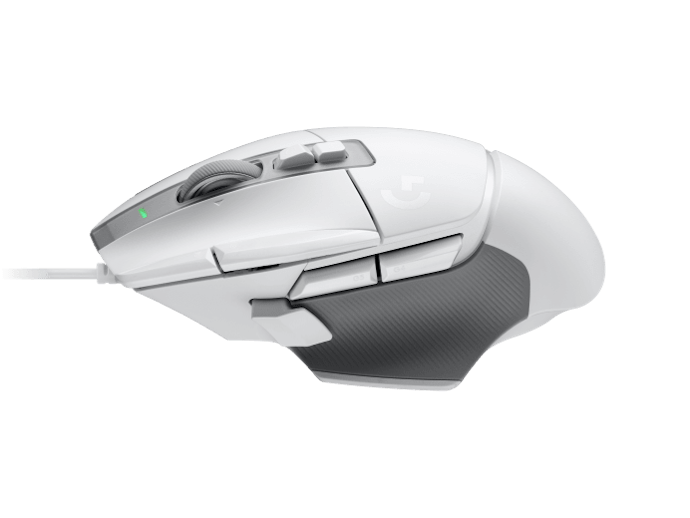
After comparing popular gaming mice, we found that the Logitech G502 X Gaming Mouse stands out for three main reasons. We’ll break them down one by one, so if you’re considering buying a gaming mouse, be sure to take a closer look.
Highly Customizable Controls With Adjustable DPI and Scroll Modes

The G502 X offers flexible customization, with DPI adjustable from 100 to 25,600 in precise 50-DPI steps. A 1,000Hz polling rate ensures smooth and responsive cursor movement.
The top-mounted DPI button makes quick switching easy during gameplay. With programmable buttons from G1 to G9, it’s well-suited for MMO and MOBA titles. The dual-mode scroll wheel lets you choose between precise ratcheted scrolling and fast free-spin scrolling, depending on your needs.
Light, Responsive Clicks and Well-Designed Side Buttons That Reduce Misclicks
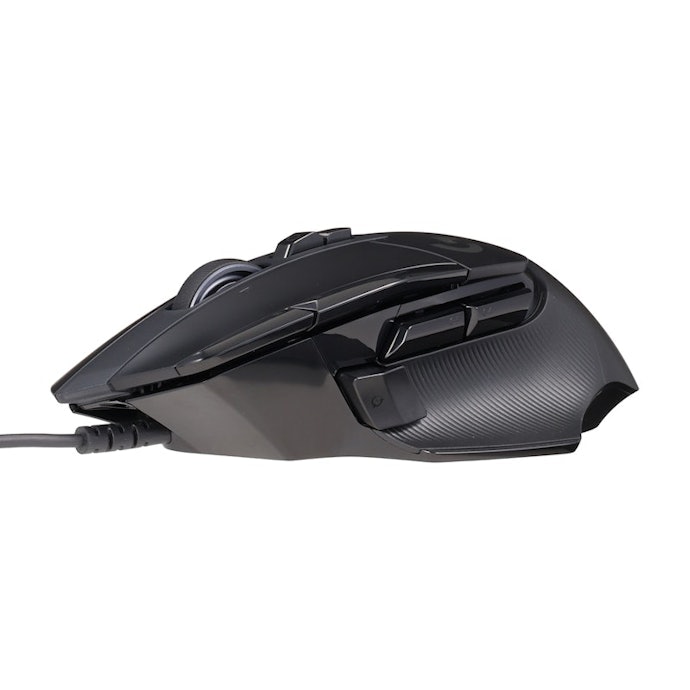
The G502 X features light clicks with a balanced rebound, making rapid clicking easy. Testers noted that actions like aiming down sights felt smooth and responsive. Compared with some models where inputs felt unclear, this mouse allows quick viewpoint changes, making it suitable for FPS and TPS games.
Tester comments on click feel:
“It feels like a blue-switch click, comfortable and very responsive."
“The rebound is good and the clicks are light, so I could keep clicking smoothly.”
“Not too hard or too light. It felt just right, and zooming while shooting was easy.”
“It felt slightly heavier than my preference. The click feedback was clear, but in fast-paced situations it may feel awkward.”
The side buttons are designed with a mix of raised and recessed shapes to improve press accuracy. They have a slightly firm feel, which helps reduce accidental inputs. However, preferences varied depending on grip style. Some testers found the placement convenient, while others felt it interfered with thumb movement.
The scroll wheel offers two modes: a fast free-spin mode and a ratcheted mode with tactile resistance. Testers who switched between modes reported fewer operation mistakes, making it suitable for both smooth scrolling and precise control.
Tester comments on side button usability:
“My thumb naturally rests between the two side buttons, making both easy to press. The sharp edges and click feel are satisfying.”
“The side buttons are recessed and positioned right under the thumb, so I could press them simultaneously.”
“There are five side buttons, which feels like a lot, but their placement reduces accidental presses.”
“With many side buttons, they’re useful for games like Fortnite, but in other games, misclicks might happen.”
Designed for Palm Grip Users, With a Comfortable Shape and Smooth Control
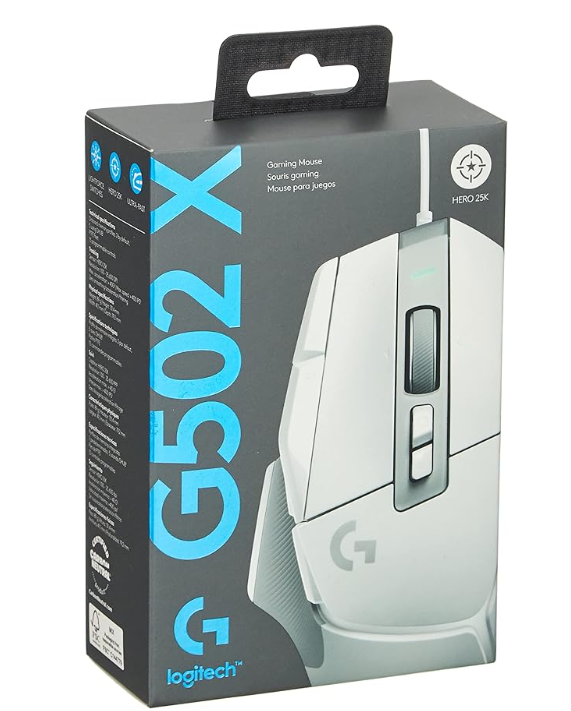
The G502 X has a larger shape suited for a palm grip, fitting naturally into the hand when fully gripped. The thumb area features a non-slip texture that improves grip and helps transfer force smoothly, making fine adjustments easier. Some testers felt the asymmetrical shape was harder to control at first, but this tended to improve with use.
It has a solid, weighty feel and three large glide feet on the base, allowing the mouse to stop precisely where intended. Movement feels smooth with little resistance, which helps with aim control. That said, a few testers mentioned that the weight caused fatigue, so it’s better suited to users who prefer a heavier mouse.
Tester comments on grip and glide:
“It doesn’t feel slippery, but it glides smoothly while staying grounded. The balance between stopping and sliding felt just right.”
“It’s fairly heavy, so stopping is easy, but moving can take effort, which gets tiring. The weight is the main issue.”
“I felt it slid too easily. The shape is unique, so controlling the mouse felt like it required skill.”
“The multiple large glide feet make it easy to stop. I prefer a mouse that moves more freely, but I didn’t feel dissatisfied.”
Logitech G502 X Gaming Mouse: 2 Potential Drawbacks to Consider
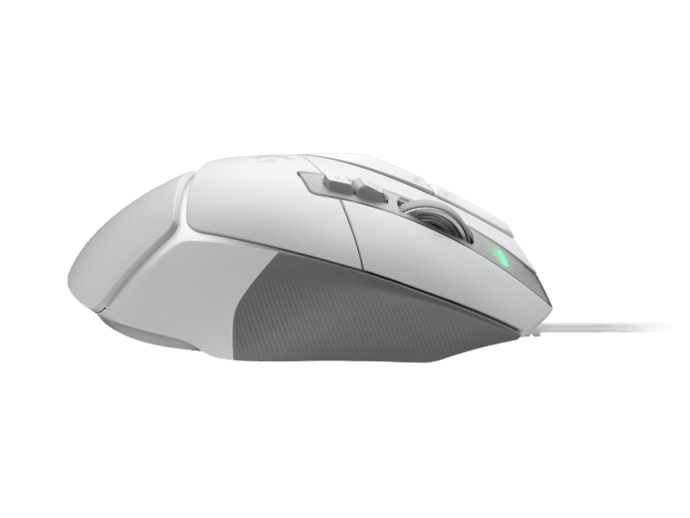
While the Logitech G502 X Gaming Mouse has plenty of strengths, we also noticed a few drawbacks. If you’re thinking of buying it, it’s worth checking these points carefully before you decide.
Affordable Wired Design, but Less Smooth to Handle
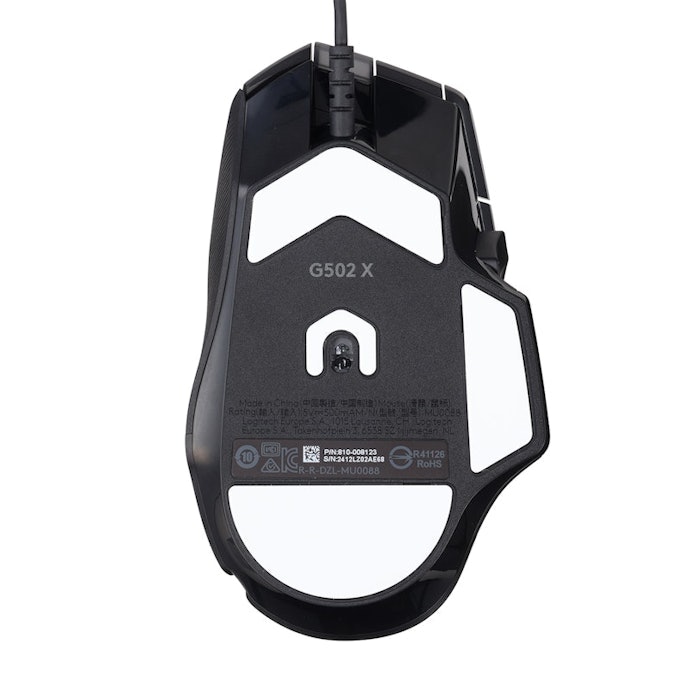
At 89g, the G502 X is slightly on the heavier side, which may lead to fatigue during long gaming sessions. Some competing gaming mice weigh around 60g, and for FPS or TPS games that require frequent mouse movement, this added weight may put more strain on the wrist and arm.
Because it’s a wired mouse, handling can also feel limited. In games that involve large, fast flicks, the cable may become noticeable and distracting. Logitech does offer wireless versions on its official site. They cost nearly twice as much, but may be worth considering if smoother handling and freedom of movement are a priority.
Large Size May Be Challenge for Fingertip Grip Users

Because of its larger size, the G502 X may be difficult to use with a fingertip grip, where the mouse is held mainly with the fingertips. It works well with a palm grip or claw grip, but users who tend to use a fingertip grip may find it less comfortable.
With a fingertip grip, fingers may also accidentally touch the side buttons. Some testers said they “couldn’t find the best position” when holding the mouse this way. In comparison, more symmetrical mice with a narrower waist tend to support a wider range of grip styles.
Logitech G502 X LIGHTFORCE Gaming Mouse Product Details
Features and benefits:
Lightforce hybrid switches provide the speed of light-based actuation along with the satisfying tactile click of a traditional mechanical mouse
Hero 25K sensor tracks movement at a sub-micron level with zero smoothing or acceleration to ensure every flick is perfectly captured
Dual-mode scroll wheel allows easy toggling between a lightning-fast free-spin mode for long documents and a ratcheted mode for precise weapon switching in games
Reviews mention:
Many users highlight the zero-latency reliability of the wired connection and that the sensor accuracy sharpens gameplay responsiveness. Gamers note it feels maneuverable during high-intensity sessions. Some mention that the DPI-shift button positions are easy to reach, though the dense button cluster may require a short adjustment period for those with smaller hands.
| Polling rate | 8000 Hz |
|---|---|
| Sensitivity | 25600 DPI |
| Tracking Speed | 400 IPS |
| Acceleration | 40 G |
| Connectivity | Wired (USB port) |
| Buttons | 13 |
| Weight | 102 g |
Where to Buy the Logitech G502 X LIGHTFORCE Gaming Mouse in the Philippines
The Logitech G502 X and its wireless variants are widely available in the Philippines through major online sellers like Lazada and Shopee.
Approximate local price ranges (as of time of writing):
Logitech G502 X (wired) – around ₱3,500 to ₱4,000
Logitech G502 X LIGHTSPEED (wireless) – around ₱6,000 to ₱7,500.
Logitech G502 X PLUS LIGHTSPEED (wireless with RGB) – around ₱7,500 to ₱9,000.
These prices vary with promotions, seller listings, and seasonal sales. Using platform vouchers, seller discounts, or loyalty points on Lazada and Shopee can make these deals more affordable.
You can also check official Logitech stores and authorized resellers in the Philippines for warranty coverage and bundled promotions.
Check Out More Computer Accessories From Logitech
Logitech has a wide array of electronic accessories to complement your gaming style. Take a look at more of our recommendations from them.

| Polling rate | 1000 Hz |
|---|---|
| Sensitivity | 12,000 DPI |
| Tracking Speed | 400 IPS |
| Acceleration | 40 G |
| Connectivity | Wireless 2.4 GHz (Lightspeed) |
| Buttons | 6 |
| Weight | 99 g |