10 Best Laptops Under PHP 30k in the Philippines 2026 | Buying Guide Reviewed by IT Specialist
The rise in remote working and learning has increased the demand for laptops. Moreover, with the rising prices of essential commodities, access to affordable laptops becomes even more critical for online meetings, classes, gaming, or virtual hangouts with friends.
But going for affordable laptops doesn’t necessarily mean sacrificing quality and performance. This article will introduce a list of budget laptops under 30k PHP that will enable workers and students to do a wide range of activities for work, play, and social media. To help you choose, we’ll also discuss some essential factors to consider when selecting affordable laptop brands, with guidance from an IT expert, JC Rogelio.

JC Rogelio is first and foremost a fan of upgrading and modifying computers. Due to his passion, he earned a degree in Information Technology from a university specializing in the field. He is tech-savvy and likes to research computer trends. He was a former employee of a Fortune 500 company in the Philippines and now has over 3 years of experience in the IT/Engineering field in Dubai.

Our recommendation articles are carefully researched and crafted by the mybest Philippines team of writers and editors. To stay true to our company’s mission and vision to help users’ selection process easier, we also collaborate with experts from various fields to ensure that our content stays factual and useful.
The expert oversees the Buying Guide only, and does not determine the products and services featured.
Why You Can Trust Us
Every mybest article is crafted with hours of in-depth research and interviews with experts. Each month, we are continually expanding our database of products based on our research. By emphasizing user insight and reliable information, we deliver trustworthy content to readers.
How to Choose a Laptop Under PHP 30,000 – Buying Guide
Budget-friendly laptops thrive in the Philippines, and this guide provides the best options for getting value for your 30,000 PHP budget — affordable laptops with the best specs your money can buy.
- Pick which operating system works for you
- Know your storage options: HDD, SSD, and eMMC
- Consider the specifications
- Think about its on-the-go features
- If on a tight budget, you can opt for free services and a lower-end CPU
For more detailed information, read on!
Pick Which Operating System Works for You
Getting an affordable laptop within a PHP 30,000 budget means choosing between Microsoft Windows and ChromeOS operating systems. Both have advantages and disadvantages, so let’s take a closer look and check which operating system suits your needs.
Choose Microsoft Windows if You Want a Laptop Compatible with Many Software

Laptops with Microsoft Windows dominate the global market. Most high-end and affordable laptops use this OS due to its high compatibility with many applications. If you’re searching for a computer with maximum software compatibility, choose one that runs on Windows.

When choosing an OS, most of us prefer the availability of built-in software and applications — an advantage of Windows. You can easily plug & play devices and hardware due to Windows’ wide range of support. The only downside for Windows is virus susceptibility.
ChromeOS is Great if You Prefer a Simple and User-Friendly Operation
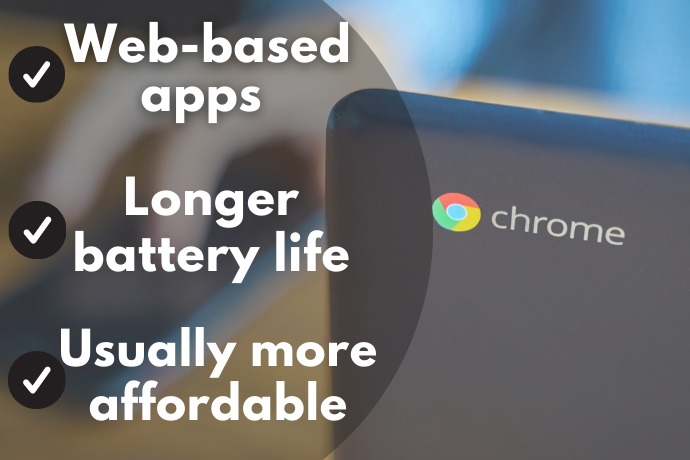
Beginners in the world of laptops and technology and those who don’t require heavy-duty use may want a user-friendly device with simple tools and fewer applications. ChromeOS laptops give users simplicity and ease of use, making them affordable laptops for students.
Fewer applications translate to better speed in reading data, making their operation faster, especially when opening or closing applications. However, because these laptops often carry smaller memory, applications requiring heavy computing may cause a system crash.
ChromeOS laptops are affordable, fast, relatively stable, and have longer battery life. They specialize in browsing and running web-based applications. Often connected to the internet, ChromeOS laptops frequently update their built-in antivirus. However, its usefulness declines when offline.
Know your Storage Options: HDD, SSD, and eMMC
Laptops may support one or two of the three types of these storage systems: HDD, SSD, and eMMC. Let's get to know which one can provide the best solution to your storage needs.
For Larger Storage Up to 2 TB, Go for a Hard Disk Drive (HDD)

An HDD can store large files and programs—ideal for storing photos and videos. Its capacity usually ranges from 160 GB up to 2 TB. However, it consumes more power, and the rotating physical disk makes it prone to damage.
Being cheaper than SSDs, HDDs have bigger storage and the ability to recover lost data, making HDDs an excellent choice for legacy storage. However, because of their moving parts, HDDs risk damage from accidents or extreme temperatures.
If You Value Speed, Choose Solid-State Drive (SSD)
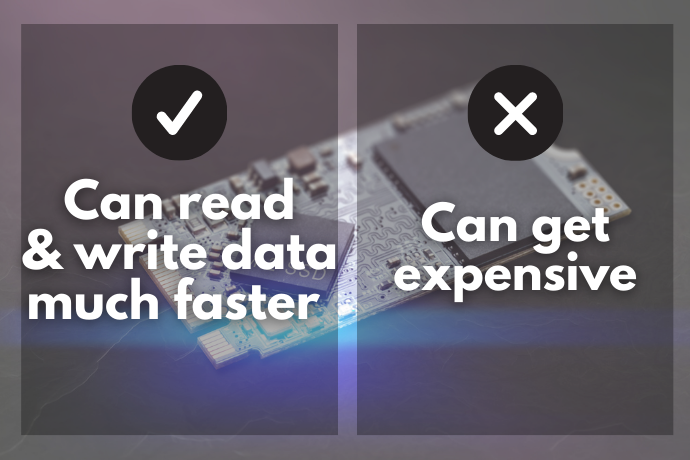
Invented to replace the HDD, the solid-state drive (SSD) effectively accelerated the operation of any computing machine. With no rotating disk inside, SDDs instantaneously read and write data faster. Being more expensive, however, SSDs may increase the overall price, potentially limiting your search for a laptop for 30k PHP.
SSDs come with a hefty price but also provide better speed. Laptops with SSDs boot up in seconds and read data up to a hundred times faster than HDDs. In addition, despite the smaller storage, SSDs are reliable and use less energy.
Using SSDs as primary storage might be costly, but doing so will improve everything, from battery life to data transfers. For laptops with HDD and SSD — some have up to 512 GB SSD — use the SSD as Windows bootloader and HDD as conventional data storage.
For Entry-Level Laptops, consider eMMCs
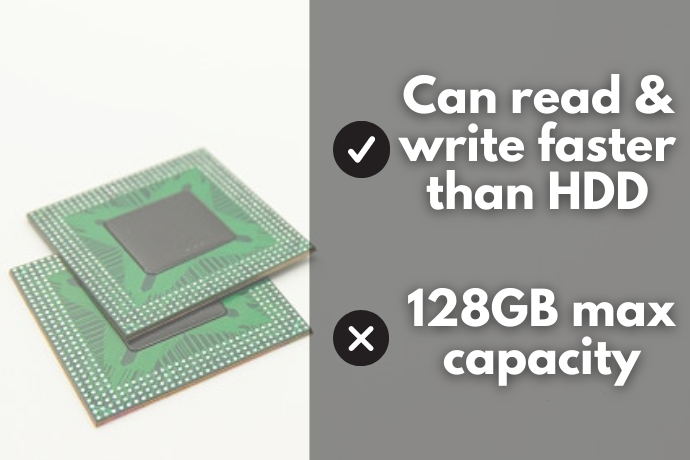
An eMMC (Embedded MultiMediaCard) can read and write faster than an HDD but falls short in storage (currently maxed out at 128 GB). In addition, while they operate quietly and use less battery consumption, eMMCs execute programs inefficiently. In other words, eMMCs serve as temporary storage with no advantage in terms of speed and space.
eMMCs are typically the primary storage for Chromebooks. For entry-level, I prefer a laptop with HDD storage rather than a limited Chromebook with eMMC. Chromebooks thrive on web-based applications but with minimal use without the internet.
Consider the Specifications
Reading all the laptop’s specifications can be a daunting task. So, to save you from the trouble and effort, we’ll explain some of the critical functions you must know.
Select at least 8GB Memory for Multitasking
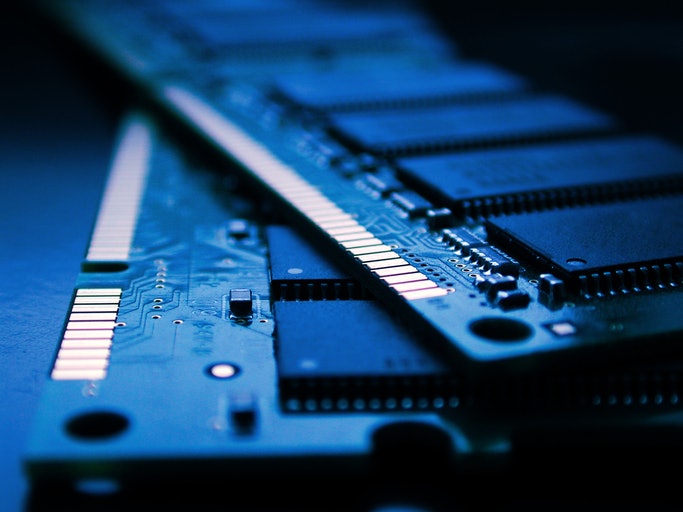
A budget laptop with 8 GB RAM allows multitasking by most workers and students. Of course, 16 GB also lets you play games with intense settings, but you rarely find laptops worth 30k PHP with more than 8 GB RAM. With RAM below 8 GB, you must limit the simultaneous applications to avoid lags or crashes.
Laptops with 4 GB of RAM may be suitable for light work and school activities, but you may encounter lags. Besides, adding a few thousand pesos for a laptop with 8 GB RAM will allow you to do more and faster. Therefore, with a 30k budget, I suggest going for laptops with 8 GB RAM.
Choose the Keyboard Based on Your Needs and Preference

The chiclet keyboard’s spacing and tactile feel provide better feedback and typing experience than the traditional or membrane keyboard. Because of the spaces between keys, prolonged use of the chiclet keyboard may cause fatigue. However, a membrane keyboard produces more sound, which can disturb your sleeping partner, child, or pet.
For frequent number users, you may consider buying a laptop with a numeric keypad, usually located on the right side of the keyboard. Laptops 15.6 inches or more tend to have full-sized keyboards with numeric keypads, so choose these models if you require a numeric keypad.
Good keyboards usually come from laptops priced more than 30,000 pesos. I use Bluetooth alternatives (e.g., keyboards, mice) to preserve the laptop keyboard’s longevity. For 11 years, never once did I have to replace my own laptop’s trackpad or keyboard.
For 2-in-1 Laptops, the Ports Should Be on the Tablet Side
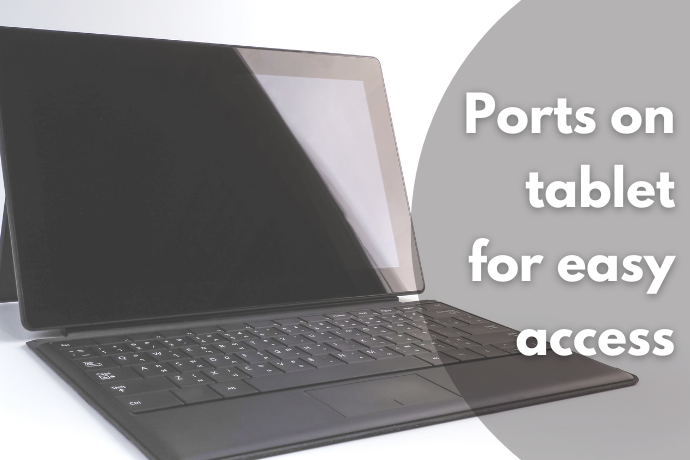
You can use a 2-in-1 laptop like a standard computer with a keyboard or detach it and enjoy its tablet mode. When choosing convertible models, remember that the ports can be on the tablet or the keyboard. However, ports should be on the tablet instead of the keyboard, so you can still plug in your peripherals even when using it as a tablet.
Convertible laptops are game changers. They are convenient and easy to use but undoubtedly expensive. Most of the 2-in-1 laptops have ports on the tablet side. If you have the budget, I suggest using Microsoft Surface Pro 7. However, I recommend getting a USB hub to help avoid easily damaging the ports.
Look for an HDMI or a VGA Slot to Easily Connect to Projectors or Monitors

Most laptops within 30,000 pesos have an HDMI (high-definition multimedia interface) slot. However, buying a model with analog terminals like VGA (video graphics array) can be helpful. Multiple options allow users to connect to various devices, including projectors and extra monitors.
While most laptops have HDMI ports, older-generation laptops have VGA ports only. However, for working or presenting, you may purchase an HDMI-to-VGA adapter or VGA-to-HDMI cable — handy accessories with many affordable choices.
Think About Its On-the-Go Features
Anti-glare and Smaller Screens if You Want to Conserve Battery Life

Using laptops outdoors or in a room with lots of natural light means dealing with sunlight or bright light, making it difficult to see anything on the screen. An anti-glare screen helps users without maxing out the monitor’s brightness. Such screens also reduce eye strain as they protect your eyes from glare.
On-the-go working exposes us to the sun. So, an anti-glare screen will help save your battery since you won’t rely much on the brightness to see from your screen easily.
Choose a Laptop With 8 or More Hours of Battery Life

Laptops with more than 8 hours of battery life provide the best option for on-the-go users. Therefore, long battery life should be critical if you’re often on the move and find it challenging to find an outlet. On the other hand, a smaller battery capacity will suffice if you frequently use your device in one place, such as those who work from home or with fixed workstations.
Check the usual purpose for using your laptop and the amount of time. For example, if you’re into gaming or CPU-intensive software (such as 3D modeling and video editing), you might need to carry your extra battery pack and charger and have a laptop you can use for at least 5 hours.
If on a Tight Budget, You Can Opt for Free Services and a Lower-End CPU
Having Microsoft 365 pre-installed lets new laptop buyers immediately get to work, or you can buy it separately. In addition, laptop buyers on a tight budget have cheaper or free compatible alternatives, including Google Workspace and WPS Office (with free WPS Standard) and free options like Microsoft 365 for the web, OpenOffice, and LibreOffice.
With a tight budget, buyers have lots of trade-offs to consider. For example, instead of buying a laptop with a high-end CPU, you may consider older-generation CPUs and redirect your attention to the other laptop components.
You can conveniently use web-based office software for free such as Microsoft Office Online or Google Docs, Sheets, and Slides. If you prefer to install software like Microsoft 365, your free options include OpenOffice and LibreOffice. With a 30k laptop budget, you may also go for Core i3 or older generations of i5.

10 Best Laptops Under PHP 30k to Buy Online
| Products | Image | Click to purchase | Popularity | Details | ||||||||
|---|---|---|---|---|---|---|---|---|---|---|---|---|
Operating System | Processor | Graphics | Display | RAM | Storage | Ports | Weight | |||||
1 | V15 G4 IRU |i3-1315U Lenovo |  | No.1 | FreeDOS | Intel Core i3-1315U | Intel UHD Graphics | 1920 x 1080 | 8 GB | 256 GB | 6 | unknown | |
2 | Intel Celeron N150 |AL14-32P-C5PN Acer |  | No.2 | Windows 11 | Intel N150 | Intel UHD Graphics | 1920 x 1200 | 8 GB | 512 GB | 5 | 1.5 kg | |
3 | Brand New Laptop Intel Win11 ICON |  | No.3 | Windows 11 Pro | Intel Celeron N5095 | Intel UHD Graphics | 1920 x 1080 | 4 GB, 8 GB, 16 GB | 128 GB SSD, 256 GB SSD, 512 GB SSD | 3 | 1.7 kg | |
4 | 255|G10 HP |  | No.4 | FreeDOS | AMD Ryzen 5 7520U | AMD Radeon 610M | 1920 x 1080 | 16 GB | 512 GB | 7 | unknown | |
5 | Vivobook Laptop 14" ASUS |  | No.5 | Windows 11 | Intel Core i5-1334U | Intel UHD Graphics | 14" 1920 x 1080 FHD | 12 GB | 256 GB | 5 | 1.4 kg | |
6 | NLR150 15.6"|16G+512G NingMei |  | No.6 | Windows 11 Home, Activated | Intel N150 | Intel UHD Graphics | 15.6" FHD IPS 1920 x 1080 | 16 GB | 512 GB | 5 | 1.6 kg | |
7 | IdeaPad 1|5-7520U Lenovo |  | No.7 | Windows 11 Home | AMD Ryzen 5 7520U | AMD Radeon 610M | 15.6" LED Backlit Full HD 1920 x 1080 4-Sided Narrow Bezels | 8 GB | 256 GB SSD | 7 | unknown | |
8 | ThinkPad Ultrabook Laptop |X13, X390 Lenovo |  | No.8 | Windows 11 Pro | Intel Core i5-8265U, Intel Core i7-8565U | Intel UHD Graphics 620 | 13.3 inches FHD 1920 x 1080 Narrow Bezel Full HD Screen | 16 GB | 512 GB SSD, 1 TB SSD | 8 | 1.22 kg | |
9 | XBOOK |B15 Infinix |  | No.9 | Windows 11 | Intel Core i3-1215U | Intel UHD Graphics | 15.6" IPS Ultra-Narrow 3.75 mm Bezel 1080p FHD | 8 GB | 512 GB | unknown | unknown | |
10 | GT Book 14 |N5100 Alldocube |  | No.10 | Windows 11 | Intel Celeron N5100 | Intel UHD Graphics | 14” FHD 1920 x 1080p IPS, 16:9 Aspect Ratio | 12 GB | 256 GB SSD | 5 | 1.35 kg | |


Reviews mention:
Users praise the laptop’s decent processor and SSD for business and academic tasks, with a solid build that exceeds expectations for the price. The battery typically lasts a full workday under light use, and the comfortable keyboard supports extended typing sessions. Wi-Fi 6 and multiple ports make it convenient for remote work or connecting to multiple monitors. Some recommend upgrading the base 8 GB RAM for more demanding multitasking.
| Operating System | FreeDOS |
|---|---|
| Processor | Intel Core i3-1315U |
| Graphics | Intel UHD Graphics |
| Display | 1920 x 1080 |
| RAM | 8 GB |
| Storage | 256 GB |
| Ports | 6 |
| Weight | unknown |
Acer Intel Celeron N150 | AL14-32P-C5PN

Reviews mention:
Many note that the display text appears sharp and colors look consistent even when viewed from off‑center angles. People find the laptop’s lightweight design, emphasizing that at around 1.5 kg, slips easily into a backpack. Several highlight the fast NVMe SSD, saying that it feels noticeably snappier than older eMMC‑based budget laptops.
| Operating System | Windows 11 |
|---|---|
| Processor | Intel N150 |
| Graphics | Intel UHD Graphics |
| Display | 1920 x 1200 |
| RAM | 8 GB |
| Storage | 512 GB |
| Ports | 5 |
| Weight | 1.5 kg |

Reviews mention:
Buyers praise the fast boot times and basic multitasking capability, noting that the laptop can perform office and school tasks. Windows 11 AI tools enhance productivity by handling applications efficiently. Its portability and power make setup and workflow seamless. Some users report that the battery drains faster than expected during intensive gaming sessions, despite efficiency claims.
| Operating System | Windows 11 Pro |
|---|---|
| Processor | Intel Celeron N5095 |
| Graphics | Intel UHD Graphics |
| Display | 1920 x 1080 |
| RAM | 4 GB, 8 GB, 16 GB |
| Storage | 128 GB SSD, 256 GB SSD, 512 GB SSD |
| Ports | 3 |
| Weight | 1.7 kg |
Reviews mention:
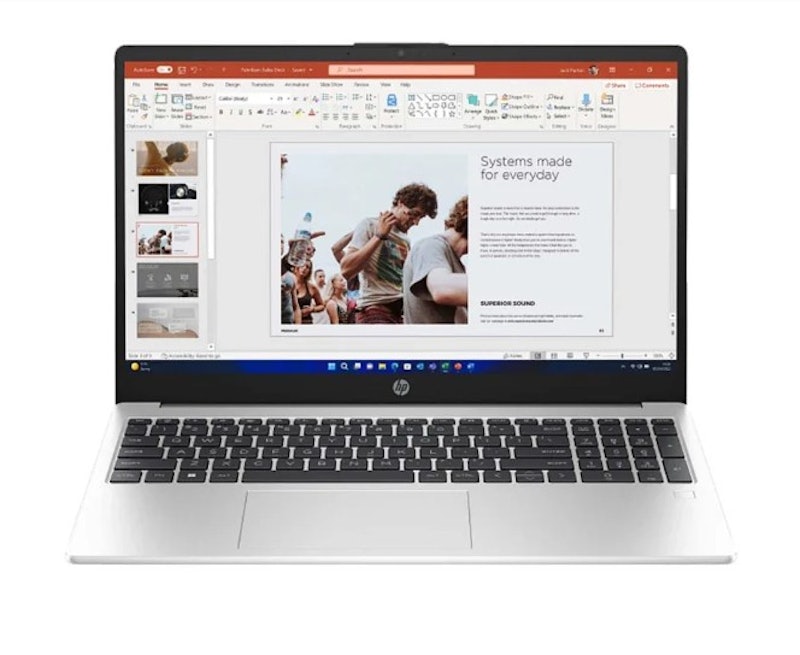
Customers praise the easy setup, large FHD screen, backlit keyboard, and numeric keypad for comfortable typing and efficient work. The Ryzen configuration delivers robust performance suitable for academic and everyday computing tasks. Constructed with durability in mind, the device provides a cost-effective solution. Its lightweight form factor enhances portability and supports efficient productivity in mobile environments. Some users note the limited number of USB ports may require USB hubs for multiple peripherals such as mice or optical drives.| Operating System | FreeDOS |
|---|---|
| Processor | AMD Ryzen 5 7520U |
| Graphics | AMD Radeon 610M |
| Display | 1920 x 1080 |
| RAM | 16 GB |
| Storage | 512 GB |
| Ports | 7 |
| Weight | unknown |

Reviews mention:
This laptop offers a crisp, vibrant display with slim bezels that enhance viewing and work experiences. It handles everyday tasks quickly and quietly, making multitasking efficient. The keyboard is comfortable, with effective backlighting for typing in dim environments. Some users find the screen and touchpad a bit basic, and the fan noise can be noticeable under heavier workloads.
| Operating System | Windows 11 |
|---|---|
| Processor | Intel Core i5-1334U |
| Graphics | Intel UHD Graphics |
| Display | 14" 1920 x 1080 FHD |
| RAM | 12 GB |
| Storage | 256 GB |
| Ports | 5 |
| Weight | 1.4 kg |
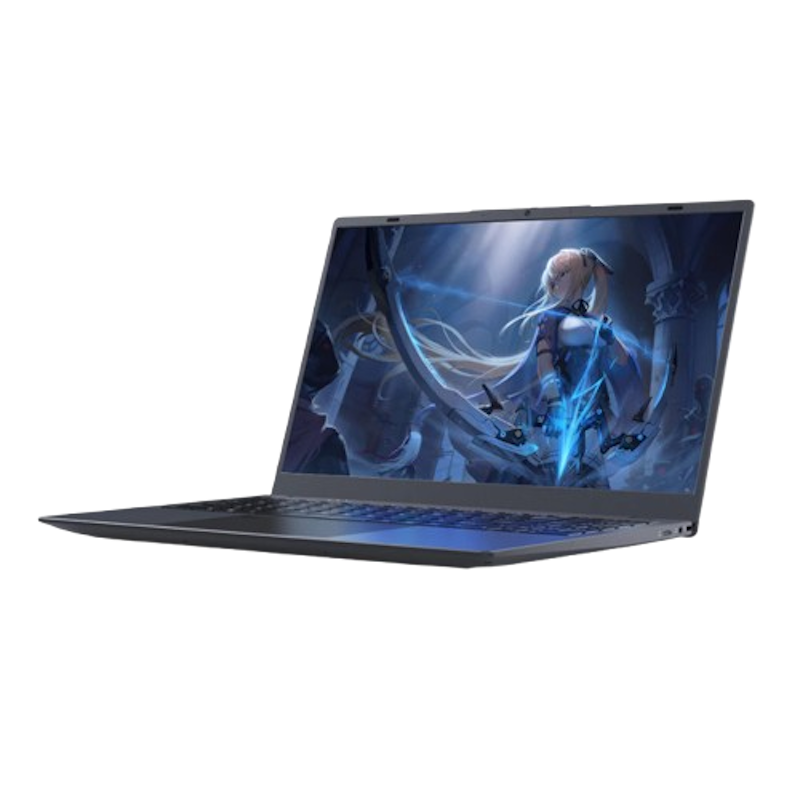
Features and benefits:
Reviews mention:
Those who have purchased this laptop share that the Intel N150 handles school and light office tasks well. They like the bright IPS screen and comfortable keyboard. Some say the sound is low and the battery runs out quickly, but many like its large storage and responsive performance.
| Operating System | Windows 11 Home, Activated |
|---|---|
| Processor | Intel N150 |
| Graphics | Intel UHD Graphics |
| Display | 15.6" FHD IPS 1920 x 1080 |
| RAM | 16 GB |
| Storage | 512 GB |
| Ports | 5 |
| Weight | 1.6 kg |

Features and benefits:
Reviews mention:
Several commend the surprisingly loud speakers and decent battery life in certain models. People note smooth performance for everyday tasks such as web browsing, office apps, and light coding. Many highlight its lightweight, thin design, making it highly portable.
| Operating System | Windows 11 Home |
|---|---|
| Processor | AMD Ryzen 5 7520U |
| Graphics | AMD Radeon 610M |
| Display | 15.6" LED Backlit Full HD 1920 x 1080 4-Sided Narrow Bezels |
| RAM | 8 GB |
| Storage | 256 GB SSD |
| Ports | 7 |
| Weight | unknown |
LenovoThinkPad Ultrabook Laptop | X13, X390

Reviews mention:
The Ultrabook offers solid durability with a lightweight design, ideal for working on the move. The keyboard is comfortable and precise, supporting long hours of typing. Performance remains steady, and the variety of ports allows easy connectivity for multiple devices. Battery life is sufficient for a full workday with rapid charging available. A short warranty and non-upgradable RAM may be considerations for long-term use.
| Operating System | Windows 11 Pro |
|---|---|
| Processor | Intel Core i5-8265U, Intel Core i7-8565U |
| Graphics | Intel UHD Graphics 620 |
| Display | 13.3 inches FHD 1920 x 1080 Narrow Bezel Full HD Screen |
| RAM | 16 GB |
| Storage | 512 GB SSD, 1 TB SSD |
| Ports | 8 |
| Weight | 1.22 kg |

Reviews mention:
Powered by Intel Core i3-1215U processor, this durable and portable laptop delivers reliable performance for everyday computing and smooth media streaming. Upgradeable memory and storage enhance versatility. User-focused features include a backlit keyboard and fast charging for improved efficiency. Battery life supports extended standard use, although demanding workloads may reduce runtime.
| Operating System | Windows 11 |
|---|---|
| Processor | Intel Core i3-1215U |
| Graphics | Intel UHD Graphics |
| Display | 15.6" IPS Ultra-Narrow 3.75 mm Bezel 1080p FHD |
| RAM | 8 GB |
| Storage | 512 GB |
| Ports | unknown |
| Weight | unknown |

Reviews mention:
Users praise the stunning display quality and high screen-to-body ratio for vibrant visuals ideal for everyday use. Lightweight design and solid build receive acclaim for portability and value. Smooth performance in basic tasks with good battery life under light loads and quiet passive cooling. Processor struggles with demanding apps or heavy multitasking despite RAM upgrades, leading to occasional lag.
| Operating System | Windows 11 |
|---|---|
| Processor | Intel Celeron N5100 |
| Graphics | Intel UHD Graphics |
| Display | 14” FHD 1920 x 1080p IPS, 16:9 Aspect Ratio |
| RAM | 12 GB |
| Storage | 256 GB SSD |
| Ports | 5 |
| Weight | 1.35 kg |
Frequently Asked Questions Answered by JC Rogelio
Now that you have a laptop in mind, allow our expert, JC Rogelio, to answer some of the most asked questions to help you take better care of your device.
Will a Cheaper Laptop Break More Easily?
What Are Some Tips to Make My Laptop Last Longer?
You can extend your laptop’s life by updating its software whenever available since it helps keep your laptop up to date. Since most updates focus on improvement and optimization, you can supplement that by frequently running scans for viruses or malware. Scanning checks whether your system is infected or if there are suspicious applications installed in your system.
Keeping your laptop in a well-ventilated area and using an external fan to reduce the heat during usage helps maintain an acceptable operating temperature minimum. You can also consider transitioning to the cloud, which allows your drive to handle internal applications. If you have the budget, switching from HDD to SSD can make operations much faster.
How Do I Prevent My Laptop From Slowing Down?
Check if a simple restart will do the trick. If not, press CTRL + Shift + ESC for Windows (or Alt + Cmd + Esc for Mac) to activate Task Manager and inspect running background applications. End or force quit running and unnecessary apps. Alternatively, check and install the latest software updates for system improvements.
You may also consider upgrading the RAM and swapping your HDD to SSD. If all else fails, consider a complete reformatting. Always remember the laptop’s primary purpose and capacity, so don’t be surprised if your entry-level laptop slows down when playing RAM-intensive games.
The Perfect Gaming Starter Kit
If you get a laptop that is powerful enough to run games, below are articles discussing gaming mouse and headsets, as well as some games that you might enjoy.


Re-editor: Allan Millar
How We Chose and Ranked Our Product Recommendations
Our buying guide was carefully researched and crafted by the mybest team of writers and editors, in collaboration with the expert featured in this article. We used the buying guide as a basis for choosing and ranking the product recommendations, and we looked at reviews and ratings from different E-commerce sites like Lazada, Shopee, and more.
The descriptions of each product are referenced from content available on manufacturer, brand, and e-commerce sites.