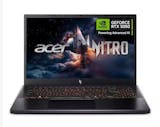
10 Best Gaming Laptops in the Philippines 2026 | Buying Guide Reviewed by IT Specialist
If you're looking for something a lot more powerful that can play your indie and triple-A games alike, then nothing beats a good gaming laptop. In this day and age, playing video games on the go is so easy to do. Even our smartphones and tablets are now powerful enough to play very impressive and entertaining video games.
Gaming laptops aren't just all about RGB lighting. There are many internal and external components that you have to consider to make sure that you're making a smart purchase. In order to help you, we made this buying guide, checked by IT specialist JC Rogelio, featuring the factors that you have to consider when choosing a gaming laptop. We've also gathered our Top 10 gaming laptops that you can buy online.

JC Rogelio is first and foremost a fan of upgrading and modifying computers. Due to his passion, he earned a degree in Information Technology from a university specializing in the field. He is tech-savvy and likes to research computer trends. He was a former employee of a Fortune 500 company in the Philippines and now has over 3 years of experience in the IT/Engineering field in Dubai.

Our recommendation articles are carefully researched and crafted by the mybest Philippines team of writers and editors. To stay true to our company’s mission and vision to help users’ selection process easier, we also collaborate with experts from various fields to ensure that our content stays factual and useful.
The expert oversees the Buying Guide only, and does not determine the products and services featured.
Why You Can Trust Us
Every mybest article is crafted with hours of in-depth research and interviews with experts. Each month, we are continually expanding our database of products based on our research. By emphasizing user insight and reliable information, we deliver trustworthy content to readers.
How to Choose a Gaming Laptop - Buying Guide
- Choose a laptop with a GPU in the Nvidia GTX 10 and 1600 or RTX 20 and 30 series
- Assess the CPU's performance—choose between intel and AMD
- An 8 GB or higher ram capacity is ideal
- Consider the storage: HDD, SSD, or both
- Size, resolution, and refresh rate: examine the display
- Take note of the portability
- Backlit keyboards are a plus
For more detailed information, read through our buying guide below.
Choose a Laptop With a GPU in the Nvidia GTX 10 and 1600 or RTX 20 and 30 Series

The graphics processing unit, or GPU, is probably one of the most important components of a good gaming laptop. It is responsible for processing all the visual and graphical aspects of your game. All laptops have GPUs, but what separates a gaming laptop from a non-gaming one is their use of discrete GPUs.
Nvidia is one of the main manufacturers of discrete GPUs for gaming laptops. For lower-end gaming laptops, you can go with Nvidia GTX 10 or 1600 series. But as your budget increases, you can opt for the higher-end RTX 20 and 30 series that features ray tracing technology.
Assess the CPU's Performance—Choose Between Intel and AMD
The CPU, or central processing unit, is the brain of the computer. It handles all things non-graphics related that the computer does, such as your computer's operating system, your browser, and other productivity applications. CPUs with 4 cores should be the bare minimum installed in a modern gaming laptop. Both Intel and AMD offer gaming CPUs that are typically incorporated in gaming laptops.
Intel Is Widely Used on Gaming Laptops

Intel’s Core i5, i7, or i9 series are the usual choices for a gaming laptop. Keep in mind that the CPU's model is not everything, as Intel's i5 and i7 have already been around for years.
If you can, go for the 10th or 11th generation Intel processors, as they offer better performance and more updated features as compared to the lower generation Intel CPUs.
AMD Offers Better Bang for the Buck
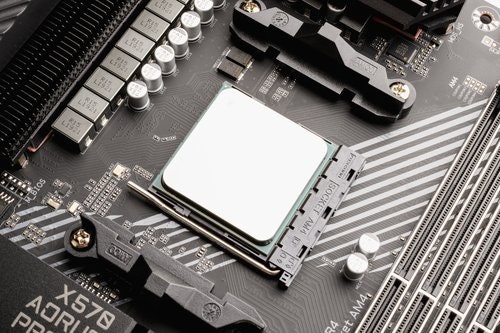
Intel's rival, AMD, has been on a tear these past few years, though. Their Ryzen 4000 and 5000 series of CPU's have proven to be very good options for gaming laptops, as they usually deliver excellent performances for their price. They usually run cooler and are more efficient than their Intel counterparts, as well.
An 8 GB or Higher RAM Capacity Is Ideal

Gaming can be quite intensive on RAM usage. And if you like keeping other applications open in the background while gaming, then it could easily chew through your RAM space.
That's why it is recommended to get a machine with at least 8 GB of RAM if you're on a budget. If you're willing to pay extra, other high-end devices could come with 16 GB.
Some laptops also have RAM expansion slots. These types of gaming laptops are better since they provide you with an option to add more RAM capacity in the future.
Consider the Storage: HDD, SSD, or Both
Generally, the type of storage that you use will have close to a negligible effect on in-game performance. What it does affect is how fast your game loads. Gaming aside, the speed of your storage also affects your boot-up times and file transfer speeds.
Hard Drives Are Slow but Affordable

Some budget gaming laptops might have hard drives as their main storage. Hard drives are very affordable and may usually come in 500 GB or 1 TB capacities. However, they are very slow. If your laptop comes with only a hard drive, prepare to endure painfully slow boot-up and load times.
Solid State Drives Are Speedy but Pricey
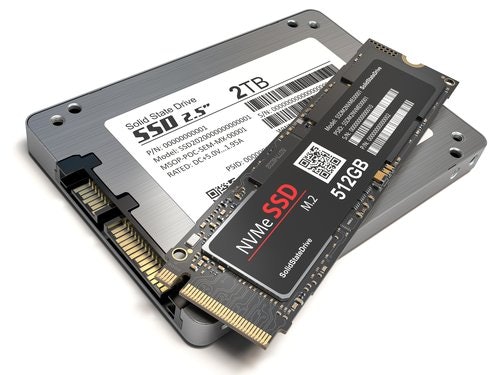
Solid state drives, or SSD's, are the newer forms of storage devices. They are significantly faster than the older hard drives. SSD's are more expensive than hard drives and are usually available in smaller capacities such as 250 GB.
Having Both an SSD and a Hard Drive Is the Best Setup
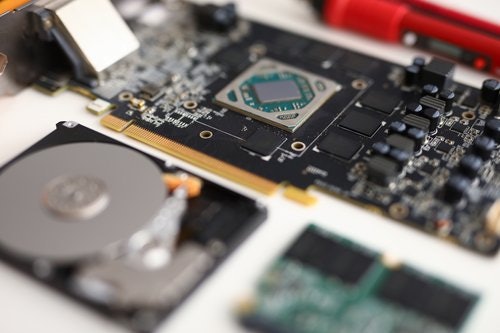
Take our suggestion: get both of them to have the best setup. Go for gaming laptops that have a small-capacity SSD along with a large hard drive. In that way, you get to experience the faster boot-up time of an SSD, while being able to save your less-played games and other files on your larger hard drive.
Size, Resolution, and Refresh Rate: Examine the Display
With all the internal specs that you have to look for in gaming laptops, sometimes the display could easily be overlooked. You will most probably be looking at your laptop's screen for hours on end, which is why it's important that you consider the display very carefully.
Get a Size That Works for You

The display sizes of gaming laptops usually range from 14 to 18 inches. Most gaming laptops in the market have a 15.6"screen size though there are also options with 16" and 17" display sizes. It's up to you whether you'd like a bigger screen. But remember, gaming laptops with bigger screens will always be bulkier and heavier.
Go for at Least 1080p Resolution

In terms of screen resolution, a 1080p display will give you the best price, performance, and clarity ratio, or otherwise known as Full HD. If you want better clarity, you can go for higher resolutions like a 4K display.
Just be aware that 4K displays are expensive and demanding to your GPU. You’d have to lower your graphical settings just to run games smoothly at such a high resolution.
Higher Refresh Rates Such as 120 or 144 Hz Give You a Smoother Gameplay

The most common refresh rate among all laptops is at 60 Hz. However, if you want a smoother gaming experience, opt for displays with higher refresh rates such as 120 or 144 Hz.
If you play games wherein every frame is important, such as competitive E-sports titles, then go for high refresh rate displays that will help you crush your opponents.
Take Note of the Portability

While gaming laptops are technically considered laptops, they traditionally do very poorly in portability. They are usually quite heavy, making them very hard to bring around. Not to mention, they won't usually last long unplugged due to their power-hungry components. Their chassis also have to be quite thick to accommodate and protect its components.
Fortunately, more and more manufacturers are developing thinner and lighter gaming laptops. These gaming laptops make use of more efficient CPUs that allow for slimmer designs and longer battery lives. Go for these types of gaming laptops if you plan on gaming while on-the-go.
Backlit Keyboards Are a Plus

Many gaming laptops also feature a backlit keyboard. Some even have user-adjustable RGB lighting for their keyboards. This means that you get to change the color of your keyboard's backlight. These not only make your keyboard look pretty, but they also make typing in the dark easier.
10 Best Gaming Laptops to Buy Online
| Products | Image | Click to purchase | Popularity | Details | ||||||||||
|---|---|---|---|---|---|---|---|---|---|---|---|---|---|---|
Operating System | GPU | CPU | RAM | Storage | Display | Battery | Ports | Weight | Additional Features | |||||
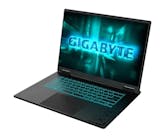
1 | A16 Gaming Laptop - Ryzen 7 260 / RTX5070 / 16GB / 1TB |GS-GAMING-A16-3WHK3PHC94SH Gigabyte |  | No.1 | Windows 11 Home | NVIDIA GeForce RTX 5070 | AMD Ryzen 7 260 | 16 GB | 1 TB | 16" QHD+ / WQXGA (2560 × 1600), 16:10, 165 Hz IPS | 76 Wh | 1 × DC-in, 1 × RJ-45, 1 × HDMI 2.1, 1 × USB-C 3.2 Gen1 (DP 1.4 + PD 3.0), 2 × USB-A 3.2 Gen1, 1 × USB-A 2.0, 1 × 3.5 mm Audio Jack (Mic/Headphone Combo) | ≈ 2.2 kg | RGB Backlit Keyboard (1-Zone, 15-Color Style), Wi-Fi 6E, Bluetooth 5.2, Dual-Fan Cooling | |
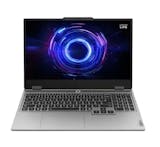
2 | LOQ 15.6" FHD Gaming Laptop Intel Core i7-13650HX 16GB/512GB RTX 5060 Win 11 Lenovo |  | No.2 | Windows 11 Home | NVIDIA GeForce RTX 5060 | Intel Core i7-13650HX | 16 GB | 512 GB SSD | 15.6" FHD 1920 × 1080 IPS 144 Hz | 60 Wh | 3 × USB-A, 1 × USB-C, 1 × HDMI 2.1, 1 × 3.5 mm Combo Jack, 1 × RJ-45, 1 × Power Connector | 2.35 kg | Windows 11 Home, Wi-Fi 6, Bluetooth 5.2, 144 Hz Anti-Glare Display, White Backlit Keyboard, MIL-STD-810H-Tested Chassis, and Office Home and Student 2021 | |
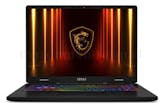
3 | Ryzen 7 / 16GB DDR5 / 512GB SSD / RTX 5070 / 16″ / Win 11 | itw |Crosshair A16 HX D8WGKG-086PH MSI |  | No.3 | Windows 11 Home | NVIDIA GeForce RTX 5070 | AMD Ryzen 7 8840HX | 16 GB DDR5 | 512 GB NVMe SSD | 16" FHD+ (1920 × 1200), IPS-Level, 240 Hz Refresh Rate | 90 Wh | 3 × USB-A and 1 × USB-C, 1 × HDMI 2.1, 1 × RJ45 LAN, 1 × Audio Combo Jack | ~2.5 kg | Wi-Fi 6E, Bluetooth 5.3, RGB Backlit Gaming Keyboard, Cooler Boost 5, 16-Inch 240 Hz Gaming Display, and MSI Center-Style Software | |
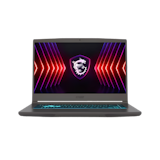
4 | Thin 15 |B12UC-1435PH MSI |  | No.4 | Windows 11 Home | NVIDIA GeForce RTX 3050 | Intel Core i5-12450H | 16 GB DDR4 | 512 GB NVMe PCIe Gen4 SSD | 15.6" FHD (1920 × 1080), 144 Hz, IPS-Level | 52.4 Wh | 1 × Type-C (USB3.2 Gen1 / DP), 3 × Type-A USB3.2 Gen1, 1 × HDMI (4K @ 30 Hz), 1 × RJ45, 1 × Mic-In, 1 × Headphone-Out | 1.86 kg | Single Backlit Keyboard (Blue), HD Webcam (30 fps @ 720p), Wi-Fi 6E, Bluetooth v5.3, 2 × 2 W Speakers, DTS Audio Processing, Cosmos Gray Chassis | |
5 | Nitro V15 Gaming Laptop|Nitro V15 Acer |  | No.5 | Windows 11 Home | NVIDIA GeForce RTX 5050 | Intel Core i5-13420H | 16 GB DDR4 (Upgradable to 32 GB) | 512 GB SSD PCIe Gen4 NVMe | 15.6" FHD (1920 × 1080) IPS 165 Hz | 57 Wh | 1 × USB-C 3.2 Gen2, 3 × USB-A 3.2 Gen1, 1 × HDMI 2.1, 1 × RJ-45, 1 × Audio Jack | 2.11 kg | NitroSense, Backlit Keyboard, Wi-Fi 6E and Bluetooth 5.3, 100% sRGB | |
6 | Gaming Laptop - 16″ WQXGA Ryzen AI7 RTX5060 16GB 1TB |GS-AERO-X16-1VH93PHC94DH Gigabyte |  | No.6 | Windows 11 Home | NVIDIA GeForce RTX 5060 | Ryzen AI 7 350 | 16 GB DDR5 | 1000 GB / 1 TB PCIe Gen4 NVMe SSD | 16-Inch WQXGA (2560 × 1600) IPS 16:10 165 Hz 3 ms 100% sRGB 400 Nits | 99 Wh | 2 × USB 3.2 Gen 2 Type-C, 2 × USB 3.2 Gen 1 Type-A, 1 × HDMI 2.1, 1 × RJ45, 1 × MicroSD Card Reader, 1 × Audio Combo Jack | 2.10 kg | TUV Rheinland Low Blue Light, Dolby Atmos, FHD IR Webcam, Windows Hello Face Authentication, 1-Zone RGB Backlit Keyboard, Wi-Fi 6E, Bluetooth 5.3 | |
7 | Gaming 15-fa2729TX |15.6" FHD| Core i5-13420H | 16GB RAM | 512GB SSD | RTX 4050 6GB |Victus 15-fa2729TX HP |  | No.7 | Windows 11 Home | NVIDIA GeForce RTX 4050 | Intel Core i5-13420H | 16 GB | 512 GB | 15.6" FHD (1920 × 1080), 144 Hz, IPS, Anti-Glare, 300 Nits | 70 Wh | 1 × USB-A 5 Gbps (Sleep & Charge), 1 × USB-A 5 Gbps, 1 × USB-C 5 Gbps (DisplayPort 1.4a, Sleep & Charge), 1 × HDMI 2.1, 1 × Headphone/Mic Combo, 1 × RJ-45, 1 × AC Smart Pin | 2.19 kg | Backlit Keyboard With Numeric Keypad, HP Wide Vision 720p HD Camera, Dual Speakers By B&O, Wi-Fi 6, Bluetooth 5.3, SD Card Reader | |
8 | Helios Neo Slim 16S|PHN16S-71-72WE Acer |  | No.8 | Windows 11 Home | NVIDIA GeForce RTX 5060 | Intel Core Ultra 7 255HX | 16 GB DDR5 | 512 GB NVMe M.2 SSD | 16-Inch WQXGA (2560 × 1600) OLED, 240 Hz Refresh Rate, 100% DCI-P3 Color Gamut, 400 Nits Brightness | 76 Wh | 1 × Thunderbolt 4 (Support DisplayPort/Charging), 1 × USB-C 3.2 Gen 2, 2 × USB-A 3.2 Gen 2, 1 × USB-A 3.2 Gen 1, 1 × HDMI 2.1, 1 × RJ-45 Ethernet, 1 × MicroSD Card Reader, 1 × 3.5 mm Audio Combo Jack | 2.3 kg | Copilot+ PC AI Integration, 5th Gen AeroBlade 3D Fan Technology, Liquid Metal Thermal Grease, Acer PurifiedVoice 2.0 With AI Noise Reduction, 4-Zone RGB Backlit Keyboard, 1080p FHD Webcam With Temporal Noise Reduction, DTS X:Ultra Audio, Killer Wi-Fi 6E, PredatorSense System Control | |
9 | 15.6" FHD Intel 5-210H 16GB 512GB SSD RTX 5060 Windows 11 Gaming Laptop |Cyborg 15 B2RWFKG-035PH MSI |  | No.9 | Windows 11 Home | NVIDIA GeForce RTX 5060 | Intel Core 5 210H | 16 GB (8 GB × 2) DDR5-5600 Mhz | 512 GB NVMe PCIe Gen4 SSD | 15.6" FHD (1920 × 1080), 144 Hz IPS-Level | 53.5 Wh | 2 × USB-A 3.2 Gen 2, 1 × USB-C (3.2 Gen 2/DP/PD), 1 × HDMI 2.1, 1 × Mic/Headphone Combo | 1.98 kg | Firmware Trusted Platform Module (fTPM) 2.0, Webcam Shutter, Kensington Lock, MIL-STD-810H/G Military Certification, 4-Zone RGB Gaming Keyboard, Intel Wi-Fi 6E + Bluetooth 5.3, 120 W Adapter | |
10 | Gaming Laptop 15 FHD 13th Gen i5 16GB RAM 512GB SSD NVIDIA GeForce RTX 4050 6GB GDDR6 |G15 5530 Dell |  | No.10 | Windows 11 Home | NVIDIA GeForce RTX 4050 | Intel Core i5-13450HX | 16 GB | 512 GB SSD | 15.6-Inch FHD (1920 × 1080) | 86 Wh | 1 HDMI 2.1, 3 USB 3.2 Gen 1 Type-A, 1 USB-C 3.2 Gen 2 With DisplayPort, 1 RJ45 Ethernet, 1 Universal Audio Jack | 2.81 kg | 13th Generation Intel Core Processor, Anti-Glare Display, 165 Hz Refresh Rate, ComfortView Plus, G-SYNC, Advanced Optimus, Dual-Channel Memory Support, ExpressCharge | |

Gigabyte A16 Gaming Laptop - Ryzen 7 260 / RTX5070 / 16GB / 1TB | GS-GAMING-A16-3WHK3PHC94SH
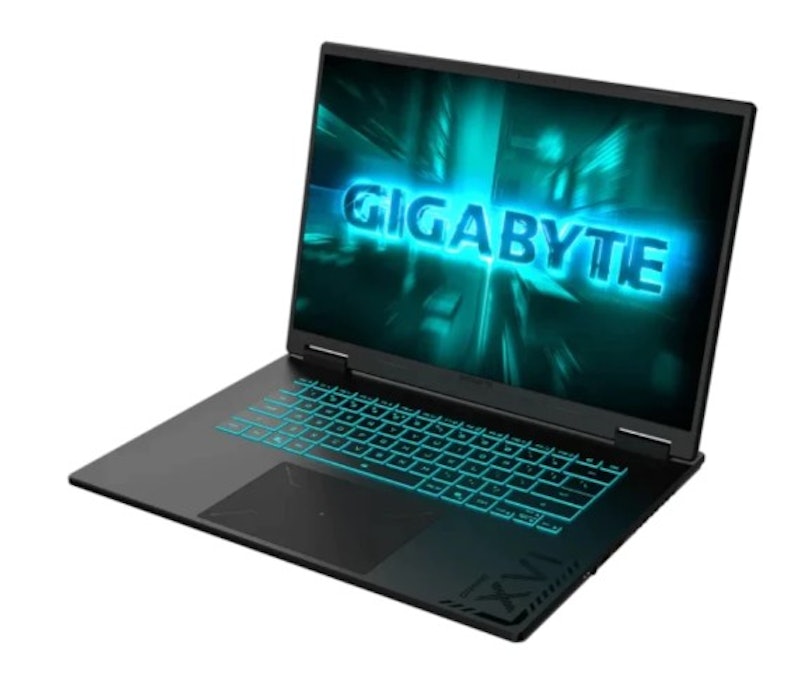
Features and benefits:
Reviews mention:
Several praise its strong gaming performance, supporting smooth gameplay in AAA titles. Many highlight the impressive cooling system and lightweight design. People appreciate the display for its fast motion clarity and extra-tall workspace.
| Operating System | Windows 11 Home |
|---|---|
| GPU | NVIDIA GeForce RTX 5070 |
| CPU | AMD Ryzen 7 260 |
| RAM | 16 GB |
| Storage | 1 TB |
| Display | 16" QHD+ / WQXGA (2560 × 1600), 16:10, 165 Hz IPS |
| Battery | 76 Wh |
| Ports | 1 × DC-in, 1 × RJ-45, 1 × HDMI 2.1, 1 × USB-C 3.2 Gen1 (DP 1.4 + PD 3.0), 2 × USB-A 3.2 Gen1, 1 × USB-A 2.0, 1 × 3.5 mm Audio Jack (Mic/Headphone Combo) |
| Weight | ≈ 2.2 kg |
| Additional Features | RGB Backlit Keyboard (1-Zone, 15-Color Style), Wi-Fi 6E, Bluetooth 5.2, Dual-Fan Cooling |
LenovoLOQ 15.6" FHD Gaming Laptop Intel Core i7-13650HX 16GB/512GB RTX 5060 Win 11
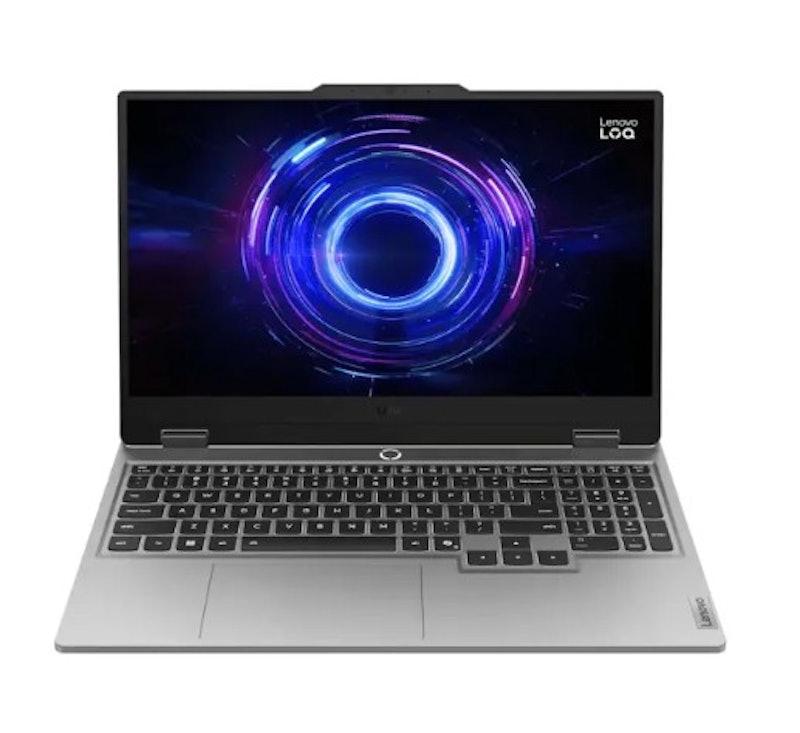
Features and benefits:
Reviews mention:
Many highlight the laptop's minimal thermal throttling and user-upgradeable RAM/storage. People commend the sturdy build quality, comfortable keyboard with good key travel, and high-refresh-rate display. Several note its impressive 3D graphics capabilities for entry-level gaming enthusiasts.
| Operating System | Windows 11 Home |
|---|---|
| GPU | NVIDIA GeForce RTX 5060 |
| CPU | Intel Core i7-13650HX |
| RAM | 16 GB |
| Storage | 512 GB SSD |
| Display | 15.6" FHD 1920 × 1080 IPS 144 Hz |
| Battery | 60 Wh |
| Ports | 3 × USB-A, 1 × USB-C, 1 × HDMI 2.1, 1 × 3.5 mm Combo Jack, 1 × RJ-45, 1 × Power Connector |
| Weight | 2.35 kg |
| Additional Features | Windows 11 Home, Wi-Fi 6, Bluetooth 5.2, 144 Hz Anti-Glare Display, White Backlit Keyboard, MIL-STD-810H-Tested Chassis, and Office Home and Student 2021 |
MSI Ryzen 7 / 16GB DDR5 / 512GB SSD / RTX 5070 / 16″ / Win 11 | itw | Crosshair A16 HX D8WGKG-086PH
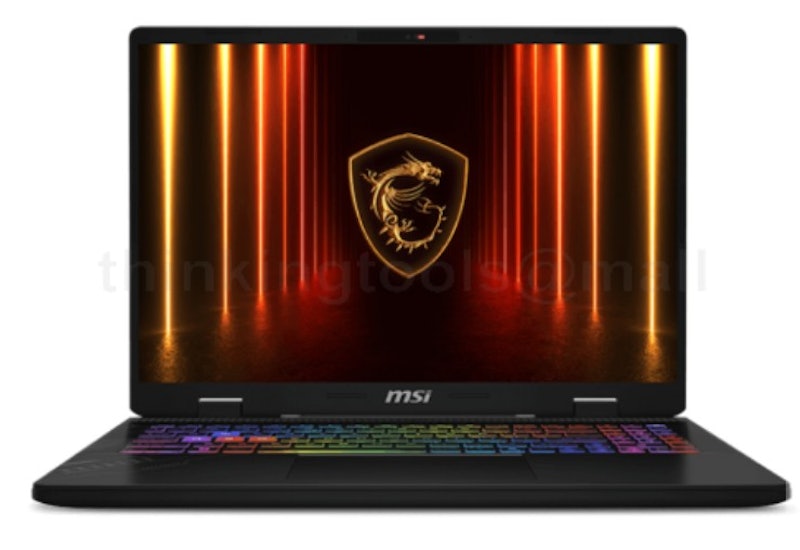
Features and benefits:
Reviews mention:
People find that the cooling system effectively manages heat during intense sessions, supporting sustained performance without significant thermal throttling. Many note the high-refresh-rate display offers exceptional motion clarity, which is especially beneficial for fast-paced competitive titles. Several appreciate the sturdy build of the chassis and the tactile response of the backlit keyboard for both gaming and productivity.
| Operating System | Windows 11 Home |
|---|---|
| GPU | NVIDIA GeForce RTX 5070 |
| CPU | AMD Ryzen 7 8840HX |
| RAM | 16 GB DDR5 |
| Storage | 512 GB NVMe SSD |
| Display | 16" FHD+ (1920 × 1200), IPS-Level, 240 Hz Refresh Rate |
| Battery | 90 Wh |
| Ports | 3 × USB-A and 1 × USB-C, 1 × HDMI 2.1, 1 × RJ45 LAN, 1 × Audio Combo Jack |
| Weight | ~2.5 kg |
| Additional Features | Wi-Fi 6E, Bluetooth 5.3, RGB Backlit Gaming Keyboard, Cooler Boost 5, 16-Inch 240 Hz Gaming Display, and MSI Center-Style Software |

| Operating System | Windows 11 Home |
|---|---|
| GPU | NVIDIA GeForce RTX 3050 |
| CPU | Intel Core i5-12450H |
| RAM | 16 GB DDR4 |
| Storage | 512 GB NVMe PCIe Gen4 SSD |
| Display | 15.6" FHD (1920 × 1080), 144 Hz, IPS-Level |
| Battery | 52.4 Wh |
| Ports | 1 × Type-C (USB3.2 Gen1 / DP), 3 × Type-A USB3.2 Gen1, 1 × HDMI (4K @ 30 Hz), 1 × RJ45, 1 × Mic-In, 1 × Headphone-Out |
| Weight | 1.86 kg |
| Additional Features | Single Backlit Keyboard (Blue), HD Webcam (30 fps @ 720p), Wi-Fi 6E, Bluetooth v5.3, 2 × 2 W Speakers, DTS Audio Processing, Cosmos Gray Chassis |
AcerNitro V15 Gaming Laptop | Nitro V15
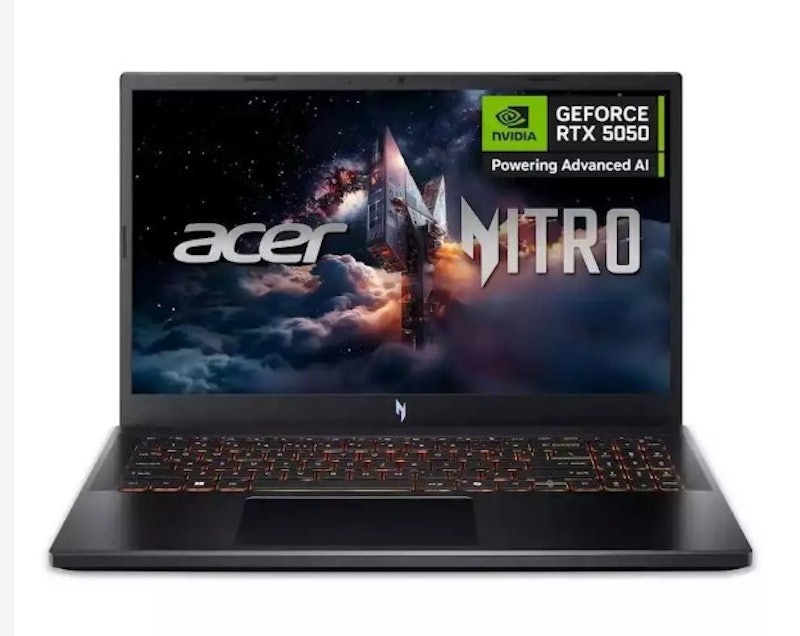
| Operating System | Windows 11 Home |
|---|---|
| GPU | NVIDIA GeForce RTX 5050 |
| CPU | Intel Core i5-13420H |
| RAM | 16 GB DDR4 (Upgradable to 32 GB) |
| Storage | 512 GB SSD PCIe Gen4 NVMe |
| Display | 15.6" FHD (1920 × 1080) IPS 165 Hz |
| Battery | 57 Wh |
| Ports | 1 × USB-C 3.2 Gen2, 3 × USB-A 3.2 Gen1, 1 × HDMI 2.1, 1 × RJ-45, 1 × Audio Jack |
| Weight | 2.11 kg |
| Additional Features | NitroSense, Backlit Keyboard, Wi-Fi 6E and Bluetooth 5.3, 100% sRGB |
Gigabyte Gaming Laptop - 16″ WQXGA Ryzen AI7 RTX5060 16GB 1TB | GS-AERO-X16-1VH93PHC94DH
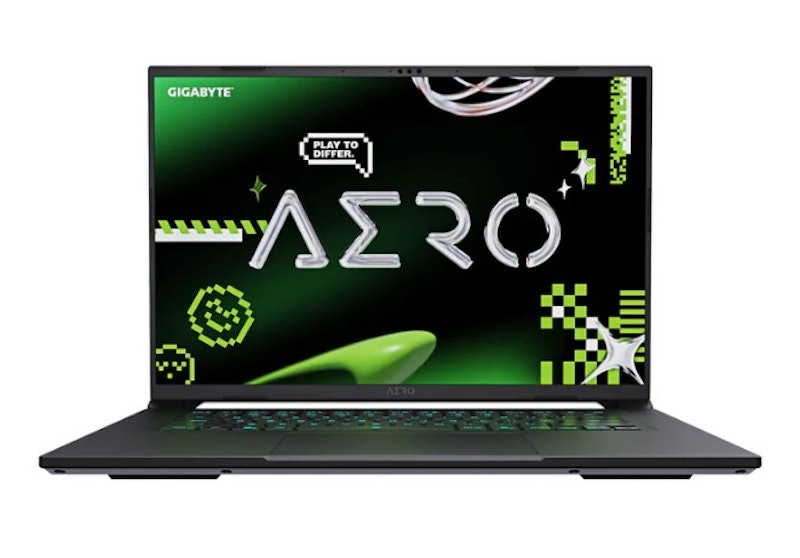
Reviews mention:
People like the laptop’s sleek and premium design, describing it as stylish enough for both gaming and professional use. Several praise its powerful performance, handling gaming, editing, and multitasking smoothly. Many mention that the AERO X16 runs efficiently for demanding tasks.
| Operating System | Windows 11 Home |
|---|---|
| GPU | NVIDIA GeForce RTX 5060 |
| CPU | Ryzen AI 7 350 |
| RAM | 16 GB DDR5 |
| Storage | 1000 GB / 1 TB PCIe Gen4 NVMe SSD |
| Display | 16-Inch WQXGA (2560 × 1600) IPS 16:10 165 Hz 3 ms 100% sRGB 400 Nits |
| Battery | 99 Wh |
| Ports | 2 × USB 3.2 Gen 2 Type-C, 2 × USB 3.2 Gen 1 Type-A, 1 × HDMI 2.1, 1 × RJ45, 1 × MicroSD Card Reader, 1 × Audio Combo Jack |
| Weight | 2.10 kg |
| Additional Features | TUV Rheinland Low Blue Light, Dolby Atmos, FHD IR Webcam, Windows Hello Face Authentication, 1-Zone RGB Backlit Keyboard, Wi-Fi 6E, Bluetooth 5.3 |
HPGaming 15-fa2729TX |15.6" FHD| Core i5-13420H | 16GB RAM | 512GB SSD | RTX 4050 6GB | Victus 15-fa2729TX
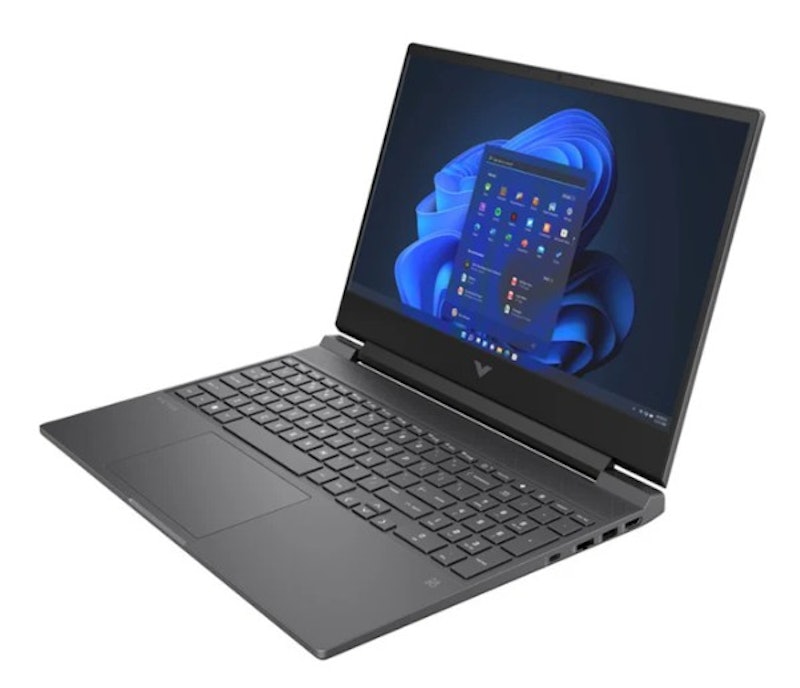
Reviews mention:
Several rave about its vibrant colors and smooth 144 Hz refresh rate that make gaming sessions immersive. Many highlight the powerful processor and how it handles demanding titles and multitasking. People love the GPU, sharing stories of ray-traced graphics at high settings.
| Operating System | Windows 11 Home |
|---|---|
| GPU | NVIDIA GeForce RTX 4050 |
| CPU | Intel Core i5-13420H |
| RAM | 16 GB |
| Storage | 512 GB |
| Display | 15.6" FHD (1920 × 1080), 144 Hz, IPS, Anti-Glare, 300 Nits |
| Battery | 70 Wh |
| Ports | 1 × USB-A 5 Gbps (Sleep & Charge), 1 × USB-A 5 Gbps, 1 × USB-C 5 Gbps (DisplayPort 1.4a, Sleep & Charge), 1 × HDMI 2.1, 1 × Headphone/Mic Combo, 1 × RJ-45, 1 × AC Smart Pin |
| Weight | 2.19 kg |
| Additional Features | Backlit Keyboard With Numeric Keypad, HP Wide Vision 720p HD Camera, Dual Speakers By B&O, Wi-Fi 6, Bluetooth 5.3, SD Card Reader |
AcerHelios Neo Slim 16S | PHN16S-71-72WE
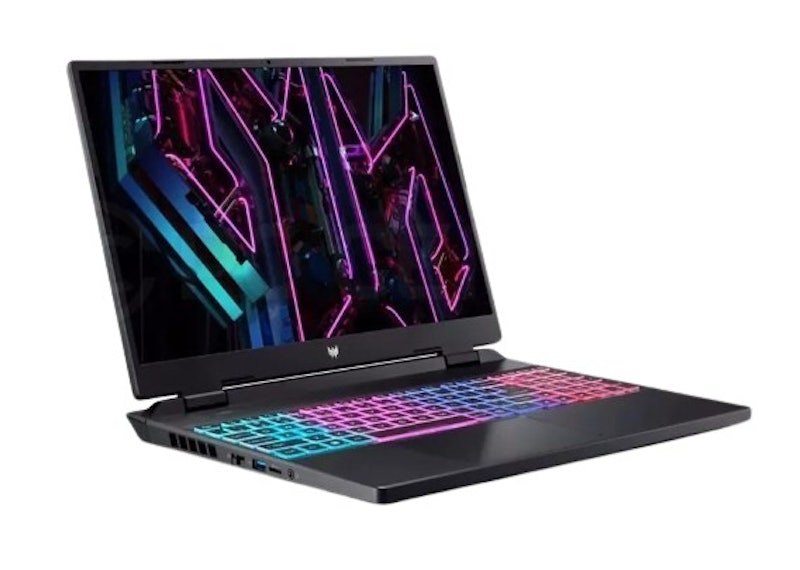
Reviews mention:
Many find the vibrant 16-inch display incredibly immersive for intense gaming sessions. People love the blazing fast processing speed of the Intel Ultra 7 chip. Several appreciate how the RTX 5060 graphics card delivers silky smooth frame rates.
| Operating System | Windows 11 Home |
|---|---|
| GPU | NVIDIA GeForce RTX 5060 |
| CPU | Intel Core Ultra 7 255HX |
| RAM | 16 GB DDR5 |
| Storage | 512 GB NVMe M.2 SSD |
| Display | 16-Inch WQXGA (2560 × 1600) OLED, 240 Hz Refresh Rate, 100% DCI-P3 Color Gamut, 400 Nits Brightness |
| Battery | 76 Wh |
| Ports | 1 × Thunderbolt 4 (Support DisplayPort/Charging), 1 × USB-C 3.2 Gen 2, 2 × USB-A 3.2 Gen 2, 1 × USB-A 3.2 Gen 1, 1 × HDMI 2.1, 1 × RJ-45 Ethernet, 1 × MicroSD Card Reader, 1 × 3.5 mm Audio Combo Jack |
| Weight | 2.3 kg |
| Additional Features | Copilot+ PC AI Integration, 5th Gen AeroBlade 3D Fan Technology, Liquid Metal Thermal Grease, Acer PurifiedVoice 2.0 With AI Noise Reduction, 4-Zone RGB Backlit Keyboard, 1080p FHD Webcam With Temporal Noise Reduction, DTS X:Ultra Audio, Killer Wi-Fi 6E, PredatorSense System Control |
MSI15.6" FHD Intel 5-210H 16GB 512GB SSD RTX 5060 Windows 11 Gaming Laptop | Cyborg 15 B2RWFKG-035PH
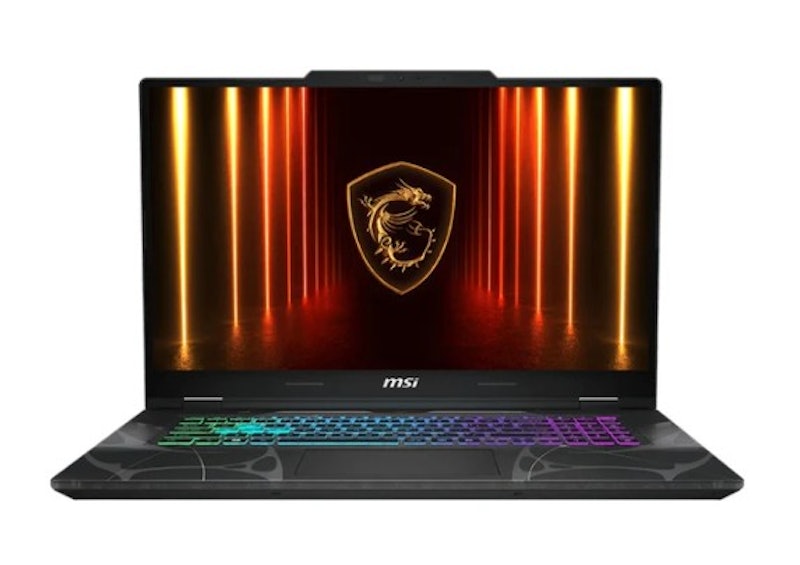
Reviews mention:
People mention that the 15.6-inch FHD display looks sharp and feels immersive for both gaming and everyday use. Several appreciate the 512 GB SSD for its fast boot times and quick app loading. Many say Windows 11 makes the laptop feel ready to use right away, with a clean and familiar interface.
| Operating System | Windows 11 Home |
|---|---|
| GPU | NVIDIA GeForce RTX 5060 |
| CPU | Intel Core 5 210H |
| RAM | 16 GB (8 GB × 2) DDR5-5600 Mhz |
| Storage | 512 GB NVMe PCIe Gen4 SSD |
| Display | 15.6" FHD (1920 × 1080), 144 Hz IPS-Level |
| Battery | 53.5 Wh |
| Ports | 2 × USB-A 3.2 Gen 2, 1 × USB-C (3.2 Gen 2/DP/PD), 1 × HDMI 2.1, 1 × Mic/Headphone Combo |
| Weight | 1.98 kg |
| Additional Features | Firmware Trusted Platform Module (fTPM) 2.0, Webcam Shutter, Kensington Lock, MIL-STD-810H/G Military Certification, 4-Zone RGB Gaming Keyboard, Intel Wi-Fi 6E + Bluetooth 5.3, 120 W Adapter |
DellGaming Laptop 15 FHD 13th Gen i5 16GB RAM 512GB SSD NVIDIA GeForce RTX 4050 6GB GDDR6 | G15 5530
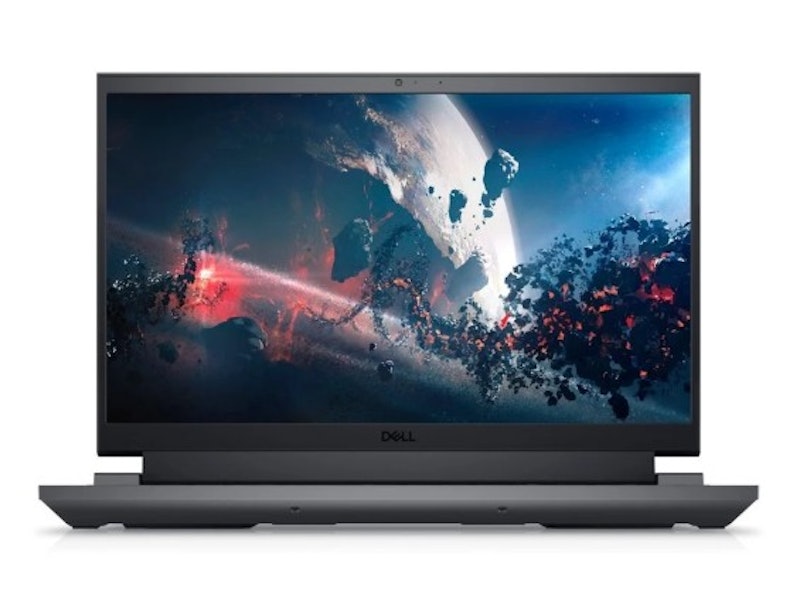
Reviews mention:
Several mention that the laptop feels reliable for both gaming and everyday multitasking. Many say the cooling system helps keep performance stable during longer gaming sessions. People like the solid build quality and gaming-focused design, which give it a premium and powerful look.
| Operating System | Windows 11 Home |
|---|---|
| GPU | NVIDIA GeForce RTX 4050 |
| CPU | Intel Core i5-13450HX |
| RAM | 16 GB |
| Storage | 512 GB SSD |
| Display | 15.6-Inch FHD (1920 × 1080) |
| Battery | 86 Wh |
| Ports | 1 HDMI 2.1, 3 USB 3.2 Gen 1 Type-A, 1 USB-C 3.2 Gen 2 With DisplayPort, 1 RJ45 Ethernet, 1 Universal Audio Jack |
| Weight | 2.81 kg |
| Additional Features | 13th Generation Intel Core Processor, Anti-Glare Display, 165 Hz Refresh Rate, ComfortView Plus, G-SYNC, Advanced Optimus, Dual-Channel Memory Support, ExpressCharge |
Frequently Asked Questions
Below are some of the most asked questions on the web answered by the mybest team.
Are Gaming Laptops Good for Anything Other Than Gaming, Such as Video Editing?
An advantage of buying a gaming laptop is that you can use it for a myriad of purposes other than gaming. For instance, if you're a streamer or a video editor, you can definitely benefit from the powerful specs of your gaming laptop, such as its spacious hard drive, powerful processor, and increased RAM.
A spacious hard drive is essential in video editing as it allows you to store hours of footage without running out of storage space. Meanwhile, a gaming laptop with a powerful processor can run your editing software smoothly and process videos at a much faster rate. Finally, an increased or expandable RAM can come in handy, especially when editing 4K content on your gaming laptop.
Can Gaming Laptops Overheat?
When you're really into a game, it's easy to spend hours playing without really noticing it. However, playing for hours usually leads to your gaming laptop overheating which may severely decrease its performance. Overheating can also reduce battery life and may even render it unusable if the problem is not addressed right away.
As it is a common issue among gamers, brands have come up with cooling technologies to address it. They have also taken this issue into consideration in designing newer models by adding more vents, fans, and other components that help prevent overheating. Anyway, as long as your laptop has a decent cooling mechanism and you take good care of it, you have nothing to worry about.
Why Are Gaming Laptops Expensive?
Most gaming laptops in the market can be deemed expensive considering that it's almost impossible to find even an entry-level one with decent specs priced below ₱50,000. The reason for this is that gaming laptops, compared to regular laptops, require more advanced technology. Games, especially heavy ones, require powerful processors and high-res screens to appear and run smoothly.
Also, gaming laptops are expensive because they are marketed to be an alternative to a desktop and it's costly to design a portable machine that has the same functions as a PC. As newer technology emerges and the global chip shortage carries on, it is likely that gaming laptop prices will not drop anytime soon and may even continue to soar in the coming years.
Unleash Your Portable Powerhouse's Potential
Gaming laptops are perfectly viable as desktop replacements. But if you plan on taking them with you on your trips, then you're gonna need some accessories and peripherals. Check out our top picks for laptop sleeves, laptop backpacks, and wireless mice!


Author: Adriel Coseip
Re-editor: Katrina Balingit
How We Chose and Ranked Our Product Recommendations
Our buying guide was carefully researched and crafted by the mybest team of writers and editors, in collaboration with the expert featured in this article. We used the buying guide as a basis for choosing and ranking the product recommendations, and we looked at reviews and ratings from different E-commerce sites like Lazada, Shopee, and more.
The descriptions of each product are referenced from content available on manufacturer, brand, and e-commerce sites.