

10 Best Laptops for Virtual Assistants in the Philippines 2026 | Apple, HP, and More
The work of virtual assistants varies widely and requires flexibility, efficiency, and reliable access to essential tools. Starting or upgrading your VA career begins with choosing a laptop that can properly support your workload.
In this guide, you’ll learn how to avoid common buying mistakes and identify the specs that truly matter for VA work. To make things easier, we've put together a list of laptops available on Lazada and Shopee, helping you compare options and shop confidently in the Philippines.

With seven years of content writing, web marketing, and SEO expertise, Joey specializes in crafting engaging, lead-generating content across various industries. Her global B2B experience spans clients in Southeast Asia, South America, and the US, giving her a diverse perspective on small business needs. She have a knack for blending data-driven strategies with creativity to create stories that resonate and perform.
Why You Can Trust Us
Every mybest article is crafted with hours of in-depth research and interviews with experts. Each month, we are continually expanding our database of products based on our research. By emphasizing user insight and reliable information, we deliver trustworthy content to readers.
How to Choose a Laptop for Virtual Assistants - Buying Guide
Choose Laptops With Reliable Performance for Smooth VA Work
Ensure Lag-Free Multitasking With at Least 8GB RAM and a Quad-Core Processor

To handle daily VA tasks efficiently, your laptop needs enough memory and processing power to multitask without slowing down. At least 8GB of RAM lets you run email platforms, project management tools, and multiple browser tabs simultaneously, while a quad-core processor ensures smoother performance and stable video meetings. Without these core specs, even routine tasks can become frustrating. For beginners, this setup should be the minimum standard, while experienced VAs managing heavier workloads may benefit from upgrading to higher specifications.
Consider 16GB RAM and Larger SSD Storage for More Advanced VA Tasks

As VA roles become more demanding, such as managing multiple clients, handling large spreadsheets, or using creative tools, higher specs become increasingly important. Upgrading to 16GB of RAM allows for more stable multitasking, while larger SSD storage speeds up file access and supports seamless cloud syncing. Together, these improvements reduce downtime and help maintain efficiency during peak work hours. Although laptops with higher memory and storage cost more upfront, they offer better long-term value for professionals earning consistent remote income in the Philippines.
Check Video, Audio, and Connectivity Features for Remote Work
HD Webcam and Clear Microphone for Daily Client Calls

Clear communication is essential for VA work, especially during client meetings and interviews. An HD webcam helps keep your image sharp even in average lighting, while a built-in microphone with noise reduction improves voice clarity and minimizes misunderstandings. These features are particularly helpful for beginners attending interviews or training sessions. Although external accessories can enhance quality, choosing a laptop with reliable built-in video and audio support simplifies your setup and helps reduce additional costs.
USB-C and Port Options for Headsets, External Displays, and Accessories

Having the right ports makes it easier for virtual assistants to set up an efficient remote work environment. Laptops with USB-C and multiple connectivity options allow seamless use of headsets for clear calls, an external mouse for comfort, and even multiple monitors for managing dashboards and spreadsheets. USB-C also supports faster data transfer and display output through hubs or docks. With sufficient port options, VAs can avoid constant unplugging, reduce clutter, and maintain a smoother, more professional workflow throughout long workdays.
Balance Portability and Battery Life for Flexible Work Setups
Lightweight Designs for Working at Home, Cafés, or Co-Working Spaces

Lightweight, compact laptops make it easier to move between home setups, cafés, and co-working spaces without added strain. Even with their slim design, many still include full-size keyboards and HD webcams, allowing you to work comfortably and maintain professionalism during client calls. Models weighing around 1.5–1.8 kg offer a practical balance between portability and reliable performance, making them well-suited for long work hours and flexible remote setups, including situations with occasional power interruptions.
Long Battery Life With Fast Charging Support for Full Workdays

Long battery life allows Filipino VAs to work through extended shifts without constantly searching for power outlets. Laptops that last at least 6–8 hours on a single charge provide dependable support for client calls, admin tasks, and meetings throughout the day. Fast charging adds extra convenience during short breaks and is especially helpful during power interruptions or when working outside the home.
10 Best Laptops for Virtual Assistants to Buy Online
| Products | Image | Click to purchase | Popularity | Details | |||||||
|---|---|---|---|---|---|---|---|---|---|---|---|
Processor | RAM | Storage | Built-in Webcam & Microphone | Connectivity Ports | Weight | Battery Life | |||||
1 | MacBook Air 13-Inch M2|8-Core/16GB/256GB Apple |  | No.1 | Apple M2 | 16GB | 256GB | 1080p FaceTime HD Camera, Three-Mic Array With Directional Beamforming | WI-Fi、Bluetooth 5.3、Thunderbolt 4、MagSafe 3 | 1.24kg | Up to 18 Hours | |
2 | MacBook Air 13-Inch M4|10CPU-8GPU-16G-512G Apple |  | No.2 | Apple M4 | 16GB | 512GB | 1080p FaceTime HD Camera, Three-Mic Array With Directional Beamforming | WI-Fi、Bluetooth 5.3、Thunderbolt 4、MagSafe 3 | 1.24kg | Up to 18 Hours | |
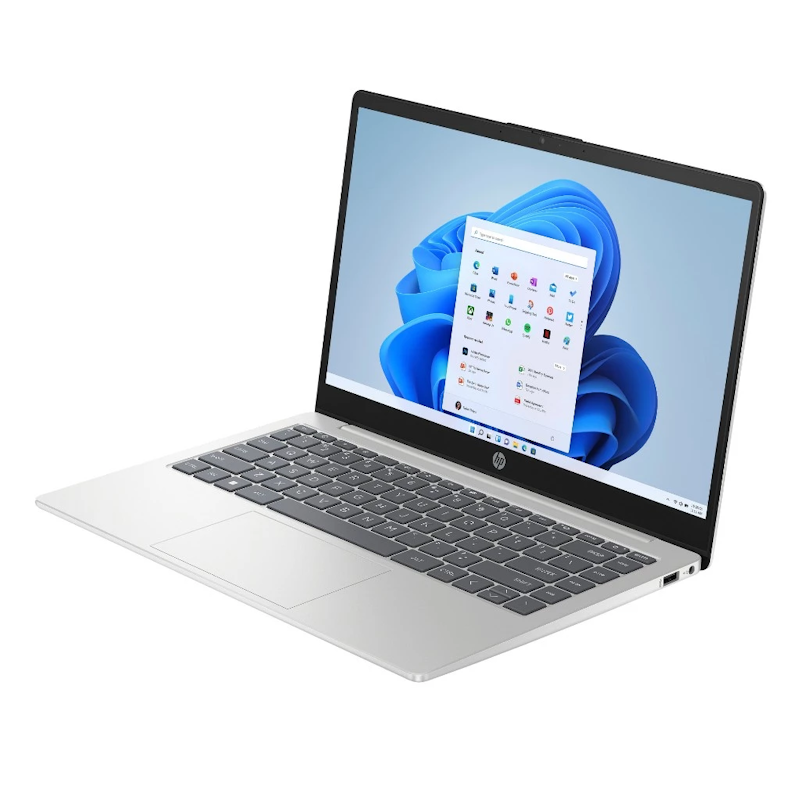
3 | Laptop 14-EP1144TU|C4FW3PA HP |  | No.3 | Intel Core i5-120U | 16GB DDR4 | 512GB SSD | HP True Vision 720p HD Camera With Temporal Noise Reduction, Dual-Array Digital Microphones | HDMI 1.4b、Wi-Fi 6、Bluetooth 5.4、USB Type-A 5Gbps、AC Smart Pin、USB Type-C 10Gbps Signaling Rate With Power Delivery、DisplayPort 1.4b、Headphone/Microphone Combo、HP Sleep and Charge | 1.4kg | Up to 7.5 Hours | |
4 | Acer Swift Go 14|SFG14-73-73VB Acer |  | No.4 | Intel Core Ultra 7 | 16GB LPDDR5X | 512GB SSD | 1080p FHD Webcam, TNR and Dual Mics | Bluetooth 5.3、HDMI、USB-A 3.2 Gen 1、Killer Wi-Fi 7、USB4 | 1.3kg | Up to 11 Hours | |
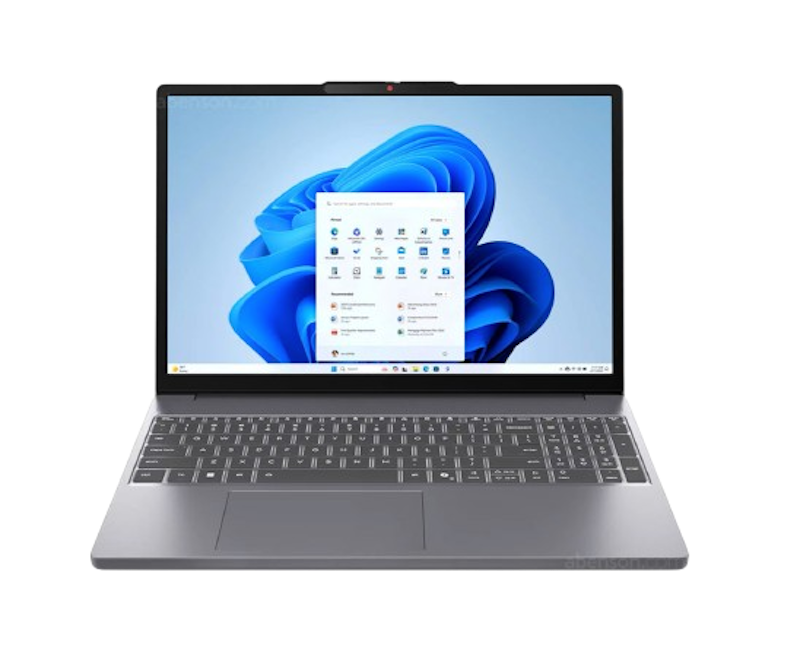
5 | Ideapad Slim 3 15IRH10|16GB (8+8) DDR5 RAM Lenovo |  | No.5 | Intel Core i5-13420H | 16GB LPDDR5 | 512GB SSD | HD 720p Webcam With Privacy Shutter, Dual-Array Microphones | HDMI 1.4、USB-A 3.2 Gen 1、USB-C 3.2 Gen 1、Bluetooth 5.2、Wi-Fi 6、Headphone/Microphone Combo、DisplayPort 1.2 Support、SD Card Reader、Power Connector | 1.59kg | Up to 14.5 Hours | |
6 | Vivobook 15|X1504VA-BQ3583WSM Asus |  | No.6 | Intel Core i5-120U | 16GB DDR4 | 512GB SSD | 720p HD Front Camera With Privacy Shutter, Built-In Array Microphone | USB-A 2.0、HDMI 1.4、USB-A 3.2 Gen 1、USB-C 3.2 Gen 1、Wi-Fi 6、3.5mm Audio Combo、DC‑in、Bluetooth 5.2 | 1.70kg | Up to 7 Hours | |
7 | Aspire Go 14|AG14-71M-55Q4 Acer |  | No.7 | Intel Core Ultra 5 | 16GB DDR5 | 512GB SSD | 1080p (2MP) Webcam, Dual Microphones | USB-C、USB-A、HDMI、Wi-Fi 6、3.5mm Audio Combo、Bluetooth | 1.49kg | Up to 10 Hours | |
8 | Thin 15 |B12UC-1435PH MSI |  | No.8 | Intel Core i5-12450H | 16GB DDR4 | 512GB SSD | HD Webcam (720p, 30fps) With Integrated Microphone | HDMI、USB-A 3.2 Gen 1、USB-C 3.2 Gen 1、Wi-Fi 6、Ethernet、Bluetooth 5.3 | 1.86kg | Up to 3.5 Hours | |
9 | Laptop 15-fc0566AU HP |  | No.9 | AMD Ryzen 5 7520U | 16GB DDR4 | 512GB SSD | HP True Vision 720p HD Camera With Temporal Noise Reduction, Dual-Array Digital Microphones | USB-C、USB-A、HDMI 1.4b、Wi-Fi 6、AC Smart Pin、3.5mm Audio Combo、Bluetooth 5.4 | 1.59kg | Up to 10.5 Hours | |
10 | Think Book 16 G7 Lenovo |  | No.10 | AMD Ryzen 7 7735HS | 16GB DDR5 | 512GB SSD | 1080p Webcam With Privacy Shutter, Dual Microphones | USB-C、USB-A、HDMI、Wi-Fi 6、SD Card Reader、3.5mm Audio Combo、Ethernet、Bluetooth 5.3 | 1.70kg | Up to 10 Hours | |

AppleMacBook Air 13-Inch M2 | 8-Core/16GB/256GB

Features and benefits:
Reviews mention:
Buyers say the laptop delivers quiet yet powerful performance, with battery life that lasts all day. Some find the base storage and RAM limited but manageable with upgrades. Overall, it’s a lightweight, reliable laptop for work and entertainment, highlighted by its bright display.
| Processor | Apple M2 |
|---|---|
| RAM | 16GB |
| Storage | 256GB |
| Built-in Webcam & Microphone | 1080p FaceTime HD Camera, Three-Mic Array With Directional Beamforming |
| Connectivity Ports | WI-Fi、Bluetooth 5.3、Thunderbolt 4、MagSafe 3 |
| Weight | 1.24kg |
| Battery Life | Up to 18 Hours |
AppleMacBook Air 13-Inch M4 | 10CPU-8GPU-16G-512G

| Processor | Apple M4 |
|---|---|
| RAM | 16GB |
| Storage | 512GB |
| Built-in Webcam & Microphone | 1080p FaceTime HD Camera, Three-Mic Array With Directional Beamforming |
| Connectivity Ports | WI-Fi、Bluetooth 5.3、Thunderbolt 4、MagSafe 3 |
| Weight | 1.24kg |
| Battery Life | Up to 18 Hours |
Reviews mention:
Users appreciate the laptop’s slim, lightweight design and fast SSD, which make everyday tasks run smoothly. They also love the long-lasting battery and excellent screen quality, making it perfect for both work and personal use.
| Processor | Intel Core i5-120U |
|---|---|
| RAM | 16GB DDR4 |
| Storage | 512GB SSD |
| Built-in Webcam & Microphone | HP True Vision 720p HD Camera With Temporal Noise Reduction, Dual-Array Digital Microphones |
| Connectivity Ports | HDMI 1.4b、Wi-Fi 6、Bluetooth 5.4、USB Type-A 5Gbps、AC Smart Pin、USB Type-C 10Gbps Signaling Rate With Power Delivery、DisplayPort 1.4b、Headphone/Microphone Combo、HP Sleep and Charge |
| Weight | 1.4kg |
| Battery Life | Up to 7.5 Hours |

Features and benefits:
Reviews mention:
Buyers highlight the laptop’s lightweight and portable design, making it easy to carry throughout the day. Some buyers note that the free Windows OS is only available online and the laptop requires software updates. Still, they like the sleek silver finish and solid build quality for its professional look.
| Processor | Intel Core Ultra 7 |
|---|---|
| RAM | 16GB LPDDR5X |
| Storage | 512GB SSD |
| Built-in Webcam & Microphone | 1080p FHD Webcam, TNR and Dual Mics |
| Connectivity Ports | Bluetooth 5.3、HDMI、USB-A 3.2 Gen 1、Killer Wi-Fi 7、USB4 |
| Weight | 1.3kg |
| Battery Life | Up to 11 Hours |
LenovoIdeapad Slim 3 15IRH10 | 16GB (8+8) DDR5 RAM
Reviews mention:
Reviewers praise the laptop’s solid performance for daily tasks and its sharp, bright screen that reduces eye strain. Its portable, lightweight design makes it easy to carry and use on the go, though some say the battery life could be longer. It's a trusted choice for students and professionals.
| Processor | Intel Core i5-13420H |
|---|---|
| RAM | 16GB LPDDR5 |
| Storage | 512GB SSD |
| Built-in Webcam & Microphone | HD 720p Webcam With Privacy Shutter, Dual-Array Microphones |
| Connectivity Ports | HDMI 1.4、USB-A 3.2 Gen 1、USB-C 3.2 Gen 1、Bluetooth 5.2、Wi-Fi 6、Headphone/Microphone Combo、DisplayPort 1.2 Support、SD Card Reader、Power Connector |
| Weight | 1.59kg |
| Battery Life | Up to 14.5 Hours |
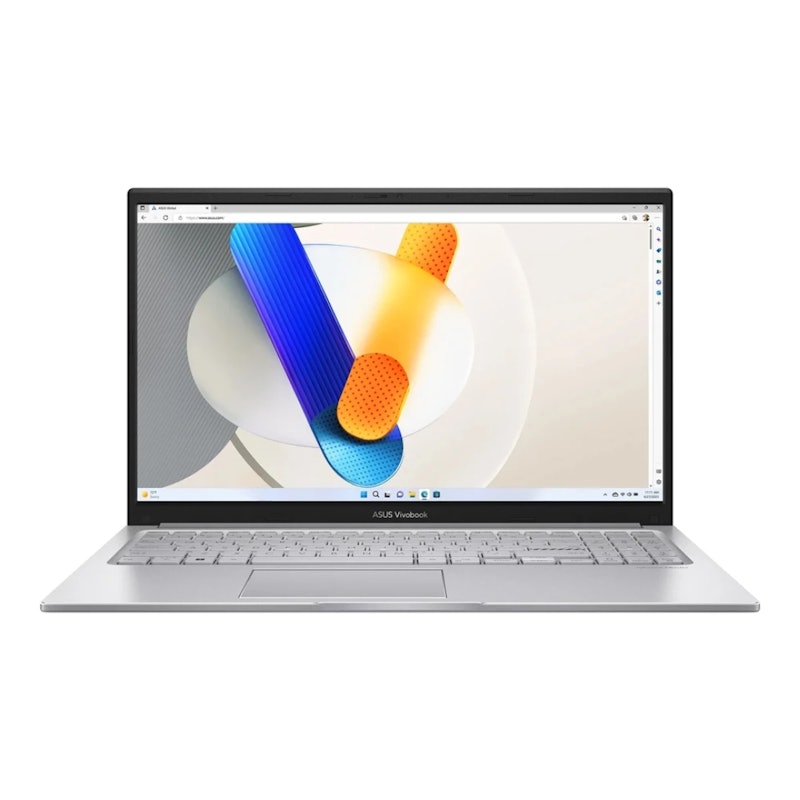
Reviews mention:
Many say this laptop handles office apps, online tasks, and multitasking smoothly without frequent lag. They appreciate the wide display and full keyboard layout when working on spreadsheets and reports. Some comment that it isn’t ultra-light, but still easy to carry.
| Processor | Intel Core i5-120U |
|---|---|
| RAM | 16GB DDR4 |
| Storage | 512GB SSD |
| Built-in Webcam & Microphone | 720p HD Front Camera With Privacy Shutter, Built-In Array Microphone |
| Connectivity Ports | USB-A 2.0、HDMI 1.4、USB-A 3.2 Gen 1、USB-C 3.2 Gen 1、Wi-Fi 6、3.5mm Audio Combo、DC‑in、Bluetooth 5.2 |
| Weight | 1.70kg |
| Battery Life | Up to 7 Hours |
AcerAspire Go 14 | AG14-71M-55Q4
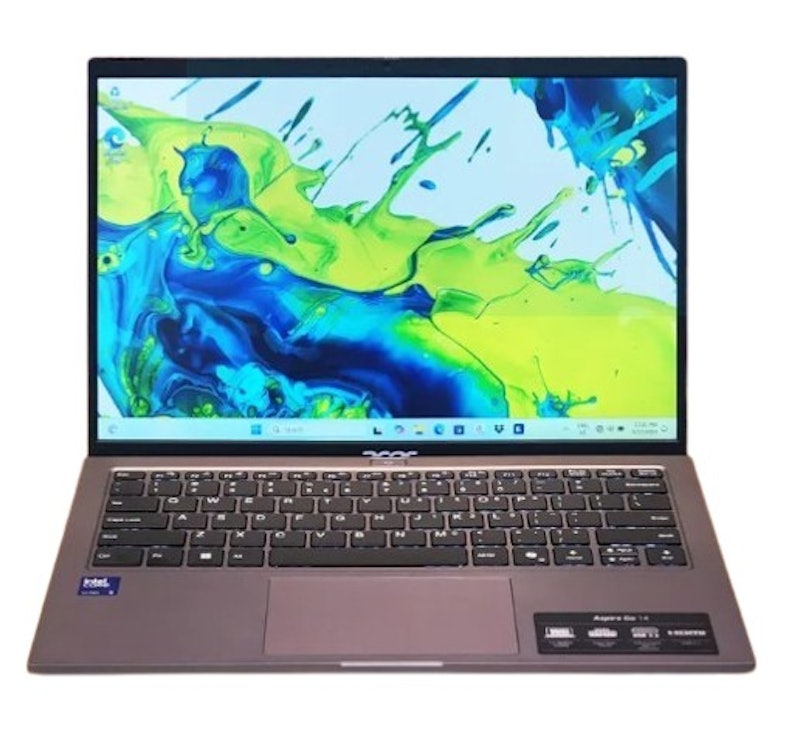
Reviews mention:
Several praise the crisp, clear 14-inch display for watching movies. Many love how the Intel Core Ultra 5 processor handles daily tasks. People value the lightweight gray chassis for commuting and easy travel.
| Processor | Intel Core Ultra 5 |
|---|---|
| RAM | 16GB DDR5 |
| Storage | 512GB SSD |
| Built-in Webcam & Microphone | 1080p (2MP) Webcam, Dual Microphones |
| Connectivity Ports | USB-C、USB-A、HDMI、Wi-Fi 6、3.5mm Audio Combo、Bluetooth |
| Weight | 1.49kg |
| Battery Life | Up to 10 Hours |

| Processor | Intel Core i5-12450H |
|---|---|
| RAM | 16GB DDR4 |
| Storage | 512GB SSD |
| Built-in Webcam & Microphone | HD Webcam (720p, 30fps) With Integrated Microphone |
| Connectivity Ports | HDMI、USB-A 3.2 Gen 1、USB-C 3.2 Gen 1、Wi-Fi 6、Ethernet、Bluetooth 5.3 |
| Weight | 1.86kg |
| Battery Life | Up to 3.5 Hours |

Reviewers consider:
Reviewers consider it well-suited for home office tasks, school projects, and browsing at a fair price. They appreciate the large screen and full keyboard with numpad for worksheets and reports. Some also note the fast-charge feature helps when they forget to plug it in overnight.
| Processor | AMD Ryzen 5 7520U |
|---|---|
| RAM | 16GB DDR4 |
| Storage | 512GB SSD |
| Built-in Webcam & Microphone | HP True Vision 720p HD Camera With Temporal Noise Reduction, Dual-Array Digital Microphones |
| Connectivity Ports | USB-C、USB-A、HDMI 1.4b、Wi-Fi 6、AC Smart Pin、3.5mm Audio Combo、Bluetooth 5.4 |
| Weight | 1.59kg |
| Battery Life | Up to 10.5 Hours |
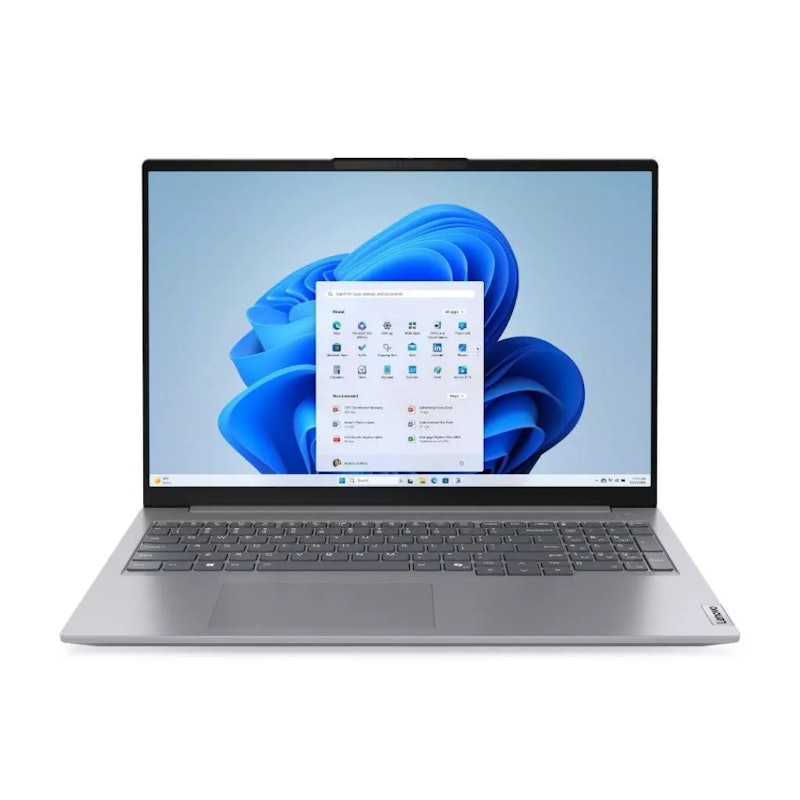
Reviewers consider:
Those who have purchased this laptop note it handles demanding tasks and multitasking better than typical models. They like the 16‑inch 16:10 display for coding, spreadsheets, and document layouts. Several also note the chassis feels sturdy for office use and daily commuting.
| Processor | AMD Ryzen 7 7735HS |
|---|---|
| RAM | 16GB DDR5 |
| Storage | 512GB SSD |
| Built-in Webcam & Microphone | 1080p Webcam With Privacy Shutter, Dual Microphones |
| Connectivity Ports | USB-C、USB-A、HDMI、Wi-Fi 6、SD Card Reader、3.5mm Audio Combo、Ethernet、Bluetooth 5.3 |
| Weight | 1.70kg |
| Battery Life | Up to 10 Hours |
Frequently Asked Questions
Can You Start Virtual Assistant Work With an Entry-Level Laptop?
Can You Upgrade Your Laptop Later as Your VA Work Grows?
Is It Better to Buy a Laptop Online or In-Store in the Philippines?
Other Laptop Guides to Check Out


How We Chose and Ranked Our Product Recommendations
The descriptions of each product are referenced from content available on manufacturer, brand, and e-commerce sites.