10 Best Epson Printers in the Philippines 2026
A trusty and affordable printer is a must for every household. Whether it's for printing your kid's school project or scanning your treasured family photos, printers serve a lot of purposes. Epson has plenty of high-quality printers in their catalog, so you are sure to find one that fits your ideal budget.
Choosing a printer may be daunting with all the models to choose from. Read further below to see the buying guide we've prepared for you. We also created a selection of the 10 best Epson printers with scanners. copiers, and other features and a comparison table to compare Epson printer prices and specs. As a bonus, we've also included step-by-step instructions on how to connect your device to your printer!

Our recommendation articles are carefully researched and crafted by the mybest Philippines team of writers and editors. To stay true to our company’s mission and vision to help users’ selection process easier, we also collaborate with experts from various fields to ensure that our content stays factual and useful.
Why You Can Trust Us
Every mybest article is crafted with hours of in-depth research and interviews with experts. Each month, we are continually expanding our database of products based on our research. By emphasizing user insight and reliable information, we deliver trustworthy content to readers.
Are Epson Printers Good?
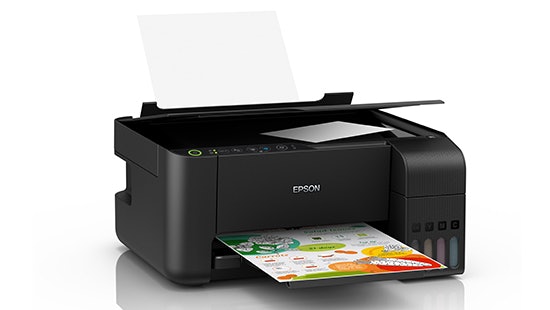
With all the printer brands available in the market, Epson has definitely set itself apart from its competitors. Ranking as the #1 Ink Tank Printer for 11 straight years, you can rest assured that you're investing in a high-quality machine. Their standout feature is the heat-free technology that comes with each EcoTank printer.
With the development of their heat-free printing, less energy is consumed for each page you print. This is compared to typical laser and thermal inkjet printers. The tanks are designed for easy and spill-free refills every time. It also requires no cartridge changes, so less waste is produced.
Epson's EcoTank Monochrome series are reliable and durable ink tanks that cut down your cost per page. Each refill bottle is ultra-high yield, reaching up to 6,000 pages, giving more for your money's worth. They also offer up to 4 years of warranty to keep you covered for longer.


How to Choose an Epson Printer - Buying Guide
Here are some key points to consider:
- Select the type of Epson printer based on your needs
- Take note of the printer's functions
- When buying a printer with scanner, choose between a flatbed and ADF scanner
- All-black or colored printing: take your pick
- Check the cassette and paper size capacity
- Try one that is Wi-Fi-ready
- Look at the terms of its warranty
For more detailed information, read through our buying guide below.
Select the Type of Epson Printer Based on Your Needs
The two most common types of printers are inkjet and laser printers. Determining which one is better will depend on your budget and how often do you need to print. Read further to know more about the difference between the two!
For Occasional Users, Pick an Inkjet Printer
If you only print occasionally, then inkjet printers are the obvious choice. Aside from being much more affordable than laser printers, inkjet printers are also easier to use and set up. Most of them are ready to use out of the box, and in terms of controls, they have a lot of user-friendly features that are easy to navigate even for complete beginners!
Another advantage of inkjet printers is that they are compatible with a wide range of paper sizes and types and they are capable as well of producing high-quality images. These printers also have different connectivity options including wireless printing. Given all these features, an inkjet printer is definitely great for those who need a printer for their home at an affordable price.
For Large-Scale Print Jobs, Go for a Laser Printer
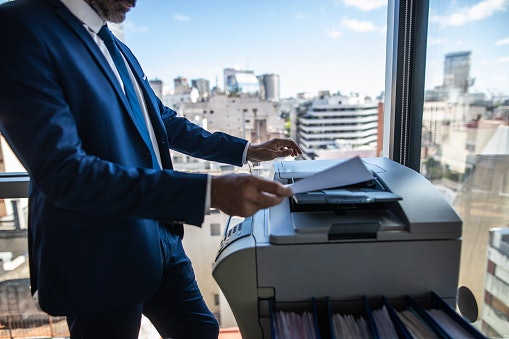
On the other hand, if you utilize your printer a lot whether at home or in the office, then a laser-type printer is worth the investmentーgranted there is a huge difference in the pricing compared to a standard inkjet printer but in the long run, a laser printer is actually more cost-effective. This is because the laser beam is more precise and can draw images without spilling excess ink.
Moreover, a laser printer is also much faster in printing compared to its inkjet counterpart. The latter can only print up to 13 pages per minute, while the former can print up to 40 pages per minute or even more if you decide to settle for a high-end one. Overall, a laser printer is pricey, but if you use your printer all the time, then it might be more economical.
Take Note of the Printer's Functions
We might have different reasons for purchasing a printer. Some need it for printing, others for scanning, etc. To know which is the best printer for you, make sure to list down the features that you want so you can find a printer that matches your needs.
Get a Single-Function Printer for Document-Only Tasks

If you only need a printer for printing simple documents, then getting a standard, single-function printer is a good idea. They are less complicated and easier to navigate than high-end models, and they also cost less because of their limited functions.
For black and white documents, a monochrome printer is the best choice as you won't have to buy other ink colors aside from black. If you won't need a scanner or copier anyway, then purchasing a print-only machine will also be much more inexpensive and easy to use.
Opt for an Epson 3-in-1 or All-in-One Printer for Versatility
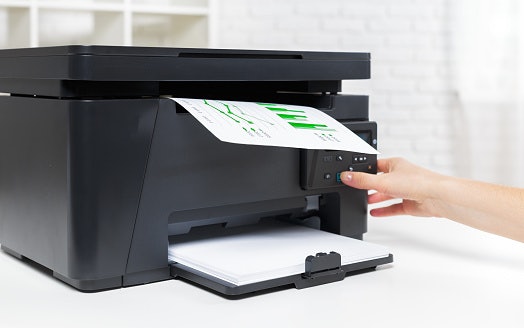
Multifunction printers or all-in-one printers can scan and copy your documents aside from printing files from the computer. This way, all you need to do is to invest in a single piece of equipment that can assist you in all of your paperwork. Some models can even serve as fax machines!
Having an Epson printer with a scanner allows you to digitize any file. Once done, the image is saved as a soft copy on your computer. Meanwhile, having a copy function is similar to having a mini photocopying machine at home. You'd just have to choose between a flatbed scanner and an automatic document feeder or ADF.
To know how to scan using your Epson printer, you can read the product manual, check the manufacturer's website, or look up step-by-step tutorials online.
Try a Portable Printer if You're Always On the Go

If you have to take your work with you at all times, then consider buying a portable printer. Portable printers are usually compact and lightweight, so you can carry them around with ease. They can fit into bags and briefcases as well, so you won't have to worry about having enough space when bringing them.
Adding to their high mobility, most portable printers are also wireless and have a built-in battery, which means you won't have to bring cords and extensions with you every time. Just make sure that the ink is sufficient and that you brought enough paper, and you're good to go!
When Buying a Printer With Scanner, Choose Between a Flatbed and ADF Scanner
There are two main types of scanners that you can find on Epson printers. Selecting which one to get depends on how many sheets of paper you'll be scanning at one time. Check out the difference between the two by reading further below.
Get Flatbed for Single Page Scanning
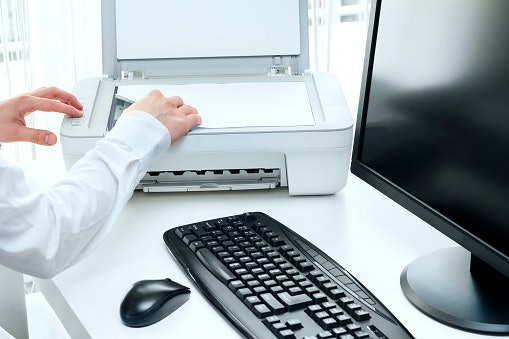
The flatbed is typically found on the top portion of a printer. It is a glass layer with an image sensor that is used for scanning an entire sheet of paper. It can capture every inch of the document so you can get a high-quality scan or copy of the file. This is best for scanning one to three documents as you'd have to position the paper onto the flatbed manually.
On the other hand, if you're scanning multiple documents, the thin type of scanner may cost you valuable time and effort. Before getting an Epson printer scanner, consider carefully the number of documents you'll need to scan to avoid any hassle that may decrease your productivity.
Aim for an Automatic Document Feeder for Multiple Page Scanning
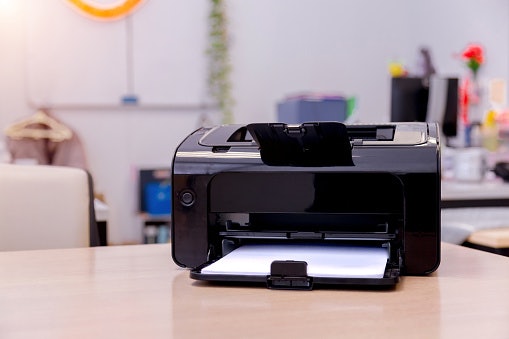
More advanced printer models have an automatic document feeder or ADF. Unlike the flatbed, which requires loading each page one at a time, this special type of scanner can load multiple sheets on its own.
It is a great feature if you regularly scan numerous documents. Printers that have ADF, however, tend to be bulkier. Some people may also find this feature unnecessary, as a simple flatbed scanner can do the job in a home office setting.
All-Black or Colored Printing: Take Your Pick
With Epson printers, you also have the option to choose between monochrome and multi-color ink printers. They make use of ink tanks that are integrated into the printer and allow for easy refills. These hold a higher ink capacity and produce less material waste compared to regular ink cartridges.
Monochrome for All-Black Prints for Large Documents
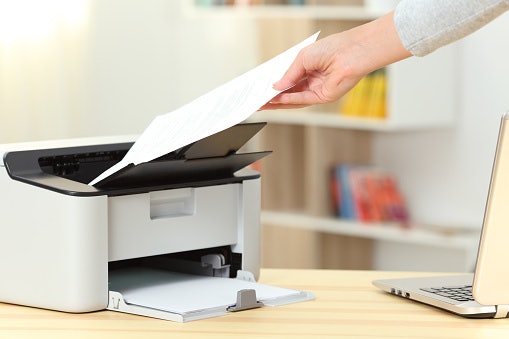
Epson's EcoTank Monochrome series printers can only hold one ink color, and more often than not, these are used for printing documents with an all-black font and illustrations. This option is a great choice if you plan to print and copy high volumes of documents. You also get to save money since you'll only be needing to buy one color for ink refills.
Make Your Photos Stand Out With Multi-Color Ink Tanks
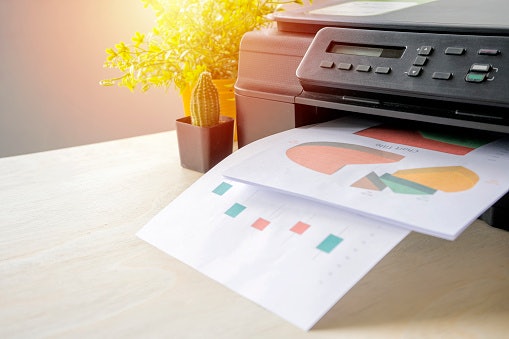
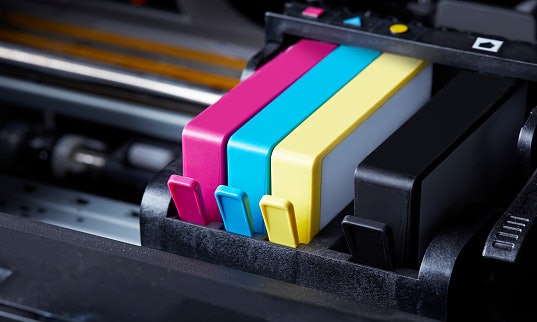
If you’ll be working with colored text and images, it would be best to get the multi-color printer instead. The Epson Colour Ink Tank series printers usually have 4 ink tanks: cyan, magenta, yellow, and black. The printer makes use of these primary colors to create every shade you’ll need.
Check the Cassette and Paper Size Capacity
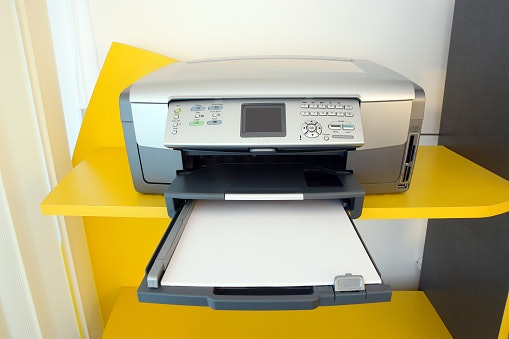
A printer's cassette is a drawer slot where you can place a ream of paper so you won't have to reload the printer with only a couple of sheets every time you need to print a document. Office printers can sometimes have multiple cassettes to hold different paper sizes.
Home printers typically have just one. This type of printer has a cassette with a special locking system in case you need to adjust the compartment to accommodate paper with smaller dimensions. Before deciding on a printer to get, always check the paper size capacity. Most printers will be able to carry legal, letter, A4, B5, A5, and A6 sizes., plus #10, DL, and C6 envelope sizes.
Try One That Is Wi-Fi Ready
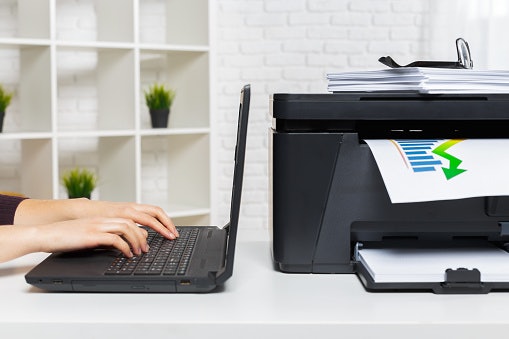
The majority of Epson printer models have Wi-Fi connectivity. You can choose among these connectivity options: Wi-Fi, Wi-Fi direct, and ethernet. A Wi-Fi connection means both your gadget and the printer are connected to the internet. You can then use an app that would set up the document for printing.
The use of Wi-Fi direct means that only your device is connected to the internet. It will then link with the printer while also functioning as a hotspot. Meanwhile, with an ethernet connection, you'll be using a special cable that connects the printer to your internet router. This method provides a much faster and stable internet connection for your printer.
Look At the Terms of Its Warranty

Printers, much like other gadgets, are prone to having minor defects even while they’re brand new. Damages may also arise even with careful use. To avoid losing your money’s worth, it is important to get printers with a warranty.
This is a contract from the manufacturer which comes with the printer and its accessories. It enumerates the list of defects that will make you eligible for a free repair or a replacement printer. Make sure to also check how the store processes their returns or refunds.
10 Best Epson Printers to Buy Online
| Products | Image | Click to purchase | Popularity | Details | ||||||||
|---|---|---|---|---|---|---|---|---|---|---|---|---|
Type | Best for | Scanner | Ink | Paper Capacity | Supported Paper Sizes | Wi-Fi Compatible | Warranty | |||||
1 | EcoTank A4 Wi-Fi All-in-One Ink Tank Printer |L5290 Epson |  | No.1 | Inkjet | Home, Office | Flatbed, ADF | 4-Color Dye Ink Bottles (Black: 4,500 Pages; Cyan/Magenta/Yellow: 7,500 Pages Composite), Uses 003 Ink Bottles | Input: 250 Sheets Plain Paper; Output: 30 Sheets Plain Paper | Letter, Legal, A4, A5, B5, A6, 4x6", 5 x 7", Envelopes | |||
2 | EcoTank A4 All-in-One Ink Tank Printer |L3210 Epson |  | No.2 | Inkjet | Home, Home-Office | Flatbed | Up to 66 Cartridges in One Set of Inks; Print Up to 4,500 Pages in Black and 7,500 Pages in Color; Uses 003 Ink Bottles | Output Tray Capacity: 30 Sheets, Multifunction: 100 Sheets Standard | C6 (Envelope), B5, A6, A5, A4, Legal, User Defined, 13 x 18 cm, 10 x 15 cm, Letter, No. 10 (Envelope), DL (Envelope), 16:9 | |||
3 | EcoTank L3350 A4 Wi-Fi All-in-One Ink Tank Printer Epson |  | No.3 | Inkjet | Home, Office | Flatbed | Up to 66 Cartridges in One Set of Inks; Print Up to 4,500 Pages in Black and 7,500 Pages in Color; Uses 003 Ink Bottles | Up to 100 Sheets of Plain Paper (80 g/m2), Up to 20 Sheets of Premium Glossy Photo Paper, Output Capacity: Up to 30 Sheets of Plain Paper (80 g/m2), Up to 20 Sheets of Premium Glossy Photo Paper | Legal, Letter, A4, B5, A5, B6, A6, Hagaki (100 x 148 mm), 5 x 7", 5 x 8", 4 x 6", Envelopes: #10, DL, C6 | |||
4 | EcoTank A4 All-in-One Ink Tank Printer |L3216 Epson |  | No.4 | Inkjet | Home | Flatbed | Up to 66 Cartridges in One Set of Inks; Print Up to 4,500 Pages in Black and 7,500 Pages in Color; Uses 003 Ink Bottles | Input: Up to 100 Sheets Plain Paper (80 g/m²); Output: Up to 30 Sheets Plain Paper | A4, Letter, Legal, A5, B5, B6, A6, 16K (195 x 270 mm), Hagaki; Envelopes: #10, DL, C6 | |||
5 | EcoTank A4 Wi-Fi Duplex All-in-One Ink Tank Printer |L4360 Epson |  | No.5 | Inkjet | Home, Small Businesses | Flatbed | 6,500 Pages (Color), 8,500 Pages (Black), Uses 001 Ink Bottles | Input: 100 Sheets (Rear Tray, A4 Plain Paper 80g/m²), 20 Sheets Glossy Photo; Output Capacity: 30 Sheets A4 Plain (80 g/m²), 20 Sheets Glossy Photo | A4, A5, A6, B5, B6, Letter, Legal, Indian-Legal, 100 × 148 mm, 3.5 × 5″, 4 × 6″, 5 × 7″, 5 × 8″, 8 × 10″, 8.5 × 13″, 16:9, 16K, #10/DL/C6 Envelopes | |||
6 | EcoTank A4 Ink Tank Printer |L121 Epson |  | No.6 | Inkjet | Home, Office | 7,500 Pages (Color), 4,500 Pages (Black), Uses T664 Ink Bottles | Up to 50 Sheets of Plain Paper (75g/m2) | A4, Letter, Legal | ||||
7 | EcoTank Photo Printer |L8050 Epson |  | No.7 | Inkjet | Home | 7,200 Pages (Color-Composite Yield), 3,600 Pages (Black) | Input: 100 A4 Plain, 20 Glossy; Output: 100 Plain, 30 Glossy | A4, Letter, 8 x 10", 5 x 7", 4 x 6", 16:9 Wide, 100 x 148 mm, 3.5 x 5", Envelopes #10, DL, C6 | ||||
8 | EcoTank Monochrome Wi-Fi Ink Tank Printer |M2170 Epson |  | No.8 | Inkjet | Office | Flatbed | 6,000 Pages (Black) | Input Tray: 250 Sheets, Output Tray: 100 Sheets | Legal, Indian-Legal (215 x 345 mm), 8.5 x 13", Letter, A4, 16K (195 x 270 mm), B5, A5, B6, A6, Hagaki (100 x 148 mm), Envelopes: #10, DL, C6 | |||
9 | Color Multifunction Printer |WF-C5890 Epson |  | No.9 | Inkjet | Office | Flatbed, ADF | 10,000 Black; 5,000 Color Pages | 330 Sheets Standard (250-Sheet Tray + 80-Sheet Rear Feed; Expandable to 1,830 With Optional Trays) | Legal, Indian-Legal, 8.5 x 13 in, Letter, A4, B5, A5, B6, A6, 16K, 13 x 18 cm, 16:9 Wide, 10 x 15 cm, #10, DL, C4, C6 | |||
10 | EcoTank Monochrome Wi-Fi Ink Tank Printer |M1120 Epson |  | No.10 | Inkjet | Office | 6,000 Pages (Black), Uses 005 or 005s Ink Bottles | Input: Up to 150 Sheets (A4/Letter Plain Paper, 80 g/m²); Output: Up to 30 Sheets | Letter, Legal, A4, A5, B5, B6, A6, 16K, Indian-Legal, Hagaki, Envelopes: #10, DL, C6; Max 215.9 x 1200 mm | ||||

Epson EcoTank A4 Wi-Fi All-in-One Ink Tank Printer | L5290

Reviews mention:
Reviewers praise its excellent print quality, ease of setup, and affordability of ink refills using bottles instead of cartridges. Many highlight fast printing speeds, clear outputs, and reliable performance for home offices, including Wi-Fi connectivity. Some report print quality or alignment issues after extensive use, requiring regular maintenance cycles that consume ink.
| Type | Inkjet |
|---|---|
| Best for | Home, Office |
| Scanner | Flatbed, ADF |
| Ink | 4-Color Dye Ink Bottles (Black: 4,500 Pages; Cyan/Magenta/Yellow: 7,500 Pages Composite), Uses 003 Ink Bottles |
| Paper Capacity | Input: 250 Sheets Plain Paper; Output: 30 Sheets Plain Paper |
| Supported Paper Sizes | Letter, Legal, A4, A5, B5, A6, 4x6", 5 x 7", Envelopes |
| Wi-Fi Compatible | |
| Warranty |
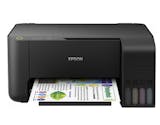
EpsonEcoTank A4 All-in-One Ink Tank Printer | L3210

Reviews mention:
Customers frequently highlight the printer's economical ink tanks, making it ideal for home or small office use. Many appreciate the ease of setup after initial hurdles and the sharp color prints. Reviewers describe it as "terrific," "wonderful," and "worth every penny" for everyday tasks. Some note limitations such as no Wi-Fi (cable-only connectivity), unstable retail pricing, and risks of counterfeit inks.
| Type | Inkjet |
|---|---|
| Best for | Home, Home-Office |
| Scanner | Flatbed |
| Ink | Up to 66 Cartridges in One Set of Inks; Print Up to 4,500 Pages in Black and 7,500 Pages in Color; Uses 003 Ink Bottles |
| Paper Capacity | Output Tray Capacity: 30 Sheets, Multifunction: 100 Sheets Standard |
| Supported Paper Sizes | C6 (Envelope), B5, A6, A5, A4, Legal, User Defined, 13 x 18 cm, 10 x 15 cm, Letter, No. 10 (Envelope), DL (Envelope), 16:9 |
| Wi-Fi Compatible | |
| Warranty |
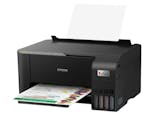
EpsonEcoTank L3350 A4 Wi-Fi All-in-One Ink Tank Printer
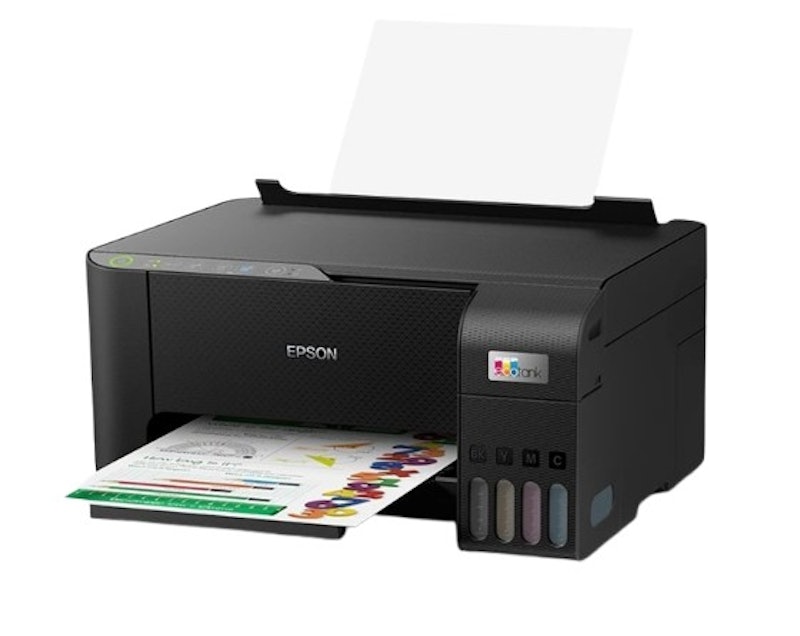
| Type | Inkjet |
|---|---|
| Best for | Home, Office |
| Scanner | Flatbed |
| Ink | Up to 66 Cartridges in One Set of Inks; Print Up to 4,500 Pages in Black and 7,500 Pages in Color; Uses 003 Ink Bottles |
| Paper Capacity | Up to 100 Sheets of Plain Paper (80 g/m2), Up to 20 Sheets of Premium Glossy Photo Paper, Output Capacity: Up to 30 Sheets of Plain Paper (80 g/m2), Up to 20 Sheets of Premium Glossy Photo Paper |
| Supported Paper Sizes | Legal, Letter, A4, B5, A5, B6, A6, Hagaki (100 x 148 mm), 5 x 7", 5 x 8", 4 x 6", Envelopes: #10, DL, C6 |
| Wi-Fi Compatible | |
| Warranty |
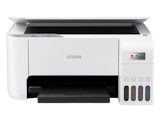
EpsonEcoTank A4 All-in-One Ink Tank Printer | L3216

Reviews mention:
Home users frequently highlight the excellent print quality, delivering sharp results for documents and photos. Many appreciate the straightforward setup, easy installation, spill-free refills, and standalone operation for printing, scanning, and copying without a computer. Some note potential ink drying if the printer is used infrequently.
| Type | Inkjet |
|---|---|
| Best for | Home |
| Scanner | Flatbed |
| Ink | Up to 66 Cartridges in One Set of Inks; Print Up to 4,500 Pages in Black and 7,500 Pages in Color; Uses 003 Ink Bottles |
| Paper Capacity | Input: Up to 100 Sheets Plain Paper (80 g/m²); Output: Up to 30 Sheets Plain Paper |
| Supported Paper Sizes | A4, Letter, Legal, A5, B5, B6, A6, 16K (195 x 270 mm), Hagaki; Envelopes: #10, DL, C6 |
| Wi-Fi Compatible | |
| Warranty |
Epson EcoTank A4 Wi-Fi Duplex All-in-One Ink Tank Printer | L4360
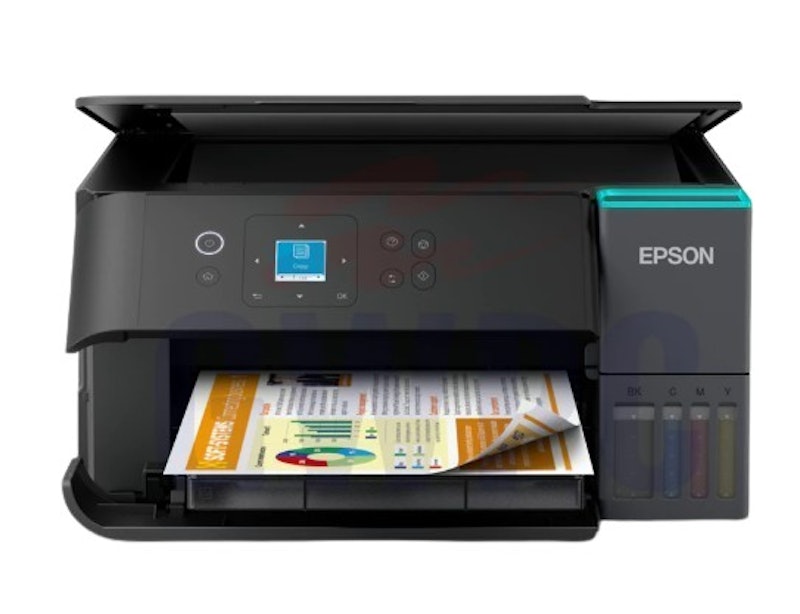
Reviews mention:
User reviews highlight the low running costs from high-yield ink bottles, providing up to 7,500 black pages and 6,000 color pages initially, making it economical for home or small office use. Print quality is sharp and smudge-resistant thanks to pigment ink. The 2-year warranty covering up to 50,000 pages is appreciated. Some users note minor setup issues with the app or touchscreen, which can waste initial ink.
| Type | Inkjet |
|---|---|
| Best for | Home, Small Businesses |
| Scanner | Flatbed |
| Ink | 6,500 Pages (Color), 8,500 Pages (Black), Uses 001 Ink Bottles |
| Paper Capacity | Input: 100 Sheets (Rear Tray, A4 Plain Paper 80g/m²), 20 Sheets Glossy Photo; Output Capacity: 30 Sheets A4 Plain (80 g/m²), 20 Sheets Glossy Photo |
| Supported Paper Sizes | A4, A5, A6, B5, B6, Letter, Legal, Indian-Legal, 100 × 148 mm, 3.5 × 5″, 4 × 6″, 5 × 7″, 5 × 8″, 8 × 10″, 8.5 × 13″, 16:9, 16K, #10/DL/C6 Envelopes |
| Wi-Fi Compatible | |
| Warranty |
EpsonEcoTank A4 Ink Tank Printer | L121
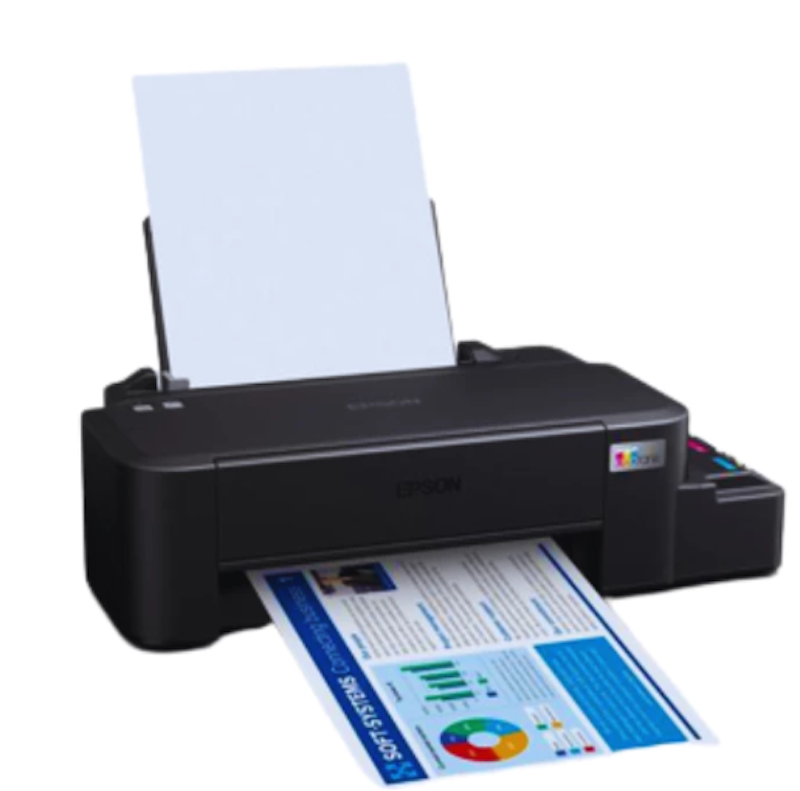
Reviews mention:
Customer feedback frequently highlights the ultra-low cost per page, compact design, and reliable performance for home offices and small projects. Print quality is generally high for budget printing and sublimation tasks. Many users appreciate the fast setup and energy-efficient Heat-Free Technology, although some report difficulties feeding thicker paper (over 200 gsm), which may limit the device's versatility.
| Type | Inkjet |
|---|---|
| Best for | Home, Office |
| Scanner | |
| Ink | 7,500 Pages (Color), 4,500 Pages (Black), Uses T664 Ink Bottles |
| Paper Capacity | Up to 50 Sheets of Plain Paper (75g/m2) |
| Supported Paper Sizes | A4, Letter, Legal |
| Wi-Fi Compatible | |
| Warranty |
Epson EcoTank Photo Printer | L8050
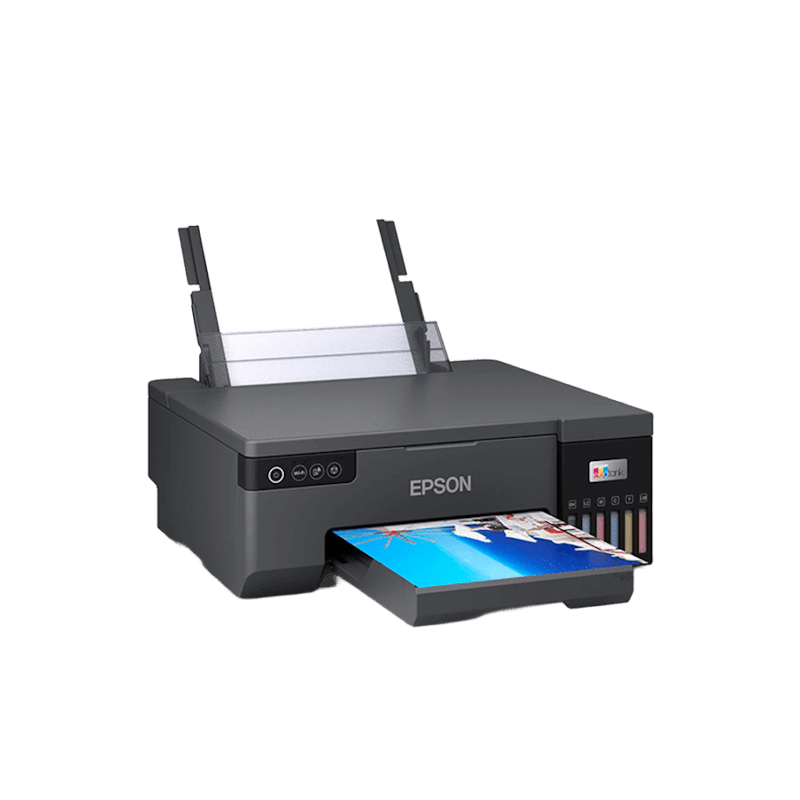
| Type | Inkjet |
|---|---|
| Best for | Home |
| Scanner | |
| Ink | 7,200 Pages (Color-Composite Yield), 3,600 Pages (Black) |
| Paper Capacity | Input: 100 A4 Plain, 20 Glossy; Output: 100 Plain, 30 Glossy |
| Supported Paper Sizes | A4, Letter, 8 x 10", 5 x 7", 4 x 6", 16:9 Wide, 100 x 148 mm, 3.5 x 5", Envelopes #10, DL, C6 |
| Wi-Fi Compatible | |
| Warranty |
Epson EcoTank Monochrome Wi-Fi Ink Tank Printer | M2170
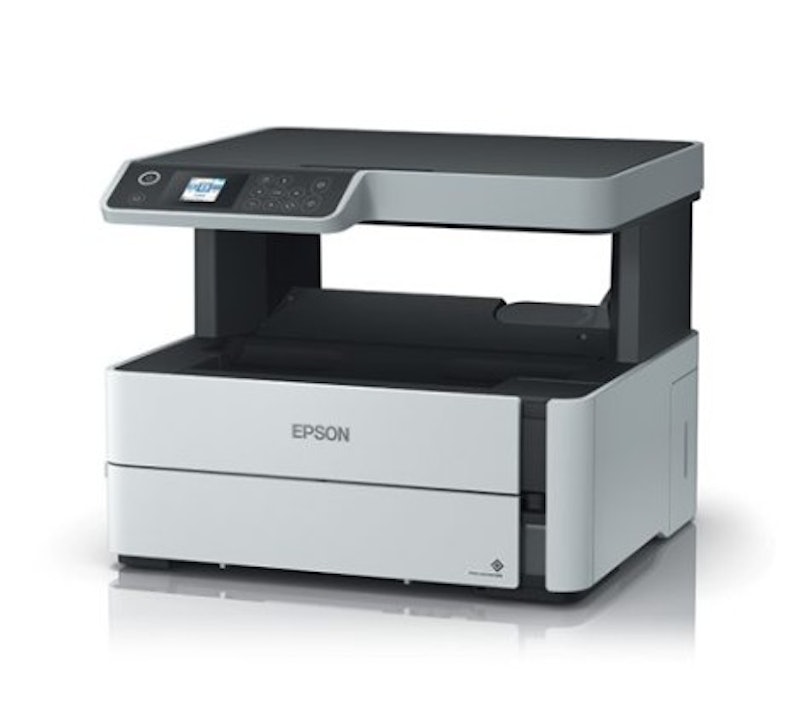
Reviews mention:
Users consistently praise the EcoTank system for providing long-lasting, high-volume ink at low cost, with initial yields up to 6,000 pages. Setup is generally straightforward, wireless connectivity is reliable, and the printer is economical for home or small office use. Some users report occasional setup errors, auto-feeder issues, or challenges with space requirements due to the printer’s design.
| Type | Inkjet |
|---|---|
| Best for | Office |
| Scanner | Flatbed |
| Ink | 6,000 Pages (Black) |
| Paper Capacity | Input Tray: 250 Sheets, Output Tray: 100 Sheets |
| Supported Paper Sizes | Legal, Indian-Legal (215 x 345 mm), 8.5 x 13", Letter, A4, 16K (195 x 270 mm), B5, A5, B6, A6, Hagaki (100 x 148 mm), Envelopes: #10, DL, C6 |
| Wi-Fi Compatible | |
| Warranty |
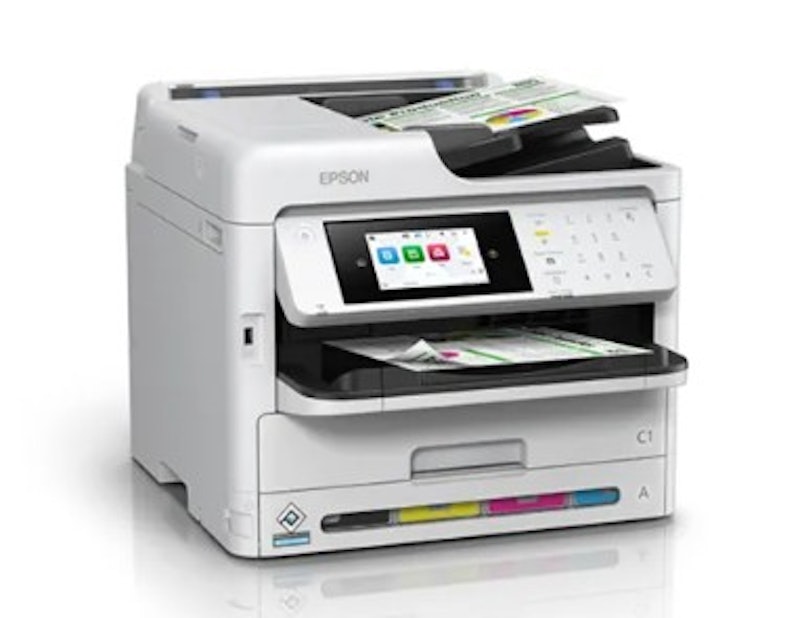
Epson Color Multifunction Printer | WF-C5890
Reviews mention:
Customers frequently praise the printer’s cost-effective operation, estimating 1.4 p per monochrome page and 6.3 p per color page. Print quality is sharp for text documents and vibrant, banding-free for graphics and photos. Some report minor dusting on small fonts under 12 pt, but overall performance meets typical business needs.
| Type | Inkjet |
|---|---|
| Best for | Office |
| Scanner | Flatbed, ADF |
| Ink | 10,000 Black; 5,000 Color Pages |
| Paper Capacity | 330 Sheets Standard (250-Sheet Tray + 80-Sheet Rear Feed; Expandable to 1,830 With Optional Trays) |
| Supported Paper Sizes | Legal, Indian-Legal, 8.5 x 13 in, Letter, A4, B5, A5, B6, A6, 16K, 13 x 18 cm, 16:9 Wide, 10 x 15 cm, #10, DL, C4, C6 |
| Wi-Fi Compatible | |
| Warranty |
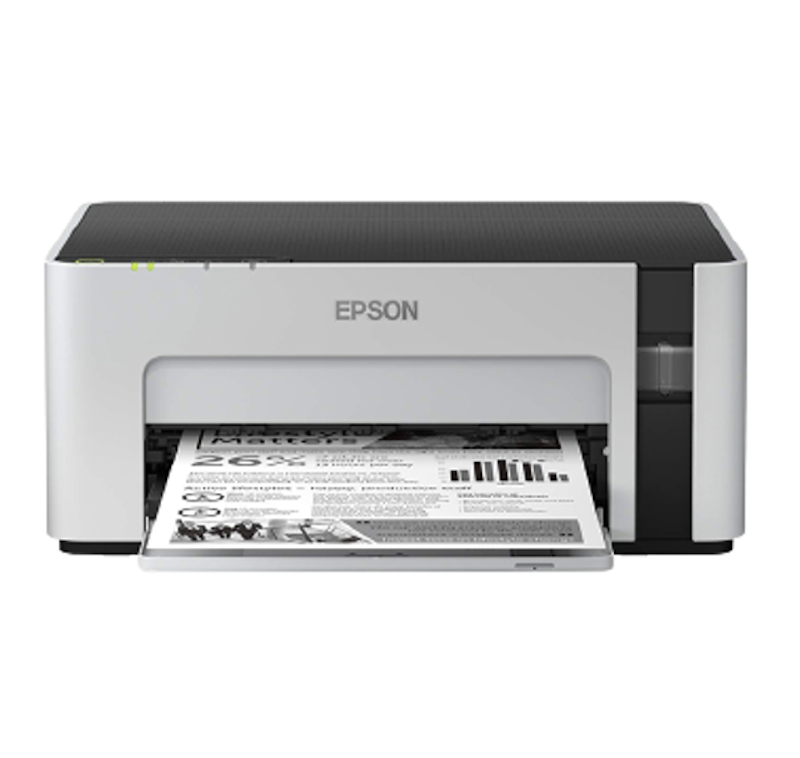
EpsonEcoTank Monochrome Wi-Fi Ink Tank Printer | M1120
Features and benefits:
Reviews mention:
Reviewers frequently note low long-term ink costs, with replacement bottles yielding up to 6,000 pages at a fraction of the cost of traditional cartridges. Many highlight fast printing speeds, sharp and smudge-free text quality, and reliable Wi-Fi setup. The compact design and economical operation suit high-volume printing needs, though some users report noticeable operational noise.
| Type | Inkjet |
|---|---|
| Best for | Office |
| Scanner | |
| Ink | 6,000 Pages (Black), Uses 005 or 005s Ink Bottles |
| Paper Capacity | Input: Up to 150 Sheets (A4/Letter Plain Paper, 80 g/m²); Output: Up to 30 Sheets |
| Supported Paper Sizes | Letter, Legal, A4, A5, B5, B6, A6, 16K, Indian-Legal, Hagaki, Envelopes: #10, DL, C6; Max 215.9 x 1200 mm |
| Wi-Fi Compatible | |
| Warranty |
Frequently Asked Questions
Below are some of the most asked questions on the web answered by the mybest team.
Can You Use Ink From Other Brands Aside From Epson?
Yes, you can use ink made by other brands. Aside from the original ink, there might be cheaper alternatives out there that you can take advantage of. However, if you've found a brand that works well with your printer, we strongly suggest that you stick with it to avoid any problems.
Also, make sure that the cartridge is compatible with your printer. To do this, check if the new ink cartridge matches the numbers in your old cartridge. If it doesn't, then it won't fit in your printer, and you would have wasted a tank full of ink unless you'll go through the hassle of transferring it in a different cartridge.
Can You Use Epson Printer on Any Device?
Epson printers are highly compatible with other devices. While some still only have the USB 2.0 connectivity option, recent models are now capable of wireless printing. To control the functions of your printer using your device, use Epson Connect so you can print and scan without having to plug anything.
The only disadvantage of Epson Connect is that you would need an internet connection for it to work. This might be a problem if you don't have a stable internet connection or if you carry it around everywhere. In those cases, it is important to always bring a USB 2.0 cord with you in case you run into connection problems.
Increase Your Productivity by Setting Up a Home Office
With all the recent news about the pandemic, it seems like we'll all be working from home a little longer. It may be time to complete your home workspace. Click the links below to check out our other articles on laptops and an assortment of accessories to help boost your productivity.


Author: Roxanne A.
How We Chose and Ranked Our Product Recommendations
Our buying guide was carefully researched and crafted by the mybest team of writers and editors, in collaboration with the expert featured in this article. We used the buying guide as a basis for choosing and ranking the product recommendations, and we looked at reviews and ratings from different E-commerce sites like Lazada, Shopee, and more.
The descriptions of each product are referenced from content available on manufacturer, brand, and e-commerce sites.