9 Best Touchscreen Laptops in the Philippines 2026 | Buying Guide Reviewed by IT Specialist
Our good old desktops and conventional laptops may soon be things of the past in the coming years. Gradually, touchscreen laptops are starting to dominate the market due to their ease of use and high portability. Dell, HP, Samsung, and Lenovo are only some of the brands that launched their own touchscreen laptops in the last decade.
In this article, we will take a look at some state-of-the-art laptops that you might consider replacing your underpowered machines. Whether you need a touchscreen laptop with pen for drawing or a touchscreen laptop for gaming, this article has got you covered. But before that, we need to know first what makes a great touchscreen laptop and which factors to look out for when shopping for one. Scroll down for our product recommendations and our buying guide fact-checked by IT Specialist JC Rogelio!

JC Rogelio is first and foremost a fan of upgrading and modifying computers. Due to his passion, he earned a degree in Information Technology from a university specializing in the field. He is tech-savvy and likes to research computer trends. He was a former employee of a Fortune 500 company in the Philippines and now has over 3 years of experience in the IT/Engineering field in Dubai.

Our recommendation articles are carefully researched and crafted by the mybest Philippines team of writers and editors. To stay true to our company’s mission and vision to help users’ selection process easier, we also collaborate with experts from various fields to ensure that our content stays factual and useful.
The expert oversees the Buying Guide only, and does not determine the products and services featured.
Why You Can Trust Us
Every mybest article is crafted with hours of in-depth research and interviews with experts. Each month, we are continually expanding our database of products based on our research. By emphasizing user insight and reliable information, we deliver trustworthy content to readers.
What's the Difference Between a Touchscreen and 2-in-1 Laptop?
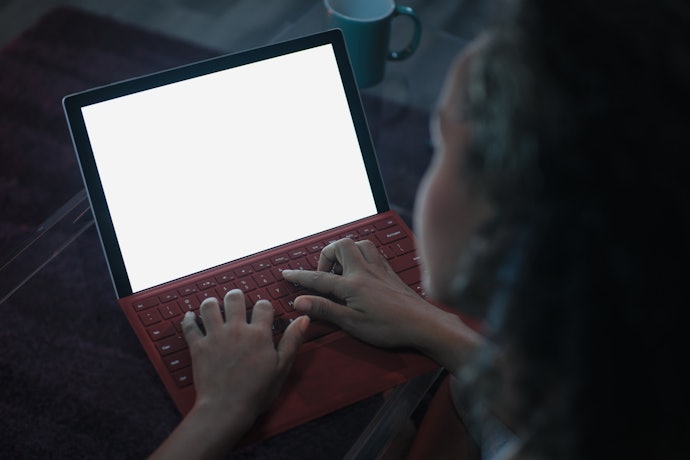
Both have the same qualities as a traditional laptop but gives more emphasis in terms of performance, power, and great portability. It seems like the technology on touchscreen laptops took a great leap whereas innovative 2-in-1 laptops suddenly emerged, moving conventional laptops with touch-enabled screens out of place.
With the versatility that 2-in-1 laptops offer, a user can fluidly switch from a laptop to a tablet and have the same interface without shelling out extra cash for another device. Yet, we cannot discount the level of power and performance that a touchscreen laptop can provide when it comes to gaming and high-demanding tasks.
How to Choose a Touchscreen Laptop – Buying Guide
Here are some key points to consider:
- Take your pick between a touchscreen and a 2-in-1 laptop
- Choose your preferred operating system
- Get the right specs that you need
- Recognize which touchscreen type is right for you
- Consider its screen size, display, and dimensions
- Choose 8 or more hours of battery life if you're always on the go
- Take a look at its available ports
- Look at its additional features to help you decide
For more detailed information, read through our buying guide below.
Take Your Pick Between a Touchscreen and a 2-in-1 Laptop
The size and form factor must be the first thing that a user will look at when it comes to laptops. Know which ones work best from our brief descriptions below.
Opt for Larger Screen Sizes for Better Productivity

Your laptop's screen size plays an important role in your decision-making. This isn't upgradable like a RAM or ROM, so it will stay the same from the day that you bought it until it becomes obsolete. Laptop sizes tend to start at 11" and go all the way up to 17".
Several brands could offer somewhere in between those sizes, but if you want a touch-enabled laptop, you might need to have a larger screen to take advantage of increased productivity. If you watch movies, edit videos, or make digital art, getting a laptop with a larger screen size pays off as well.
Look for Ones With Rotating or Detachable Hinges
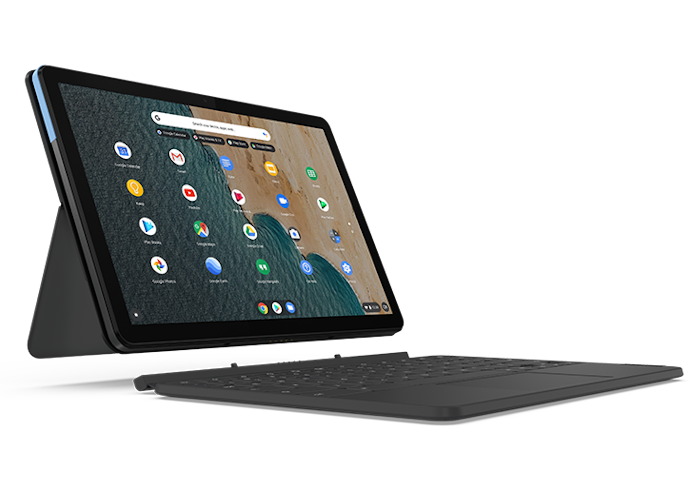
Traditional clamshell and gaming laptops usually have a thicker or more solid construction making them more durable. However, this also causes them to be heavier and bulkier than hybrid laptops. This is where portability comes into play.
The detachable or rotating hinge converts a 2-in-1 into a tablet by completely removing the keyboard or flipping it at the back. Some models could rotate and safely tuck the keyboard behind the screen to prevent it from being clicked.
Choose Your Preferred Operating System
Like any other laptop, the operating system (OS) is also important to consider when buying a touchscreen laptop. Some of the most common ones you can find for tablets and hybrid laptops are Windows and Chrome OS. Read further to know more about them!
Get Windows for Overall Versatility and App Compatibility

Microsoft has recently released Windows 11, which features its centered taskbar that allows touchscreen users to open apps more easily. One of the main reasons to enable touchscreen is to make certain tasks easier to accomplish, and tapping on the screen is way faster than hovering the pointer around and navigating the mouse over a trackpad.
The extra-large tiles on the Start Menu are meant to be used for either a mouse cursor or for finger tapping. To activate the touchscreen, all you need to do is access the Device Manager through the Control Panel and activate the HID-Compliant Touchscreen under the Human Interface Devices. Now, you're ready to tap and swipe away!
Try Chrome OS if You Want Simplicity and Often Rely on the Internet
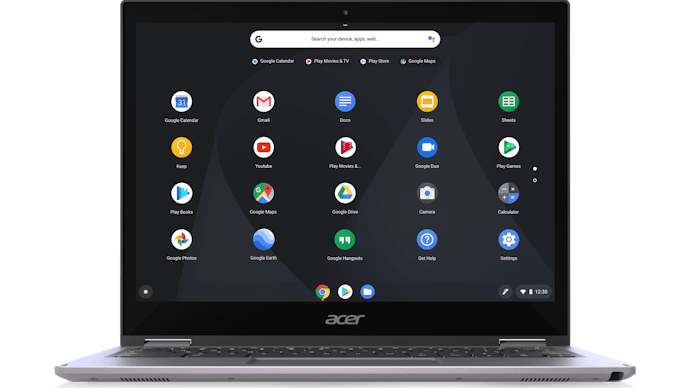
While Windows is the most widely-used operating system out there, there are also alternative operating systems that are as competitive. For instance, Chrome OS, which is a browser-focused operating system, is also worth considering as it emulates the laptop experience even on a touchscreen device.
Additionally, because of its simplicity, the Chrome OS is also great for those who want to minimize distractions and prefers a cleaner-looking user interface (UI). The only downside of this OS is that since it is browser-focused, most of its apps and functions rely on a stable internet connection.
Get the Right Specs That You Need
Traditional and touchscreen laptops may appear the same in terms of look and functionality but there are minute details that must be looked at to achieve the right components for your needs.
For Better Performance, Go for the Latest Version of CPU
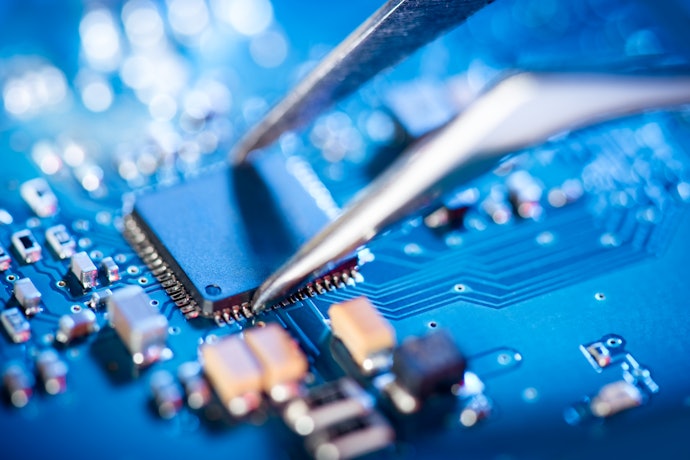
Most conventional laptops use processors such as Intel's Core I series or AMD's Ryzen series. The former is more expensive, but it is more efficient in carrying out demanding tasks without lagging. Meanwhile, the latter is a close second and has actually gained a following consisting mainly of gamers who prefer AMD's lower power consumption.
While these two processors are neck and neck for being regarded as the best CPU, the truth of the matter is that both are versatile processors for everyone. It doesn't matter which brand you may choose, as it all boils down to the speed and the number of cores a CPU has to perform tasks efficiently.
Favor Laptops With a Dedicated Graphics Card for Gaming or Video-Heavy Usage
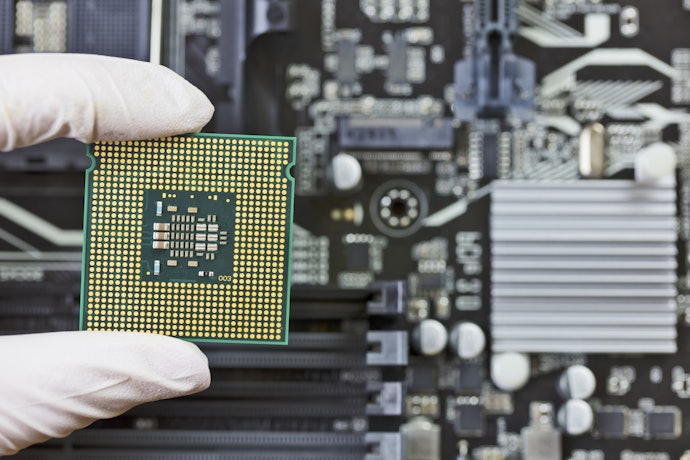
Since hybrid laptops have thinner profiles, some of them use an integrated graphics card like Intel's UHD or IrisPlus to save on internal space. The integrated graphics card aids the CPU in its tasks, thereby using less power and creating less for the CPU. Touchscreen laptops may be equipped with a dedicated graphics card to tackle video-heavy gaming or detailed photo editing tasks.
If you are going to use your touchscreen laptop for light and basic tasks such as editing spreadsheets, browsing the internet, or scrolling through social media, then a dedicated graphics card will not make a huge difference. On the other hand, if you'll use it for heavy and complicated tasks such as gaming and video editing, then an integrated graphics card is definitely a must-have.
Aim for At Least 8 GB RAM to Prevent Lags
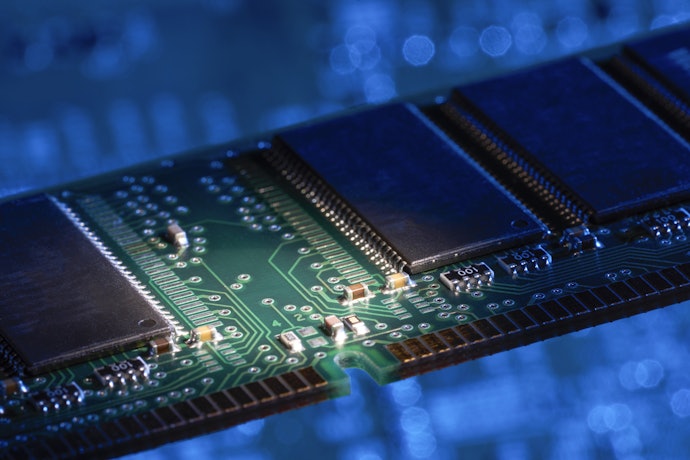
Speed and performance also depend on the device's RAM or random-access memory cards. It should be somewhere between 8 GB to 32 GB. Nobody appreciates a lag while you're in the middle of a presentation or simply watching a movie.
While 8 GB of RAM is the standard for a reliable computer, this might not be the case for laptops using Chrome OS. Since this operating system is mainly for simple tasks, it has a smaller RAM by default. Usually, Chromebooks only have 8 GB of RAM, but you can always opt for higher ones, especially if you need to run multiple apps all at the same time.
Check if It Has Adequate Storage - Go for One Between 128 to 256 GB

Laptops mainly have 3 types of storage SSD, HDD, and eMMC. A solid-state drive or SSD is a way to go if you're aiming for portability. They are thinner, lighter, and they read data faster. SSDs are also the standard storage component when it comes to laptops and almost any other device.
Meanwhile, HDDs, another storage component, also offer excellent storage capabilities of up to 20 TB for a lower price than SSDs. Lastly, eMMCs are great for small devices such as smartphones since they are compact and light. The only problem is that they can only store up to 128 GB of data.
Recognize Which Touchscreen Type Is Right for You
There are two major types of touchscreen used on conventional laptops or 2-in-1 hybrids. Let’s identify which may work to your advantage.
Get Resistive Touchscreens for Pressure-Based, Single Point Contact

The technology of a resistive touchscreen depends on the user’s pressure point. It is composed of two layers – the resistive and the conductive portion. Both layers carry electric current and have space between them. If a user applies pressure to a certain point by either tapping or swiping on the resistive layer, it comes into contact with the conductive layer.
This creates a change in electrical current. Thus, the software sends a signal to the CPU to perform the task created. This type of touchscreen display cannot support several fingers simultaneously because the software can only recognize a single point of contact at any given time.
If You Prefer Greater Flexibility, Pick Capacitive Touchscreens
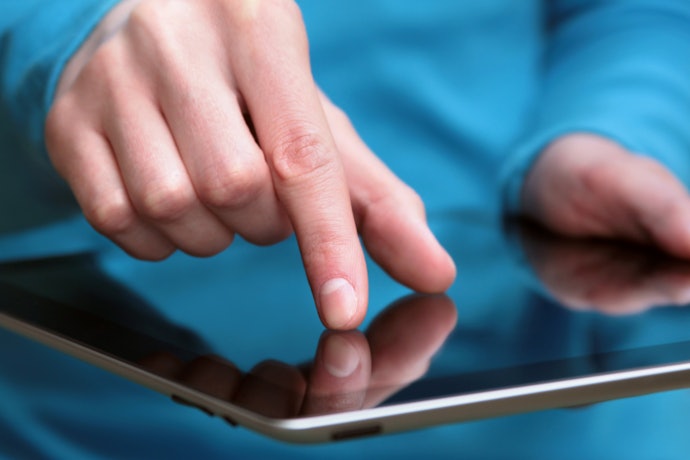
Unlike the resistive variant, the capacitive screen has a single layer that works as coordinates. It functions by detecting the change in the electrostatic field caused by coming in contact with the screen and using that information to find the precise location touched on the screen.
Whenever a part of a human body touches a point on the screen’s surface, it shifts the electrical current to perform the required task. It can provide multi-touch and multiple finger functions since it can distinguish several contact points on the screen. Thus, zooming in and out is possible.
Consider Its Screen Size, Display, and Dimensions
The native display resolution should be not lower than 1080p to get a more immersive experience, while some may even come up to 4K on higher-end models. Most hybrids use In-plane Switching or IPS panels to render true-to-life colors and real-life video quality with a 60 Hz refresh rate.
While laptops with excellent screen features such as high resolution and high frame rate cost expensive, they are also better for your eyesight in the long run. If your work involves staring in front of your laptop for the most part of the day, you wouldn't want to be staring at a tiny screen with a poor display, right?
Choose 8 Hours or More of Battery Life if You're Always on the Go
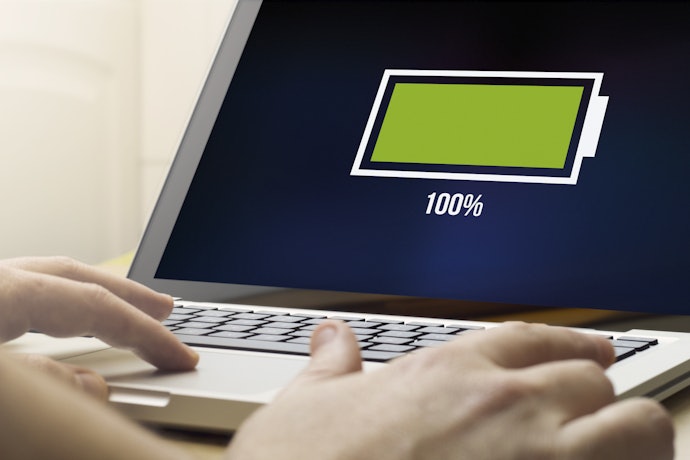
Anyone can probably notice that touchscreen or hybrid laptops consume more power than conventional non-touchscreen types. The added hardware and processing tasks that a touchscreen capability entails will surely eat up a lot of juice and reduce battery life.
If you're aiming to make a hybrid laptop to be your daily driver, choose a model that has a larger battery capacity and presents the ability to turn off its touchscreen capability. You can also search the web for applications that could de-bloat your operating system of unwanted apps running in the background to save RAM, drive space, and, ultimately, conserve battery life.
Take a Look at its Available Ports
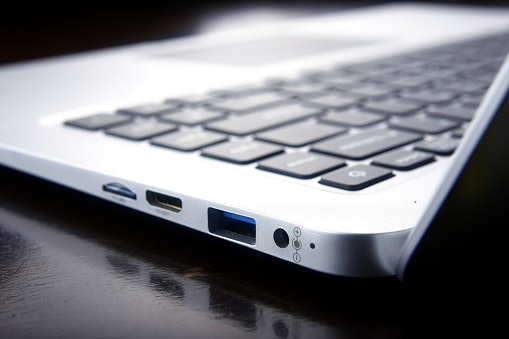
Ports are important, especially if you want to transfer files to and from your laptop or connect it to other devices. Usually, laptops come with at least 4 ports that allow the user to connect audio, display, and memory from an external device.
The most common ports found in laptops are USB ports, Ethernet port, SD card reader, and HDMI ports. Before purchasing a touchscreen laptop, consider first which ports you'll need so you can easily share files and perform different functions with your laptop.
Look at its Additional Features to Help You Decide

Aside from the specs that were already mentioned, there are also additional features that can help you decide which touchscreen laptop is the best for you. These include features such as rotating or detachable hinges that can enable "tablet" mode and an excellent camera and audio system.
Additionally, touchscreen laptops also come with accessories such as a stylus for those who would like to use their touchscreen laptops for writing and drawing. Backlit keyboards are also underrated, given that they are extremely helpful when you're using your laptop mainly during the night.
9 Best Touchscreen Laptops to Buy Online
| Products | Image | Click to purchase | Popularity | Details | ||||||||||||
|---|---|---|---|---|---|---|---|---|---|---|---|---|---|---|---|---|
Type | Operating System | CPU | GPU | RAM | Storage | Touchscreen Type | Screen Size | Display | Weight | Dimensions | Battery Ports | |||||
1 | Inspiron 14 2-in-1 Laptop Dell |  | No.1 | Touchscreen, 2-in-1 | Windows | Intel Core 7 150U | Intel Graphics | 16 GB | 1 TB | Multitouch | 14 in | FHD+ 1920 x 1200 IPS | 1.6 kg | 31.3 x 22 x 1.8 cm | 4 | |
2 | OmniBook 5 Flip 2-in-1 HP |  | No.2 | Touchscreen, 2-in-1 | Windows | Intel Core 7 150U | Intel Graphics | 16 GB | 512 GB | Multitouch | 14 in | 2K 1920 x 1200 IPS | 1.62 kg | 31.3 x 21.99 x 1.84 cm | 5 | |
3 | Envy 2n1 Laptop 14"|14-fa0023dx HP |  | No.3 | Touchscreen, 2-in-1 | Windows | AMD Ryzen 7 8840HS | AMD Radeon Graphics | 16 GB | 1 TB | WUXGA Touch | 14 in | WUXGA 1920 x 1200 IPS | 1.5 kg | 31.2 x 22.5 x 1.7 cm | 4 | |
4 | Inspiron 15 Laptop Dell |  | No.4 | Touchscreen | Windows | Intel Core i5-1334U | Intel UHD Graphics | 8 GB | 512 GB | IPS Touch | 15.6 in | FHD 1920 x 1080 IPS | 1.65 kg | 35.8 x 23.5 x 1.8 cm | 5 | |
5 | 15.6" HD Touch-Screen |15-fd0123dx HP |  | No.5 | Touchscreen | Windows | Intel Core i3-1315U | Intel UHD Graphics | 8 GB | 256 GB | HD Touch | 15.6 in | HD 1366 x 768 Touch | 1.59 kg | 36 x 23.6 x 1.85 cm | 5 | |
6 | Vivobook 14 |X1407CA-LY170WSM Asus |  | No.6 | Touchscreen | Windows | Intel Core i7-1355U | Intel Iris Xe | 16 GB | 1 TB | FHD Touch | 15.6 in | FHD 1920 x 1080 IPS | 1.7 kg | 35.9 x 23.3 x 1.79 cm | 4 | |
7 | IdeaPad 1|5-7520U Lenovo |  | No.7 | Touchscreen | Windows | AMD Ryzen 5 7520U | AMD Radeon 610M | 8 GB | 256 GB | FHD Touch | 15.6 in | FHD 1920 x 1080 IPS | 1.58 kg | 35.8 x 23.6 x 1.79 cm | 3 | |
8 | Chromebook|C340-11 Lenovo |  | No.8 | Touchscreen, 2-in-1 | Chrome OS | Intel Celeron N4000 | Intel UHD 600 | 4 GB | 64 GB | Multitouch | 11.6 in | HD 1366 x 768 IPS | 1.13 kg | 28 x 20 x 1.8 cm | 2 | |
9 | Mini Laptop Zwide |  | No.9 | Touchscreen, 2-in-1 | Windows | Intel N150 | Intel UHD Graphics | 12 GB | 256 GB | 360-Degree Touch | 8 in | FHD Touch | 0.8 kg | 20 x 13 x 1.5 cm | 3 | |


Features and benefits:
Reviews mention:
Many find the touchscreen responsive and ideal for note-taking or casual drawing. People note its sturdy hinge holds positions well during extended use. Several appreciate the ample storage for students managing school files.
| Type | Touchscreen, 2-in-1 |
|---|---|
| Operating System | Windows |
| CPU | Intel Core 7 150U |
| GPU | Intel Graphics |
| RAM | 16 GB |
| Storage | 1 TB |
| Touchscreen Type | Multitouch |
| Screen Size | 14 in |
| Display | FHD+ 1920 x 1200 IPS |
| Weight | 1.6 kg |
| Dimensions | 31.3 x 22 x 1.8 cm |
| Battery Ports | 4 |

Features and benefits:
Reviews mention:
People appreciate the sharp 2K screen for reading fine text without strain. Many find the flip mechanism smooth for quick mode changes. Several highlight reliable speed for office tasks.
| Type | Touchscreen, 2-in-1 |
|---|---|
| Operating System | Windows |
| CPU | Intel Core 7 150U |
| GPU | Intel Graphics |
| RAM | 16 GB |
| Storage | 512 GB |
| Touchscreen Type | Multitouch |
| Screen Size | 14 in |
| Display | 2K 1920 x 1200 IPS |
| Weight | 1.62 kg |
| Dimensions | 31.3 x 21.99 x 1.84 cm |
| Battery Ports | 5 |
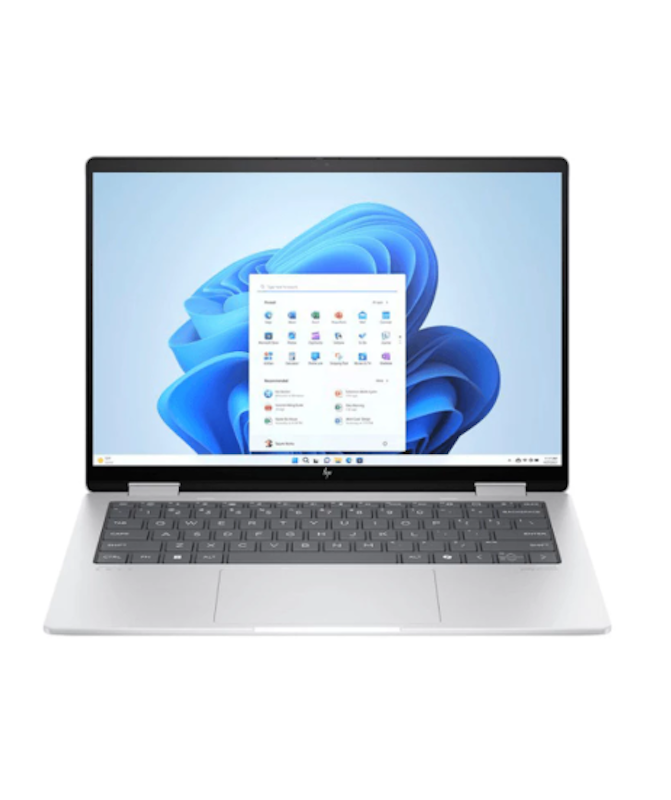
HPEnvy 2n1 Laptop 14" | 14-fa0023dx
Reviews mention:
Several note the Ryzen processor handles multiple tabs without lag. Many find the build quality solid for frequent handling. People appreciate the bright screen for outdoor work.
| Type | Touchscreen, 2-in-1 |
|---|---|
| Operating System | Windows |
| CPU | AMD Ryzen 7 8840HS |
| GPU | AMD Radeon Graphics |
| RAM | 16 GB |
| Storage | 1 TB |
| Touchscreen Type | WUXGA Touch |
| Screen Size | 14 in |
| Display | WUXGA 1920 x 1200 IPS |
| Weight | 1.5 kg |
| Dimensions | 31.2 x 22.5 x 1.7 cm |
| Battery Ports | 4 |
Reviews mention:
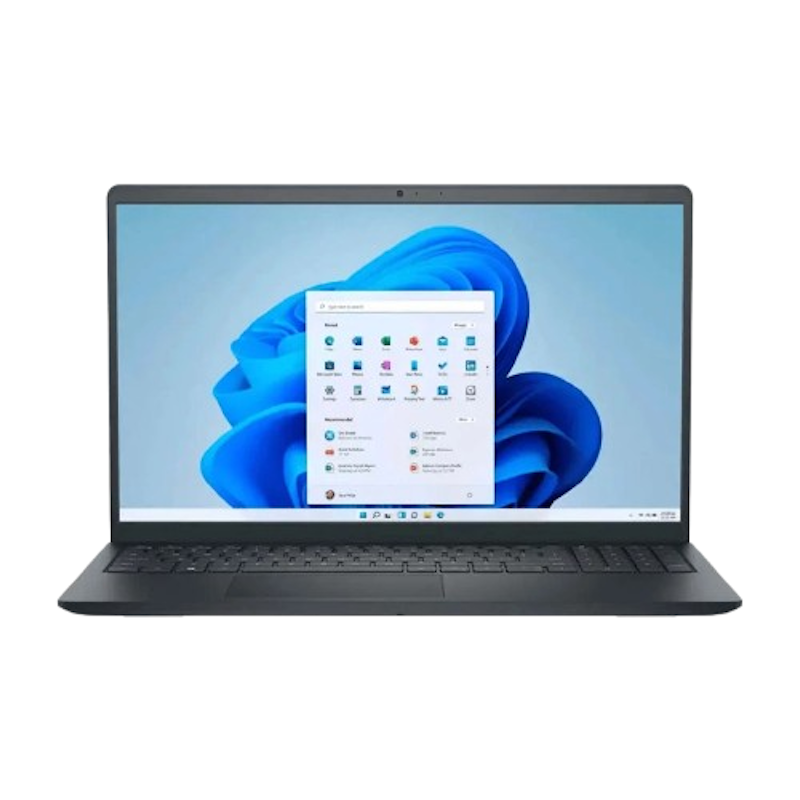
Many find the IPS screen accurate for color-sensitive tasks like basic editing. People note reliable battery for half-day use without recharging. Several appreciate the touch gestures for intuitive navigation.
| Type | Touchscreen |
|---|---|
| Operating System | Windows |
| CPU | Intel Core i5-1334U |
| GPU | Intel UHD Graphics |
| RAM | 8 GB |
| Storage | 512 GB |
| Touchscreen Type | IPS Touch |
| Screen Size | 15.6 in |
| Display | FHD 1920 x 1080 IPS |
| Weight | 1.65 kg |
| Dimensions | 35.8 x 23.5 x 1.8 cm |
| Battery Ports | 5 |
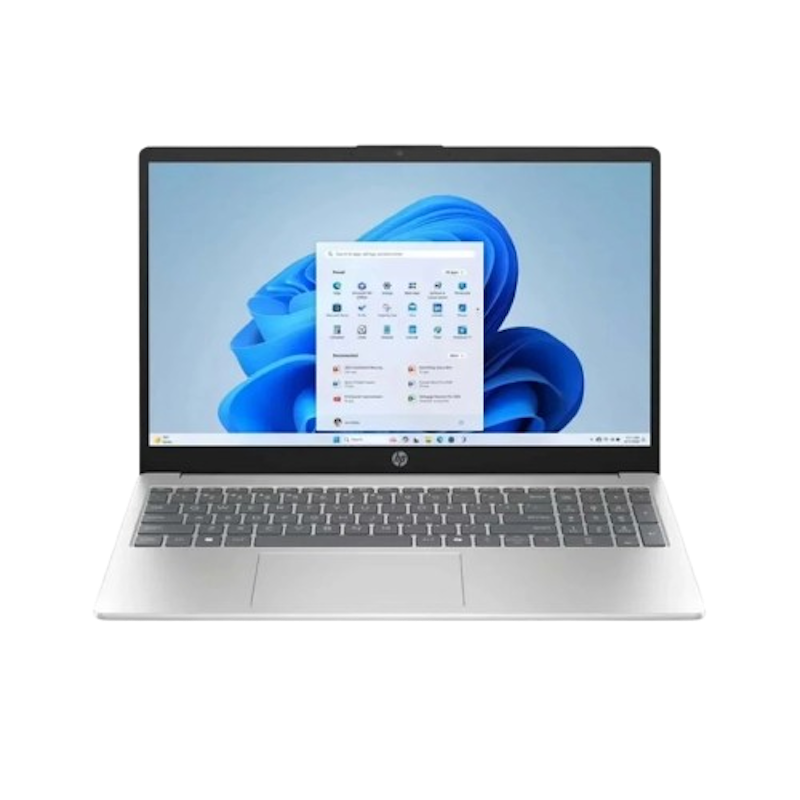
HP15.6" HD Touch-Screen | 15-fd0123dx
Reviews mention:
People appreciate how responsive the touchscreen feels for note-taking and casual browsing. Several note the lightweight design makes it easy to carry for students or remote work. Many highlight the solid battery life that handles full school days without needing a recharge.
| Type | Touchscreen |
|---|---|
| Operating System | Windows |
| CPU | Intel Core i3-1315U |
| GPU | Intel UHD Graphics |
| RAM | 8 GB |
| Storage | 256 GB |
| Touchscreen Type | HD Touch |
| Screen Size | 15.6 in |
| Display | HD 1366 x 768 Touch |
| Weight | 1.59 kg |
| Dimensions | 36 x 23.6 x 1.85 cm |
| Battery Ports | 5 |
Asus Vivobook 14 | X1407CA-LY170WSM
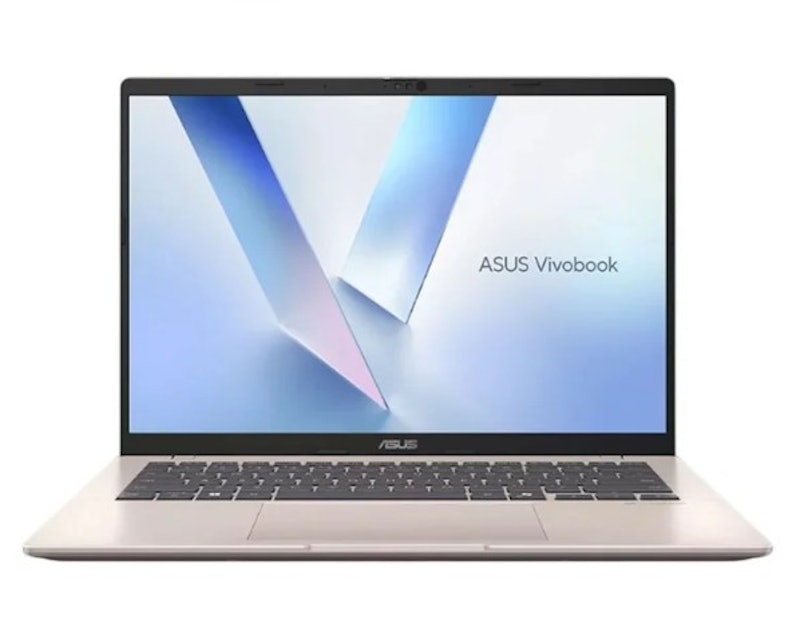
| Type | Touchscreen |
|---|---|
| Operating System | Windows |
| CPU | Intel Core i7-1355U |
| GPU | Intel Iris Xe |
| RAM | 16 GB |
| Storage | 1 TB |
| Touchscreen Type | FHD Touch |
| Screen Size | 15.6 in |
| Display | FHD 1920 x 1080 IPS |
| Weight | 1.7 kg |
| Dimensions | 35.9 x 23.3 x 1.79 cm |
| Battery Ports | 4 |

Features and benefits:
Reviews mention:
Several commend the surprisingly loud speakers and decent battery life in certain models. People note smooth performance for everyday tasks such as web browsing, office apps, and light coding. Many highlight its lightweight, thin design, making it highly portable.
| Type | Touchscreen |
|---|---|
| Operating System | Windows |
| CPU | AMD Ryzen 5 7520U |
| GPU | AMD Radeon 610M |
| RAM | 8 GB |
| Storage | 256 GB |
| Touchscreen Type | FHD Touch |
| Screen Size | 15.6 in |
| Display | FHD 1920 x 1080 IPS |
| Weight | 1.58 kg |
| Dimensions | 35.8 x 23.6 x 1.79 cm |
| Battery Ports | 3 |
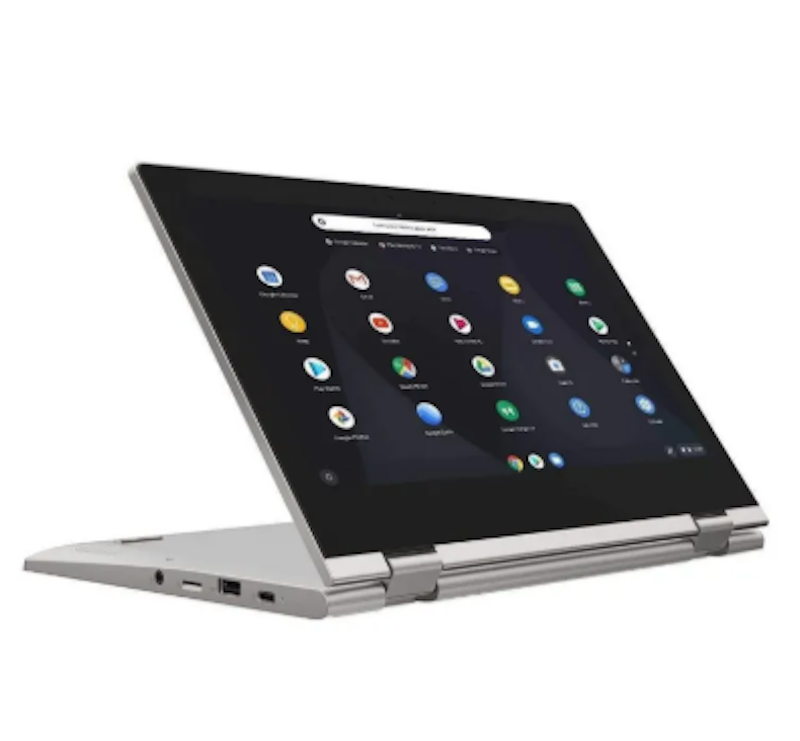
Reviews mention:
| Type | Touchscreen, 2-in-1 |
|---|---|
| Operating System | Chrome OS |
| CPU | Intel Celeron N4000 |
| GPU | Intel UHD 600 |
| RAM | 4 GB |
| Storage | 64 GB |
| Touchscreen Type | Multitouch |
| Screen Size | 11.6 in |
| Display | HD 1366 x 768 IPS |
| Weight | 1.13 kg |
| Dimensions | 28 x 20 x 1.8 cm |
| Battery Ports | 2 |
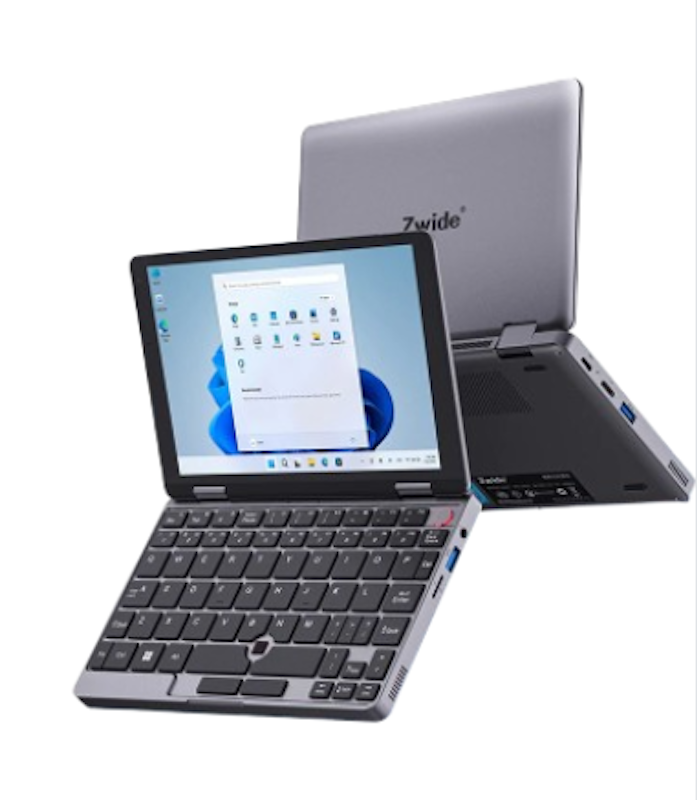
Reviews mention:
Many appreciate the small size for travel bags. People note smooth touch for media on short trips. Several find rotation fun for kids' learning.
| Type | Touchscreen, 2-in-1 |
|---|---|
| Operating System | Windows |
| CPU | Intel N150 |
| GPU | Intel UHD Graphics |
| RAM | 12 GB |
| Storage | 256 GB |
| Touchscreen Type | 360-Degree Touch |
| Screen Size | 8 in |
| Display | FHD Touch |
| Weight | 0.8 kg |
| Dimensions | 20 x 13 x 1.5 cm |
| Battery Ports | 3 |
Frequently Asked Questions
Below are some of the most asked questions on the web answered by the mybest team.
How to Clean Touchscreen Laptop?
While touchscreens are made with layers of durable plastic and glass, they are still prone to scratches and cracks that might affect their functionality. To prevent this from happening, it is always good practice to clean your touchscreen frequently. Thankfully, the surface of the screen is designed in a way that is easy to clean, even with household materials.
To clean your touchscreen, simply use a screen cleaning wipe or any other cloth as long as it is soft and dry. In instances wherein you spilled something on the LCD, you can also choose to add a bit of water to the cloth. Just remember to never use glass cleaners and other chemical cleaners as they might damage your screen!
Is It Better to Use Stylus?
One of the most common accessories for touchscreens is the stylus. A stylus is basically a pen that you can use with a tablet, smartphone, or any touchscreen device without placing your finger on the screen. They usually don't come with most devices, but they are worth considering to purchase because of their many advantages.
Since a stylus is similar to a pen, it is more ergonomic to use instead of your finger. Additionally, it is ideal for graphic artists who use digital art apps and programs on their devices. This is because you can create cleaner lines compared to using your finger to draw. Overall, if you have the budget, a stylus is a great accessory for your touchscreen devices.
Can a Cracked Touchscreen Laptop Be Fixed?
A cracked touchscreen laptop can be fixed depending on the extent of the damage. If you've only chipped a small part of the screen and didn't damage the LCD, then you can still repair the screen. This is because touchscreens usually have a glass overlay, and it is possible to just replace the glass.
On the other hand, if you cracked your screen and damaged the LCD and the digitizer, then it is likely that you'll have to buy and replace the entire screen. You'll also have to pay for a skilled technician to assemble it for you. In such cases, it might be better to just buy a replacement, especially if it costs less than having your touchscreen laptop mended.
Searching for a Laptop on a Tight Budget?
The increased demand for budget-friendly laptops is on the rise due to the pandemic. Office workers, and students alike, were forced to stay at home and do everything online. We have a couple of articles that might help you get yours today! Give the link below a click to point you in the right direction.


Author: Chafi Lacson
Re-Editor: Roxanne A., Katrina Balingit
How We Chose and Ranked Our Product Recommendations
Our buying guide was carefully researched and crafted by the mybest team of writers and editors, in collaboration with the expert featured in this article. We used the buying guide as a basis for choosing and ranking the product recommendations, and we looked at reviews and ratings from different E-commerce sites like Lazada, Shopee, and more.
The descriptions of each product are referenced from content available on manufacturer, brand, and e-commerce sites.