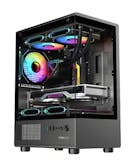
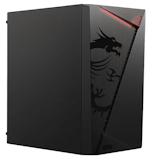
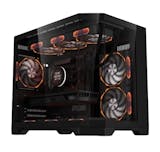
10 Best mATX Cases in the Philippines 2026 | Buying Guide Reviewed by IT Consultant, Developer, and Instructor
The trend with modern technology is having a small yet powerful computing machine, giving birth to the mATX case or micro ATX case. Computer manufacturers are slowly leaning on the compact PC form factor by creating motherboards and other components that can fit in a small case, cutting down on desk space while still providing strong computing power. Also, the pandemic gave rise to more computer and tech enthusiasts as hobbyists are forced to work from home!
An mATX case can also have several advantages over other forms, which offer a balance between performance and design. In this article, we have buying tips reviewed by IT consultant Kevin Lee Cardoza that can help you decide before your purchase. Plus, we'll introduce some brands available in the market today!

Kevin Lee is an educator who specializes in Information Technology (IT). He also has years of experience as a technical support specialist and is well-versed in programming, application development, software testing, and user experience design. Furthermore, his passion for building custom computers and creating electronic devices and systems keeps him up-to-date with the latest trends and information.

Our recommendation articles are carefully researched and crafted by the mybest Philippines team of writers and editors. To stay true to our company’s mission and vision to help users’ selection process easier, we also collaborate with experts from various fields to ensure that our content stays factual and useful.
The expert oversees the Buying Guide only, and does not determine the products and services featured.
Why You Can Trust Us
Every mybest article is crafted with hours of in-depth research and interviews with experts. Each month, we are continually expanding our database of products based on our research. By emphasizing user insight and reliable information, we deliver trustworthy content to readers.
How to Choose mATX Cases
Here are some key points to consider:
- Check the size: make sure all your PC's components fit
- Choose a case with an efficient airflow system to prevent overheating
- AIO or air cooler: look at its cooling options or see if it has enough space to fit one
- Consider one with more expansion slots if you want to add more parts in the future
- Take note of its built-in filters to ensure optimum performance
- Consider additional features that can elevate its aesthetics
- Opt for aluminum or metal for the case
For more detailed information, read through our buying guide below.
Check The Size: Make Sure All Your PC's Components Fit
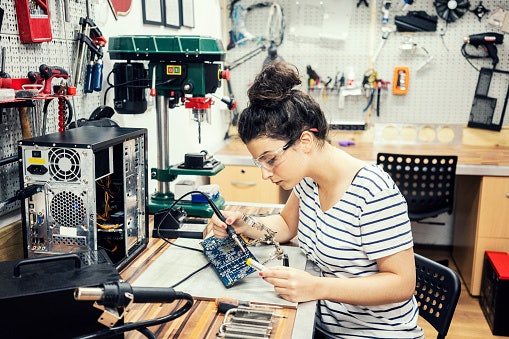
Making sure that everything fits into the case should be your main concern, especially if you plan to customize your computer for your school, office, or gaming use.
The best way to do this is to list down the components you will use, such as a motherboard, Graphics Card Unit (GPU), storage device, and the like. For example, motherboard trays are available in a variety of orientations and sizes. Also, your preferred power supply for your needs should be able to fit into the case.

A good micro ATX case should be able to accommodate all the computer parts with room to spare for future component upgrades. You might have a decent case that can fit your entry-level GT 220 graphics card now, but what about that beefy RTX4090 that you are planning to buy?
Choose a Case With an Efficient Airflow System to Prevent Overheating

Many consumers take good airflow and cooling systems for granted. It is best to keep in mind that all PC components are prone to overheating even during normal use.
Smaller cases tend to have less airflow, so it is important to get one that has features, such as side panels, to help circulate air in your computer. One overheating item inside the case could affect the entire operation, which can cause auto shutdowns, or worse, a toasted motherboard!
The amount and position of the case fan and radiator installation points should be another important factor when choosing an mATX case.
A good balance of the amount of intake and exhaust fans not only provides cool air for the PC, but also prevents dust accumulation.
AIO or Air Cooler: Look At Its Cooling Options Or See If It Has Enough Space to Fit One
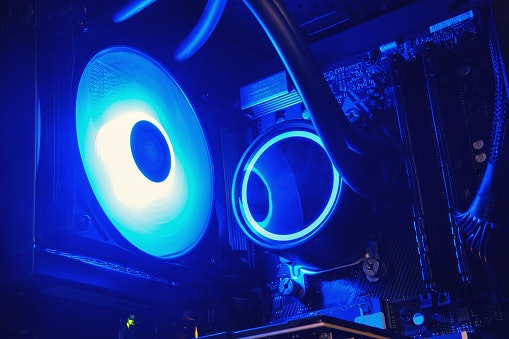
Having a ventilation system that could fit into an mATX is awesome. In fact, some cases already have pre-installed coolers like AIO or air cooler. However, if you have your own or you plan on installing a custom rig, getting a liquid cooling option could be a difficult task. You must know its specifications first to ensure that it is the right size for your case.
Aside from adequate airflow and cooling implements, having air vents on the sides could greatly reduce heat. Even if you don't settle for a liquid-cooled system, ensure that the CPU and GPU heatsinks can adapt to the case.
An all-in-one water cooling system for either your CPU or GPU is not something I would recommend for a starter PC build. Regardless of the brand or price of the AIO system, your PC will be at constant risk of water leakage or thermal runaway when using such. Fan-based cooling and ventilation system should be more than enough for an average PC gamer.
Consider One With More Expansion Slots if You Want to Add More Parts in the Future

Getting a chassis that has more expansion slots allows you to have the option to append more parts in the future. More PCI (peripheral component interconnect) slots or drive bays would be the ideal setup. If you're looking to reduce the size inside the case, having a solid-state drive is the best option. However, if you have an existing 3.5" drive on your rig, make sure that it could fit into the new mATX case.
mATX motherboards might only have, at most, 2 PCI ports. But, in some situations, there will be peripherals that will take up 2 PCI slots from your case. Consider only the mATX cases with at least 4 PCI slots if this will be an issue in the future.
Take Note of Its Built-In Filters to Ensure Optimum Performance
Every case manufacturer has its own product design and there are several features that a consumer would love to have. Here are some additional features that might catch your attention.
Cut Down Noise by Getting One With Noise Filters

A good case should have less noise with a good airflow system. However, using more than two fans can be loud at times and could disrupt your concentration.
Unfortunately, you cannot compromise good airflow and totally eliminate the noise. This will cause a thermal runaway and could throttle your hardware's performance. The solution to this is to purchase a case with noise filters and liners to reduce excessive noise.
Though computer fans are the worst noise offenders, computer cases can be a source of noise pollution, too! PC cases made with shoddy construction or a hollow framework can amplify fan vibrations and create their own oscillations. They can be alleviated by using PC case rubber feet and rubber noise dampeners.
Check If It Has Dust Filters to Prevent Clogging and Dust Build Up
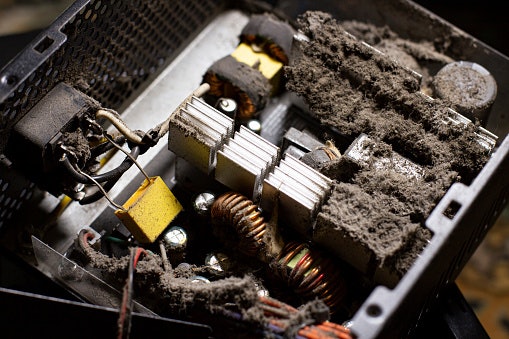
Your mATX may have the best cooling and airflow system, but this also means that it could function as a mini vacuum cleaner. The fans could indiscriminately suck up dust and other particles in the air, which could get trapped and build up inside the machine. This can affect performance and could eventually bust a component.
An ideal case should have a dust filter to prevent pollutants from entering your rig. Make sure that it's removable and easy to clean in case it gets clogged up. Other models offer magnetic dust panels to promote positive airflow inside and prevent system damage.
Dust buildup is caused by negative air pressure within the case. A well-ratioed intake and exhaust airflow should mitigate the issue. If the issue persists and your case doesn’t come with its own dust filter, you can buy magnetized filters that come in various sizes.
Consider Additional Features That Can Elevate Its Aesthetics
Every mATX can be different in style. Some are cylindrical, some are square, and some are even designed like a thin rectangular box. Regardless of the shape that one prefers, it's best to choose an mATX case with added styles for the supplementary aesthetic!
Add a Personal Touch With RGB Lighting
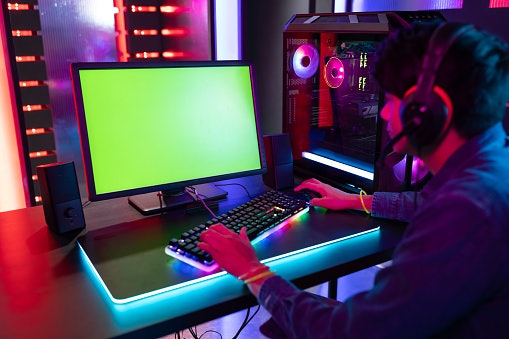
A feature that attracts most casual or hardcore gamers is the addition of RGB lighting to their rigs. This lighting system is highly customizable and is perfect for syncing with peripherals such as the mouse, keyboard, or monitor. Consumers can even get free downloadable software online that allows any user to personalize the light color and color-changing pattern!
If you want RGB light synchronization within your internal PC parts and peripherals, go for a motherboard that supports RGB LED control. Certain motherboards have this feature that you can use after plugging in your PC case's LED strips to the corresponding control pin slot.
Keep Everything Clean With Proper Cable Management

PC components mainly connect to the motherboard via thick cables and wires. Oftentimes, these messy cables and unruly wires are an eyesore, especially in transparent cases.
Most modern mATX offers better cable management than the earlier models. Internal cable trays and raceways provide better handling while keeping everything clean and hidden from view. Cable management is always a pain in compact cases. Look for cases that have dedicated sections for securing cables.
Sometimes, you might find your PC case's cable management options lacking; too few cable vents and raceways. It is not uncommon for a PC case to be lacking in this department. It is advisable to use fastener tapes, cable sleeves, and cable ties when internal cable management is an issue.
Go for Glass Panels for Sleekness
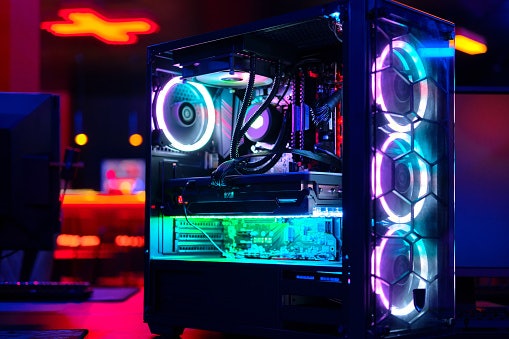
One of the best arguments for glass panels is their design and aesthetics. Who could pass up a tempered glass cover with cool RGB lighting right? But if you hate seeing those messy cables inside, maybe the see-through glass design is not for you.
No glass panels are made equal; make sure that your glass panel wouldn't eventually end up as shards of glass. The major reason for glass panel shatterings to occur is the application of uneven tensile force within the whole panel. This happens when there are screws that are holding the panel that is too loose or too tight.
Opt for Aluminum or Metal for the Case
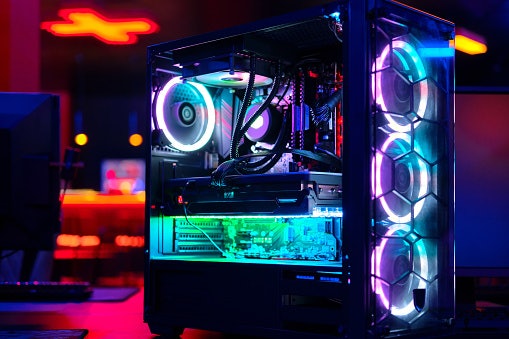
One of the important factors to consider when purchasing an mATX case is durability, and it all starts with the material used on the product. It will dictate the lifespan of the case, so it's always a good practice to check the build quality and sturdiness since it will support the weight of all the components within. It must have the right combination of strength and flexibility.
Go for aluminum or metal materials, which are excellent choices for case chassis. It could absorb shock and motion coming from the interior parts, such as fans, while keeping it secured and protected from accidental bumps or drops. Also, aluminum absorbs and dissipates heat efficiently.
A major consideration for picking a metal case for PC building is its thermal conductivity. Metal cases have the ability to act as a heatsink, absorbing heat from the internal components and dissipating it externally.
10 Best mATX Cases to Buy Online
| Products | Image | Click to purchase | Popularity | Details | |||||||||
|---|---|---|---|---|---|---|---|---|---|---|---|---|---|
Motherboard Support | Dimensions | Airflow Points | Cooling Option | Drive Bay | Noise Filter | Dust Filter | Case Material | Additional Features | |||||
1 | Computer PC Case Minimalistic |A3-mATX Lian Li |  | No.1 | Micro-ATX (mATX), Mini-ITX | 443 x 194 x 321.5 mm; 443 x 194 x 306 mm | 9–10 | AIO, Air Cooler, Liquid Cooling | 3 Slots | Steel (Metal) | ATX/SFX/SFX-L PSU Support; I/O Includes Power Button, 2x USB 3.0 Type-A, 1x USB 3.1 Type-C, Mic, and HD Audio | |||
2 | M-ITX / M-ATX High Airflow |CH260 Deepcool |  | No.2 | Mini-ITX, Micro-ATX, Micro-ATX Rear-Connector Motherboards | 438 x 225 x 312.5 mm | 5–6 | AIO, Air Cooler, Liquid Cooling | 2 Slots | Plastic, Steel, Tempered Glass | 4 Expansion Slots, ATX PS2 PSU, Front I/O With 2x USB 3.0, 1x USB 3.2 Gen2 Type-C, Audio/Mic; Tool-Free Front Panel | |||
3 | M-ATX Desktop Case|V300 Inplay |  | No.3 | Micro ATX, Mini ATX | 295 x 195 x 405 mm | 3 | Air Cooler | 3 Slots | unknown | Steel (Metal), Tempered Glas | Full PSU Shroud, Up to 4 PCI Slots (Max GPU Length 280 mm), Front I/O With 1x USB 3.0, 2x USB 2.0, Audio | ||
4 | MAG Shield mATX Case|M301 MSI |  | No.4 | Micro-ATX, Mini-ITX | 345 x 206 x 352 mm | 3 | AIO, Air Cooler, Liquid Cooling | 2 Slots | Steel/Metal, Tempered Glass | 4 Expansion Slots (Max GPU 250 mm, PSU ATX Up to 150 mm); I/O Includes 2x USB 2.0, 1x USB 3.2 Gen1, Audio/Mic Jacks | |||
5 | Spectra M-ATX Dual Chamber PC Case Coolman |  | No.5 | Micro-ATX (mATX) | 418 × 280 × 410 mm | 9 | AIO, Air Cooler | 3 Slots | Steel/Metal, Tempered Glas | Front I/O: USB 3.0, USB 2.0, and HD Audio Jacks | |||
6 | PC Case With Glass Panel| Brave W1 Segotep |  | No.6 | Micro‑ATX (M‑ATX), Mini‑ITX / Flex‑ITX | 340 x 276 x 330 mm | 7 | AIO, Air Cooler, Liquid Cooling | 2 Slots | unknown | Steel (Metal), Plastic, Tempered Glass | 1× USB 3.0, 1× USB 2.0, HD Audio (Mic + Headphones), GPU Length: Up to 325 mm, PSU Length: Up to 160 mm | ||
7 | PC Case (M-ATX / ITX supported) |Memphis-S Meow Segotep |  | No.7 | M‑ATX (Micro‑ATX), ITX (Mini‑ITX) | Case Size: 420 x 220 x 356 mm, Structure Size: 400 x 220 x 336 mm | 6 | AIO, Air Cooler | 4 Slots | unknown | Steel/Metal, Tempered Glass | I/O Interface: 2x USB 3.0 + HD Audio, 5x PCI Slots | ||
8 | Tempered Glass Panel Luxury M-ATX PC Case |DB460M DarkFlash |  | No.8 | M-ATX (Micro-ATX), ITX (Mini-ITX) | 460 × 220 × 395 mm | 9–11 | AIO, Air Cooler | 4 Slots | unknown | Steel/Metal, Tempered Glass | Front I/O Ports: 1× USB 3.0, 2× USB 2.0, Power Button, Reset Button, HD Audio, Max GPU Clearance: 420 mm, 4x PCIE Slot, Max CPU Cooler Clearance: 174 mm | ||
9 | Mesh M-ATX PC Case|DB330M DarkFlash |  | No.9 | Micro‑ATX (M‑ATX), Mini‑ITX | 443 x 194 x 321.5 mm, 443 x 194 x 306 mm | 5 | AIO, Air Cooler, Liquid Cooling | 3 Slots | unknown | Steel/Metal, Tempered Glas | I/O: 1x USB 3.0, 2x USB2.0, HD Audio, Power, Max GPU Clearance: 305 mm, 4x PCIE Slot, CPU Cooler Clearance: 180 mm | ||
10 | Tempered Glass mATX PC Case |Elite 490 Cooler Master |  | No.10 | Mini‑ITX, Micro‑ATX (mATX) | 434 x 218 x 414 mm | 9–10 | AIO, Air Cooler | 2 Slots | unknown | Steel/Metal, Tempered Glass | CPU Cooler: 170 mm; PSU: 250 mm; Graphics Card: 425 mm; Power Supply Support: ATX; I/O Panel: 1x USB Type C 20 Gbps, 2x USB 3.0, 1x 3.5mm Combo Audio In/Out | ||

Lian Li Computer PC Case Minimalistic | A3-mATX

Features and benefits:
Reviews mention:
Many find the wood finish elevates desk aesthetics without compromising build quality. People note easy component installation even for first-time builders. Several appreciate its stability on small desks.
| Motherboard Support | Micro-ATX (mATX), Mini-ITX |
|---|---|
| Dimensions | 443 x 194 x 321.5 mm; 443 x 194 x 306 mm |
| Airflow Points | 9–10 |
| Cooling Option | AIO, Air Cooler, Liquid Cooling |
| Drive Bay | 3 Slots |
| Noise Filter | |
| Dust Filter | |
| Case Material | Steel (Metal) |
| Additional Features | ATX/SFX/SFX-L PSU Support; I/O Includes Power Button, 2x USB 3.0 Type-A, 1x USB 3.1 Type-C, Mic, and HD Audio |
Deepcool M-ITX / M-ATX High Airflow | CH260
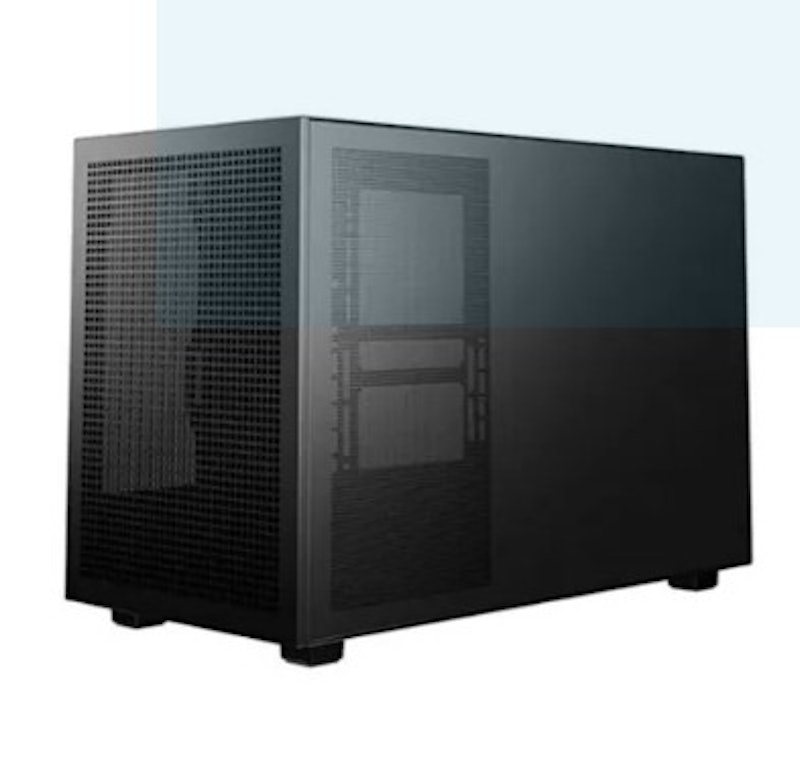
Reviews mention:
People note consistently low temperatures during intensive tasks. Many find the airflow design reduces fan noise effectively. Several highlight straightforward assembly.
| Motherboard Support | Mini-ITX, Micro-ATX, Micro-ATX Rear-Connector Motherboards |
|---|---|
| Dimensions | 438 x 225 x 312.5 mm |
| Airflow Points | 5–6 |
| Cooling Option | AIO, Air Cooler, Liquid Cooling |
| Drive Bay | 2 Slots |
| Noise Filter | |
| Dust Filter | |
| Case Material | Plastic, Steel, Tempered Glass |
| Additional Features | 4 Expansion Slots, ATX PS2 PSU, Front I/O With 2x USB 3.0, 1x USB 3.2 Gen2 Type-C, Audio/Mic; Tool-Free Front Panel |

Reviews mention:
Several appreciate the striking glass showcase for RGB builds. Many find fans deliver strong airflow without excessive noise. People note good value for gaming setups.
| Motherboard Support | Micro ATX, Mini ATX |
|---|---|
| Dimensions | 295 x 195 x 405 mm |
| Airflow Points | 3 |
| Cooling Option | Air Cooler |
| Drive Bay | 3 Slots |
| Noise Filter | |
| Dust Filter | unknown |
| Case Material | Steel (Metal), Tempered Glas |
| Additional Features | Full PSU Shroud, Up to 4 PCI Slots (Max GPU Length 280 mm), Front I/O With 1x USB 3.0, 2x USB 2.0, Audio |
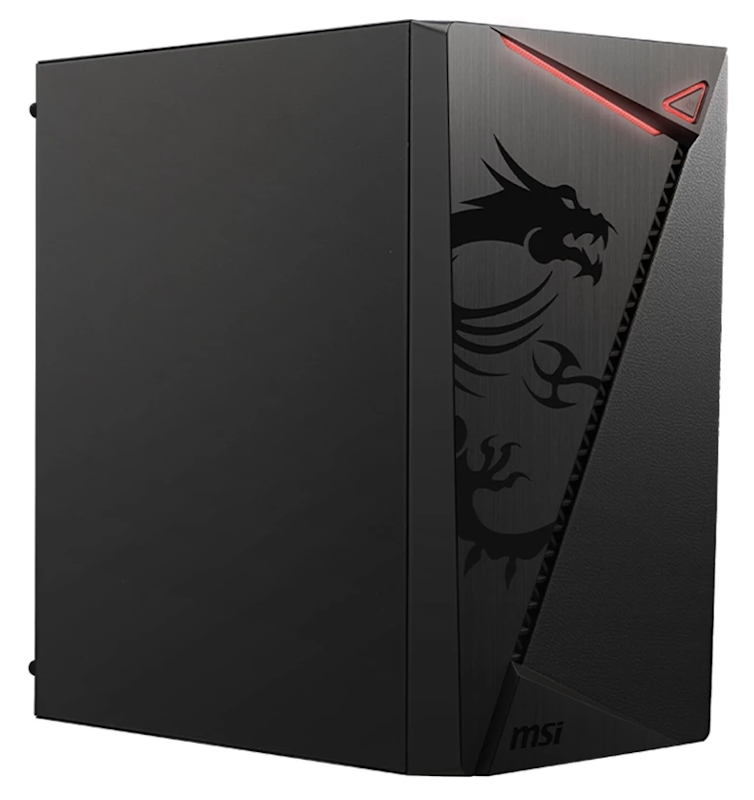
Features and benefits:
Reviews mention:
People report 8-10°C lower temps from mesh design during gaming marathons. Many like sturdy build resisting vibrations from fans. Several note easy filter cleaning monthly, keeping internals dust-free in humid areas.
| Motherboard Support | Micro-ATX, Mini-ITX |
|---|---|
| Dimensions | 345 x 206 x 352 mm |
| Airflow Points | 3 |
| Cooling Option | AIO, Air Cooler, Liquid Cooling |
| Drive Bay | 2 Slots |
| Noise Filter | |
| Dust Filter | |
| Case Material | Steel/Metal, Tempered Glass |
| Additional Features | 4 Expansion Slots (Max GPU 250 mm, PSU ATX Up to 150 mm); I/O Includes 2x USB 2.0, 1x USB 3.2 Gen1, Audio/Mic Jacks |
Coolman Spectra M-ATX Dual Chamber PC Case

Reviews mention:
People note superior thermal performance from chamber design. Many appreciate separated cabling for cleaner looks. Several find it beginner-friendly for airflow builds.
| Motherboard Support | Micro-ATX (mATX) |
|---|---|
| Dimensions | 418 × 280 × 410 mm |
| Airflow Points | 9 |
| Cooling Option | AIO, Air Cooler |
| Drive Bay | 3 Slots |
| Noise Filter | |
| Dust Filter | |
| Case Material | Steel/Metal, Tempered Glas |
| Additional Features | Front I/O: USB 3.0, USB 2.0, and HD Audio Jacks |
Segotep PC Case With Glass Panel | Brave W1

Features and benefits:
Reviews mention:
Several highlight the unique viewing angle for desk displays. Many find cooling adequate for mid-range systems. People note sturdy glass installation.
| Motherboard Support | Micro‑ATX (M‑ATX), Mini‑ITX / Flex‑ITX |
|---|---|
| Dimensions | 340 x 276 x 330 mm |
| Airflow Points | 7 |
| Cooling Option | AIO, Air Cooler, Liquid Cooling |
| Drive Bay | 2 Slots |
| Noise Filter | |
| Dust Filter | unknown |
| Case Material | Steel (Metal), Plastic, Tempered Glass |
| Additional Features | 1× USB 3.0, 1× USB 2.0, HD Audio (Mic + Headphones), GPU Length: Up to 325 mm, PSU Length: Up to 160 mm |
Segotep PC Case (M-ATX / ITX supported) | Memphis-S Meow
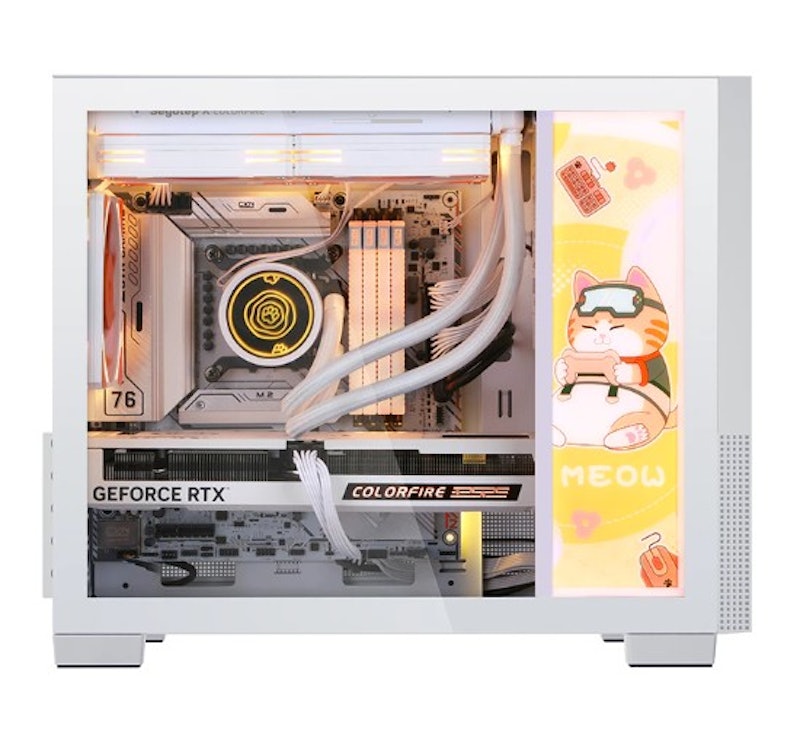
Reviews mention:
Many appreciate the playful design for creative workspaces. People note solid build quality despite unique styling. Several find it motivates hobby builds.
| Motherboard Support | M‑ATX (Micro‑ATX), ITX (Mini‑ITX) |
|---|---|
| Dimensions | Case Size: 420 x 220 x 356 mm, Structure Size: 400 x 220 x 336 mm |
| Airflow Points | 6 |
| Cooling Option | AIO, Air Cooler |
| Drive Bay | 4 Slots |
| Noise Filter | |
| Dust Filter | unknown |
| Case Material | Steel/Metal, Tempered Glass |
| Additional Features | I/O Interface: 2x USB 3.0 + HD Audio, 5x PCI Slots |
DarkFlash Tempered Glass Panel Luxury M-ATX PC Case | DB460M

Features and benefits:
Reviews mention:
People note impressive RGB integration out of the box. Many find glass quality enhances high-end components. Several appreciate hub convenience.
| Motherboard Support | M-ATX (Micro-ATX), ITX (Mini-ITX) |
|---|---|
| Dimensions | 460 × 220 × 395 mm |
| Airflow Points | 9–11 |
| Cooling Option | AIO, Air Cooler |
| Drive Bay | 4 Slots |
| Noise Filter | unknown |
| Dust Filter | |
| Case Material | Steel/Metal, Tempered Glass |
| Additional Features | Front I/O Ports: 1× USB 3.0, 2× USB 2.0, Power Button, Reset Button, HD Audio, Max GPU Clearance: 420 mm, 4x PCIE Slot, Max CPU Cooler Clearance: 174 mm |
DarkFlashMesh M-ATX PC Case | DB330M

Features and benefits:
Reviews mention:
Many note 10°C GPU load drops during stress tests. People like how the dust-free mesh filters rinse easily under taps. Users report silent operation even at full speed, perfect for apartments.
| Motherboard Support | Micro‑ATX (M‑ATX), Mini‑ITX |
|---|---|
| Dimensions | 443 x 194 x 321.5 mm, 443 x 194 x 306 mm |
| Airflow Points | 5 |
| Cooling Option | AIO, Air Cooler, Liquid Cooling |
| Drive Bay | 3 Slots |
| Noise Filter | unknown |
| Dust Filter | |
| Case Material | Steel/Metal, Tempered Glas |
| Additional Features | I/O: 1x USB 3.0, 2x USB2.0, HD Audio, Power, Max GPU Clearance: 305 mm, 4x PCIE Slot, CPU Cooler Clearance: 180 mm |
Cooler Master Tempered Glass mATX PC Case | Elite 490

Features and benefits:
Reviews mention:
Many find balanced cooling suits office and gaming use. People appreciate modular interior for upgrades. Several highlight quiet operation.
| Motherboard Support | Mini‑ITX, Micro‑ATX (mATX) |
|---|---|
| Dimensions | 434 x 218 x 414 mm |
| Airflow Points | 9–10 |
| Cooling Option | AIO, Air Cooler |
| Drive Bay | 2 Slots |
| Noise Filter | unknown |
| Dust Filter | |
| Case Material | Steel/Metal, Tempered Glass |
| Additional Features | CPU Cooler: 170 mm; PSU: 250 mm; Graphics Card: 425 mm; Power Supply Support: ATX; I/O Panel: 1x USB Type C 20 Gbps, 2x USB 3.0, 1x 3.5mm Combo Audio In/Out |
Expert's Comment About the Top 10 Products
Avoid using products or tools that are not within the specification or recommendation of the manufacturer. I know people who have used quick-drying epoxies in fastening some of the components within the case because there are no installation points for it or it is a custom part.
Unless you know what you are doing, do not use such chemicals that might affect the performance of your computer.
Frequently Asked Questions Answered by Kevin Lee Cardoza
Below are some of the most asked questions on the web answered by IT Consultant, Developer, and Instructor Kevin Lee Cardoza.
Do All ATX Motherboards Fit mATX Cases?
Few ATX Motherboards would fit in an mATX case, considering it is from a larger size class. Even with mATX size, the internal components' dimension requirements should be considered first before diving into buying a new case. You might find yourself scratching your head trying to fit an oversized graphics card into your already cramped mATX case.
Is mATX Portable?
Depending on the size of the case, you can possibly make an mATX-based system unit portable, though it would be difficult.
If you often travel with your computer and want a truly "portable" PC, then go for ITX class motherboards. There already is a budding Filipino community of "SFF (Small Form Factor) PC" builders that embrace miniaturization and portability through ITX-based platforms.
Can ATX fit in mATX Case?
No. Considering the size or dimension requirements of the internal components that would be installed in the case, you should not attempt to fit an ATX-based PC build inside an mATX case.
Start the Year with Some Space-Saving Ideas
If you’re looking to start the year in a space-saving and productive way, here are some articles to broaden your search.


How We Chose and Ranked Our Product Recommendations
Our buying guide was carefully researched and crafted by the mybest team of writers and editors. We used the buying guide as a basis for choosing and ranking the product recommendations, and we looked at reviews and ratings from E-commerce sites like Lazada, Shopee, and more.
The descriptions of each product are referenced from content available on manufacturer, brand, and e-commerce sites.