

10 Best Fans for PC in the Philippines 2026 | Deepcool, Thermalright, and More
PC fans play a crucial role in keeping your system cool and efficient, especially since heat builds up quickly during everyday work or gaming. A well-chosen fan helps maintain stable temperatures, reduces noise, and prevents performance drops caused by overheating, making it an essential upgrade for many Filipino PC users.
In this guide, we feature the best PC fans available on Shopee and Lazada, curated to match various cooling needs and budget levels. These options are selected for their airflow performance, build quality, and long-term reliability, helping you achieve a smoother and cooler PC experience without the guesswork.

Sharrys is a writer for lifestyle and trendy articles, helping readers make smart choices. She is all about delivering high-quality content that keeps up with the latest trends. When she’s not researching her next write-up, you’ll find her reading a good book, binge-watching documentaries, or catching up on some much-needed sleep at home.
Why You Can Trust Us
Every mybest article is crafted with hours of in-depth research and interviews with experts. Each month, we are continually expanding our database of products based on our research. By emphasizing user insight and reliable information, we deliver trustworthy content to readers.
How to Choose Fans for PC – Buying Guide
Choosing the right PC fan can feel overwhelming, especially with so many sizes, airflow designs, and performance features available. To help you decide, here’s a quick guide that simplifies what to look for, so you can pick the best PC fan that fits your overall PC performance goals.
Choose the Correct Fan Size for Your Case and Placement
Selecting the right fan size ensures that your system gets efficient airflow without straining your components or creating unnecessary noise. Different PC cases support different mounting points, so the fan size you choose must match your case’s layout and available slots.
120 mm Fans Are Enough for Most PC Builds and Standard Mounting Points

Most cases are designed with 120 mm mounting points, making these fans the most compatible option for standard setups. They offer a good balance of airflow and noise levels, especially for mid-range gaming or office PCs. Because they spin faster to move air, they can create stronger airflow in compact spaces. This size is ideal for users who want reliable cooling without needing special case support.
140 mm Fans for Better Airflow and Quieter Operation if Your Case Supports Them

A 140 mm fan can move a larger volume of air at a lower speed, which reduces noise while maintaining strong cooling performance. These fans are beneficial for high-performance systems that run hotter due to the use of powerful GPUs or multiple storage drives. However, not all cases support 140 mm slots, so compatibility is the first thing to check. If your case allows it, choosing this size can deliver smoother airflow and a quieter PC overall.
Decide Between Airflow Fans and Static Pressure Fans
Choosing the right fan type ensures efficient cooling based on where the fan will be installed in your system. Different areas of a PC case require different airflow characteristics, so matching the fan to its placement helps maximize performance.
High-Airflow (AF) Fans for Open Areas Like Front Intake or Exhaust

High-airflow fans are built to move large volumes of air in open or unrestricted spaces, making them ideal for front intakes and rear or top exhaust placements. Their blade design focuses on maximizing air movement rather than overcoming resistance. This helps maintain a steady flow of cool air through the case and efficiently expels heat. They perform best in areas without filters, radiators, or dense grilles that could obstruct airflow.
Static Pressure (SP) Fans for Radiators, Heatsinks, and Dust Filters

Static pressure fans are engineered to push air through tight or restrictive spaces, making them suitable for radiators, heatsinks, and dust-filtered intakes. Their blades generate higher pressure, allowing them to maintain airflow even when facing resistance. This design ensures that components, such as radiators, receive consistent cooling performance. They are essential in builds where airflow passes through dense surfaces or cooling fins.
Check the Fan’s Bearing Type for Lifespan and Noise Level
The bearing type plays a significant role in determining the lifespan and noise level of a PC fan. Choosing the right one ensures your cooling system stays efficient without generating unnecessary noise.
Fluid Dynamic or Hydraulic Bearings for Quiet, Long-Term Use
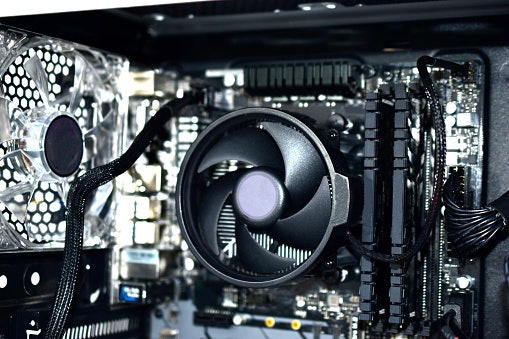
Fluid dynamic and hydraulic bearings are engineered to minimize friction, resulting in quieter performance and longer lifespan. They use a thin layer of lubricant to keep the fan running smoothly, even at higher speeds. This makes them ideal for users who want silent operation in workspaces or gaming setups. They are typically more durable than sleeve bearings, especially in applications that require daily use.
Ball Bearings Are Better for Hot Environments or Vertical Mounting
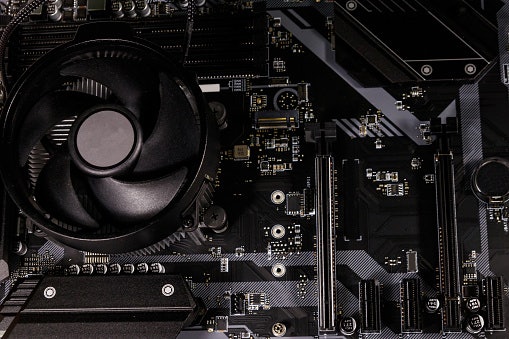
Ball bearings are designed to withstand high temperatures and maintain their performance in demanding conditions, making them reliable for use in high-temperature setups. Their design allows them to operate efficiently even when mounted vertically, where other bearings may wear unevenly. Although they can be noisier than fluid dynamic bearings, they offer excellent durability. These fans are recommended for rigs placed in warm rooms or for cases with vertical fan positions.
Sleeve Bearings Are Affordable but Wear Faster in Humid Conditions

Sleeve bearings are budget-friendly and quiet at low speeds, making them suitable for light-use or entry-level PC builds. However, they tend to wear faster, especially in humid climates like the Philippines, where moisture can affect lubrication. They also perform best when mounted horizontally, which reduces stress on the bearing. While cost-effective, they may require more frequent replacement than other bearing types.
Choose PWM (4-Pin) or DC (3-Pin) Fans Based on What Your Motherboard Supports

Choosing between PWM and DC fans depends mainly on the fan headers available on your motherboard. PWM fans offer more precise speed control through a 4-pin connector, making them ideal for dynamic cooling that adjusts automatically based on temperature. DC fans, which use a 3-pin connector, regulate speed by varying the voltage and are typically more affordable and easier to manage. Checking your motherboard’s manual ensures compatibility and helps you pick a fan type that delivers stable performance for your build.
Go for 20–25 dBA for Quiet Use, or Around 28 dBA if You Prioritize Performance Over Noise

A fan’s noise level is measured in decibels (dBA), and choosing the right range depends on whether you value silent operation or stronger airflow. Fans rated at 20–25 dBA are ideal for quiet environments, such as bedrooms or work-from-home setups, as they offer efficient cooling without distracting noise. If you prioritize cooling performance, especially for gaming or high-load workloads, fans with a noise level of around 28 dBA offer stronger airflow at the cost of slightly higher noise levels. Balancing noise levels with cooling demands ensures your PC runs efficiently without compromising comfort.
10 Best Fans for PC to Buy Online
| Products | Image | Click to purchase | Popularity | Details | |||||
|---|---|---|---|---|---|---|---|---|---|
Fan type | Fan speed range | Airflow | Noise level | Fan connector type | |||||
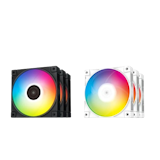
1 | FC120 3in1 ARGB PWM Fan Hydro Bearing Triple Pack Deepcool |  | No.1 | 120 mm case fan | 500 – 1800 rpm | Up to 61.91 cfm | 28 dBA | 4-pin fan connector | |
2 | Shadow Wings 2 | 120mm PWM White Cooling Fans Be Quiet |  | No.2 | 120 mm case fan | 500 – 1100 rpm | 38.5 – 65 cfm | 15.9 dBA | 4-pin fan connector | |
3 | TL-C12C CPU Fan Thermalright |  | No.3 | 120 mm case fan | 1550 rpm | Up to 66.17 cfm | 25.6 dBA | 4-pin fan connector | |
4 | PC Fan Bionix F14 Arctic |  | No.4 | 140 mm case fan | 200 – 1800 rpm | 104 cfm | 10 – 15 dBA | 4-pin fan connector | |
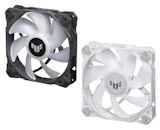
5 | PC Fan TUF Gaming TF120 ARGB Fan ASUS |  | No.5 | 120 mm case fan | 250 – 1900 rpm | Up to 76 cfm | 29 dBA | 4-pin fan connector | |
6 | Gamma F12 Quiet Cooling Hydraulic Bearing Single Fan Ocypus |  | No.6 | 120 mm case fan | 1300 rpm | Up to 44.55 cfm | 24.5 dBA | 3-pin fan connector | |
7 | Core FC-120 CPU Fan Fantech |  | No.7 | 120 mm case fan | 1500 rpm | Up to about 52 cfm | 23 dBA | 4-pin fan connector | |
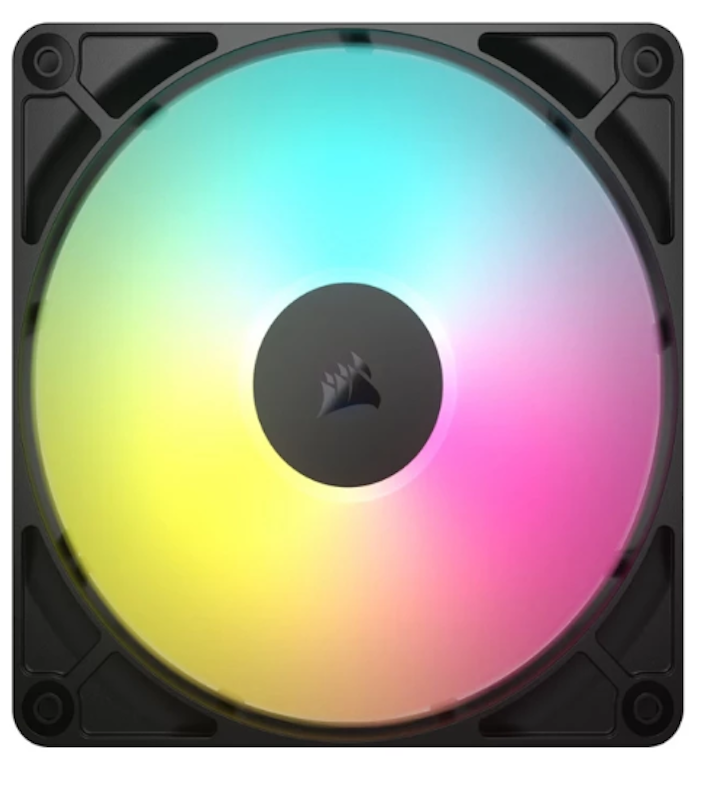
8 | RS140 ARGB 140mm PWM Fan CORSAIR |  | No.8 | 140 mm case fan | 330 – 1700 rpm | 14.6 – 95.5 cfm | 10 - 36 dBA | 4-pin fan connector | |
9 | Kunai Chroma RGB 140MM 120MM LED PWM Performance Fan RAZER |  | No.9 | 120 mm, 140 mm case fan | 500 – 2200 rpm | 500 – 1600 rpm | 17.48 – 65.5 cfm | 34.48 – 81 cfm | 15 – 35 dBA | 4-pin fan connector | |
10 | Aurora DR12 Pro 3 In 1 Fan Darkflash |  | No.10 | 120 mm case fan | 1200 rpm | 38 cfm | 16 dBA | 4-pin fan connector | |

DeepcoolFC120 3in1 ARGB PWM Fan Hydro Bearing Triple Pack

Reviews mention:
Many users praise the daisy-chain design for reducing cable clutter and keeping builds clean. They also appreciate the strong airflow suitable for both case ventilation and radiator setups, with vibrant, evenly diffused RGB lighting in tempered glass cases. While noise can be noticeable at full RPM, most find it well-controlled during typical gaming or work use.
| Fan type | 120 mm case fan |
|---|---|
| Fan speed range | 500 – 1800 rpm |
| Airflow | Up to 61.91 cfm |
| Noise level | 28 dBA |
| Fan connector type | 4-pin fan connector |
Be QuietShadow Wings 2 | 120mm PWM White Cooling Fans
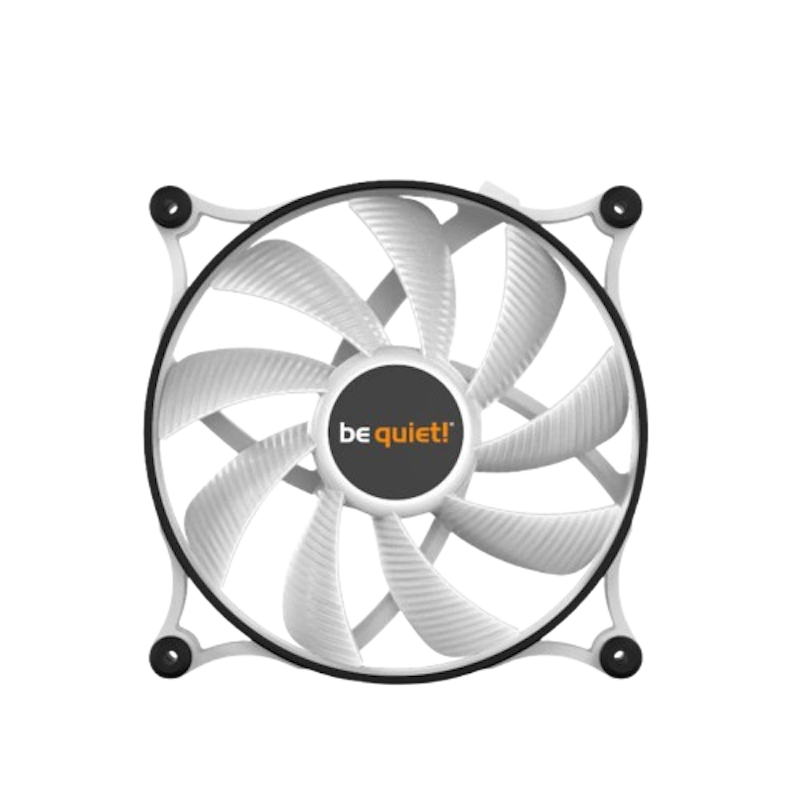
Reviews mention:
Users often highlight how quiet the fan remains during everyday use, even when system temperatures rise. Many appreciate that it blends well into white-themed builds without drawing attention to itself. Some users note that while airflow is sufficient for case ventilation, it is not designed for aggressive cooling, making it best suited for silence-focused systems rather than high-performance setups.
| Fan type | 120 mm case fan |
|---|---|
| Fan speed range | 500 – 1100 rpm |
| Airflow | 38.5 – 65 cfm |
| Noise level | 15.9 dBA |
| Fan connector type | 4-pin fan connector |

Uses a 120 mm frame with an S-FDB bearing to provide reliable cooling, reduce friction, and extend fan lifespan.
Reaches speeds up to 1550 rpm with 4-pin PWM control, allowing the motherboard to automatically adjust fan speed as temperatures change.
Delivers strong airflow and static pressure for its size, helping move heat efficiently from CPU coolers or tightly packed cases.
Keeps noise levels relatively low even near full speed, supporting quieter gaming or work setups without major thermal compromises.
Reviews mention:
Buyers note that this fan keeps temperatures in check on popular Thermalright towers while sounding quieter than many stock case fans. Many reviewers praise the solid build and neutral color scheme that fits clean or minimalist PC themes. People mention that at maximum speed, it becomes audible, but most find it quiet once a reasonable fan curve is set.
| Fan type | 120 mm case fan |
|---|---|
| Fan speed range | 1550 rpm |
| Airflow | Up to 66.17 cfm |
| Noise level | 25.6 dBA |
| Fan connector type | 4-pin fan connector |

Reviews mention:
Users often say this fan is very quiet even when their system is under load, making it a good choice for silence-focused builds. Many also appreciate the strong airflow and feel it upgrades the cooling performance of stock case fans. Some just note that its size requires compatible mounting points, so they check case support before ordering.
| Fan type | 140 mm case fan |
|---|---|
| Fan speed range | 200 – 1800 rpm |
| Airflow | 104 cfm |
| Noise level | 10 – 15 dBA |
| Fan connector type | 4-pin fan connector |
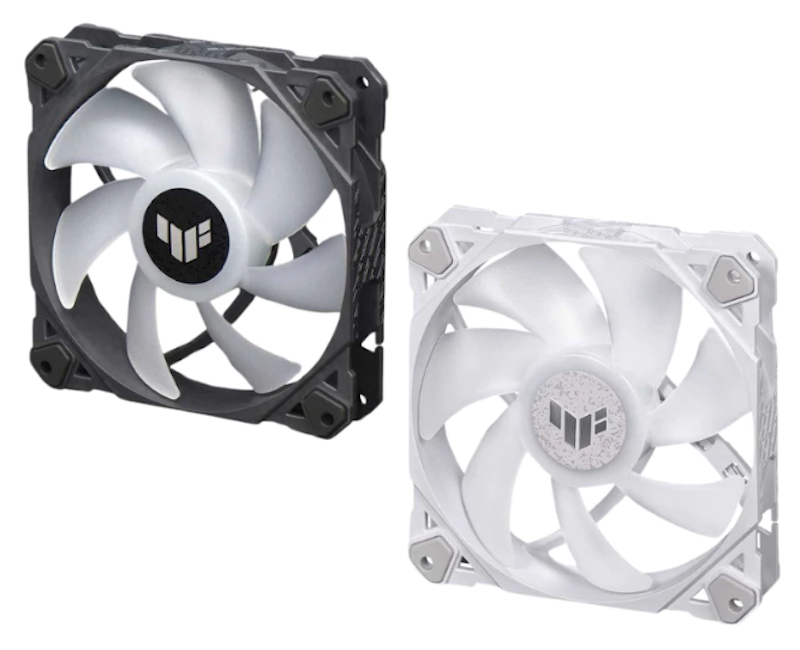
Reviews mention:
Users often highlight the fan’s solid build, bright RGB lighting, and strong airflow that helps manage high system temperatures during gaming. Some say that it syncs well with the ASUS Aura software for a bold visual effect. While the fan can be audible at higher speeds, most agree it balances performance and aesthetics for TUF-themed builds.
| Fan type | 120 mm case fan |
|---|---|
| Fan speed range | 250 – 1900 rpm |
| Airflow | Up to 76 cfm |
| Noise level | 29 dBA |
| Fan connector type | 4-pin fan connector |
OcypusGamma F12 Quiet Cooling Hydraulic Bearing Single Fan

Reviews mention:
Users often describe this fan as a good budget option for replacing noisy stock fans, noting that it runs quietly at normal speeds. Many also appreciate that it helps refresh airflow in the office and light gaming rigs without adding RGB lighting or extra cables. Some mention that cooling performance is adequate rather than high-end, so enthusiasts with very hot components may still prefer more powerful fans.
| Fan type | 120 mm case fan |
|---|---|
| Fan speed range | 1300 rpm |
| Airflow | Up to 44.55 cfm |
| Noise level | 24.5 dBA |
| Fan connector type | 3-pin fan connector |
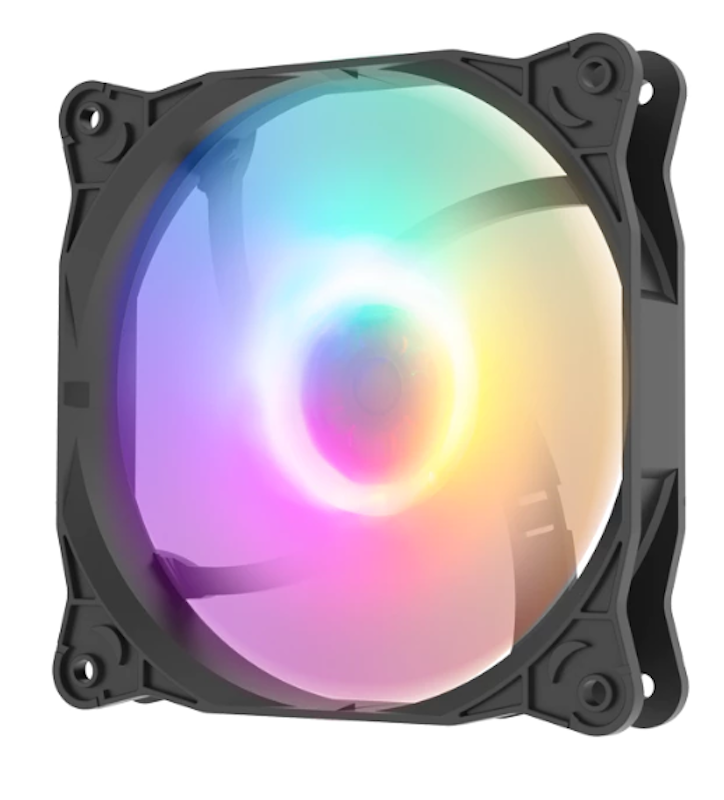
Reviews mention:
Users say this fan makes their setup look more “finished,” especially when paired with a clear side panel and other glowing parts. Some buyers also share that noise levels stay acceptable for everyday gaming and browsing once they tune fan curves, though a few note that those who are very sensitive to sound may still want to limit maximum RPMs for the quietest experience.
| Fan type | 120 mm case fan |
|---|---|
| Fan speed range | 1500 rpm |
| Airflow | Up to about 52 cfm |
| Noise level | 23 dBA |
| Fan connector type | 4-pin fan connector |
Reviews mention:
Buyers report that this fan adds bright, even lighting while still pushing a noticeable amount of air through front mesh panels and radiators. Several also praise the larger 140 mm form factor, saying they can run lower RPMs and keep noise reasonable for daily use. Some mention that the best lighting control requires CORSAIR’s own controllers or software, which adds cost if they do not already have the ecosystem.
| Fan type | 140 mm case fan |
|---|---|
| Fan speed range | 330 – 1700 rpm |
| Airflow | 14.6 – 95.5 cfm |
| Noise level | 10 - 36 dBA |
| Fan connector type | 4-pin fan connector |
RAZERKunai Chroma RGB 140MM 120MM LED PWM Performance Fan
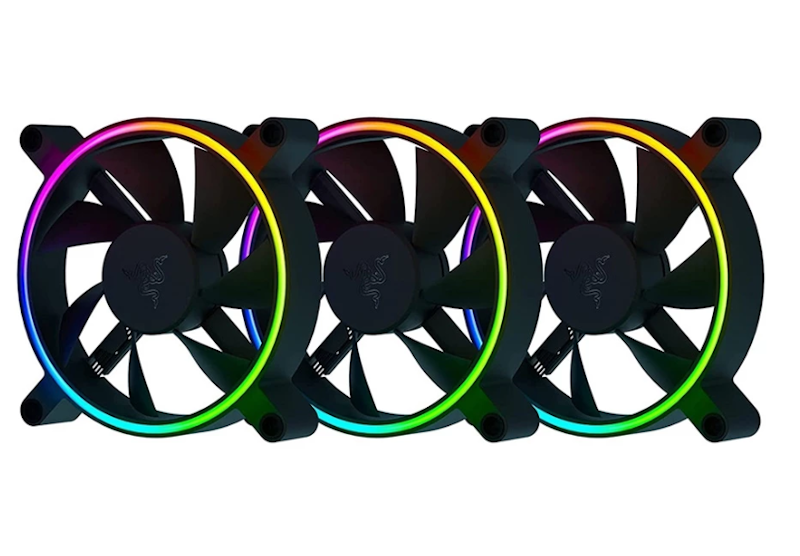
Features and benefits:
Available in 120 mm or 140 mm sizes with hydraulic bearings for flexible builds and reduced vibration
Wide RPM range supports quiet operation while ramping up airflow when needed
Delivers strong airflow for case ventilation or radiator use
Features addressable RGB lighting with deep customization via Razer Synapse and Chroma
Reviews mention:
Many shoppers praise the solid build quality and reduced vibration once installed. The RGB lighting is often described as bright and cohesive when synced through Razer Synapse, especially in all-Razer setups. Some also note the higher price compared to similar fans, but feel it’s justified for those already using the Razer ecosystem.
| Fan type | 120 mm, 140 mm case fan |
|---|---|
| Fan speed range | 500 – 2200 rpm | 500 – 1600 rpm |
| Airflow | 17.48 – 65.5 cfm | 34.48 – 81 cfm |
| Noise level | 15 – 35 dBA |
| Fan connector type | 4-pin fan connector |
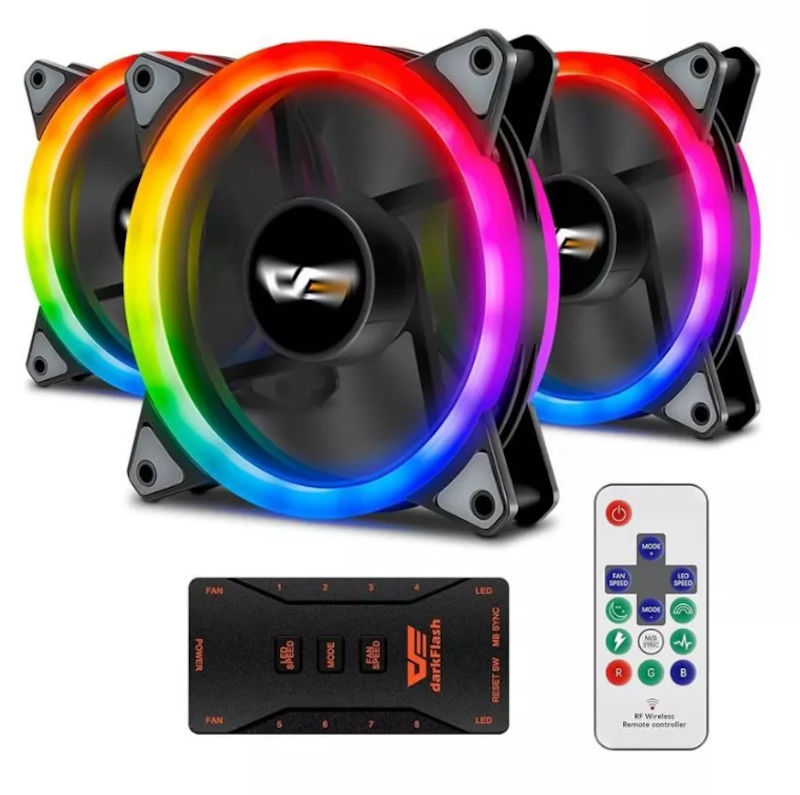
Features and benefits:
Provides steady, low-noise airflow for everyday gaming and work
The hydraulic bearing with rubber pads helps reduce vibration and extend the fan's lifespan
Around 1200 RPM with up to 38 CFM airflow for gentle, consistent cooling
Includes a control hub and remote for easy fan and RGB adjustments
Reviews mention:
Several users appreciate the included hub and remote, especially those who prefer RGB control without motherboard software. The lighting is often described as bright and eye-catching for the price. Some mention that the proprietary connectors limit upgrade flexibility, but most still feel that they offer good value for budget RGB builds.
| Fan type | 120 mm case fan |
|---|---|
| Fan speed range | 1200 rpm |
| Airflow | 38 cfm |
| Noise level | 16 dBA |
| Fan connector type | 4-pin fan connector |
Frequently Asked Questions
Below are some of the most asked questions on the web answered by the mybest team.
Do More Fans Always Mean Better Cooling?
Not always, adding more fans only helps if the airflow is directed correctly. A system requires balanced pressure, meaning the intake and exhaust should work in tandem instead of competing. Too many fans can create turbulence, which disrupts smooth airflow and may result in little to no temperature improvement.
What’s the Best Fan Placement for Good Airflow?
The most effective setup is a front-to-back airflow pattern that guides cool air in and pushes warm air out. Front fans pull fresh air into the case, while rear and top fans expel heat. This layout creates a consistent and predictable airflow path, helping to keep internal components cooler.
Do RGB Fans Use More Power Than Non-RGB Fans?
Yes, RGB fans draw slightly more power because the LEDs require additional energy to operate. The increase is small and typically has no meaningful impact on system performance. Even in full lighting modes, most RGB fans remain well within safe and efficient power consumption levels.
What’s the Difference Between Exhaust and Intake Fans?
Intake fans pull cool air from outside the case and direct it toward internal components. Exhaust fans remove warm air generated by the CPU, GPU, and other parts. Both roles are essential, as proper airflow relies on continuously replacing hot air with cooler air to prevent heat buildup.
Discover More Essentials for a Smoother, More Efficient PC Setup
If you’re upgrading your workspace or optimizing your gaming experience, explore our expert-reviewed guides for reliable, beginner-friendly, and value-for-money PC accessories that can help enhance comfort, performance, and everyday productivity.


How We Chose and Ranked Our Product Recommendations
Our buying guide was carefully researched and crafted by the mybest team of writers and editors, in collaboration with the expert featured in this article. We used the buying guide as a basis for choosing and ranking the product recommendations, and we looked at reviews and ratings from different E-commerce sites like Lazada, Shopee, and more.
The descriptions of each product are referenced from content available on manufacturer, brand, and e-commerce sites.