
10 Best Budget PC Cases in the Philippines 2026 | Dark Flash, MSI, and More
No matter how powerful your graphics card is, a PC is not complete without a PC case. Nowadays, there are many choices to choose from depending on the build you’re going for. Some, for instance, like their PCs shining with bright colors, while others prefer an inconspicuous design. If you’re reading this article, though, then we assume you prioritize price as well.
However, the issue with budget cases is that they leave out a few aspects to get the price so low. But don’t worry because if you continue reading, you’ll see our top 10 picks with the least compromises—some even have advantages over their more expensive counterparts. There’s also a buying guide to fill you in about all the necessary factors to look for in a PC case.

Our recommendation articles are carefully researched and crafted by the mybest Philippines team of writers and editors. To stay true to our company’s mission and vision to help users’ selection process easier, we also collaborate with experts from various fields to ensure that our content stays factual and useful.
Why You Can Trust Us
Every mybest article is crafted with hours of in-depth research and interviews with experts. Each month, we are continually expanding our database of products based on our research. By emphasizing user insight and reliable information, we deliver trustworthy content to readers.
How to Choose a Budget PC Case – Buying Guide
Here are some key points to consider:
Scale the size according to your motherboard
Get a case with multiple fans and honeycomb panels for better airflow
Go for a sturdy build to ensure longevity
Get a case with multiple inputs in the front panel
Look for feature-packed cases for better functionality
For more detailed information, read through our buying guide below.
Scale the Size According to Your Motherboard
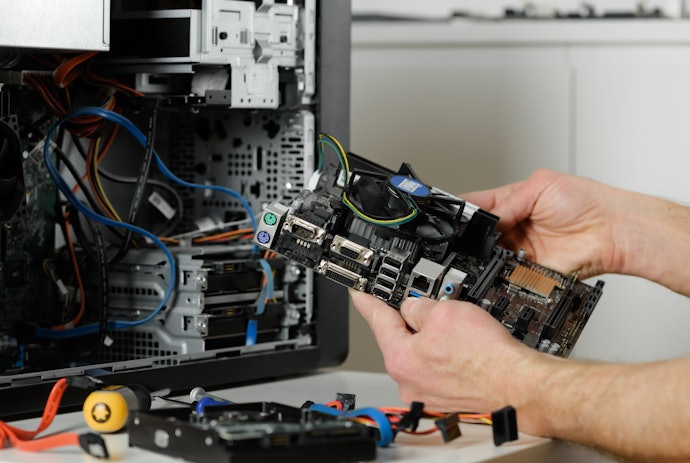
In order to ensure that it can accommodate the size of parts you want to fit in, you should get a case proportional to them. A good point of reference is your motherboard's size. If your case fits this, it often means that it can also take in the other components.
A Full Tower case, for instance, can house the largest motherboards called Extended ATX. It can also accommodate smaller-sized hardware. On the other hand, a Mid Tower case can only support up to the standard 12 x 9-inch ATX motherboards. Its more compact size is a good blend between portability and function, though.
Going even smaller, we have the Mini Tower case that can only support up to Micro-ATX motherboards. Finally, the Mini-ITX case, while the most portable, suffers the most in terms of compatibility. It can only fit Mini-ITX motherboards that tend to be pricey and have unorthodox designs.
Get a Case That Supports Multiple Fans and Has Honeycomb Panels for Better Airflow

If you’re sporting the new RTX 3080 or equally powerful hardware, you need to get a case that allows adequate airflow. This is because these components get hot, and when they overheat, they significantly shorten their lifespan. In addition, PCs are often designed to shut down at 100°C automatically, and you don’t want that happening in the middle of work or gaming.
A good case should have the ability to support fans in multiple locations. Ideally, you’d want one in the front, top, and back. Similarly, it’s also best to get a case with grilled honeycomb panels, as, unlike solid panels that tend to trap hot air inside, these allow air to move in and out of the case freely.
It’s also worth noting that size plays a bigger role in cooling. If you want to upgrade your fans to an AIO cooler that can shave off 10-20°C it’s best to get Full or Mid Tower cases, as these parts can reach up to 36 centimeters.
Go for a Sturdy Build to Ensure Longevity

Build quality is what manufacturers mostly skimp out on to bring the costs down. Ideally, though, you may want to choose between steel or aluminum, as these give the most benefits. For instance, their durability, soundproofing, and scratch resistance are often unmatched by any other material.
You can also find several budget cases made from hard plastics like polycarbonate or ABS. These are often sturdy enough as long as you exercise precaution. However, if you want to get the most out of a plastic build, get a case with heat-resistant materials like thermoplastics, as these can withstand the heat from your components much better.
Get a Case With Front Panel Connection for Easier Access to Ports
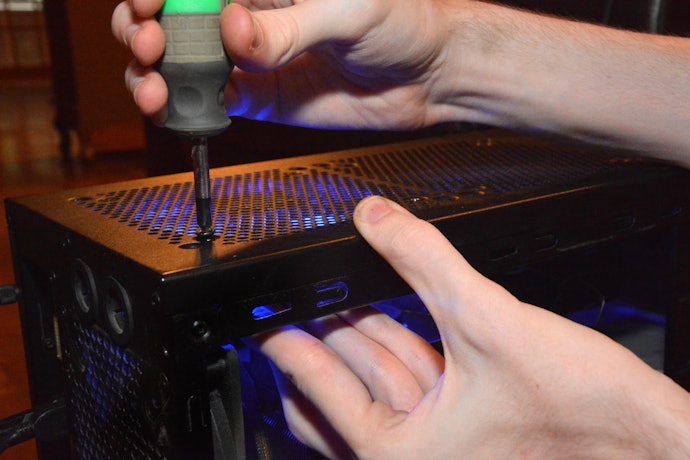
Most PCs have various ports like USBs and audio ports in the back. However, if you have a lot of external devices, it can be difficult to reach the rear just to find the correct port. To resolve this issue, get a case that supports front panel connectivity.
Essentially, these are various port connections accessible from the top or side of the case. They do, however, require a little more work, as you have to connect the panel to the motherboard. But in exchange, they allow you to connect your external devices without any difficulty.
Look for Feature-Packed Cases for Better Functionality
Some cases do more than house your PC's components. With features like a dedicated drive bay and cutouts, you often get more functionality or ease of use when doing your build. Here are some of the most sought-after features when buying a PC case.
Drive Bays and Mounting Points to Store Your Storage Devices

Nowadays, the trend is to use smaller NVME Solid State Drives (SSD) as these can be fitted directly to the motherboard. However, that doesn’t mean hard drives and SATA SSDs have become obsolete!
If these devices are still part of your build, we suggest looking for a case with drive bays or mounting points. These are often an extra 2.5 to 3.5 inches in your case to put your storage devices in. Not only do these protect the parts from heat and sudden movement, but they will also make your PC look tidier in the end.
Separate Power Compartment to Make Space for Your PSUs

Power Supply Units, or PSUs, convert electricity to energy your computer can use. While they can be placed and used externally, these are large and boxy components that connect by many cables. With that said, having a power compartment to store these will keep your build neat and free of eyesores.
Just note that not all power supply units are the same. A rectangular shape is generally compatible with most Mini Tower cases and above. More irregular shapes, though, like cylinders, are designed for Mini-ITX form factors and will need additional research if you want to place them anywhere else.
Manage Your Cables With Built-In Cutouts

PCs are a forest of cables and wiring. The clean builds you see are products of good cable management, and you can only do this if your motherboard tray has cutouts to route the wirings through.
Often, budget cases simply have large holes punched in. While these do the job, they can still leave a bundle of cords in the back, making the case more difficult to close. In line with this, you can try getting a case with rubber grommets or tie-off points to clean your build further.
Glass Panels Lets You See the Inside of Your PC
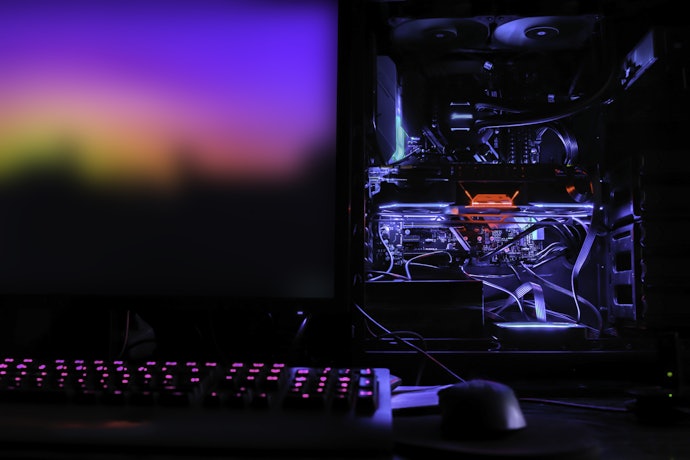
If you want to showcase the guts of your build, you may want to opt for a case with a glass panel. Its transparency lets you see the machine come to life. This is especially true if you have RGB; the industrial look of the various components emphasized by the lighting makes up for a cyberpunk-esque aesthetic.
However, note that a glass panel also reveals dirt on your PC. Hence, if your location is particularly dusty, you may want to do some regular maintenance so as not to taint the look of your machine. Similarly, because your components get hot, you may hear some creaking now and then as the glass expands due to thermal expansion.
10 Best Budget PC Cases to Buy Online
| Products | Image | Click to purchase | Popularity | Details | ||||||||
|---|---|---|---|---|---|---|---|---|---|---|---|---|
Type | Dimensions | CPU Cooler Length | GPU Length | Cooling Capabilities | Drive Bays | Front Panel Connections | Other Features | |||||
1 | PC Case|XA-22 Xigmatek |  | No.1 | Mid Tower | 370 x 188 x 413 mm | 6.1 in | 13 in | CPU Heatsink Clearance Up To 155mm, GPU Clearance Up To 330mm, Spacious Mid Tower Layout | 2.5" And 3.5" x2, ODD 3.5" x1 | USB 1.1 x2, HD Audio In/Out | SECC Black Coated Steel Construction, ABS Plastic Components, Transparent Side Panel, 7 Expansion Slots, ATX Micro-ATX ITX Compatibility | |
2 | PC Case|LITE X220 Inplay |  | No.2 | Mini Tower | 350 x 170 x 295 mm | 5.5 in | 8.9 in | Supports Up To Three Cooling Fans, Pre Installed RGB Fans, Compact Airflow Layout | HDD x1, SSD x2 | USB 2.0 x2, HD Audio | Top Mounted Power Supply, Metal Side Panel, 0.35 mm Panel Thickness, 4 Expansion Slots, Micro ATX And Mini ATX Support | |
3 | Reyna PC Case|M-ATX Coolman |  | No.3 | Mini Tower | 318 x 210 x 398 mm | 6.5 in | 12.2 in | Supports Up To 240mm AIO Radiator, Multiple Fan Mount Positions, Optimized Airflow Layout | HDD x1, SSD x1 | USB 3.0 x1, USB 1.0 x1, HD Audio | Front And Left Tempered Glass Panels, SPCC Steel Construction, 4 PCI Expansion Slots, M ATX And ITX Compatibility, PSU Shroud Fan Mounts | |
4 | MAG Shield mATX Case|M301 MSI |  | No.4 | Mini Tower | 345 x 206 x 352 mm | 6.3 in | 9.84 in | Front Dual 120mm Fan Support, Rear 120mm Fan Support, Pre Installed Rear 120mm Fan, Rear 120mm Radiator Support | 2.5" x1, 3.5" x1 | USB 1.0 x2, USB 3.2 Gen 1 x1, Audio, Mic | Micro ATX Tower Structure, ATX Power Supply Support, Compact Lightweight Design, 4 Expansion Slots | |
5 | Apollo M-ATX PC Case|A275 Aigo |  | No.5 | Mini Tower | 300 x 275 x 298 mm | 6.1 in | 11.4 in | Supports Up To 240mm Radiator, Multiple Fan Mount Positions Top Side Bottom Rear, Optimized Airflow Layout | 3.5" HDD x1, 2.5" SSD x2 | USB 2.0 x2, USB 3.0 x1, HD Audio, Power Button, Reset Button | Panoramic Tempered Glass Side Panel, Compact M ATX And ITX Support, Easy Cable Management Layout, 4 Expansion Slots | |
6 | Gaming Case|501 CVS |  | No.6 | Mid Tower | 318 x 210 x 398 mm | 6.5 in | 12.2 in | Mesh Airflow Front Design, Multiple Fan Mount Positions, Cooling Optimized Interior Layout | 3.5" HDD x1, 2.5" SSD x2 | USB 3.0 x1, USB 2.0 x1, HD Audio, Power Button, Reset Button | Dual Tempered Glass Panels, Steel Frame Construction, PSU Shroud Design, Clean Cable Management Layout, M ATX Compatibility | |
7 | Flexi 3 PC Case Segotep |  | No.7 | Mid Tower | 380 x 210 x 439 mm | 6.4 in | 12.2 in | Front Fan Mount 12cm x3 / 14cm x2, Top Fan Mount 12cm x2 (Supports 240mm AIO), Rear Fan Mount 12cm x1, PSU Shroud Fan Mount 12cm x2, Optimized Airflow Layout | 3.5" x2 + 2.5" x2 or 3.5" x1 + 2.5" x3 | USB 3.0 x1, USB 2.0 x2, HD Audio | Tempered Glass Side Panel, PSU Shroud Design, Steel Chassis Construction, 7 PCI Expansion Slots, ATX mATX ITX Compatibility | |
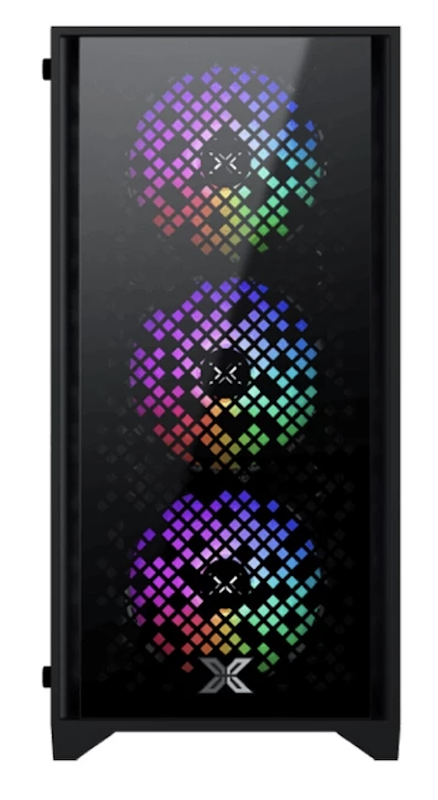
8 | PC Case|NYX II Xigmatek |  | No.8 | Mini Tower | 386 x 200 x 413 mm | 6.3 in | 12.6 in | Pre-Installed 120mm RGB Fans x4, Front 240mm / Rear 120mm Watercooling Support, Optimized Airflow Layout | 3.5" x1 + 2.5" x2 + 1 Flexible 2.5"/3.5" Drive Bay | USB 3.0 x1, USB 2.0 x2, Audio In/Out | Tempered Glass Front And Side Panels, Mini Tower Micro-ATX And Mini-ITX Compatibility, 4 Fixed RGB Fans, Watercooling Ready, Compact Design | |
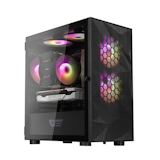
9 | Mesh M-ATX PC Case|DB330M DarkFlash |  | No.9 | Mini Tower | 368 x 218 x 400 mm | 7.1 in | 12 in | Top 240mm Radiator Support, Top Fan Mount 120mm x2, Front Fan Mount 120mm x2, Rear Fan Mount 120mm x1, Bottom Fan Mount 120mm x2, Optimized Airflow Layout | SSD x1, HDD x2 | USB 3.0 x1, USB 2.0 x2, HD Audio, Power Button | Mesh Front Panel, Tempered Glass Side Panel, 0.5mm SPCC Steel Construction, 4 PCI Expansion Slots, M ATX ITX Compatibility, Cable Routing Optimization | |
10 | M-ATX PC Case|M305 DarkFlash |  | No.10 | Mini Tower | 325 x 195 x 387 mm | 6.3 in | 11.8 in | Top Fan Mount 120mm x2, Front Fan Mount 120mm x2, Rear Fan Mount 120mm x1, Bottom Fan Mount 120mm x2, Optimized Airflow Layout | SSD x2, HDD x2 | USB 3.0 x1, USB 2.0 x2, HD Audio, Power Button, Reset Button | Tempered Glass Side Panel, 0.45mm SPCC Steel Construction, 4 PCI Expansion Slots, M ATX ITX Compatibility, Supports Up To 7 Fans | |


Reviews mention:
Many appreciate generous drive bays fitting multiple HDDs easily without adapters. People note solid steel handling heavier components well during transport. Several highlight straightforward assembly for beginners, plus good vibration dampening keeping drives quiet.
| Type | Mid Tower |
|---|---|
| Dimensions | 370 x 188 x 413 mm |
| CPU Cooler Length | 6.1 in |
| GPU Length | 13 in |
| Cooling Capabilities | CPU Heatsink Clearance Up To 155mm, GPU Clearance Up To 330mm, Spacious Mid Tower Layout |
| Drive Bays | 2.5" And 3.5" x2, ODD 3.5" x1 |
| Front Panel Connections | USB 1.1 x2, HD Audio In/Out |
| Other Features | SECC Black Coated Steel Construction, ABS Plastic Components, Transparent Side Panel, 7 Expansion Slots, ATX Micro-ATX ITX Compatibility |

Reviews mention:
People love the pre-installed RGB fans lighting up first builds vibrantly right away. Many find the compact size fitting small desks perfectly without wasting space. Plenty praise its value with decent cable management, noting fans stay quiet under load.
| Type | Mini Tower |
|---|---|
| Dimensions | 350 x 170 x 295 mm |
| CPU Cooler Length | 5.5 in |
| GPU Length | 8.9 in |
| Cooling Capabilities | Supports Up To Three Cooling Fans, Pre Installed RGB Fans, Compact Airflow Layout |
| Drive Bays | HDD x1, SSD x2 |
| Front Panel Connections | USB 2.0 x2, HD Audio |
| Other Features | Top Mounted Power Supply, Metal Side Panel, 0.35 mm Panel Thickness, 4 Expansion Slots, Micro ATX And Mini ATX Support |
Reviews mention:
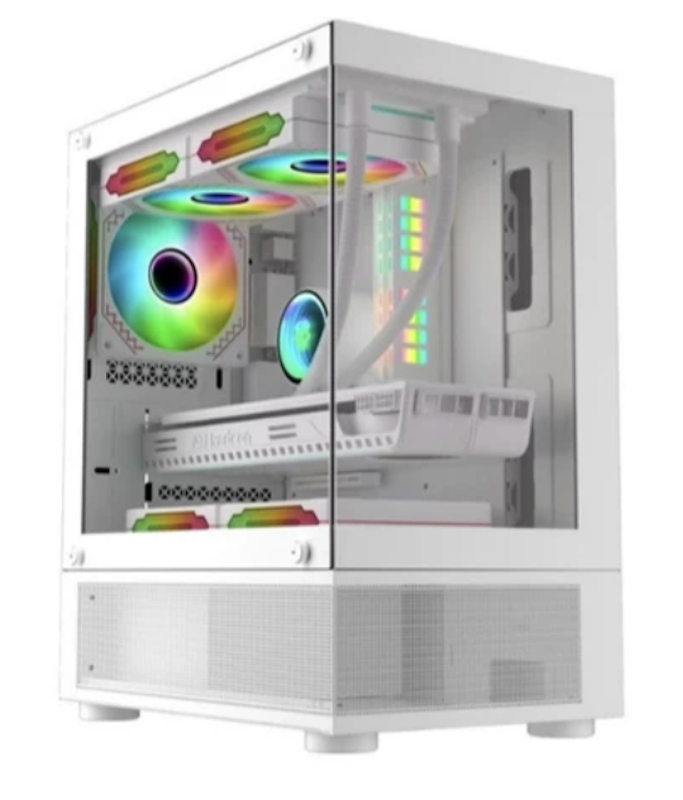
Several users enjoy the glass highlighting RGB setups clearly from all angles. People note good airflow in hot climates keeping GPUs under 70°C. Some appreciate USB 3.0 speeding file transfers, plus sturdy feet preventing desk wobbles.
| Type | Mini Tower |
|---|---|
| Dimensions | 318 x 210 x 398 mm |
| CPU Cooler Length | 6.5 in |
| GPU Length | 12.2 in |
| Cooling Capabilities | Supports Up To 240mm AIO Radiator, Multiple Fan Mount Positions, Optimized Airflow Layout |
| Drive Bays | HDD x1, SSD x1 |
| Front Panel Connections | USB 3.0 x1, USB 1.0 x1, HD Audio |
| Other Features | Front And Left Tempered Glass Panels, SPCC Steel Construction, 4 PCI Expansion Slots, M ATX And ITX Compatibility, PSU Shroud Fan Mounts |
Features and benefits:
Reviews mention:
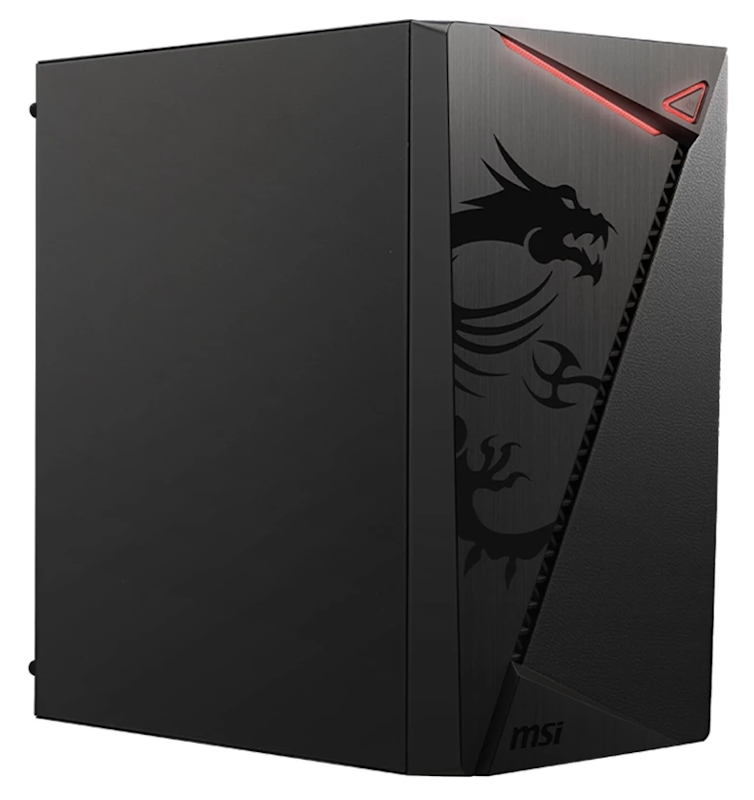
People report 8-10°C lower temps from mesh design during gaming marathons. Many like sturdy build resisting vibrations from fans. Several note easy filter cleaning monthly, keeping internals dust-free in humid areas.
| Type | Mini Tower |
|---|---|
| Dimensions | 345 x 206 x 352 mm |
| CPU Cooler Length | 6.3 in |
| GPU Length | 9.84 in |
| Cooling Capabilities | Front Dual 120mm Fan Support, Rear 120mm Fan Support, Pre Installed Rear 120mm Fan, Rear 120mm Radiator Support |
| Drive Bays | 2.5" x1, 3.5" x1 |
| Front Panel Connections | USB 1.0 x2, USB 3.2 Gen 1 x1, Audio, Mic |
| Other Features | Micro ATX Tower Structure, ATX Power Supply Support, Compact Lightweight Design, 4 Expansion Slots |

Reviews mention:
Many showcase custom loops through glass beautifully without reflections. People appreciate sleek desk lines matching modern setups. A number of users find panels fingerprint-resistant, plus good cable channels hiding excess wires.
| Type | Mini Tower |
|---|---|
| Dimensions | 300 x 275 x 298 mm |
| CPU Cooler Length | 6.1 in |
| GPU Length | 11.4 in |
| Cooling Capabilities | Supports Up To 240mm Radiator, Multiple Fan Mount Positions Top Side Bottom Rear, Optimized Airflow Layout |
| Drive Bays | 3.5" HDD x1, 2.5" SSD x2 |
| Front Panel Connections | USB 2.0 x2, USB 3.0 x1, HD Audio, Power Button, Reset Button |
| Other Features | Panoramic Tempered Glass Side Panel, Compact M ATX And ITX Support, Easy Cable Management Layout, 4 Expansion Slots |

Reviews mention:
People rave about dual glass amplifying light effects across the room. Many note spacious interior despite compact footprint fitting corners. Several praise build quality with no panel gaps, along with smooth fan mounting.
| Type | Mid Tower |
|---|---|
| Dimensions | 318 x 210 x 398 mm |
| CPU Cooler Length | 6.5 in |
| GPU Length | 12.2 in |
| Cooling Capabilities | Mesh Airflow Front Design, Multiple Fan Mount Positions, Cooling Optimized Interior Layout |
| Drive Bays | 3.5" HDD x1, 2.5" SSD x2 |
| Front Panel Connections | USB 3.0 x1, USB 2.0 x1, HD Audio, Power Button, Reset Button |
| Other Features | Dual Tempered Glass Panels, Steel Frame Construction, PSU Shroud Design, Clean Cable Management Layout, M ATX Compatibility |

Reviews mention:
Plenty achieve pro-level cable management without zip ties overflowing. People love the clear glass quality showing off custom paint jobs. Many highlight sturdy handles for LAN party moves, and anti-slip feet.
| Type | Mid Tower |
|---|---|
| Dimensions | 380 x 210 x 439 mm |
| CPU Cooler Length | 6.4 in |
| GPU Length | 12.2 in |
| Cooling Capabilities | Front Fan Mount 12cm x3 / 14cm x2, Top Fan Mount 12cm x2 (Supports 240mm AIO), Rear Fan Mount 12cm x1, PSU Shroud Fan Mount 12cm x2, Optimized Airflow Layout |
| Drive Bays | 3.5" x2 + 2.5" x2 or 3.5" x1 + 2.5" x3 |
| Front Panel Connections | USB 3.0 x1, USB 2.0 x2, HD Audio |
| Other Features | Tempered Glass Side Panel, PSU Shroud Design, Steel Chassis Construction, 7 PCI Expansion Slots, ATX mATX ITX Compatibility |
Reviews mention:
People enjoy cooling without buying extras, hitting 60fps stable. Many sync fans to ASRock boards seamlessly via headers. Several note vibrant silk prints resisting scratches during cleaning.
| Type | Mini Tower |
|---|---|
| Dimensions | 386 x 200 x 413 mm |
| CPU Cooler Length | 6.3 in |
| GPU Length | 12.6 in |
| Cooling Capabilities | Pre-Installed 120mm RGB Fans x4, Front 240mm / Rear 120mm Watercooling Support, Optimized Airflow Layout |
| Drive Bays | 3.5" x1 + 2.5" x2 + 1 Flexible 2.5"/3.5" Drive Bay |
| Front Panel Connections | USB 3.0 x1, USB 2.0 x2, Audio In/Out |
| Other Features | Tempered Glass Front And Side Panels, Mini Tower Micro-ATX And Mini-ITX Compatibility, 4 Fixed RGB Fans, Watercooling Ready, Compact Design |
DarkFlashMesh M-ATX PC Case | DB330M

Features and benefits:
Reviews mention:
Many note 10°C GPU load drops during stress tests. People like how the dust-free mesh filters rinse easily under taps. Users report silent operation even at full speed, perfect for apartments.
| Type | Mini Tower |
|---|---|
| Dimensions | 368 x 218 x 400 mm |
| CPU Cooler Length | 7.1 in |
| GPU Length | 12 in |
| Cooling Capabilities | Top 240mm Radiator Support, Top Fan Mount 120mm x2, Front Fan Mount 120mm x2, Rear Fan Mount 120mm x1, Bottom Fan Mount 120mm x2, Optimized Airflow Layout |
| Drive Bays | SSD x1, HDD x2 |
| Front Panel Connections | USB 3.0 x1, USB 2.0 x2, HD Audio, Power Button |
| Other Features | Mesh Front Panel, Tempered Glass Side Panel, 0.5mm SPCC Steel Construction, 4 PCI Expansion Slots, M ATX ITX Compatibility, Cable Routing Optimization |

Reviews mention:
Some admire elegant glass curves elevating desk aesthetics. Many fit SFX PSUs neatly without wasted space. Several note vibration-dampening feet silencing mechanical drives effectively.
| Type | Mini Tower |
|---|---|
| Dimensions | 325 x 195 x 387 mm |
| CPU Cooler Length | 6.3 in |
| GPU Length | 11.8 in |
| Cooling Capabilities | Top Fan Mount 120mm x2, Front Fan Mount 120mm x2, Rear Fan Mount 120mm x1, Bottom Fan Mount 120mm x2, Optimized Airflow Layout |
| Drive Bays | SSD x2, HDD x2 |
| Front Panel Connections | USB 3.0 x1, USB 2.0 x2, HD Audio, Power Button, Reset Button |
| Other Features | Tempered Glass Side Panel, 0.45mm SPCC Steel Construction, 4 PCI Expansion Slots, M ATX ITX Compatibility, Supports Up To 7 Fans |
Frequently Asked Questions
Below are some of the most asked questions on the web answered by the mybest team.
How Do I Clean My PC Case?
To regularly maintain it, wipe the surface of your PC with a dry cloth to remove the dust. You can also use wet fabric, but this can pose more risks. For the inside, you want to brush the components with a soft-bristled brush or an electrically-powered air compressor. Unfortunately, canned versions of the latter contain aerosol, which can short out electrical parts.
For deep cleaning, you'll have to remove each part and reinstall them after cleaning. Each manufacturer has recommended steps to clean their products. Thus, if unsure, it's best to consult the manual or otherwise hire a professional.
Are the Fans Included With the Case Enough for Proper Airflow?
In most cases, the stock fans are usually enough to cool your rig. However, nothing's stopping you from getting better airflow, so long as they fit the case. In addition, higher-end fans also tend to be quieter and produce less whine during higher rotations per minute.
What Do I Do When My PC Case Heats Up?
Aside from upgrading your fans, some quick fixes can keep your PC from heating up. One most-used method is to change where it is, ideally away from windows where heat from the sun can come in. You can also leave a 3-5 inches gap between the wall and the PC. This allows the hot air to dissipate rather than be bounced back to the case.
Is It Okay to Get a Larger Sized PC Case?
Most of the time, it's okay to upgrade to larger cases, provided that you're using standard-shaped components. Otherwise, you must first confirm whether the parts you have will fit the new case. If yes, the next factor to look out for is whether your components are properly cooled after transferring, preferably below 80℃.
Build Your PC With These Essential Components
So you got your shiny, new case and you're looking to fill it in. Well, search no more! Below are articles listing down components you need to finish your build. Check them out and checkout now to get all the parts you need in one go.


Author: Dane Lozano
Editor: R. Victoriano
The descriptions of each product are referenced from content available on manufacturer, brand, and e-commerce sites.