10 Best Gaming Motherboards in the Philippines 2026 | Gigabyte, MSI, and More
In this guide, we’ll walk you through the essentials in simple, beginner-friendly terms so you can confidently pick the motherboard that fits your budget, your games, and your planned upgrades. Whether you're building around a Ryzen chip for everyday gaming, aiming for high refresh rate performance, or preparing a future-proof setup for streaming and productivity, this article will help you find the best gaming motherboard for your needs.

Veronica is a content planner and writer who loves exploring diverse topics and industries. With a focus on SEO and reader engagement, she enjoys crafting well-researched content that shares knowledge and inspires audiences. She is passionate about connecting with readers through informative writing that helps support their decision-making.
Why You Can Trust Us
Every mybest article is crafted with hours of in-depth research and interviews with experts. Each month, we are continually expanding our database of products based on our research. By emphasizing user insight and reliable information, we deliver trustworthy content to readers.
What Makes a Gaming Motherboard Different From a Standard Motherboard?

It usually offers better power delivery, support for faster RAM, improved cooling, and upgraded connectivity for GPUs, NVMe SSDs, and gaming peripherals. These enhancements help ensure smoother performance, more stable gameplay, and better long-term upgrade potential for your build.
How to Choose a Gaming Motherboard - Buying Guide
Choosing a motherboard becomes much easier when you focus on the key factors that affect compatibility, performance, and future upgrades. Understanding how the CPU socket, chipset, RAM support, VRMs, and form factor work together helps you pick a board that meets your needs today while staying flexible for future improvements.
Ensure CPU and Chipset Compatibility for Futureproofing
Verify the Motherboard Socket Matches Your Current or Intended CPU
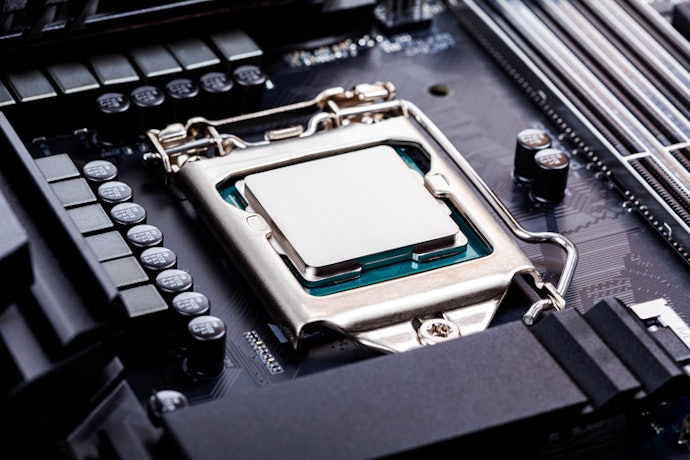
Checking the socket early ensures you won’t waste money and helps you choose popular Philippine bundles like Ryzen 5 with a B650 board or Intel Core i5 with a B760 board.
Check Supported Chipsets and Upgrade Path for Future CPU Releases

For example, AMD’s B650 and X670 boards are designed to support multiple generations of AM5 CPUs, while Intel B760 boards support 12th–14th Gen Core processors on LGA1700. Considering this early helps you invest in a board that won’t feel outdated too soon, which is ideal for Filipino gamers who may upgrade gradually due to budget planning.
Prioritize RAM and Expansion Support for Performance
Select a Motherboard That Supports the Type and Speed of RAM You Need (DDR5 or DDR4)
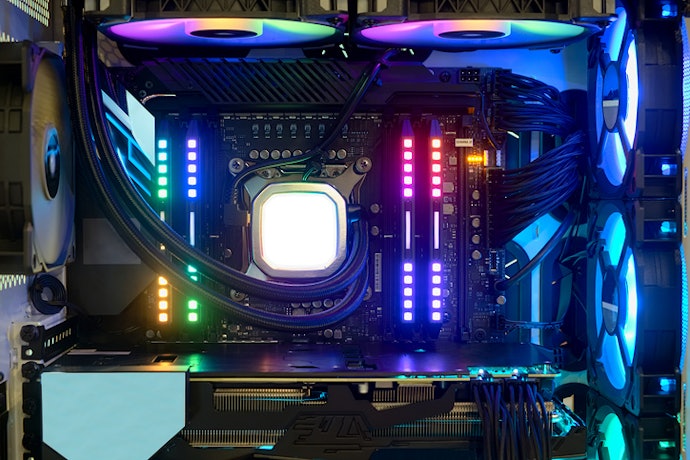
Always check the maximum supported RAM speed, since using faster memory can improve overall responsiveness and reduce stutters in some games and apps. Brands like ASUS TUF, MSI MAG, and Gigabyte Aorus commonly list supported speeds on product pages. Picking a board with good RAM compatibility gives you more flexibility when upgrading later.
Check Maximum RAM, Slots, and Memory Channel Configuration for Optimal Performance

Dual-channel memory configurations also provide better performance, so using two sticks is generally recommended. Checking maximum capacity, whether it’s 64GB, 128GB, or higher, ensures your system won’t feel limited later on. This is useful for gamers who also stream or edit videos, which is common among local content creators.
Confirm the Number of M.2 Slots and PCIe Lanes to Accommodate SSDs, GPUs, and Expansion Cards

High-end chipsets usually offer more lanes for better expansion flexibility. This matters for Filipino gamers who may start with a basic setup and add upgrades over time, such as a larger SSD or a dedicated capture card for streaming. Ensuring enough slots and lanes keeps your build versatile and long-lasting.
Evaluate VRM Quality and Cooling for Stability
Choose Boards With Strong VRM Phases and Heatsinks to Support High-TDP CPUs and Overclocking
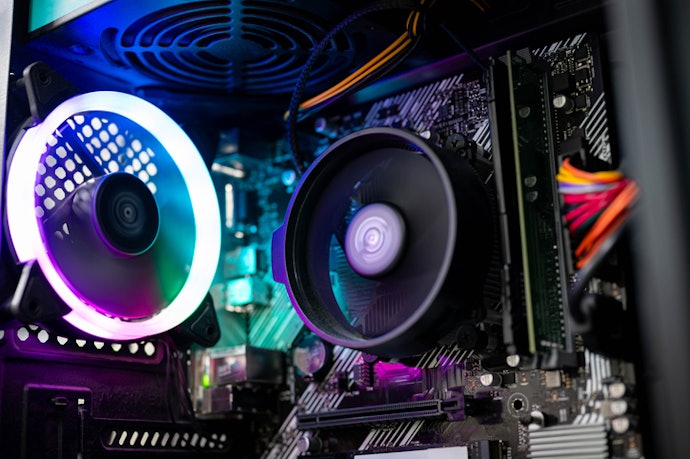
Good VRM design helps keep CPU temperatures and power delivery stable, which translates into smoother and more consistent performance. Brands like MSI and ASUS often highlight their VRM features, making it easier for beginners to compare options.
Ensure Adequate Cooling and Thermal Management, Including Fan Headers and Optional Heatsinks/Water-Cooling Support
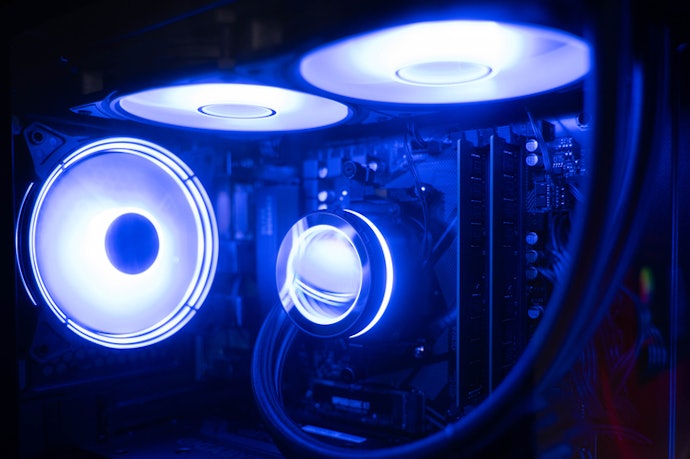
Better thermal management also improves gaming performance by preventing your CPU and SSD from throttling. Having enough fan and pump headers ensures your build stays cool even during long weekend gaming marathons or LAN sessions with friends.
Consider Connectivity and I/O for Convenience
Check Onboard Wi-Fi 6/6E or 2.5G LAN for Fast and Stable Internet Connections

These features help reduce lag, improve matchmaking response times, and keep your connection stable even during peak hours in Philippine households. Built-in connectivity also saves you from buying separate adapter cards.
Review USB, Peripheral, Audio, and Networking Options on the Rear I/O Panel

Filipino gamers who stream, record gameplay, or use multiple peripherals will benefit from a wider range of ports. A well-equipped I/O panel also ensures your build remains useful for years without needing adapters.
Ensure Headers for Case USB, RGB, and Fan Controls Are Sufficient for Your Setup
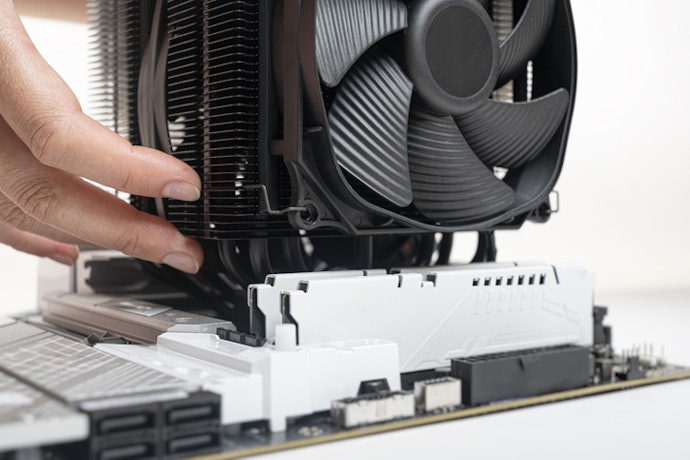
Aside from rear ports, internal headers connect your case’s front USB ports, fans, and RGB lighting. Ensuring your board has enough USB 3.2, USB-C, RGB, and ARGB headers helps you avoid limitations when customizing your build.
This is particularly important if you’re planning a clean, aesthetic setup with synchronized lighting, which is a popular choice among Filipino gamers. Proper fan headers also help manage airflow more efficiently, especially in cases with multiple intake and exhaust fans. Checking this early prevents compatibility issues and makes your build much easier to assemble.
Decide on Form Factor and Build Compatibility
Choose ATX, Micro-ATX, or Mini-ITX, Depending on Your Case Size and Expansion Requirements

Mini‑ITX is the smallest and is great for compact or portable setups, but it usually has fewer slots and ports, so plan your GPU, storage, and cooling carefully. Choosing the right size depends on your available space, how many components you plan to install, and your preferred case style. Matching form factors prevents fitting issues during assembly.
Ensure the Motherboard Layout Fits Your Case, Allows Proper Airflow, and Supports Radiator/Fan Placement
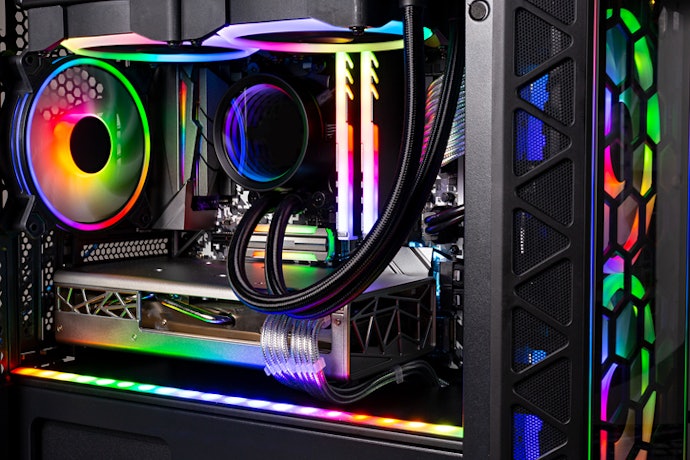
Good airflow helps keep temperatures low, which is crucial in warmer Philippine climates. Making sure your board supports the radiator or fan sizes you want also prevents frustration later. A well-planned layout results in a cleaner, more efficient gaming build.
Consider Local Availability, Warranty, and Seller Reliability to Reduce Post-Purchase Issues
10 Best Gaming Motherboards to Buy Online
| Products | Image | Click to purchase | Popularity | Details | |||||||||
|---|---|---|---|---|---|---|---|---|---|---|---|---|---|
CPU | Chipset | Memory | Slots | VRM | Wireless Module | Back Panel Ports | Internal I/O Connectors | Form Factor | |||||
1 | B650M Aorus Elite AX Ice Gigabyte |  | No.1 | AMD Socket AM5, Supports AMD Ryzen 7000 / 8000 / 9000 Series Processors | AMD B650 | 4x DDR5 UDIMM, Maximum Memory Capacity 256GB | 1 x PCIe 4.0 x16, 1 x PCIe 4.0 x16 | Twin 12+2+2 Phases Digital VRM, Thermal Armor Advanced | Wi-Fi 6E, Bluetooth 5.3 | 1x Q-Flash Plus Button, 2x SMA Antenna Connectors, 1x DisplayPort, 1x HDMI Port, 1x USB Type-C (3.2 Gen 2), 2x USB 3.2 Gen 2 Type-A, 5x USB 3.2 Gen 1, 4x USB 2.0/1.1, 1x RJ-45 Port, 1x Optical S/PDIF Out, 2x Audio Jacks. | 1x 24-pin ATX, 1x 8-pin 12V Power; 6x Fan/Pump; 5x LED (2x ARGB, 3x RGB); 2x M.2, 4x SATA; 3x USB (1x Type-C 20Gbps, 1x Gen 1, 2x 2.0); 1x Front Panel I/O, 1x Audio; 1x Serial, 1x THB_U4, 1x TPM; 3x Jumpers/Buttons (Reset Button, Reset Jumper, CMOS Jumper) | Micro ATX | |
2 | MAG X870 Tomahawk WiFi MSI |  | No.2 | AMD Socket AM5, Supports AMD Ryzen 9000 / 8000 / 7000 Series Processors | AMD X870 | 4x DDR5 UDIMM, Maximum Memory Capacity 256GB | 1 x PCIe 5.0 x16, 1 x PCIe 4.0 x4, 1 x PCIe 3.0 x1 | 14+2+1 Duet Rail Power System, Frozr Design | Wi-Fi 7, Bluetooth 5.4 | Clear CMOS Button, 2x USB 10Gbps Type-A, 3x USB 5Gbps Type-A, 4x USB 2.0, 5G LAN, Wi-Fi/Bluetooth, Audio Connectors, Flash BIOS Button, HDMI, 2x USB 40Gbps Type-C, 1x USB 10Gbps Type-C | 1x ATX Power, 2x CPU Power, 1x 8-pin PCIe Power, 1x CPU Fan, 1x Pump/Sys Fan, 6x System Fan, 1x EZ Conn (JAF_2), 2x Front Panel (JFP), 1x Chassis Intrusion (JCI), 1x Front Audio (JAUD), 3x A-RGB (JARGB_V2), 1x RGB (JRGB), 1x TPM, 4x USB 2.0, 4x USB 5Gbps Type-A, 1x USB 20Gbps Type-C | ATX | |
3 | MAG B650 Tomahawk WiFi MSI |  | No.3 | AMD Socket AM5, Supports AMD Ryzen 9000 / 8000 / 7000 Series | AMD B650 | 4x DDR5 UDIMM, Maximum Memory Capacity 256GB | 1x PCIe 4.0 x16, 1x PCIe 4.0 x16 (Operates at x2), 1x PCIe 3.0 x1 | 14+2+1 Duet Rail Power System, Thermal Armor Advanced | Wi-Fi 6E, Bluetooth 5.3 | DisplayPort 1.4, 2.5G LAN Port, USB 2.0 Port, USB 3.2 Gen 1 5Gbps Type-A, Wi-Fi/Bluetooth Antenna, HD Audio Connectors, Flash BIOS Button, HDMI 2.1 Port, USB 3.2 Gen 2 10Gbps Type-A, USB 3.2 Gen 2x2 20Gbps Type-C, Optical S/PDIF OUT | 1x ATX_PWR, 2x CPU_PWR, 1x CPU Fan, 1x Pump Fan, 6x System Fans, 2x Front Panel (JFP), 1x Chassis Intrusion (JCI), 1x Front Audio (JAUD), 1x Tuning Controller (JDASH), 2x Addressable V2 RGB (JARGB_V2), 2x RGB (JRGB), 1x TPM Header (TPM 2.0), 4x USB 2.0, 2x USB 5Gbps Type-A, 1x USB 10Gbps Type-C | ATX | |
4 | Phantom Gaming X870E Nova WiFi ASRock |  | No.4 | AMD Socket AM5, Supports AMD Ryzen 9000 / 8000 / 7000 Series Processors | AMD X870E | 4x DDR5 DIMM, Maximum Memory Capacity 256GB | 1x PCIe 5.0 x16, 1x PCIe 3.0 x16, 1x PCIe 3.0 x1 | 20+2+1 Phase Power Design, SPS Technology | Wi-Fi 7, Bluetooth 5.4 | 2x Antenna, 1x HDMI, 1x Optical SPDIF Out, 2x USB4 Type-C (40 Gb/s), 5x USB 3.2 Gen2 Type-A (10 Gb/s), 3x USB 3.2 Gen1 Type-A, 2x USB 2.0, 1x RJ-45 LAN, 1x Clear CMOS Button, 1x BIOS Flashback Button, 1x Line Out Jack, 1x Mic Input Jack | 3x Thermistor, 1x Power/Speaker Header, 4x LED Headers, 7x 4-pin Fan Connectors (Incl. CPU/AIO/Water), 1x 24P ATX + 2x 8P 12V Power, 1x Gold FP Audio, 4x USB Headers (2x 2.0, 2x 3.2 Gen1) (Total 8 ports), 1x USB 3.2 Gen2x2 Type-C (20G), 1x Dr. Debug + 2x Control Buttons (All with LED) | ATX | |
5 | B850M Pro RS ASRock |  | No.5 | AMD Socket AM5, Supports AMD Ryzen 9000 / 8000 / 7000 Series Processors | AMD B850 | 4x DDR5 UDIMM, Maximum Memory Capacity 256GB | 1x PCIe 5.0 x16, 1x PCIe 4.0 x16, 1x M.2 (Key E) | 8+2+1 Power Phase Design, Dr.MOS | Wi-Fi 6E, Bluetooth 5.2 | 2x Antenna Ports, 1x HDMI, 1x DisplayPort 1.4, 2x USB 3.2 Gen2 (1x Type-A 10G, 1x Type-C), 2x USB 3.2 Gen1, 4x USB 2.0, 1x RJ-45 LAN, 1x BIOS Flashback Button, and 3x HD Audio Jacks (Line in/Front Speaker/Mic) | 1x SPI TPM, 1x Power LED/Speaker Header, 4x LED Headers (1x RGB, 3x Addressable), 5x 4-pin Fan Connectors (2x CPU, 3x Chassis, all Smart Fan), 1x 24-pin ATX, 1x 8-pin + 1x 4-pin 12V Power (Hi-Density), 1x FP Audio, 4x USB Headers (2x 2.0, 2x 3.2 Gen1) (8 ports total), 1x FP USB-C 3.2 Gen1 Header | Micro ATX | |
6 | MPG B650I Edge WiFi MSI |  | No.6 | AMD Socket AM5, Supports AMD Ryzen 9000 / 8000 / 7000 Series | AMD B650 | 2x DDR5 UDIMM, Maximum Memory Capacity 128GB | 1x PCIe 4.0 x16, 2x M.2 (PCIe 4.0 x4), 1x M.2 (Key E) | 8+2+1 VRM Power, Frozr Design | Wi-Fi 6E, Bluetooth 5.3 | 1x Clear CMOS Button, 1x Flash BIOS Button, 1x HDMI, 1x 2.5G LAN, 1x Wireless/Bluetooth, 1x USB 20Gbps Type-C, 2x USB 10Gbps Type-A, 1x USB 5Gbps Type-A, and Audio Connectors | 1x ATX Power & 1x CPU Power, 3x Fan Headers (1x CPU, 1x Pump, 1x System), 2x Front Panel (JFP), 1x Chassis Intrusion (JCI), 1x Front Audio (JAUD), 1x Addressable V2 RGB (JARGB_V2), 1x TPM Header, 3x Front USB Ports/Headers (2x USB 2.0, 2x USB 5Gbps Type-A, 1x USB 10Gbps Type-C) | Mini-ITX | |
7 | Prime B650M-A II Asus |  | No.7 | AMD Socket AM5, Supports AMD Ryzen 9000 / 8000 / 7000 Series | AMD B650 | 4 x DDR5 DIMM, Maximum Memory Capacity 192GB | 1 x PCIe 5.0 x16 (M.2), 1 x PCIe 4.0 x16, 2 x PCIe 4.0 x1 | Digi+ VRM, Heatsink, Thermal Pad | 2x USB 3.2 Gen 2 Type-A, 2x USB 3.2 Gen 1 Type-A, 4x USB 2.0 Type-A, 1x DisplayPort, 1x VGA port, 1x HDMI port, 1x 2.5Gb Ethernet, 3x Audio jacks, 1x BIOS FlashBack Button, and 1x PS/2 Combo Port | 5x Fan Headers (CPU/Chassis/OPT), 2x Power (24-pin/8-pin), 2x M.2 / 4x SATA Storage, 4x USB Headers (incl. 1x USB-C Gen 1, total 7 FP ports), 4x Lighting Headers (3x ARGB, 1x RGB), and 7x Control/Utility Headers (e.g., Clear CMOS, TPM, COM Port, FP Audio/Panel) | Micro ATX | ||
8 | TUF Gaming Z890-Plus WiFi Asus |  | No.8 | Intel LGA 1851 Socket, Supports Intel Core Ultra Processors (Series 2), LGA1851, Intel Turbo Boost Technology 2.0 & 3.0 | Intel Z890 | 4x DDR5 UDIMM, Maximum Memory Capacity 256GB | 1 x PCIe 5.0 x16 (CPU), 1 x PCIe 4.0 x16 (x4 Mode, Chipset), 1 x PCIe 4.0 x4, 2 x PCIe 4.0 x1 | 16+1+2+1 Power Design, DrMOS, Digi+VRM | Wi-Fi 7, Bluetooth 5.4 | 1x Thunderbolt 4 Type-C, 1x USB 20Gbps Type-C (with DP Alt mode), 3x USB 10Gbps Type-A, 3x USB 5Gbps Type-A, 1x DisplayPort, 1x HDMI™, 1x Wi-Fi module, 1x 2.5Gb Ethernet, 5x Audio Jacks, 1x Optical S/PDIF Out, and 1x BIOS FlashBack™ Button | 6x Fan Headers (incl. AIO/CPU), 3x Power (24P/2x 8P), 4x M.2 / 4x SATA, 4x USB Headers (incl. 20Gbps USB-C, total 7 FP ports), 3x ARGB Gen 2 Headers, and 6x Utility Headers (Thunderbolt/USB4, Clear CMOS, Chassis, COM, Audio, Panel) | ATX | |
9 | MPG Z690 Edge WiFi MSI |  | No.9 | Intel LGA 1700 Socket, Supports Intel Core 14th/ 13th/ 12th Gen Processors, Intel Pentium Gold and Celeron Processors | Intel Z690 | 4x DDR5 UDIMM, Maximum Memory Capacity 192GB | 1x PCIe 5.0 x16, 2x PCIe 3.0 x16 (running at x4), 1x PCIe 3.0 x1, 1x M.2 (Key E) | Direct 16+1+1 Power Design, Frozr Design | Wi-Fi 6E, Bluetooth 5.2 | 2x USB 2.0, 5x USB 3.2 Gen 2 Type-A (10G), 1x USB 3.2 Gen 2x2 Type-C (20G), 1x HDMI, 1x DisplayPort, 1x 2.5G LAN, 2x Wi-Fi Antennas, 5x Audio Jacks, 1x Optical S/PDIF Out, and 1x Flash BIOS Button | 8x Fan Headers (CPU/Pump/System), 3x Power (24P/2x 8P 12V), 4x M.2 / 6x SATA Storage, 3x USB Headers (1x USB-C 10G, 1x USB 3.2 Gen 1 for 2 ports, 2x USB 2.0 for 4 ports), 4x LED Headers (1x RGB, 3x ARGB), and 6x Utility Headers (incl. FP Audio, TPM, Thunderbolt, Chassis Intrusion) | ATX | |
10 | MPG Z790 Edge WiFi MSI |  | No.10 | Intel LGA 1700 Socket, Supports Intel Core 14th/ 13th/ 12th Gen Processors, Intel Pentium Gold and Celeron Processors | Intel Z790 | 4x DDR5 UDIMM, Maximum Capacity 256GB | 2x PCIe x16 (PCIe 5.0 x16 From CPU, PCIe 4.0 x4 From Chipset), 1x PCIe x1 | 16+1+1 Duet Rail Power System, Frozr Design | Intel Wi-Fi 6E, Bluetooth 5.3 | 1x DisplayPort, 1x 2.5G LAN, 1x Wi-Fi/Bluetooth, 1x HDMI™, 1x USB 20Gbps Type-C, 3x USB 10Gbps (2x Type-A, 1x Type-C), 1x USB 5Gbps Type-A, 1x Optical S/PDIF Out, 1x Clear CMOS/Flash BIOS Button, and Audio Connectors | 1x ATX Power & 2x CPU Power, 8x Fan Headers (CPU/Pump/System), 2x Front Panel (JFP), 1x Chassis Intrusion (JCI), 1x Front Audio (JAUD), 1x Tuning Controller (JDASH), 4x LED Headers (3x ARGB V2, 1x RGB), 1x TPM Header, 7x Front USB Ports/Headers (4x 2.0, 2x 5Gbps Type-A, 1x 10Gbps Type-C) | ATX | |


Reviews mention:
Users like how easy the BIOS is to set up and the way the VRM stays cool under heavy loads. Many find the Wi-Fi reliable for gaming, though some wish the board offered more PCIe slots. Overall, they highlight its smooth performance and the practical features.
| CPU | AMD Socket AM5, Supports AMD Ryzen 7000 / 8000 / 9000 Series Processors |
|---|---|
| Chipset | AMD B650 |
| Memory | 4x DDR5 UDIMM, Maximum Memory Capacity 256GB |
| Slots | 1 x PCIe 4.0 x16, 1 x PCIe 4.0 x16 |
| VRM | Twin 12+2+2 Phases Digital VRM, Thermal Armor Advanced |
| Wireless Module | Wi-Fi 6E, Bluetooth 5.3 |
| Back Panel Ports | 1x Q-Flash Plus Button, 2x SMA Antenna Connectors, 1x DisplayPort, 1x HDMI Port, 1x USB Type-C (3.2 Gen 2), 2x USB 3.2 Gen 2 Type-A, 5x USB 3.2 Gen 1, 4x USB 2.0/1.1, 1x RJ-45 Port, 1x Optical S/PDIF Out, 2x Audio Jacks. |
| Internal I/O Connectors | 1x 24-pin ATX, 1x 8-pin 12V Power; 6x Fan/Pump; 5x LED (2x ARGB, 3x RGB); 2x M.2, 4x SATA; 3x USB (1x Type-C 20Gbps, 1x Gen 1, 2x 2.0); 1x Front Panel I/O, 1x Audio; 1x Serial, 1x THB_U4, 1x TPM; 3x Jumpers/Buttons (Reset Button, Reset Jumper, CMOS Jumper) |
| Form Factor | Micro ATX |

Reviews mention:
Gamers like the EZ DIY features that make installing PCIe cards and M.2 drives quick and easy. They also note that the VRM stays cool under heavy loads, which adds to the motherboard’s appeal. Overall, they highlight reliable performance and user-friendly design.
| CPU | AMD Socket AM5, Supports AMD Ryzen 9000 / 8000 / 7000 Series Processors |
|---|---|
| Chipset | AMD X870 |
| Memory | 4x DDR5 UDIMM, Maximum Memory Capacity 256GB |
| Slots | 1 x PCIe 5.0 x16, 1 x PCIe 4.0 x4, 1 x PCIe 3.0 x1 |
| VRM | 14+2+1 Duet Rail Power System, Frozr Design |
| Wireless Module | Wi-Fi 7, Bluetooth 5.4 |
| Back Panel Ports | Clear CMOS Button, 2x USB 10Gbps Type-A, 3x USB 5Gbps Type-A, 4x USB 2.0, 5G LAN, Wi-Fi/Bluetooth, Audio Connectors, Flash BIOS Button, HDMI, 2x USB 40Gbps Type-C, 1x USB 10Gbps Type-C |
| Internal I/O Connectors | 1x ATX Power, 2x CPU Power, 1x 8-pin PCIe Power, 1x CPU Fan, 1x Pump/Sys Fan, 6x System Fan, 1x EZ Conn (JAF_2), 2x Front Panel (JFP), 1x Chassis Intrusion (JCI), 1x Front Audio (JAUD), 3x A-RGB (JARGB_V2), 1x RGB (JRGB), 1x TPM, 4x USB 2.0, 4x USB 5Gbps Type-A, 1x USB 20Gbps Type-C |
| Form Factor | ATX |

Reviews mention:
PC builders like the intuitive BIOS and how well the VRM keeps Ryzen CPUs cool during overclocking. They also appreciate the wide range of connectivity options and the reliable WiFi 6E. They emphasize the board’s stable performance and straightforward design.
| CPU | AMD Socket AM5, Supports AMD Ryzen 9000 / 8000 / 7000 Series |
|---|---|
| Chipset | AMD B650 |
| Memory | 4x DDR5 UDIMM, Maximum Memory Capacity 256GB |
| Slots | 1x PCIe 4.0 x16, 1x PCIe 4.0 x16 (Operates at x2), 1x PCIe 3.0 x1 |
| VRM | 14+2+1 Duet Rail Power System, Thermal Armor Advanced |
| Wireless Module | Wi-Fi 6E, Bluetooth 5.3 |
| Back Panel Ports | DisplayPort 1.4, 2.5G LAN Port, USB 2.0 Port, USB 3.2 Gen 1 5Gbps Type-A, Wi-Fi/Bluetooth Antenna, HD Audio Connectors, Flash BIOS Button, HDMI 2.1 Port, USB 3.2 Gen 2 10Gbps Type-A, USB 3.2 Gen 2x2 20Gbps Type-C, Optical S/PDIF OUT |
| Internal I/O Connectors | 1x ATX_PWR, 2x CPU_PWR, 1x CPU Fan, 1x Pump Fan, 6x System Fans, 2x Front Panel (JFP), 1x Chassis Intrusion (JCI), 1x Front Audio (JAUD), 1x Tuning Controller (JDASH), 2x Addressable V2 RGB (JARGB_V2), 2x RGB (JRGB), 1x TPM Header (TPM 2.0), 4x USB 2.0, 2x USB 5Gbps Type-A, 1x USB 10Gbps Type-C |
| Form Factor | ATX |
ASRockPhantom Gaming X870E Nova WiFi

Reviews mention:
Buyers highlight the solid build and effective cooling, saying it’s easy to install and keeps overclocks stable. Many highlight the plentiful USB ports and reliable Wi-Fi for seamless connectivity. Some note the higher price but feel its features make it worth it for long-term upgrades.
| CPU | AMD Socket AM5, Supports AMD Ryzen 9000 / 8000 / 7000 Series Processors |
|---|---|
| Chipset | AMD X870E |
| Memory | 4x DDR5 DIMM, Maximum Memory Capacity 256GB |
| Slots | 1x PCIe 5.0 x16, 1x PCIe 3.0 x16, 1x PCIe 3.0 x1 |
| VRM | 20+2+1 Phase Power Design, SPS Technology |
| Wireless Module | Wi-Fi 7, Bluetooth 5.4 |
| Back Panel Ports | 2x Antenna, 1x HDMI, 1x Optical SPDIF Out, 2x USB4 Type-C (40 Gb/s), 5x USB 3.2 Gen2 Type-A (10 Gb/s), 3x USB 3.2 Gen1 Type-A, 2x USB 2.0, 1x RJ-45 LAN, 1x Clear CMOS Button, 1x BIOS Flashback Button, 1x Line Out Jack, 1x Mic Input Jack |
| Internal I/O Connectors | 3x Thermistor, 1x Power/Speaker Header, 4x LED Headers, 7x 4-pin Fan Connectors (Incl. CPU/AIO/Water), 1x 24P ATX + 2x 8P 12V Power, 1x Gold FP Audio, 4x USB Headers (2x 2.0, 2x 3.2 Gen1) (Total 8 ports), 1x USB 3.2 Gen2x2 Type-C (20G), 1x Dr. Debug + 2x Control Buttons (All with LED) |
| Form Factor | ATX |

Reviews mention:
Those who have purchased note easy BIOS updates via Flashback and stable performance with Ryzen 9000 processors. Many highlight the convenience of the pre-installed I/O shield for faster builds, though some mention it has fewer PCIe slots than ATX boards. Buyers say it works well for compact gaming setups.
| CPU | AMD Socket AM5, Supports AMD Ryzen 9000 / 8000 / 7000 Series Processors |
|---|---|
| Chipset | AMD B850 |
| Memory | 4x DDR5 UDIMM, Maximum Memory Capacity 256GB |
| Slots | 1x PCIe 5.0 x16, 1x PCIe 4.0 x16, 1x M.2 (Key E) |
| VRM | 8+2+1 Power Phase Design, Dr.MOS |
| Wireless Module | Wi-Fi 6E, Bluetooth 5.2 |
| Back Panel Ports | 2x Antenna Ports, 1x HDMI, 1x DisplayPort 1.4, 2x USB 3.2 Gen2 (1x Type-A 10G, 1x Type-C), 2x USB 3.2 Gen1, 4x USB 2.0, 1x RJ-45 LAN, 1x BIOS Flashback Button, and 3x HD Audio Jacks (Line in/Front Speaker/Mic) |
| Internal I/O Connectors | 1x SPI TPM, 1x Power LED/Speaker Header, 4x LED Headers (1x RGB, 3x Addressable), 5x 4-pin Fan Connectors (2x CPU, 3x Chassis, all Smart Fan), 1x 24-pin ATX, 1x 8-pin + 1x 4-pin 12V Power (Hi-Density), 1x FP Audio, 4x USB Headers (2x 2.0, 2x 3.2 Gen1) (8 ports total), 1x FP USB-C 3.2 Gen1 Header |
| Form Factor | Micro ATX |

Reviews mention:
Reviewers consider the VRM cooling excellent and the RGB lighting stylish for compact PC builds. They note, however, that the tight layout requires careful cable management. Many also appreciate the easy BIOS updates and reliable wireless connectivity.
| CPU | AMD Socket AM5, Supports AMD Ryzen 9000 / 8000 / 7000 Series |
|---|---|
| Chipset | AMD B650 |
| Memory | 2x DDR5 UDIMM, Maximum Memory Capacity 128GB |
| Slots | 1x PCIe 4.0 x16, 2x M.2 (PCIe 4.0 x4), 1x M.2 (Key E) |
| VRM | 8+2+1 VRM Power, Frozr Design |
| Wireless Module | Wi-Fi 6E, Bluetooth 5.3 |
| Back Panel Ports | 1x Clear CMOS Button, 1x Flash BIOS Button, 1x HDMI, 1x 2.5G LAN, 1x Wireless/Bluetooth, 1x USB 20Gbps Type-C, 2x USB 10Gbps Type-A, 1x USB 5Gbps Type-A, and Audio Connectors |
| Internal I/O Connectors | 1x ATX Power & 1x CPU Power, 3x Fan Headers (1x CPU, 1x Pump, 1x System), 2x Front Panel (JFP), 1x Chassis Intrusion (JCI), 1x Front Audio (JAUD), 1x Addressable V2 RGB (JARGB_V2), 1x TPM Header, 3x Front USB Ports/Headers (2x USB 2.0, 2x USB 5Gbps Type-A, 1x USB 10Gbps Type-C) |
| Form Factor | Mini-ITX |

Reviews mention:
Users on tech forums highlight the stable power delivery and simple BIOS updates for Ryzen builds, noting its value in compact PCs. Some, however, suggest adding Wi-Fi for more versatility. Many also point out reliable performance with high-speed DDR5, even when overclocked.
| CPU | AMD Socket AM5, Supports AMD Ryzen 9000 / 8000 / 7000 Series |
|---|---|
| Chipset | AMD B650 |
| Memory | 4 x DDR5 DIMM, Maximum Memory Capacity 192GB |
| Slots | 1 x PCIe 5.0 x16 (M.2), 1 x PCIe 4.0 x16, 2 x PCIe 4.0 x1 |
| VRM | Digi+ VRM, Heatsink, Thermal Pad |
| Wireless Module | |
| Back Panel Ports | 2x USB 3.2 Gen 2 Type-A, 2x USB 3.2 Gen 1 Type-A, 4x USB 2.0 Type-A, 1x DisplayPort, 1x VGA port, 1x HDMI port, 1x 2.5Gb Ethernet, 3x Audio jacks, 1x BIOS FlashBack Button, and 1x PS/2 Combo Port |
| Internal I/O Connectors | 5x Fan Headers (CPU/Chassis/OPT), 2x Power (24-pin/8-pin), 2x M.2 / 4x SATA Storage, 4x USB Headers (incl. 1x USB-C Gen 1, total 7 FP ports), 4x Lighting Headers (3x ARGB, 1x RGB), and 7x Control/Utility Headers (e.g., Clear CMOS, TPM, COM Port, FP Audio/Panel) |
| Form Factor | Micro ATX |

Reviews mention:
PC DIY builders say the VRM stays cool and setting up Core Ultra builds is straightforward. While some note occasional BIOS updates as a minor drawback, most find the system runs smoothly. Many also mention WiFi works well for gaming.
| CPU | Intel LGA 1851 Socket, Supports Intel Core Ultra Processors (Series 2), LGA1851, Intel Turbo Boost Technology 2.0 & 3.0 |
|---|---|
| Chipset | Intel Z890 |
| Memory | 4x DDR5 UDIMM, Maximum Memory Capacity 256GB |
| Slots | 1 x PCIe 5.0 x16 (CPU), 1 x PCIe 4.0 x16 (x4 Mode, Chipset), 1 x PCIe 4.0 x4, 2 x PCIe 4.0 x1 |
| VRM | 16+1+2+1 Power Design, DrMOS, Digi+VRM |
| Wireless Module | Wi-Fi 7, Bluetooth 5.4 |
| Back Panel Ports | 1x Thunderbolt 4 Type-C, 1x USB 20Gbps Type-C (with DP Alt mode), 3x USB 10Gbps Type-A, 3x USB 5Gbps Type-A, 1x DisplayPort, 1x HDMI™, 1x Wi-Fi module, 1x 2.5Gb Ethernet, 5x Audio Jacks, 1x Optical S/PDIF Out, and 1x BIOS FlashBack™ Button |
| Internal I/O Connectors | 6x Fan Headers (incl. AIO/CPU), 3x Power (24P/2x 8P), 4x M.2 / 4x SATA, 4x USB Headers (incl. 20Gbps USB-C, total 7 FP ports), 3x ARGB Gen 2 Headers, and 6x Utility Headers (Thunderbolt/USB4, Clear CMOS, Chassis, COM, Audio, Panel) |
| Form Factor | ATX |

Reviews mention:
Reviewers highlight easy installation, strong gaming and productivity performance. Many praise fast wireless connectivity and reliable power delivery. A few note the BIOS could be more intuitive, but overall, most are very satisfied.
| CPU | Intel LGA 1700 Socket, Supports Intel Core 14th/ 13th/ 12th Gen Processors, Intel Pentium Gold and Celeron Processors |
|---|---|
| Chipset | Intel Z690 |
| Memory | 4x DDR5 UDIMM, Maximum Memory Capacity 192GB |
| Slots | 1x PCIe 5.0 x16, 2x PCIe 3.0 x16 (running at x4), 1x PCIe 3.0 x1, 1x M.2 (Key E) |
| VRM | Direct 16+1+1 Power Design, Frozr Design |
| Wireless Module | Wi-Fi 6E, Bluetooth 5.2 |
| Back Panel Ports | 2x USB 2.0, 5x USB 3.2 Gen 2 Type-A (10G), 1x USB 3.2 Gen 2x2 Type-C (20G), 1x HDMI, 1x DisplayPort, 1x 2.5G LAN, 2x Wi-Fi Antennas, 5x Audio Jacks, 1x Optical S/PDIF Out, and 1x Flash BIOS Button |
| Internal I/O Connectors | 8x Fan Headers (CPU/Pump/System), 3x Power (24P/2x 8P 12V), 4x M.2 / 6x SATA Storage, 3x USB Headers (1x USB-C 10G, 1x USB 3.2 Gen 1 for 2 ports, 2x USB 2.0 for 4 ports), 4x LED Headers (1x RGB, 3x ARGB), and 6x Utility Headers (incl. FP Audio, TPM, Thunderbolt, Chassis Intrusion) |
| Form Factor | ATX |
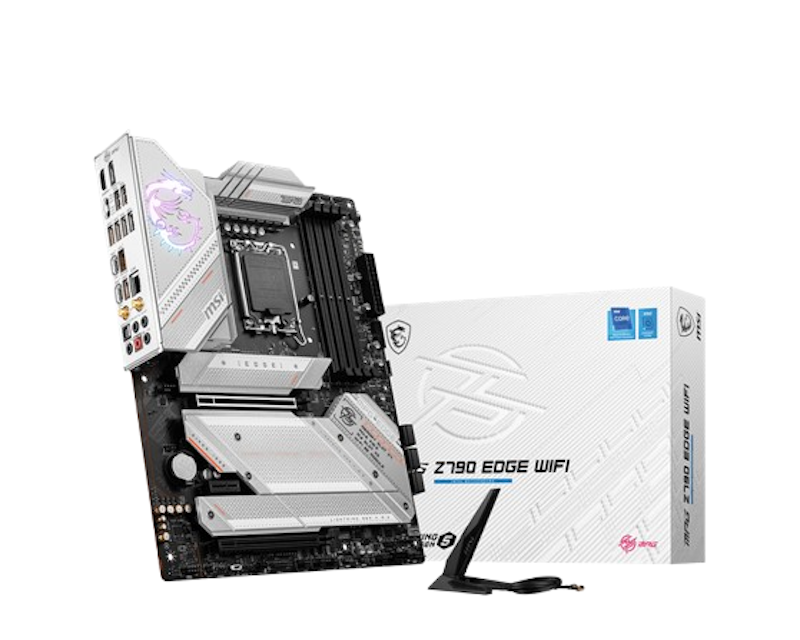
Reviews mention:
Shoppers find overclocking stable and BIOS updates simple. A few mention minor initial Wi-Fi setup tweaks, but the strong VRM cooling keeps high-end CPUs running reliably. They praise its consistent performance and reliability.
| CPU | Intel LGA 1700 Socket, Supports Intel Core 14th/ 13th/ 12th Gen Processors, Intel Pentium Gold and Celeron Processors |
|---|---|
| Chipset | Intel Z790 |
| Memory | 4x DDR5 UDIMM, Maximum Capacity 256GB |
| Slots | 2x PCIe x16 (PCIe 5.0 x16 From CPU, PCIe 4.0 x4 From Chipset), 1x PCIe x1 |
| VRM | 16+1+1 Duet Rail Power System, Frozr Design |
| Wireless Module | Intel Wi-Fi 6E, Bluetooth 5.3 |
| Back Panel Ports | 1x DisplayPort, 1x 2.5G LAN, 1x Wi-Fi/Bluetooth, 1x HDMI™, 1x USB 20Gbps Type-C, 3x USB 10Gbps (2x Type-A, 1x Type-C), 1x USB 5Gbps Type-A, 1x Optical S/PDIF Out, 1x Clear CMOS/Flash BIOS Button, and Audio Connectors |
| Internal I/O Connectors | 1x ATX Power & 2x CPU Power, 8x Fan Headers (CPU/Pump/System), 2x Front Panel (JFP), 1x Chassis Intrusion (JCI), 1x Front Audio (JAUD), 1x Tuning Controller (JDASH), 4x LED Headers (3x ARGB V2, 1x RGB), 1x TPM Header, 7x Front USB Ports/Headers (4x 2.0, 2x 5Gbps Type-A, 1x 10Gbps Type-C) |
| Form Factor | ATX |
Frequently Asked Questions
Is the Motherboard Important for Gaming?
What Is the Best Gaming Motherboard for Ryzen 5 5600G?
Can You Use Any Motherboard for Gaming?
Does Motherboard Matter for Performance?
Complete Your Gaming Build With These Essential Components


How We Chose and Ranked Our Product Recommendations
The descriptions of each product are referenced from content available on manufacturer, brand, and e-commerce sites.