10 Best Stylus Pens in the Philippines 2026 | Apple, Xiaomi, and More
A stylus pen is a touchscreen tool that gives you more precise control than a fingertip, making handwriting, sketching, and signing documents easier while keeping oils off your screen. A stylus pen is a smart add-on for students, professionals, and digital artists using an iPad or Android tablet.
Stylus pen prices in the Philippines run from under PHP 1,000 to around PHP 10,000, so we compared best-selling stylus pens on Lazada and Shopee. Our buying guide covers stylus pen type, device compatibility, budget, and palm rejection feature to help you find the best stylus pen.

Hazel is a content planner and writer dedicated to simplifying your online shopping experience. With a passion for research and a keen eye for quality, she digs into the details to bring you trustworthy and insightful buying guides you can rely on.
Why You Can Trust Us
Every mybest article is crafted with hours of in-depth research and interviews with experts. Each month, we are continually expanding our database of products based on our research. By emphasizing user insight and reliable information, we deliver trustworthy content to readers.
How to Choose a Stylus Pen - Buying Guide
Stylus pens are beneficial not only to regular students or employees. Digital artists can optimize stylus pens for creating their artworks with more accurate lines, shapes, and figures. Stylus pens are a great, convenient tool as well for those with orthopedic or motor skill conditions. Here are some considerations in purchasing a stylus pen.
Pick Between Active or Passive Stylus Pen
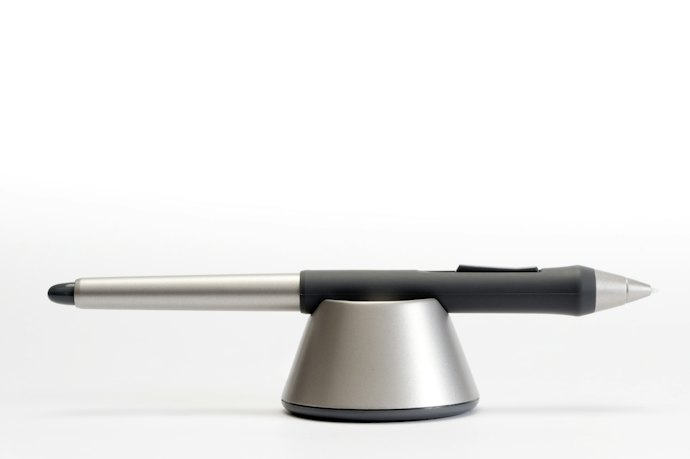
Stylus pens are either active or passive. The main difference between the two is the electronic parts inside the active stylus pens that the passive ones do not have. Active stylus pens offer more precision and are highly sensitive to pressure, hence, digital artists prefer them more. Active stylus pens usually look like the Apple Pencil, and some include an eraser mode.
On the other hand, passive stylus pens are dependent on our fingers' electrical charge to interact with the screen, and they have no direct communication with the gadget. They usually have a rounded tip to mimic your fingertips.
Set a Budget Based on the Stylus Pen Features You Need
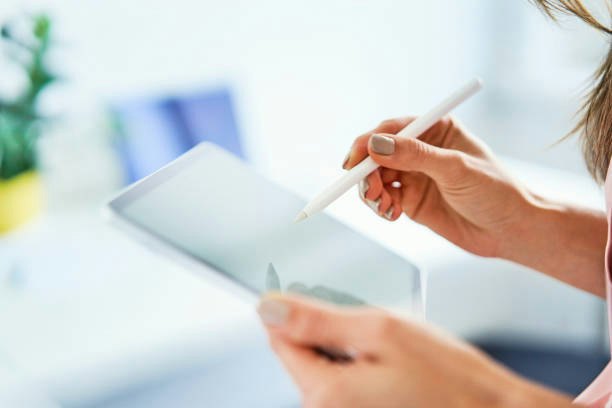
- Budget (under PHP 1,500): Great for everyday notes and tapping. Try the Ugreen Stylus Pen for Apple or Spigen Universal Stylus Pen.
- Mid-range (PHP 2,000 to PHP 3,000): Made for specific Android tablets, with pressure sensitivity for sketching. Try the Infinix Xpencil 20 or Poco Smart Pen.
- Premium (PHP 5,000 and up): Ideal for frequent drawing and low-lag writing. Try the Apple Pencil (USB-C) or Huawei M-Pencil.
Always confirm the stylus pen fits your device first.
Look at the Stylus Pen's Compatibility With Your Device's Touchscreen Type and Operating System

Nothing is more frustrating than buying a stylus pen that does not work with your device, so a quick compatibility check saves you time and money. Most phones and tablets have capacitive touchscreens, which work with both active and passive stylus pens. Some Android stylus pens, like the Xiaomi Pad 6 Stylus Pen and Infinix Xpencil 20, use EMR technology instead, so they only work with matching tablets.
Also check your operating system (iPadOS, Android, Windows, or HarmonyOS) since many active pens work only with specific brands or models, so confirm the compatibility list on Lazada or Shopee before ordering.
Select a Stylus Pen Tip According to Your Purpose
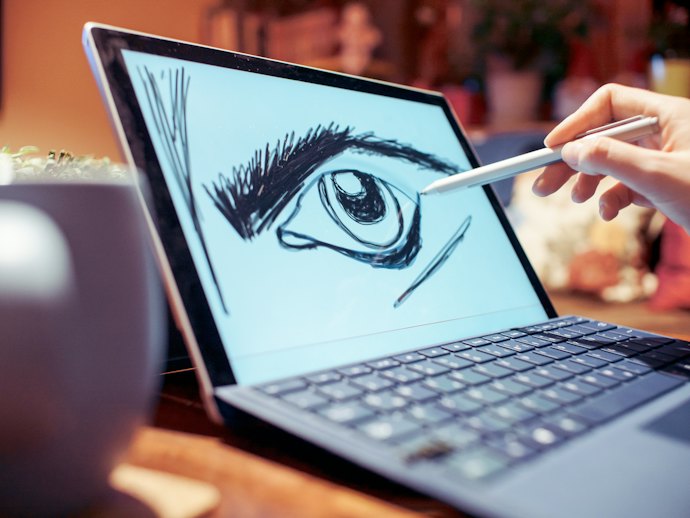
Every stylus pen tip has a specific function, and it is wise to purchase a stylus pen with a tip that you have to use regularly. For best and optimal usage, choose a multifunctional stylus pen, preferably with a replaceable tip, and comes with multiple replacement nibs out of the package.
A round or flat tip simulates almost identically with your finger actions, so it is suitable for the device's normal navigation. For sketches, drawings, or penmanship functions, use the fine tip or nib end stylus pen. There are also various styles of copy brushes for more detailed digital artworks.
Look for a Stylus Pen With Palm Rejection if You Take Notes or Draw
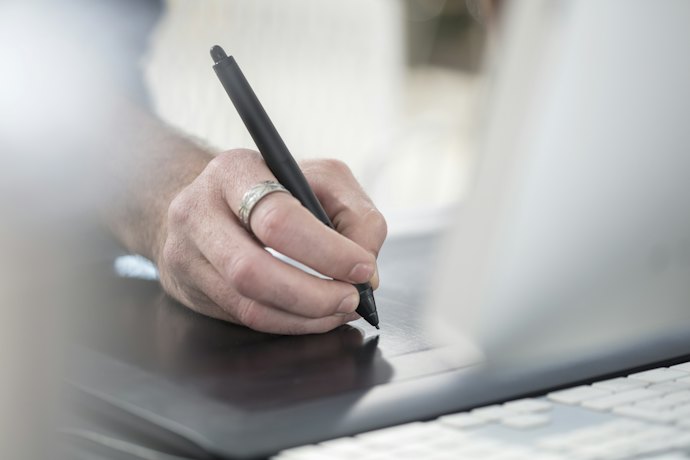
Ever had your notes ruined by a stray mark from your resting hand? Palm rejection stops your tablet from reading your palm as a touch, so you can write and draw naturally without accidental lines or taps. Only active stylus pens have this feature.
For iPad, try the Ugreen Stylus Pen for Apple or the Baseus Smooth Writing 3. Looking for a stylus pen with palm rejection for Android? The Poco Smart Pen and Infinix Xpencil 20 are good options for their matching tablets.
Check for Extra Stylus Pen Features Like Bluetooth, 2-in-1 Designs, and Protective Cases

Small extras can make a big difference in how you use your stylus pen. Here's what to look for:
- Bluetooth: Handy if you use one stylus pen across several devices. It needs AA, AAA, or rechargeable batteries.
- Magnet, clip, or hoop: Keeps your stylus pen easy to find.
- Protective case or cover: Keeps the stylus tip clean in your bag.
- 2-in-1 or 3-in-1 stylus pen: May combine a stylus tip with a ballpoint, laser pointer, or phone stand.
What's included varies by seller, so check the listing.
10 Best Stylus Pens to Buy Online
| Products | Image | Click to purchase | Popularity | Details | ||||||
|---|---|---|---|---|---|---|---|---|---|---|
Stylus Type | Device Compatibility | Operating System Compatibility | Touchscreen Type | Pen Tips Available | Extra Features | |||||
1 | Pencil (USB-C) Apple |  | No.1 | Active | iPadOS (iPads Only) | iPadOS | Capacitive | Pixel-Perfect Precision, Low Latency, Tilt Sensitivity, Magnetic Attachment, USB-C Charging, Bluetooth Pairing, Apple Pencil Hover Support | ||
2 | M-Pencil (3rd generation) | Stylus Pen HUAWEI |  | No.2 | Active | HarmonyOS Tablets (MatePad Pro, Air, and Select MatePad Series) | HarmonyOS 3.0, HarmonyOS 4.0+ | Capacitive | NearLink Connectivity, 10,000+ Pressure Sensing Levels, Double-Tap Shortcuts, Magnetic Attachment, Wireless Pairing, Wireless Charging, Replaceable Pen Tip, Tilt Sensitivity, Color Capture, Take Snippet | ||
3 | Smart Pen Global Version POCO |  | No.3 | Active | Android (Only Works With POCO Pad) | Android | Capacitive | 4,096 Pressure Levels, Palm Rejection, Ultra–Low Latency, Magnetic Attachment, Shortcut Buttons, 12–Hour Battery Life | ||
4 | Stylus Pen for Apple UGREEN |  | No.4 | Active | iPadOS (iPads Released After 2018) | iPadOS | Capacitive | Palm Rejection, Tilt Sensitivity, Magnetic Attachment, Wireless Charging, Bluetooth Pairing, Real–Time Battery Display | ||
5 | Pad 6 Stylus Pen Xiaomi |  | No.5 | Active | Android (Strictly for Xiaomi/MIUI Pad Devices, Pad 5/6 Series; Not All Android Tablets) | Android, Requires MIUI Pad / HyperOS (Android-Based) for Full Functionality | EMR (Electromagnetic Resonance) Technology (Not Standard Capacitive Touch) | 4,096 Pressure Levels, Ultra-Low Latency, Tilt Sensitivity, Magnetic Attachment, Wireless Charging, Shortcut Buttons, 150-Hour Battery Life | ||
6 | Smooth Writing 3 Stylus Pen Baseus |  | No.6 | Active | iPadOS (iPad Pro 2018–2024, iPad Air, iPad Mini, iPad: 6th Gen or Newer) | iPadOS 12.2 or Higher | Active Capacitive With Tilt Sensitivity | Palm Rejection, Tilt Sensitivity, Magnetic Attachment, 17-Hour Battery Life, LED Battery Indicators, Auto Sleep | ||
7 | XPENCIL 20 Stylus Pen Infinix |  | No.7 | Active | Android | Android | EMR (Electromagnetic Resonance) | 4,096 Pressure Levels, 10 ms Ultra-Low Latency, Palm Rejection, Tilt Sensitivity, Magnetic Attachment, Replaceable Pen Tips | ||
8 | GD14 Stylus Pen for iPad Pencil GOOJODOQ |  | No.8 | Active | iOS | iPadOS | Capacitive | Palm Rejection, Tilt Sensitivity, Magnetic Attachment, USB-C Charging, Bluetooth Pairing | ||
9 | Mag.Link Pop Magnetic Charging V2 Active Stylus Pen Momax |  | No.9 | Active | iOS | iPadOS | Capacitive | Palm Rejection, Tilt Sensitivity, Magnetic Attachment, 30-Minute Fast Charging, 8.5-Hour Battery Life, Low Latency, Auto Sleep | ||
10 | Universal Stylus Pen Black Spigen |  | No.10 | Passive | Android, iOS | Windows, ChromeOS, Android | Capacitive | Two Interchangeable Tips, 180-Degree Pivoting Tip, Magnetic Cap, Aluminum Body, No Charging Required | ||

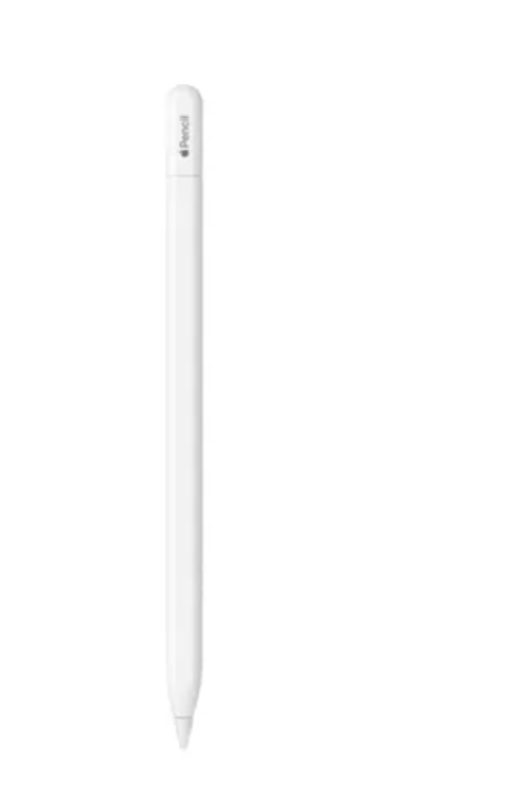
Many find that it writes exceptionally smoothly with almost no noticeable lag. People appreciate how easy it is to pair and charge using the same USB-C cable as their iPad. Several note that the magnetic attachment makes it more convenient to keep within reach.
| Stylus Type | Active |
|---|---|
| Device Compatibility | iPadOS (iPads Only) |
| Operating System Compatibility | iPadOS |
| Touchscreen Type | Capacitive |
| Pen Tips Available | |
| Extra Features | Pixel-Perfect Precision, Low Latency, Tilt Sensitivity, Magnetic Attachment, USB-C Charging, Bluetooth Pairing, Apple Pencil Hover Support |
HUAWEI M-Pencil (3rd generation) | Stylus Pen
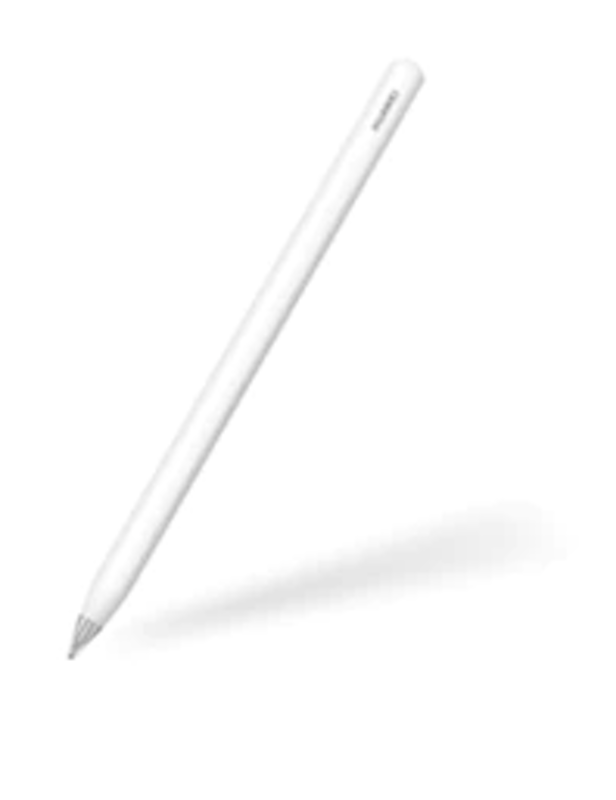
People find that it feels highly responsive when sketching and taking notes. Many appreciate the quick double-tap gesture for switching tools without interrupting their workflow. Several mention that the magnetic charging system keeps it ready to use with minimal effort.
| Stylus Type | Active |
|---|---|
| Device Compatibility | HarmonyOS Tablets (MatePad Pro, Air, and Select MatePad Series) |
| Operating System Compatibility | HarmonyOS 3.0, HarmonyOS 4.0+ |
| Touchscreen Type | Capacitive |
| Pen Tips Available | |
| Extra Features | NearLink Connectivity, 10,000+ Pressure Sensing Levels, Double-Tap Shortcuts, Magnetic Attachment, Wireless Pairing, Wireless Charging, Replaceable Pen Tip, Tilt Sensitivity, Color Capture, Take Snippet |
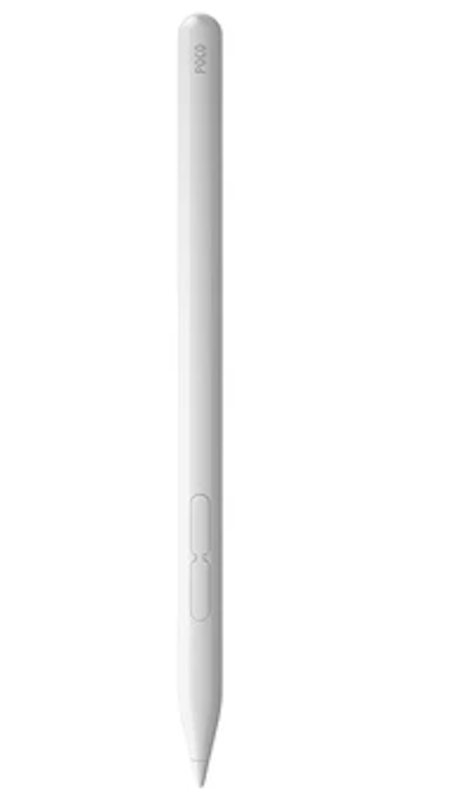
Several find that it delivers accurate handwriting and sketching performance for the price. People appreciate the palm rejection feature, which makes note–taking feel more natural. Many note that it works especially well for students using their tablets for class and productivity.
| Stylus Type | Active |
|---|---|
| Device Compatibility | Android (Only Works With POCO Pad) |
| Operating System Compatibility | Android |
| Touchscreen Type | Capacitive |
| Pen Tips Available | |
| Extra Features | 4,096 Pressure Levels, Palm Rejection, Ultra–Low Latency, Magnetic Attachment, Shortcut Buttons, 12–Hour Battery Life |
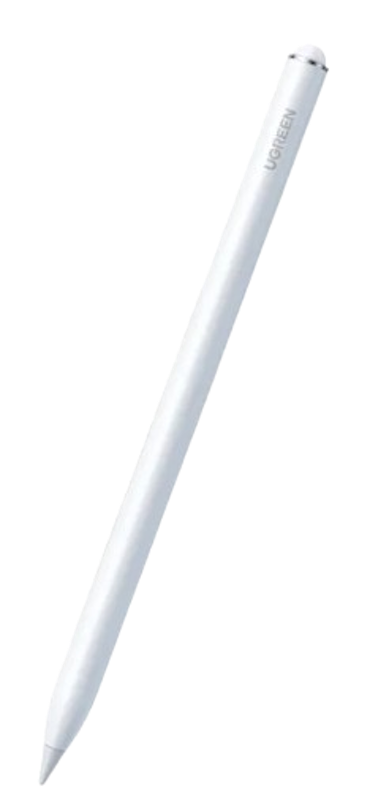
Many find that it writes smoothly with minimal lag during note–taking and drawing. People appreciate the magnetic charging feature, which makes it feel closer to premium alternatives. Several note that palm rejection works reliably, allowing them to rest their hand naturally on the screen.
| Stylus Type | Active |
|---|---|
| Device Compatibility | iPadOS (iPads Released After 2018) |
| Operating System Compatibility | iPadOS |
| Touchscreen Type | Capacitive |
| Pen Tips Available | |
| Extra Features | Palm Rejection, Tilt Sensitivity, Magnetic Attachment, Wireless Charging, Bluetooth Pairing, Real–Time Battery Display |

People find that it feels highly responsive when paired with compatible Xiaomi tablets. Many appreciate the pressure sensitivity, especially for sketching and detailed annotations. Several mention that the shortcut buttons make it easier to capture screenshots and switch tools quickly.
| Stylus Type | Active |
|---|---|
| Device Compatibility | Android (Strictly for Xiaomi/MIUI Pad Devices, Pad 5/6 Series; Not All Android Tablets) |
| Operating System Compatibility | Android, Requires MIUI Pad / HyperOS (Android-Based) for Full Functionality |
| Touchscreen Type | EMR (Electromagnetic Resonance) Technology (Not Standard Capacitive Touch) |
| Pen Tips Available | |
| Extra Features | 4,096 Pressure Levels, Ultra-Low Latency, Tilt Sensitivity, Magnetic Attachment, Wireless Charging, Shortcut Buttons, 150-Hour Battery Life |
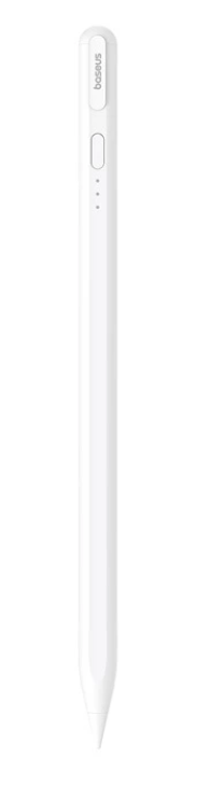
Several find that the writing experience is smooth and responsive, making it a reliable alternative for taking notes. People note that the magnetic charging is strong and convenient for keeping the pen secure while on the move. Many appreciate the long battery life, often mentioning it lasts through multiple days of moderate use without needing a recharge.
| Stylus Type | Active |
|---|---|
| Device Compatibility | iPadOS (iPad Pro 2018–2024, iPad Air, iPad Mini, iPad: 6th Gen or Newer) |
| Operating System Compatibility | iPadOS 12.2 or Higher |
| Touchscreen Type | Active Capacitive With Tilt Sensitivity |
| Pen Tips Available | |
| Extra Features | Palm Rejection, Tilt Sensitivity, Magnetic Attachment, 17-Hour Battery Life, LED Battery Indicators, Auto Sleep |

Many find that it integrates smoothly with compatible Infinix tablets without additional setup. People appreciate the responsive writing experience for school and office tasks. Several mention that it feels like a natural extension of the tablet rather than a third-party accessory.
| Stylus Type | Active |
|---|---|
| Device Compatibility | Android |
| Operating System Compatibility | Android |
| Touchscreen Type | EMR (Electromagnetic Resonance) |
| Pen Tips Available | |
| Extra Features | 4,096 Pressure Levels, 10 ms Ultra-Low Latency, Palm Rejection, Tilt Sensitivity, Magnetic Attachment, Replaceable Pen Tips |
GOOJODOQGD14 Stylus Pen for iPad Pencil

Several find that it offers excellent value compared with more expensive alternatives. People appreciate the broad iPad compatibility and straightforward setup. Many note that it works well for everyday note-taking and light creative work.
| Stylus Type | Active |
|---|---|
| Device Compatibility | iOS |
| Operating System Compatibility | iPadOS |
| Touchscreen Type | Capacitive |
| Pen Tips Available | |
| Extra Features | Palm Rejection, Tilt Sensitivity, Magnetic Attachment, USB-C Charging, Bluetooth Pairing |
MomaxMag.Link Pop Magnetic Charging V2 Active Stylus Pen
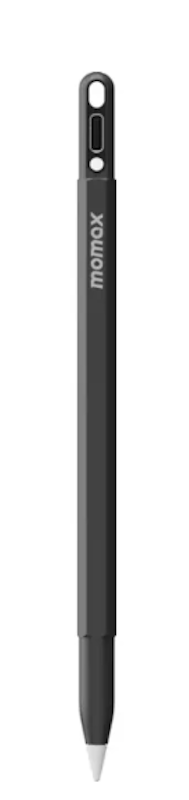
Many appreciate its sleek design and easy magnetic charging system. People find it comfortable to use for quick notes and daily productivity. Several mention that it combines premium aesthetics with dependable performance.
| Stylus Type | Active |
|---|---|
| Device Compatibility | iOS |
| Operating System Compatibility | iPadOS |
| Touchscreen Type | Capacitive |
| Pen Tips Available | |
| Extra Features | Palm Rejection, Tilt Sensitivity, Magnetic Attachment, 30-Minute Fast Charging, 8.5-Hour Battery Life, Low Latency, Auto Sleep |
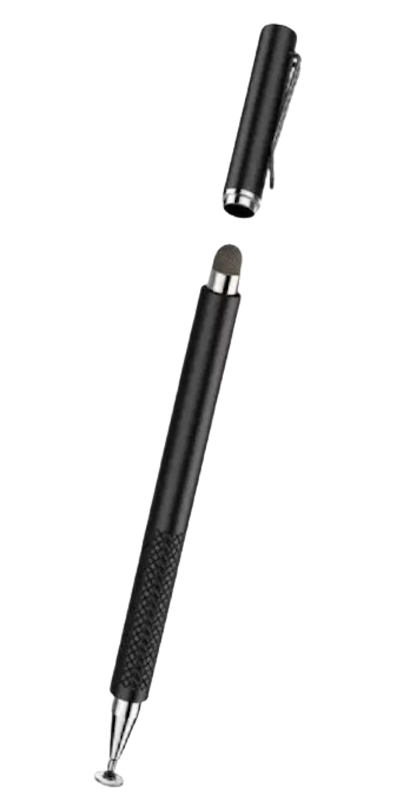
People appreciate that it works instantly without batteries or setup. Many find it useful for casual note-taking and navigating touchscreens. Several note that the sturdy construction makes it feel more premium than typical universal styluses.
| Stylus Type | Passive |
|---|---|
| Device Compatibility | Android, iOS |
| Operating System Compatibility | Windows, ChromeOS, Android |
| Touchscreen Type | Capacitive |
| Pen Tips Available | |
| Extra Features | Two Interchangeable Tips, 180-Degree Pivoting Tip, Magnetic Cap, Aluminum Body, No Charging Required |
Frequently Asked Questions
How Much Does a Stylus Pen Cost in the Philippines?
Stylus pens on Lazada and Shopee range from under PHP 1,000 to around PHP 10,000, depending on the stylus pen type and the device it is made for. Stylus pens matched to a specific brand's tablets usually cost the most. Choose your device and main use first, then pick the price tier in the buying guide that fits your budget.
What Is a Stylus Pen Used For?
A stylus pen lets you tap, scroll, write, sign documents, and draw on a touchscreen more accurately than a fingertip. Students use it for handwritten notes, professionals for signing PDFs, and artists for sketching. If you mainly write or draw, choose an active stylus pen, and if you only need to tap and scroll, a passive stylus pen is enough.
Can I Use Any Stylus Pen With My Android Phone?
Not always. Passive stylus pens work with most capacitive touchscreens, but many active stylus pens only work with specific brands or models. Check the compatibility details on the product page, or choose a passive stylus pen like the Spigen Universal Stylus Pen if you want one that works across different devices.
Why Is My Stylus Pen Not Working?
Active stylus pens usually stop responding because of a low battery, a lost Bluetooth connection, an unsupported device, or a worn tip. A thick screen protector can also interfere. Charge or replace the batteries first, reconnect the stylus pen, and swap the nib if it is worn, and if it still does not respond, contact the stylus pen seller about a warranty check.
Is There a Cheaper Alternative to an Official Stylus Pen?
Yes. Third-party stylus pens from brands like Ugreen, Baseus, and Goojodoq offer palm rejection and magnetic charging for iPads at a fraction of the Apple Pencil's price, though some may lack features like pressure sensitivity. To save money, pick a well-reviewed third-party stylus pen and compare its listed features with what you need before buying.
Pair Up the Stylus Pen with an Excellent Tablet
Complete your stylus kit with a tablet! Here are some article reviews of the best tablets available online. It will surely be of great help in your online class, work-from-home, or creating digital artworks!


How We Chose and Ranked Our Product Recommendations
Our buying guide was carefully researched and crafted by the mybest team of writers and editors. We used the buying guide as a basis for choosing and ranking the product recommendations, and we looked at reviews and ratings from different E-commerce sites like Lazada, Shopee, and more.
The descriptions of each product are referenced from content available on manufacturer, brand, and e-commerce sites.