
10 Best Wi-Fi Dongles for PCs in the Philippines 2026 | TP-Link, Asus, and More
Many desktop PCs do not come with built-in Wi-Fi, which makes a Wi-Fi dongle or USB Wi-Fi adapter a practical upgrade for many Filipino households. Whether you’re working from home, attending online classes, streaming, or gamingーa stable, fast internet connection is essential for daily tasks.
In this guide, we’ll help you choose the best Wi-Fi dongle for PC users in the Philippines. You’ll find a detailed buying guide, along with practical tips for comparing features, performance, and cost. We’ve also considered models widely available on Lazada and Shopee, so you can make a more informed decision before purchasing.

With seven years of content writing, web marketing, and SEO expertise, Joey specializes in crafting engaging, lead-generating content across various industries. Her global B2B experience spans clients in Southeast Asia, South America, and the US, giving her a diverse perspective on small business needs. She have a knack for blending data-driven strategies with creativity to create stories that resonate and perform.
Why You Can Trust Us
Every mybest article is crafted with hours of in-depth research and interviews with experts. Each month, we are continually expanding our database of products based on our research. By emphasizing user insight and reliable information, we deliver trustworthy content to readers.
How to Choose a Wi-Fi Dongle - Buying Guide
Choose a Wi-Fi Dongle That Matches Your Needs
For PC Users Without Built-in Wi-Fi: Plug-and-Play Models Offer Hassle-Free Setup
For Remote Workers: Wi-Fi 5/6 Dongles for Reliable Connection During Video Calls and Meetings

For PC Gamers: Dongles With Low Latency and High-Speed Connectivity for Lag-Free Gaming

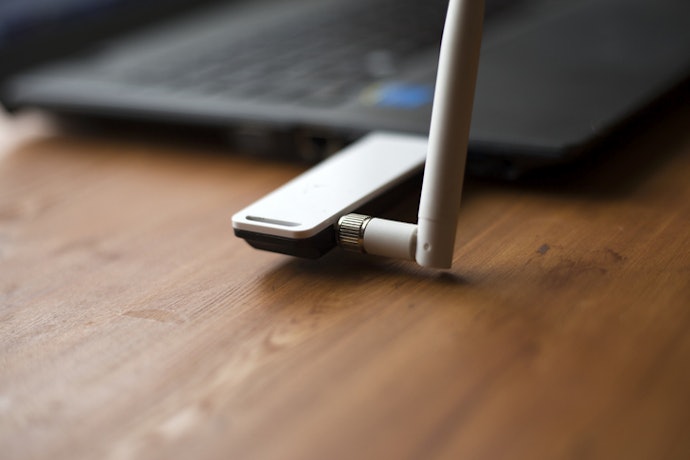
Opt for Dual-Band (2.4GHz + 5GHz) Dongles With External Antennas for a Strong, Stable Connection
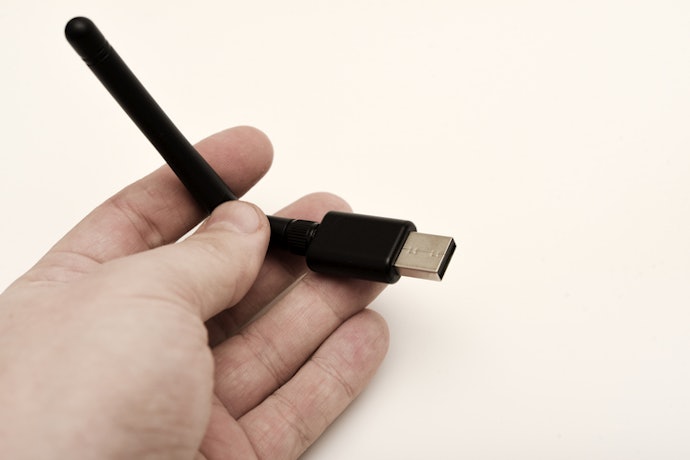
Models with external antennas can further improve reception, particularly in rooms far from the router or in apartments with thick walls. Some dongles also include Bluetooth support, allowing you to connect wireless peripherals without needing a separate adapter, adding convenience to your overall setup.
Select Compact Wi-Fi Dongles to Save Space and Make Storage Easier

10 Best Wi-Fi Dongles for PC to Buy Online
| Products | Image | Click to purchase | Popularity | Details | ||||||||
|---|---|---|---|---|---|---|---|---|---|---|---|---|
Plug-and-Play | Band Frequency | Wi-Fi Speeds | Wi-Fi Standards | Wi-Fi Generation | Antenna Band | Compatible Operating System | USB Version | |||||
1 | Archer T3U Plus|AC1300 TP-Link |  | No.1 | 2.4 GHz, 5 GHz | 400 Mbps on 2.4 GHz, 867 Mbps on 5 GHz | 802.11b/g/n (2.4 GHz), 802.11a/n/ac (5 GHz) | Wi-Fi 5 | 2 External High-Gain Antenna | Windows 10, Windows 8.1, Windows 8, Windows 7, Windows XP, macOS | Version 3.0 | ||
2 | USB-AC53 Nano|USB-AC53 Asus |  | No.2 | 2.4 GHz, 5 GHz | 300 Mpbs on 2.4 GHz, 867 Mbps on 5 GHz | 802.11 a/b/g/n/ac | Wi-Fi 5 | 2 Internal Antennas | Windows 7, Windows 8, Windows 8.1, Windows 10 | Version 2.0 | ||
3 | Archer TX10UB Nano|AX900 TP-Link |  | No.3 | 2.4 GHz, 5 GHz | 287 Mbps on 2.4 GHz, 600 Mbps on 5 GHz | 802.11b/g/n/ax (2.4GHz), 802.11a/n/ac/ax (5GHz) | Wi-Fi 6 | Internal Omni-Directional Antenna | Windows 10, Windows 11 | Version 2.0 | ||
4 | MU6H Wi-Fi Dongle for PC|AC650 Mercusys |  | No.4 | 2.4 GHz, 5 GHz | 200 Mbps on 2.4 GHz, 433 Mbps on 5 GHz | 802.11b/g/n, 802.11a/n/ac | Wi-Fi 5 | External High-Gain Antenna | Windows 10, Windows 8.1, Windows 8, Windows 7, Windows XP | Version 2.0 | ||
5 | 5G Wi-Fi Dongle|CF-812AC Comfast |  | No.5 | 2.4 GHz, 5.8 GHz | 400Mbps on 2.4 GHz, 867Mbps on 5.8 GHz | 802.11ac/a/b/g/n | Wi-Fi 5 | Internal Dual-Band Antenna | Windows XP, Windows 7, Windows 8, Windows 10, macOS | Version 3.0 | ||
6 | Wi-Fi 6 Dongle Adapter |AX900 Vention |  | No.6 | 2.4 GHz, 5 GHz | 286 Mbps on 2.4 GHz, 600 Mbps on 5 GHz | 802.11a/b/g/n/ac/ax | Wi-Fi 6 | External High-Gain Antenna | Windows 7, Windows 10, Windows 11 | Version 2.0 | ||
7 | Wireless Dual Band USB Adapter|U9 AC650 Tenda |  | No.7 | 2.4 GHz, 5 GHz | 200 Mbps on 2.4 GHz, 433 Mbps on 5 GHz | 802.11ac | Wi-Fi 5 | Internal Antenna | Windows XP, Windows 7, Windows 8, Windows 8.1, Windows 10 | Version 2.0 | ||
8 | 2-in-1 Wi-Fi 6 Dongle for PC|AX900 UGREEN |  | No.8 | 2.4 GHz, 5 GHz | 287 Mbps on 2.4G Hz, 600 Mbps on 5 GHz | 802.11b/g/n, 802.11a/ac, 802.11ax | Wi-Fi 6 | External High-Gain Antenna | Windows 10, Windows 11, Linux | Version 2.0 | ||
9 | Wi-Fi 6 USB Adapter|DH‑5106U AX900 Prolink |  | No.9 | 2.4 GHz, 5 GHz | 286 Mbps on 2.4 GHz, 600 Mbps on 5 GHz | 802.11ax/ac/n/a | Wi-Fi 6 | Internal Antenna | Windows 10, Windows 11 | Version 2.0 | ||
10 | Archer Tri-Band Wi-Fi Adapter|TBE400UH BE6500 TP-Link |  | No.10 | 2.4 GHz, 5 GHz, 6 GHz | 688 Mbps on 2.4 GHz, 2882 Mbps on 5 GHz, 2882Mbps on 6GHz | 802.11be, 802.11a/b/g/n/ac/ax | Wi-Fi 7 | 2 High-Gain Tri-Band Antennas | Windows 10, Windows 11 | Version 3.0 | ||


Reviews mention:
Many find that it boosts signal strength noticeably in larger homes thanks to the adjustable antennas. A lot of reviews note reliable speeds for HD video streaming without drops during peak hours. They also appreciate the easy setup on older laptops without driver hunts.| Plug-and-Play | |
|---|---|
| Band Frequency | 2.4 GHz, 5 GHz |
| Wi-Fi Speeds | 400 Mbps on 2.4 GHz, 867 Mbps on 5 GHz |
| Wi-Fi Standards | 802.11b/g/n (2.4 GHz), 802.11a/n/ac (5 GHz) |
| Wi-Fi Generation | Wi-Fi 5 |
| Antenna Band | 2 External High-Gain Antenna |
| Compatible Operating System | Windows 10, Windows 8.1, Windows 8, Windows 7, Windows XP, macOS |
| USB Version | Version 3.0 |

Reviews mention:
Users like how its nano design barely sticks out, so it doesn’t get in the way when plugged in. They note solid speeds with no lag while playing games. Many buyers also highlight its reliability as a backup adapter for travel.
| Plug-and-Play | |
|---|---|
| Band Frequency | 2.4 GHz, 5 GHz |
| Wi-Fi Speeds | 300 Mpbs on 2.4 GHz, 867 Mbps on 5 GHz |
| Wi-Fi Standards | 802.11 a/b/g/n/ac |
| Wi-Fi Generation | Wi-Fi 5 |
| Antenna Band | 2 Internal Antennas |
| Compatible Operating System | Windows 7, Windows 8, Windows 8.1, Windows 10 |
| USB Version | Version 2.0 |

Buyers find Bluetooth pairing fast, with the dongle boosting Wi-Fi on older laptops and desktops. Many like its small, discreet design that stays plugged in without wobbling. They also mention that it keeps connections stable even on crowded networks.
| Plug-and-Play | |
|---|---|
| Band Frequency | 2.4 GHz, 5 GHz |
| Wi-Fi Speeds | 287 Mbps on 2.4 GHz, 600 Mbps on 5 GHz |
| Wi-Fi Standards | 802.11b/g/n/ax (2.4GHz), 802.11a/n/ac/ax (5GHz) |
| Wi-Fi Generation | Wi-Fi 6 |
| Antenna Band | Internal Omni-Directional Antenna |
| Compatible Operating System | Windows 10, Windows 11 |
| USB Version | Version 2.0 |
Mercusys MU6H Wi-Fi Dongle for PC | AC650
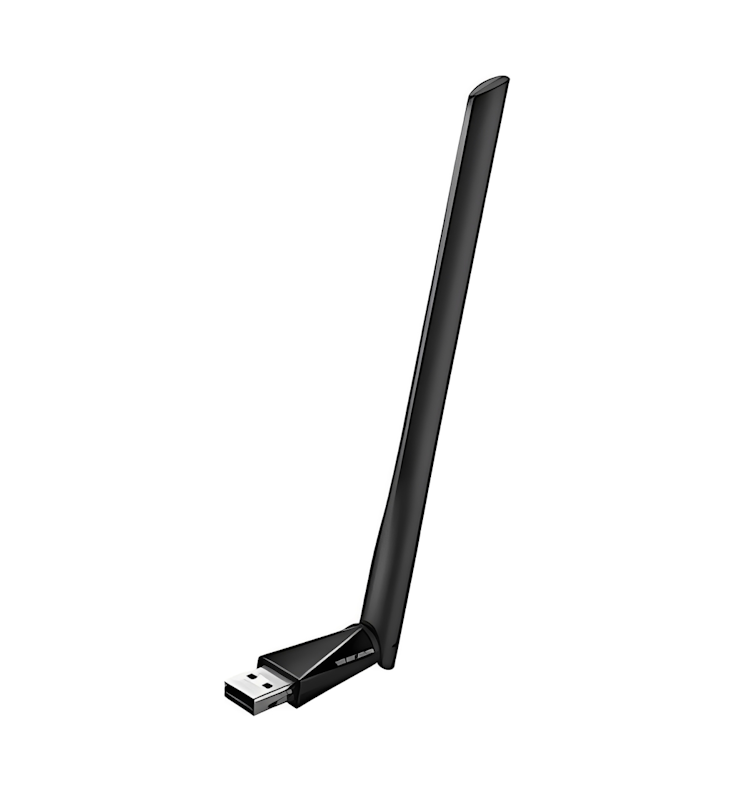
Customers notice faster, more stable connections than older USB adapters, especially for streaming and online work. They like the compact size that stays safely plugged in while traveling. Some note drivers may be needed on certain systems, but most praise its reliability.
| Plug-and-Play | |
|---|---|
| Band Frequency | 2.4 GHz, 5 GHz |
| Wi-Fi Speeds | 200 Mbps on 2.4 GHz, 433 Mbps on 5 GHz |
| Wi-Fi Standards | 802.11b/g/n, 802.11a/n/ac |
| Wi-Fi Generation | Wi-Fi 5 |
| Antenna Band | External High-Gain Antenna |
| Compatible Operating System | Windows 10, Windows 8.1, Windows 8, Windows 7, Windows XP |
| USB Version | Version 2.0 |
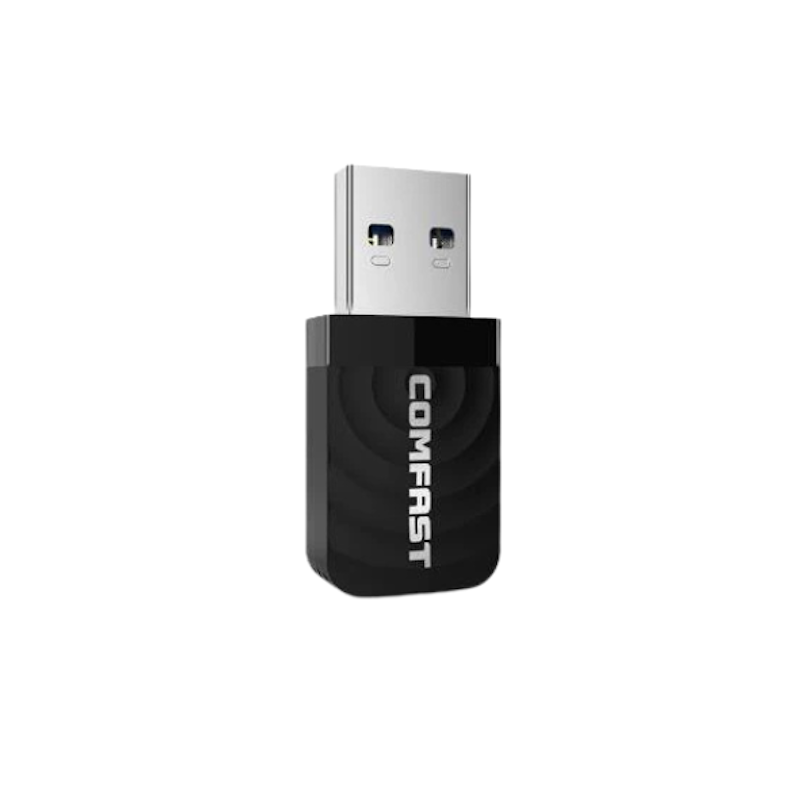
Reviews mention:
Many users say it performs well for its price, especially for work, browsing, and streaming. Buyers note setup is easy on most systems, making it beginner-friendly. Some mention the light plastic build, but overall feedback praises its value.
| Plug-and-Play | |
|---|---|
| Band Frequency | 2.4 GHz, 5.8 GHz |
| Wi-Fi Speeds | 400Mbps on 2.4 GHz, 867Mbps on 5.8 GHz |
| Wi-Fi Standards | 802.11ac/a/b/g/n |
| Wi-Fi Generation | Wi-Fi 5 |
| Antenna Band | Internal Dual-Band Antenna |
| Compatible Operating System | Windows XP, Windows 7, Windows 8, Windows 10, macOS |
| USB Version | Version 3.0 |

Reviews mention:
Shoppers share that it delivers fast, stable internet for work, streaming, and light gaming. They also say installation is simple, allowing them to move their PC anywhere in the house even if it’s far from the router. Most find the signal remains strong and reliable after days of use.
| Plug-and-Play | |
|---|---|
| Band Frequency | 2.4 GHz, 5 GHz |
| Wi-Fi Speeds | 286 Mbps on 2.4 GHz, 600 Mbps on 5 GHz |
| Wi-Fi Standards | 802.11a/b/g/n/ac/ax |
| Wi-Fi Generation | Wi-Fi 6 |
| Antenna Band | External High-Gain Antenna |
| Compatible Operating System | Windows 7, Windows 10, Windows 11 |
| USB Version | Version 2.0 |
Tenda Wireless Dual Band USB Adapter | U9 AC650
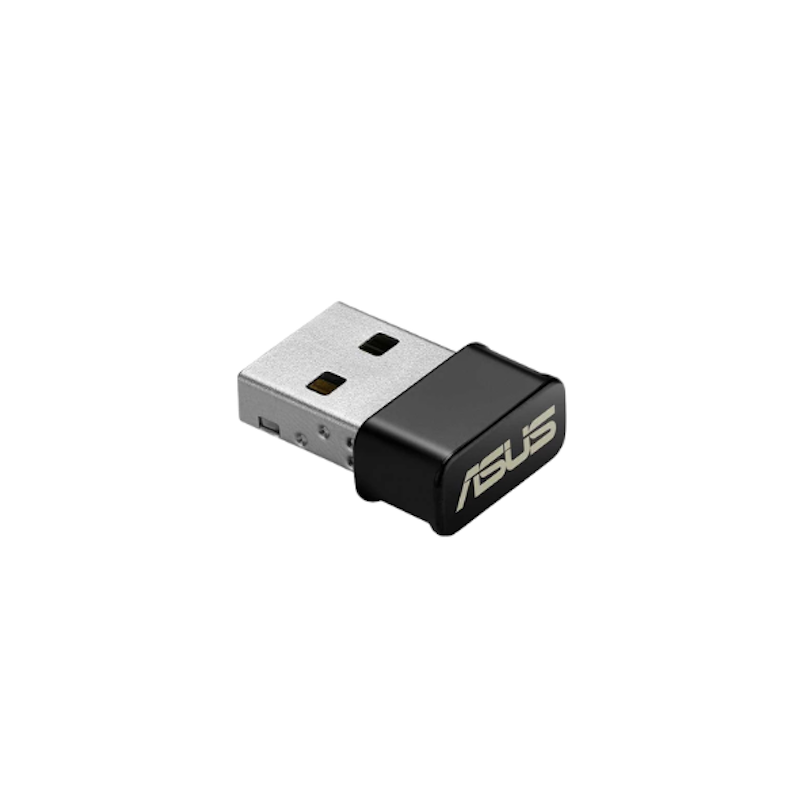
Reviews mention:
Reviewers consider it a reliable fix for desktops and laptops with weak or no Wi-Fi. They like the automatic installation, especially for less tech-savvy users. Many say band switching is smooth during peak-hour streaming and keeps connections stable on shared networks.
| Plug-and-Play | |
|---|---|
| Band Frequency | 2.4 GHz, 5 GHz |
| Wi-Fi Speeds | 200 Mbps on 2.4 GHz, 433 Mbps on 5 GHz |
| Wi-Fi Standards | 802.11ac |
| Wi-Fi Generation | Wi-Fi 5 |
| Antenna Band | Internal Antenna |
| Compatible Operating System | Windows XP, Windows 7, Windows 8, Windows 8.1, Windows 10 |
| USB Version | Version 2.0 |
UGREEN 2-in-1 Wi-Fi 6 Dongle for PC | AX900

Reviews mention:
Buyers say hotspot sharing works well, making it easy to extend internet to phones and tablets. They appreciate the stable connection during calls and streaming, even at moderate distances. Some note the antenna adds a bit of bulk, but overall feedback highlights dependable performance.
| Plug-and-Play | |
|---|---|
| Band Frequency | 2.4 GHz, 5 GHz |
| Wi-Fi Speeds | 287 Mbps on 2.4G Hz, 600 Mbps on 5 GHz |
| Wi-Fi Standards | 802.11b/g/n, 802.11a/ac, 802.11ax |
| Wi-Fi Generation | Wi-Fi 6 |
| Antenna Band | External High-Gain Antenna |
| Compatible Operating System | Windows 10, Windows 11, Linux |
| USB Version | Version 2.0 |
Prolink Wi-Fi 6 USB Adapter | DH‑5106U AX900
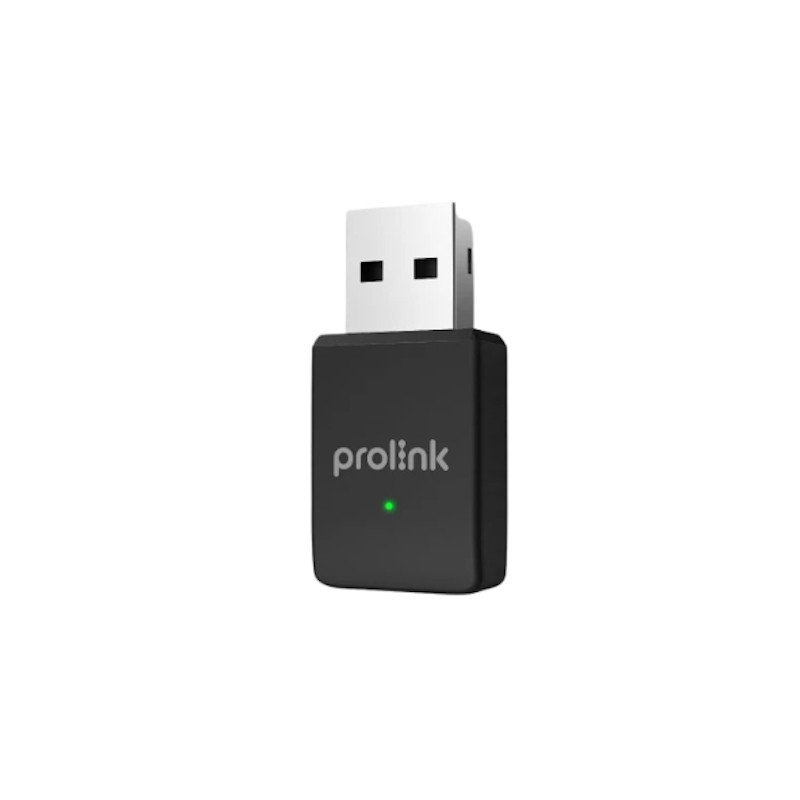
Reviews mention:
Buyers find this small adapter works well as a hotspot for sharing internet with phones and smart devices. Some would like macOS support, as it currently focuses on Windows and Linux. Many note stable 5 GHz speeds with multiple devices, though coverage is best in the same room.
| Plug-and-Play | |
|---|---|
| Band Frequency | 2.4 GHz, 5 GHz |
| Wi-Fi Speeds | 286 Mbps on 2.4 GHz, 600 Mbps on 5 GHz |
| Wi-Fi Standards | 802.11ax/ac/n/a |
| Wi-Fi Generation | Wi-Fi 6 |
| Antenna Band | Internal Antenna |
| Compatible Operating System | Windows 10, Windows 11 |
| USB Version | Version 2.0 |
TP-Link Archer Tri-Band Wi-Fi Adapter | TBE400UH BE6500

Reviews mention:
Those who have purchased this adapter like its fast, stable connections for gaming and 4K streaming. They highlight that the antennas improve signal when repositioned. Some note that a recent Windows system and Wi-Fi 6/7 router are needed to reach full speed.
| Plug-and-Play | |
|---|---|
| Band Frequency | 2.4 GHz, 5 GHz, 6 GHz |
| Wi-Fi Speeds | 688 Mbps on 2.4 GHz, 2882 Mbps on 5 GHz, 2882Mbps on 6GHz |
| Wi-Fi Standards | 802.11be, 802.11a/b/g/n/ac/ax |
| Wi-Fi Generation | Wi-Fi 7 |
| Antenna Band | 2 High-Gain Tri-Band Antennas |
| Compatible Operating System | Windows 10, Windows 11 |
| USB Version | Version 3.0 |
Frequently Asked Questions
How Do You Troubleshoot Wi-Fi Dongle Issues?
How Can I Improve My Wi-Fi Dongle’s Signal Range?
Additionally, you can try to position your PC away from thick walls or metal objects that may block signals. Using a USB extension cable can also help reposition the dongle for better line-of-sight to the router.
What’s the Difference Between a USB Wi-Fi Adapter and an Internal Wi-Fi Card?
Other Guides to Help Boost Your Wi-Fi Signal


How We Chose and Ranked Our Product Recommendations
The descriptions of each product are referenced from content available on manufacturer, brand, and e-commerce sites.