Scientific calculatorsHelping You Find the Best
mybest
Scientific calculatorsHelping You Find the Best
  • 10 Best Scientific Calculators for Engineering Students in the Philippines 2026 | Casio, Canon, and More 1
  • 10 Best Scientific Calculators for Engineering Students in the Philippines 2026 | Casio, Canon, and More 2
  • 10 Best Scientific Calculators for Engineering Students in the Philippines 2026 | Casio, Canon, and More 3
  • 10 Best Scientific Calculators for Engineering Students in the Philippines 2026 | Casio, Canon, and More 4
  • 10 Best Scientific Calculators for Engineering Students in the Philippines 2026 | Casio, Canon, and More 5

10 Best Scientific Calculators for Engineering Students in the Philippines 2026 | Casio, Canon, and More

A reliable scientific calculator is essential for engineering students, STEM high school students, and licensed professionals who deal with complex computations. Whether you're solving integrals, working with matrices, or preparing for PRC licensure exams, choosing the right calculator can make problem-solving faster and more efficient.


In this guide, we’ll walk you through the key features to consider, including engineering functions, display readability, durability, and PRC-compliant models allowed in many Philippine board exams.

Quick List - Top Scientific Calculators for Engineering Students

1

Canon

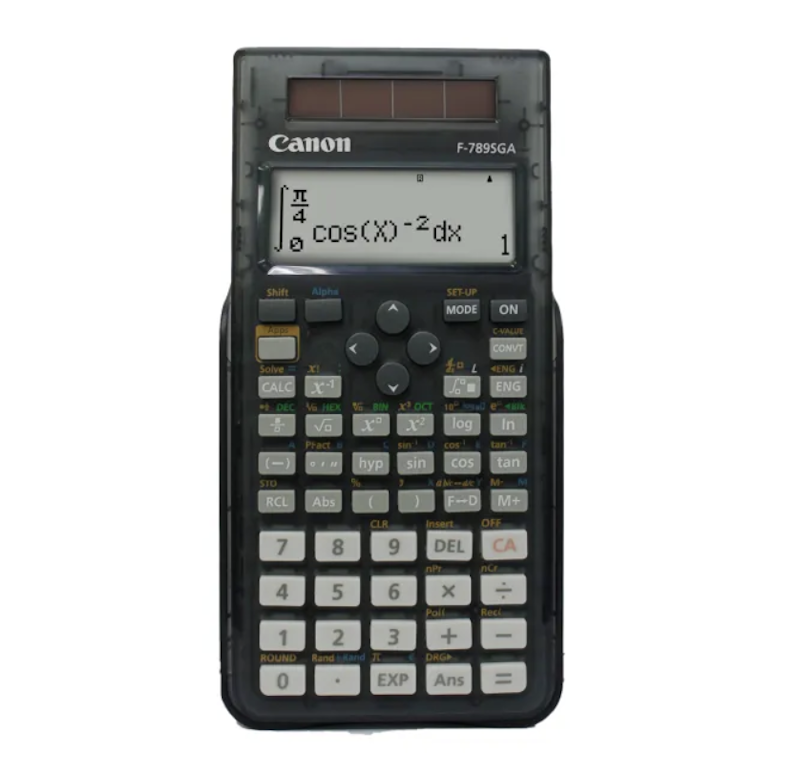
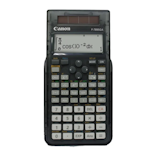
Scientific CalculatorF-789SGA
Scientific Calculator

Advanced Equation Handling for School–to–College Math Work

2

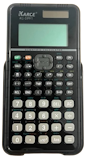
Kc-S991 Kc S991 Kc S 991 TRANSPARENT Scientific Calculator Calculators Sci-Cal KcS991

Quick Problem Checking With Textbook–Style Input

3

Texas Instruments

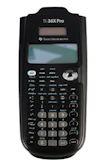
TI-36X Pro Advance Engineering/Scientific Calculator with MathPrint, Black

Multi–Line Viewing That Speeds Up Solution Checking

4

Casio

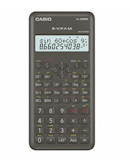
Scientific Calculator FX991ES Plus, Black - School Essentials

Natural Textbook Layout for Confident Daily Study

5

Casio

Scientific Calculator Fx570ES Plus

Expanded Functionality Through Broad Coursework Support

Hazel Carreon
Guide
Writer
Hazel Carreon

Hazel is a content planner and writer dedicated to simplifying your online shopping experience. With a passion for research and a keen eye for quality, she digs into the details to bring you trustworthy and insightful buying guides you can rely on.

Hazel Carreon's Profile
…Continue reading

Why You Can Trust Us

Every mybest article is crafted with hours of in-depth research and interviews with experts. Each month, we are continually expanding our database of products based on our research. By emphasizing user insight and reliable information, we deliver trustworthy content to readers.

How to Choose a Scientific Calculator for Engineering Students - Buying Guide

Scientific calculators are indispensable for engineering students who need fast, accurate, and reliable tools to solve complex problems. Whether you're taking up calculus, working with matrices, or preparing for board exams like the Engineering Licensure Examination in the Philippines, the right calculator supports both academic success and real-world performance.
1

Pick a Calculator With Engineering Functions for School or Professional Use

Engineering students and professionals require calculators that exceed basic arithmetic capabilities. Look for models with engineering symbols, scientific notation, and unit conversions for pressure, energy, or length. These features are essential for accurately solving real-world problems in electronics, mechanics, and thermodynamics.

Choose Calculators With Calculus Tools Like Integrals and Derivatives

Choose Calculators With Calculus Tools Like Integrals and Derivatives
If you're studying calculus, differential equations, or mechanical design, choose a calculator that can handle integration and differentiation. While most non-programmable models offer only numerical solutions, these tools help in analyzing motion, stress, and optimization problems. They're particularly useful during problem-solving in structural and mechanical engineering courses.

Use Models That Support Matrix Operations for Systems of Equations
Use Models That Support Matrix Operations for Systems of Equations
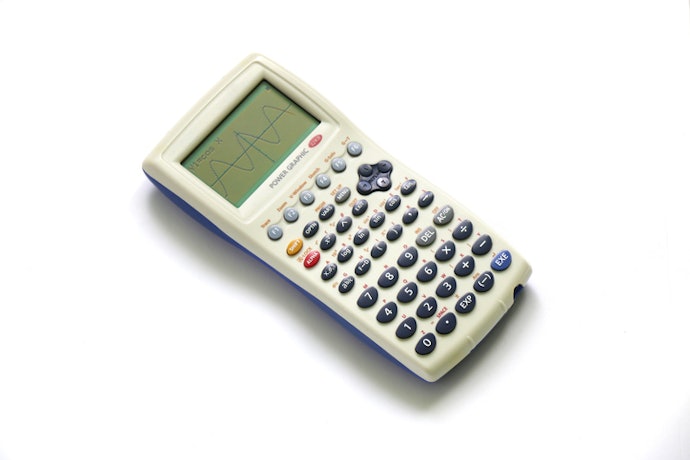
Matrix functions are essential in linear algebra and are widely used in electrical, civil, and systems engineering. Choose a calculator that supports matrix multiplication, inversion, and determinant calculation to simplify solving systems of equations. This helps eliminate manual row operations and reduce calculation errors. The Casio fx-991ES Plus is one such model.

Find Units With Statistical Analysis for Research or Lab Work

Find Units With Statistical Analysis for Research or Lab Work
If your work involves materials testing, data analysis, or lab research, pick a calculator that supports statistical functions. These include standard deviation, regression analysis, and probability distribution calculations. They're useful in subjects like quality control, research methodology, and environmental engineering. While advanced statistical features may not be needed daily, having them built in reduces the need for external software.

Go for Calculators That Offer Complex Numbers and Unit Conversions

Go for Calculators That Offer Complex Numbers and Unit Conversions
Complex number support is vital in electronics and electrical engineering, especially for AC circuit analysis and signal processing. Also, look for calculators with unit conversion features to switch easily between metric and imperial units when solving physics or thermodynamics problems. These functions help reduce manual errors and save time, especially in multidisciplinary projects.
2

Choose Between Programmable and Non-Programmable Models

Some engineering tasks are best done with a programmable calculator, while others, especially those in academic and licensure settings, require a non-programmable one. Knowing when and where each type is allowed or useful can help you decide whether to get one or both.

Programmable Calculators Are Best for Fieldwork and Advanced Applications
Programmable Calculators Are Best for Fieldwork and Advanced Applications
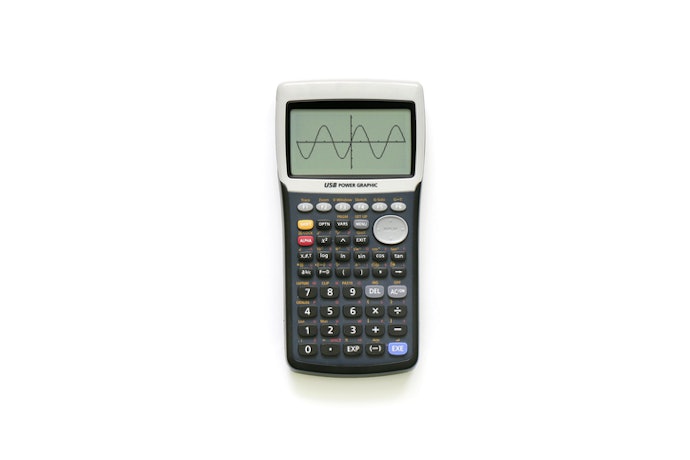
Programmable calculators can store formulas, automate complex steps, and handle custom calculations, making them ideal for professional fieldwork or specialized engineering tasks. They're useful in structural analysis, circuit design, and statistical modeling, where repetitive or advanced functions are needed. While they’re not allowed in exams, they offer efficiency and convenience in day-to-day engineering work or research.

Non-Programmable Calculators Are Approved for Exams and Licensure Use

Non-Programmable Calculators Are Approved for Exams and Licensure Use

Non-programmable calculators are required for most university classes and licensure exams in the Philippines. The Professional Regulation Commission (PRC) prohibits calculators with graphing, programmable, or CAS (computer algebra system) features.


Approved models include the Casio Fx-82ES Plus and Canon F-789SGA. These models are widely accepted in schools and review centers. Always check the latest PRC guidelines to make sure your calculator is compliant for board exams.

3

Look for a Multi-Line Display, Natural Input Formats, and Logical Key Layout

Look for a Multi-Line Display, Natural Input Formats, and Logical Key Layout
A multi-line display allows you to view both your equation and result, reducing errors during input. Calculators with natural textbook input display formulas just like how they're written on paper, making it easier to learn and review. A logical and well-spaced key layout also improves accuracy and speed, especially for beginners or during time-pressured exams.
4

Stick With Trusted Brands With Proven Reliability

Stick With Trusted Brands With Proven Reliability
Known brands like Casio, Sharp, and Texas Instruments offer calculators trusted in both academic and professional settings. These companies provide reliable performance, regular firmware updates, and strong customer support. Choosing from a reputable brand also makes it easier to find replacement parts or accessories. It ensures your calculator meets engineering standards and is built to last.
5

Prioritize Durable Design and Long-Term Usability

Engineering students often use their calculators daily, so it’s worth investing in a durable model. Look for sturdy construction, responsive keys, and a protective case. A model built to withstand daily wear and tear will last throughout college and even into your early career. Some calculators also come with water- or dust-resistant features ideal for field use.

Pick Dual Power Models (Solar + Battery) for Versatile Use

Pick Dual Power Models (Solar + Battery) for Versatile Use
Dual power calculators use both battery and solar energy, offering dependable performance during long study sessions or exams. Solar power helps conserve battery life, especially when you're in a well-lit environment like a classroom or study area. Choose models with a replaceable battery so you can continue using the device for years.

Choose Units With Long-Lasting Keys and Scratch-Resistant Displays

Choose Units With Long-Lasting Keys and Scratch-Resistant Displays

Over time, calculator keys can fade or become less responsive. Opt for models with well-built, tactile keys that can withstand heavy usage. A scratch-resistant display ensures that the screen remains clear and readable, even after being carried around in your bag or used on job sites. This helps you avoid input errors during critical calculations.

6

Choose a Compact Yet Readable Design for Daily Use

Choose a Compact Yet Readable Design for Daily Use
A portable calculator is ideal for students and engineers who are always on the move. Look for a slim profile that fits easily in your bag or pocket, but with a screen large enough to show multiple lines and long equations. Well-sized keys and a comfortable layout also reduce typing fatigue during long study or exam sessions.
Was the Buying Guide helpful?

10 Best Scientific Calculators for Engineering Students to Buy Online

The products we introduce below were carefully curated by the mybest team, from the best-sellers of E-commerce sites like Lazada, and using the points mentioned in our detailed and thoroughly researched buying guide.
Popularity
Filter

Products

Image

Click to purchase

Details

PRC Approved

Number of Programmed Functions

Display

Key Features

Power Source

1

Canon

Scientific CalculatorF-789SGA

Canon Scientific Calculator 1

605

Large Natural Textbook Display

Matrix, Vector, Equation, Unit Conversion Functions

Battery, Solar

2

Kc-S991 Kc S991 Kc S 991 TRANSPARENT Scientific Calculator Calculators Sci-Cal KcS991

null Kc-S991 Kc S991 Kc S 991 TRANSPARENT Scientific Calculator Calculators Sci-Cal KcS991 1

417

Natural Textbook Display

Transparent Body, Multi-Replay Editing, Dual Power

Battery, Solar

3

Texas Instruments

TI-36X Pro Advance Engineering/Scientific Calculator with MathPrint, Black
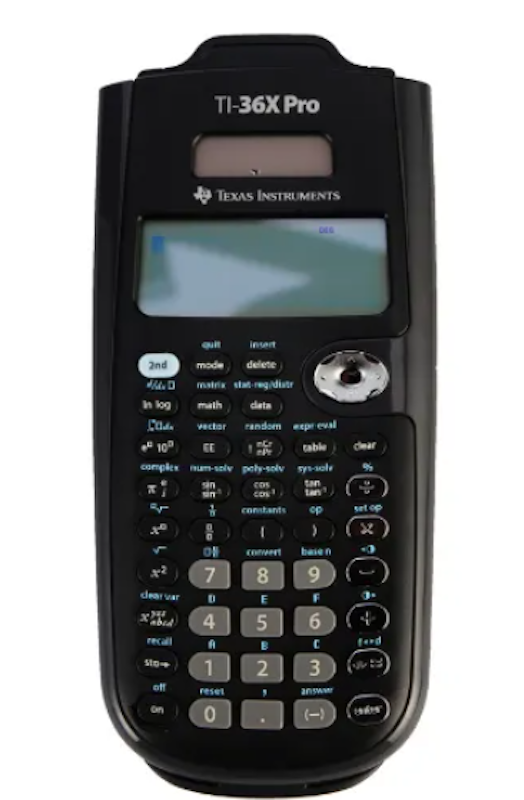
Texas Instruments TI-36X Pro Advance Engineering/Scientific Calculator with MathPrint, Black 1

500+

MultiView Display With MathPrint

Equation Solver, Fractions, Matrices, Vectors

Battery, Solar

4

Casio

Scientific Calculator FX991ES Plus, Black - School Essentials

Casio  Scientific Calculator FX991ES Plus, Black - School Essentials 1

417

Natural Textbook Display

Equation Solver, Fraction Calculations, Matrix and Vector Functions

Battery, Solar

5

Casio

Scientific Calculator Fx570ES Plus

Casio  Scientific Calculator Fx570ES Plus 1

417

Natural Textbook Display

Equation Solver, Matrix and Vector Functions, Complex Number Calculations

Battery

6

Casio

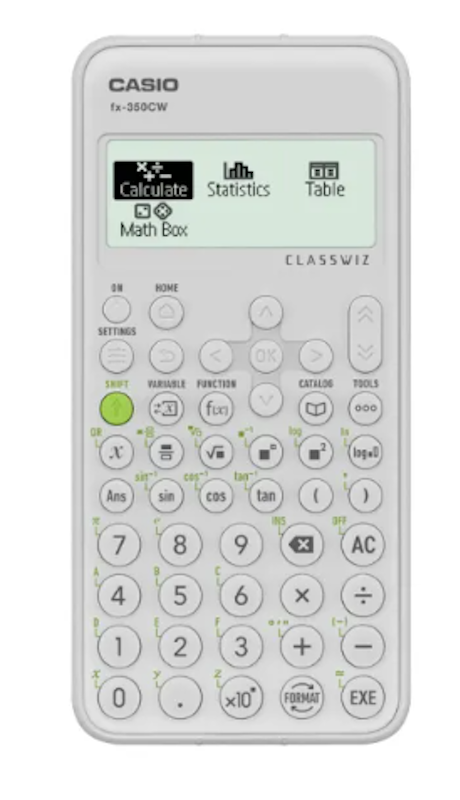
Scientific Calculator FX350CW

Casio Scientific Calculator FX350CW 1

290+

High-Definition Four-Tone Display

Icon-Based Interface, MathBox Support, ClassPad.net Support

Battery

7

Casio

Scientific Calculator FX350ES Plus
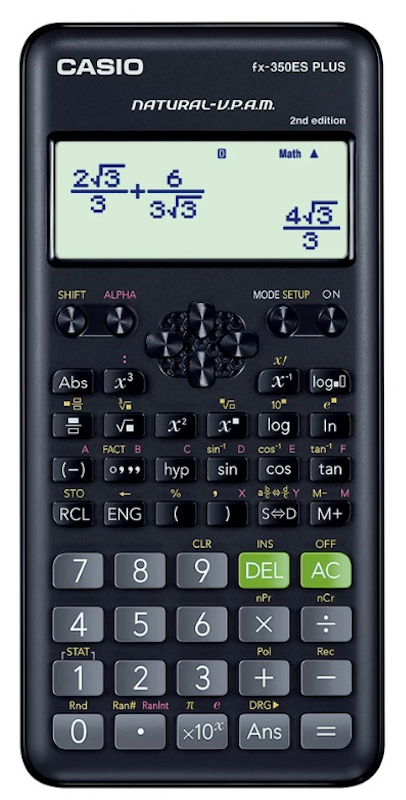
Casio  Scientific Calculator FX350ES Plus 1

252

Natural Textbook Display

Fraction Calculations, Trigonometric Functions, Statistical Functions

Battery

8

Deli

Scientific Calculator Dual Power Portable Electronic Function Calculator For School ED991ES

Deli  Scientific Calculator Dual Power Portable Electronic Function Calculator For School ED991ES 1

417

2-Line Display

Dual Power, Sliding Cover, Textbook-Style Display

Battery, Solar

9

Sharp

Scientific Calculator Elw531Thbl 422 Functions Battery Operated Write View

Sharp  Scientific Calculator Elw531Thbl 422 Functions Battery Operated Write View 1

422

WriteView Textbook-Style Display

Multi-Line Playback, Math Drill Function, Hard Cover

Battery

10

Best Buy

Scientific Calculator BB-224 Semi Translucent 224 Functions 2 Line Display Dual Power

Best Buy  Scientific Calculator BB-224 Semi Translucent 224 Functions 2 Line Display Dual Power 1

224

2-Line Display

Semi-Translucent Body, Dual Power, Equation Calculations

Battery, Solar

If you don't see the product you're looking for, you can request that it be listed.
No.1

Canon
Scientific CalculatorF-789SGA

Scientific Calculator 1
Source:lazada.com.ph
Reference price
₱1,799
High Mid
Reference price
₱1,799
High Mid

Advanced Equation Handling for School–to–College Math Work

Features and benefits:
  • Handles 605 functions for complex scientific and engineering calculations
  • Solves matrix, vector, and equation tasks for advanced problem–solving
  • Includes 79 constants and 172 unit conversions for faster reference work
  • Uses dual power for dependable use in class or on the go
  • Comes with a hard case for safer storage and transport

Reviews mention:
Many find it useful for higher-level math because it covers a wide range of functions in one device. People appreciate the clear display and the confidence of having a hard case included. Several note that the dual-power setup makes it more practical for daily school use.
PRC Approved
Number of Programmed Functions605
DisplayLarge Natural Textbook Display
Key FeaturesMatrix, Vector, Equation, Unit Conversion Functions
Power SourceBattery, Solar
View all
Was this Ranking helpful?
No.2

Kc-S991 Kc S991 Kc S 991 TRANSPARENT Scientific Calculator Calculators Sci-Cal KcS991

Kc-S991 Kc S991 Kc S 991 TRANSPARENT Scientific Calculator Calculators Sci-Cal KcS991 1
Source:shopee.ph
Reference price
₱1,699
High Mid
Reference price
₱1,699
High Mid

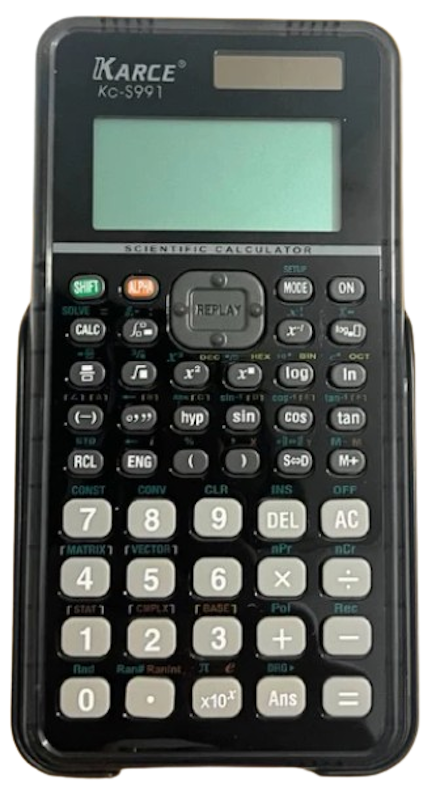
Quick Problem Checking With Textbook–Style Input

Features and benefits:
  • Covers 417 functions for trigonometry, algebra, and statistics
  • Shows a natural textbook display for easier formula reading
  • Lets users edit steps quickly with multi–replay support
  • Relies on solar and battery power for flexible everyday use
  • Comes with a transparent body and hard case for practical school handling

Reviews mention:
People note that the textbook–style display makes inputs easier to follow, especially when checking work. Many also like the transparent design because it gives the calculator a different look without affecting use. Several mention that the dual–power setup and hard case add convenience for student life.
PRC Approved
Number of Programmed Functions417
DisplayNatural Textbook Display
Key FeaturesTransparent Body, Multi-Replay Editing, Dual Power
Power SourceBattery, Solar
View all
No.3

Texas Instruments
TI-36X Pro Advance Engineering/Scientific Calculator with MathPrint, Black

Reference price
₱2,681
High

Multi–Line Viewing That Speeds Up Solution Checking

Features and benefits:
  • Displays calculations across four lines for easier comparison
  • Formats expressions with MathPrint for textbook–style readability
  • Solves equations, polynomials, and linear systems with built-in tools
  • Supports fractions, matrices, vectors, and statistics for advanced coursework
  • Runs on solar and battery power for dependable everyday use

Reviews mention:
Several find that the four-line MultiView display and MathPrint feature make complex equations much easier to read by showing them exactly as they appear in textbooks. People note that its ability to handle calculus, matrices, and polynomial solvers is a significant advantage for engineering students, especially in exams where graphing calculators are prohibited. Many also appreciate the tactile, responsive buttons and the fact that it retains previous calculation history even after being turned off.
PRC Approved
Number of Programmed Functions500+
DisplayMultiView Display With MathPrint
Key FeaturesEquation Solver, Fractions, Matrices, Vectors
Power SourceBattery, Solar
View all
No.4

Casio
Scientific Calculator FX991ES Plus, Black - School Essentials

Reference price
₱1,599
Mid

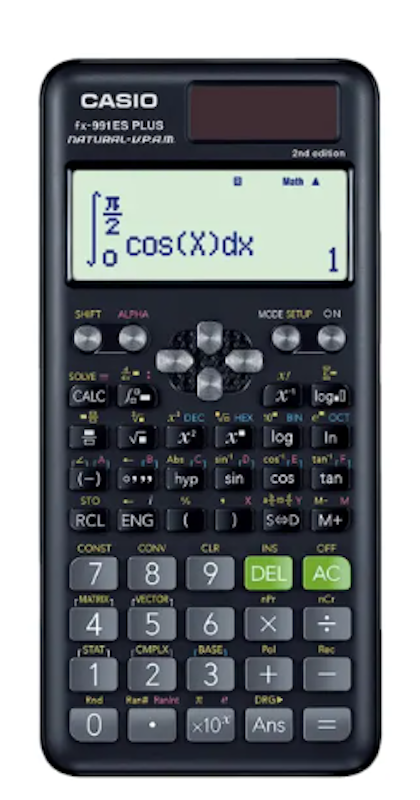
Natural Textbook Layout for Confident Daily Study

Features and benefits:
  • Covers 417 functions for broad scientific and math use
  • Shows natural textbook display and dot matrix output for easier reading
  • Handles matrix, vector, complex number, integration, and equation calculations
  • Runs on solar and battery power for flexible use in class or at home
  • Comes with a slide–on hard case for added protection

Reviews mention:
Many find it reliable for school because the display format makes expressions easier to understand. People also appreciate the range of functions, especially for algebra, statistics, and higher math. Several mention the hard case as a simple but helpful extra.
PRC Approved
Number of Programmed Functions417
DisplayNatural Textbook Display
Key FeaturesEquation Solver, Fraction Calculations, Matrix and Vector Functions
Power SourceBattery, Solar
View all
No.5

Casio
Scientific Calculator Fx570ES Plus

Reference price
₱1,399
Mid

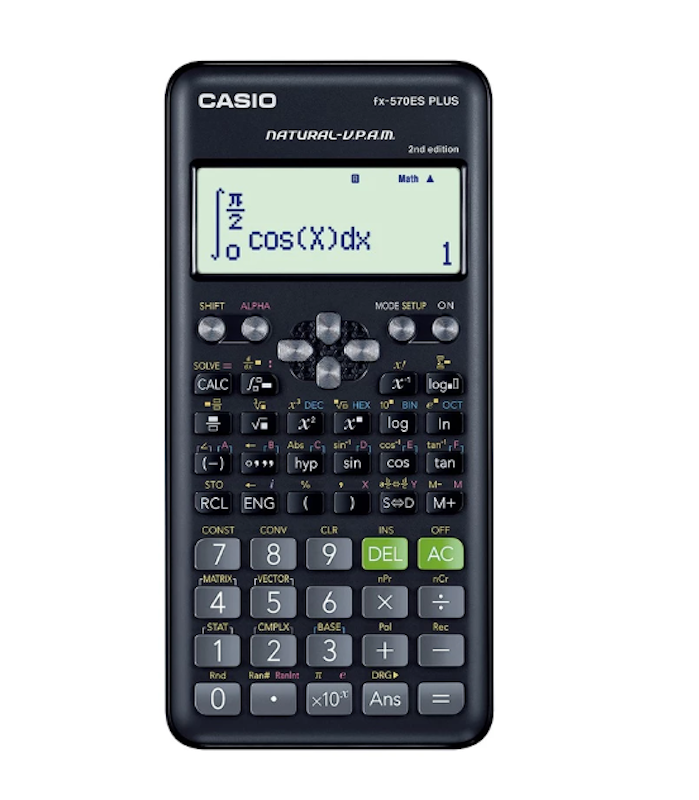
Expanded Functionality Through Broad Coursework Support

Features and benefits:
  • Supports 417 functions for advanced scientific calculations
  • Displays natural textbook formatting for readable expressions and answers
  • Handles matrix, vector, equation, and complex number calculations
  • Adds multi–replay and CALC/SOLVE functions for faster reviewing
  • Operates on battery power with solar cell support for consistent daily use

Reviews mention:
People find that the natural textbook display is exceptionally helpful for visualizing fractions and square roots exactly as they appear in school materials. Many note that the 417 built-in functions cover almost every requirement for high school and early college math, from basic algebra to complex integrations. Several also appreciate the sturdy build quality and the slide-on hard case that protects the screen during daily commutes in a backpack.
PRC Approved
Number of Programmed Functions417
DisplayNatural Textbook Display
Key FeaturesEquation Solver, Matrix and Vector Functions, Complex Number Calculations
Power SourceBattery
View all
No.6

Casio
Scientific Calculator FX350CW

Reference price
₱1,099
Mid

Easy Icon-Based Navigation for Newer Students

Features and benefits:
  • Brings a modern ClassWiz interface with icon–based app selection
  • Gives a high-definition four–tone display for clearer viewing
  • Supports essential school functions for daily math work
  • Includes quick cursor controls with OK and Back keys for simpler operation
  • Connects with MathBox and ClassPad.net for classroom learning use

Reviews mention:
Many find that the high-definition, four-gradation display makes numbers and symbols much easier to see, even during long study sessions. People note that the new icon-based menu simplifies navigation, allowing students to quickly find functions without memorizing complex key combinations. Several also appreciate the inclusion of the MathBox feature, which adds a fun and interactive way to learn probability through dice and coin simulations.
PRC Approved
Number of Programmed Functions290+
DisplayHigh-Definition Four-Tone Display
Key FeaturesIcon-Based Interface, MathBox Support, ClassPad.net Support
Power SourceBattery
View all
No.7

Casio
Scientific Calculator FX350ES Plus

Scientific Calculator FX350ES Plus 1
Source:shopee.ph
Reference price
₱799
Low Mid

Compact Design for Everyday Student Carry

Features and benefits:
  • Covers 252 functions for standard scientific and school calculations
  • Shows natural textbook display and dot matrix viewing for clearer input
  • Handles trigonometric, fraction, and statistical calculations for daily homework
  • Adds multi–replay and continuous calculation for easier editing
  • Runs on battery power for simple, portable use

Reviews mention:
Many find it straightforward for regular schoolwork because it covers the essentials without extra complexity. People also like the readable display when working through formulas. Several mention that it feels practical for students who just need a dependable study tool.
PRC Approved
Number of Programmed Functions252
DisplayNatural Textbook Display
Key FeaturesFraction Calculations, Trigonometric Functions, Statistical Functions
Power SourceBattery
View all
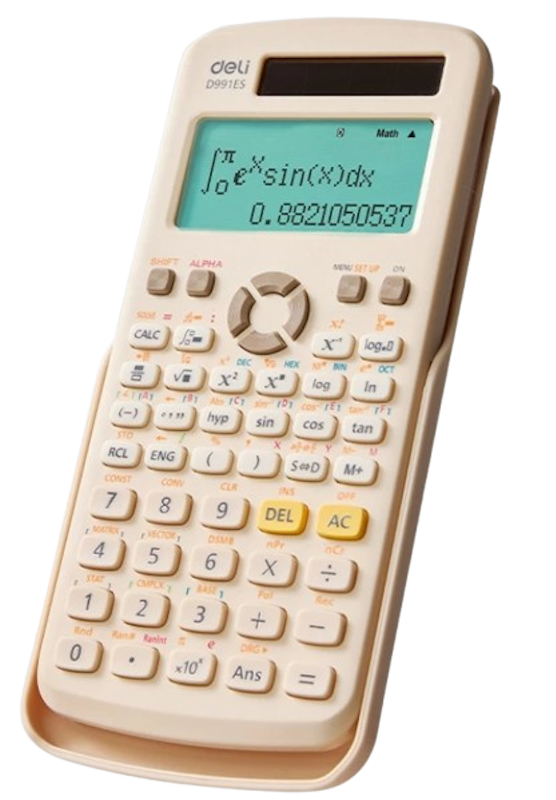
No.8

Deli
Scientific Calculator Dual Power Portable Electronic Function Calculator For School ED991ES

Scientific Calculator Dual Power Portable Electronic Function Calculator For School ED991ES 1
Source:shopee.ph
Reference price
₱741
Low Mid
Reference price
₱741
Low Mid

Reliable Study Sessions via Dual Power Backup

Features and benefits:
  • Supports 417 functions for broad scientific and school use
  • Runs on dual solar and battery power for backup when light is limited
  • Shows a 2–line textbook display for checking entries and results together
  • Includes a sliding cover for better protection during storage
  • Maintains a school–friendly design for easy portable use

Reviews mention:
People appreciate the dual power setup because it adds peace of mind during long school days. Several note that the two–line display makes checking answers more convenient. Many mention the sliding cover as a useful detail for keeping it protected in a bag.
PRC Approved
Number of Programmed Functions417
Display2-Line Display
Key FeaturesDual Power, Sliding Cover, Textbook-Style Display
Power SourceBattery, Solar
View all
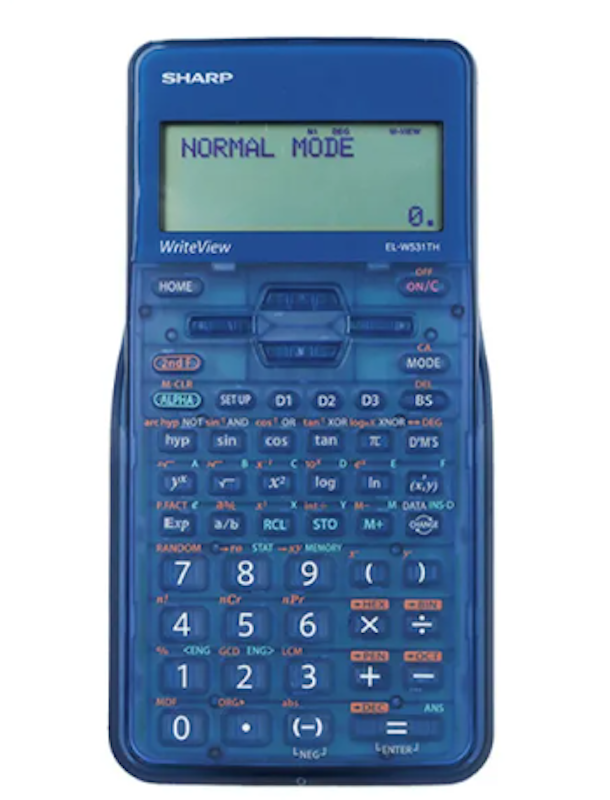
No.9

Sharp
Scientific Calculator Elw531Thbl 422 Functions Battery Operated Write View

Scientific Calculator Elw531Thbl 422 Functions Battery Operated Write View 1
Source:lazada.com.ph
Reference price
₱1,645
High Mid
Reference price
₱1,645
High Mid

Step-by-Step Clarity With WriteView Viewing

Features and benefits:
  • Supplies 422 advanced scientific functions for school and lab work
  • Uses WriteView technology and a 4–line display for textbook–style viewing
  • Enables multi–line playback for reviewing and solving equations more easily
  • Protects the calculator with a hard cover to help prevent scratches
  • Powers down automatically on battery use for practical daily handling

Reviews mention:
Many find that the dual-power system is highly reliable, as the solar panel provides a helpful backup that prevents the device from dying during long exams. People note that the natural textbook display makes verifying complex fractions and multi-step equations much more intuitive than standard digital screens. Several also appreciate the inclusion of the snap-on hard case, which keeps the buttons and screen protected from scratches while inside a crowded school bag.
PRC Approved
Number of Programmed Functions422
DisplayWriteView Textbook-Style Display
Key FeaturesMulti-Line Playback, Math Drill Function, Hard Cover
Power SourceBattery
View all
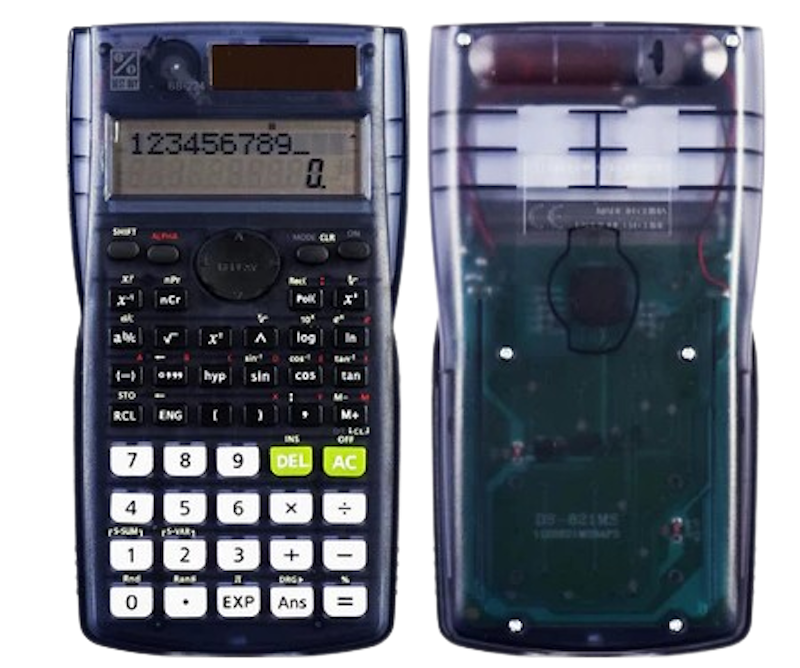
No.10

Best Buy
Scientific Calculator BB-224 Semi Translucent 224 Functions 2 Line Display Dual Power

Reference price
₱599
Low

224 Functions, 2-Line Display, Dual Power With Semi-Translucent Design

Features and benefits:
  • Features 224 functions for basic to intermediate scientific calculations
  • Offers a 2-line display for viewing inputs and results at the same time
  • Operates on dual power for more flexible everyday use
  • Covers equation calculation and basic mathematics functions for school tasks
  • Highlights a semi-translucent body for a distinct, practical look

Reviews mention:
Several find that the semi-translucent casing gives the device a unique, modern look that stands out from typical school supplies. People note that the two-line display is very clear, making it simple to verify long equations by seeing both the input and the result simultaneously. Many also appreciate the dual-power setup, mentioning that the solar panel is quite sensitive and keeps the calculator running even in moderately lit classrooms.
PRC Approved
Number of Programmed Functions224
Display2-Line Display
Key FeaturesSemi-Translucent Body, Dual Power, Equation Calculations
Power SourceBattery, Solar
View all

Frequently Asked Questions

Here are some of the most commonly asked questions engineering students usually ask when buying a calculator: 

Is There a Reliable Scientific Calculator for Engineering Apps on Mobile Devices?

Mobile calculator apps offer convenience but fall short in exam scenarios and professional reliability. Most university professors and licensure boards, such as the PRC, prohibit phone use during tests. Unlike apps, physical scientific calculators are exam-approved, fast, and built for repetitive, function-heavy use.

Do I Need to Get My Scientific Calculator Approved Before the Engineering Board Exam?

Yes. The PRC only allows non-programmable, non-CAS models for engineering board exams. Casio Fx-82ES Plus and Fx-100MS are among the most trusted models approved for licensure. Always check your calculator model against the latest PRC guidelines before exam day.

How We Chose and Ranked Our Product Recommendations

Our buying guide was carefully researched and crafted by the mybest team of writers and editors. We used the buying guide as a basis for choosing and ranking the product recommendations, and we looked at reviews and ratings from different E-commerce sites like Lazada, Shopee, and more.
The descriptions of each product are referenced from content available on manufacturer, brand, and e-commerce sites.

Most Viewed
Featured Rankings Similar to Scientific calculators

Calculators for Board Exams

10 Best

Search by category

mybest

We connect users with the best tried and true products,
tested by our in-house guides and backed by expert insight.

Copyright mybest All Rights Reserved.