10 Best Projectors in the Philippines 2026 | Epson, Xiaomi, and More
If your television isn't big enough to capture a cinema-like experience, a projector might be for you! This nifty device isn't limited to commercial entertainment, though. Depending on the product you choose, you can get a projector that's optimized for business, gaming, or even as a virtual decoration!
You don't even have to worry about using it in sunlit environments, as most modern projectors get bright enough for this exact issue. So if you want to bring a theatre-size screen into your home, we got your back! Listed below are our top 10 picks and a buying guide to help you get the right projector for you.

Our recommendation articles are carefully researched and crafted by the mybest Philippines team of writers and editors. To stay true to our company’s mission and vision to help users’ selection process easier, we also collaborate with experts from various fields to ensure that our content stays factual and useful.
Why You Can Trust Us
Every mybest article is crafted with hours of in-depth research and interviews with experts. Each month, we are continually expanding our database of products based on our research. By emphasizing user insight and reliable information, we deliver trustworthy content to readers.
Benefits of Projectors Over TVs
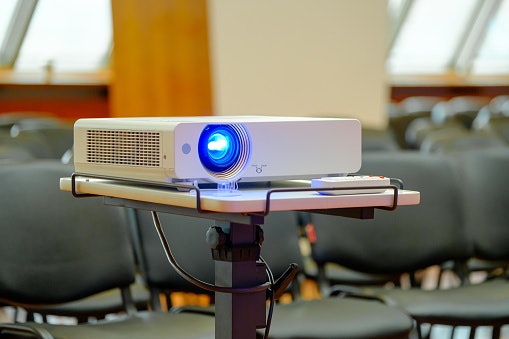
While large screen TVs are a sight to behold, a projector still one-ups them in multiple categories. For one, a projector isn't limited to a single screen size. You can infinitely configure it according to your preferences, essentially reducing the need to buy new hardware in the future.
Additionally, they offer better eye comfort. See, televisions emit light straight to your eyes. Meanwhile, projectors project images to a surface which is then reflected back to you. Because you're not directly absorbing light, you suffer less eye strain, ultimately protecting your eyesight.
How to Choose a Projector – Buying Guide
Here are some key points to consider:
- Select a type of projector according to your needs
- Choose a light source depending on your preference
- Opt for a 1000-lumen projector to use in bright environments
- Get a 1500:1 contrast ratio to avoid washing out colors
- A native resolution of 1280 x 720 pixels ensures an enjoyable viewing experience
- Consider the recommended distance to optimize viewing quality
- Pick a projector with connections that are compatible with your devices
- Other features offer quality of life improvements
For more detailed information, read through our buying guide below.
Select a Type of Projector According to Your Needs
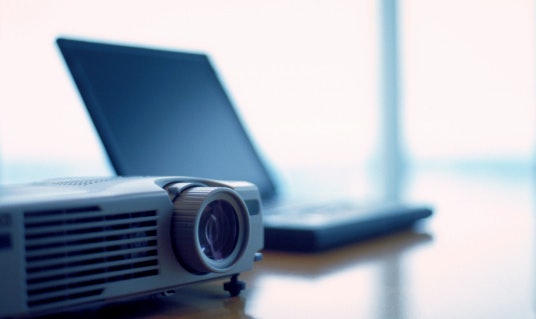
Projectors come in either Liquid Crystal Displays (LCD) or Digital Light Processing Displays (DLP). Essentially, these dictate the factors that affect image quality, such as pixel count, contrast, and color spectrum. Now, with LCDs, you're getting affordability, higher maximum brightness, and an adequate contrast ratio.
These make them usable even in well-lit environments, though their colors can look washed out. Additionally, they require regular maintenance as the filters attract dust during use. Unattended, this will make your image have blurry quality or, worse, dark spots.
On the other hand, DLPs are more complex, employing a combination of a light source, color wheel, and microscopic mirrors. While these give you shake-free projection and sharper colors—think blacker blacks—it comes at the cost of light sensitivity. These are great for viewing high-quality and fast-paced media, though they're only best in dimly lit environments.
Choose a Light Source Depending on Your Preference
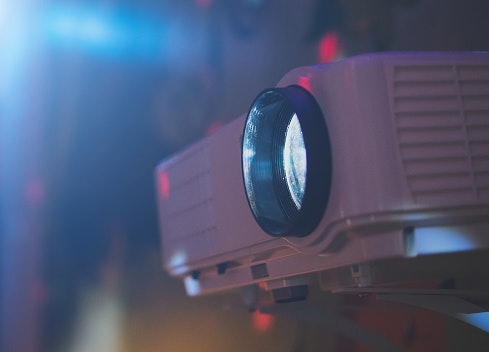
Put simply, your light source determines the life of your projector. Currently, projectors that employ light-emitting diodes (LEDs) last for 20,000 to 60,000 hours. These are also less prone to failure and will maintain their brightness over their life cycle. The only downside is that most of these aren't replaceable, so once they die out, you might need to buy a new projector or get it professionally changed.
Lamp projectors are the opposite. They only last from 3,000 to 5,000 hours, but you can always replace them with third-party bulbs. This reduces the need to buy a new product. Just note, though, that lamps require more maintenance as the quality of their output will change over time.
Opt for a 1000-Lumen Projector to Use in Bright Environments
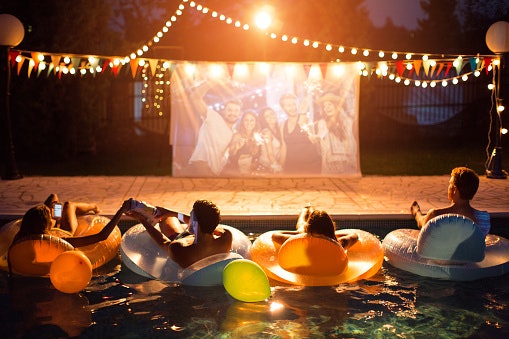
Light output is important to get the most out of your projector. If the brightness is too low, then your resulting image will look muddy and blurred, even in a dark room. Thus, it's important to get a projector that’s bright enough, so you can use it outside on sunny days.
A theatre-like experience can be achieved by getting a projector with a brightness of at least 1000 to 2000 lumens. However, this level is limited to a dimly lit room if you want to get the best output. If you prefer to keep the lights on while watching a movie, try to get a unit with more than 3000 lumens.
Get a 1500:1 Contrast Ratio to Avoid Washing Out Colors
Contrast is another thing to look out for. Essentially, you want a high contrast ratio to get blacker blacks and whiter whites. Otherwise, dark scenes will look greyish and washed out, impeding the quality of what you’re viewing. On average, you want to get a contrast ratio of 1500:1.
This delivers a good enough contrast ratio for casual viewing. You can go lower, though, if you’re going to view media that doesn’t need a lot of visuals, such as business presentations. On the other hand, you might want to go for a higher contrast ratio—preferably 2000:1—if you have particularly keen eyes.
A Native Resolution of 1280 x 720 Pixels Ensures an Enjoyable Viewing Experience

Display resolution determines how many pixels your projector can produce—in essence, how sharp your media will look. You probably heard the terms before—4K, 1080p, Full High Definition (Full HD), and more. But which resolution is best for projectors?
We recommend getting a minimum pixel count of 1280 x 720. This resolution provides the best balance between viewing quality and price. You can go lower, though, with 1024 x 768 and 1080p resolutions. While these still offer a good viewing experience, you will be losing visual clarity on some scenes.
Furthermore, it’s best to get a projector that supports the resolution you want natively. This means that the machine is capable of creating that amount of pixels rather than using digital techniques like upscaling to enhance the image. Unfortunately, while these techniques allow cheaper models to compete in image quality, they can also make the projection blown out, blurry, and dull.
Consider the Recommended Distance to Optimize Viewing Quality
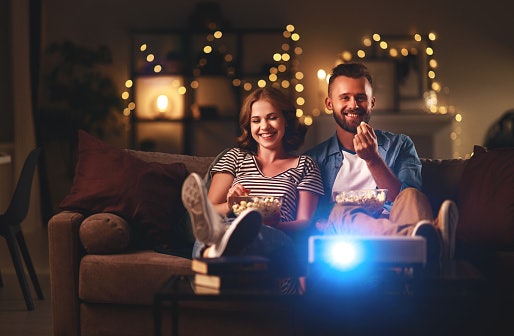
One way to get sharper image quality is to adjust how far your projector is from the surface it projects on. By doing so, you spread out the pixels according to the required screen size to produce the best visual clarity.
Unfortunately, there’s no definite answer here as each product will have a different optimum distance. You can do a trial-and-error approach until you’re satisfied with the image quality, but if you want to simplify the task, try checking the manual for the recommended distance.
Pick a Projector With Connections That Are Compatible With Your Devices
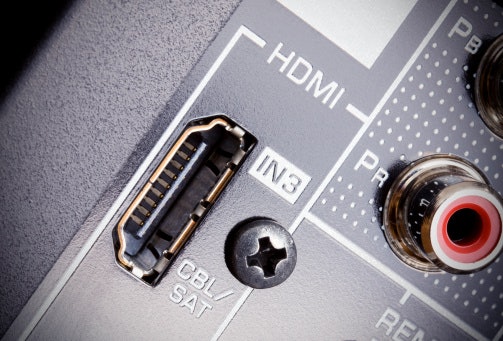
It’s always important to check what connections your projector comes with. These allow the machine to connect to the device that's playing the media, such as your laptop or PC. Traditionally, you want to go for a product that has HDMI or VGA connections, as most recent hardware supports these.
If you want to spread out your options, some projectors also offer Wi-Fi connectivity. This allows you to connect your devices without the need for cables. Others even support memory card compatibility. This lets your projector accept and play information from storage devices like flash drives and SD cards.
Other Features Offer Quality of Life Improvements
Aside from the integral factors mentioned, you may want to look out for some extra improvements to make your projector use more enjoyable. Listed below are a few of the most sought-after features for you to consider.
Keystone Correction Automatically Aligns Your Projector to the Screen

Keystoning is when your projector produces crooked images because they don’t perpendicularly align with the screen. But thanks to keystone correction technology, you can now adjust the angle your machine outputs without moving the entire device.
There are two forms of keystone correction: manual and automatic. As the name suggests, manual correction requires you to adjust the lens with a built-in lever. For automatic correction, you just need to push a button, and the projector will do all the work for you.
Smart Projectors Have Integrated Media Capabilities
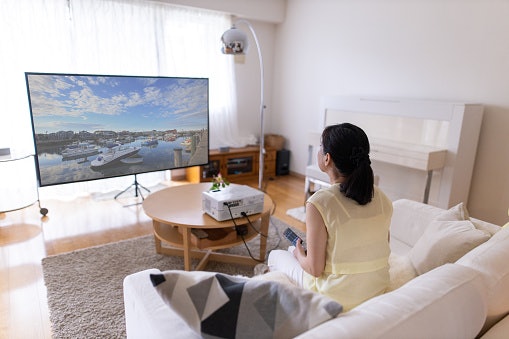
Imagine an instance where, unfortunately, you don’t have an input device to connect to. Does this mean that your projector is unusable? Not always! Modern strides have allowed manufacturers to fit motherboards inside their projectors, essentially letting you access your files straight out of the machine.
Some projectors offer only basic smart capabilities such as access to Netflix and other streaming sites. Others have a full-blown Android operating system, so you can download other apps for PDFs, podcasts, Office, and more! Just note that these may not be the fastest when loading data.
Built-In Cooling Systems Prolong the Life of the Projector
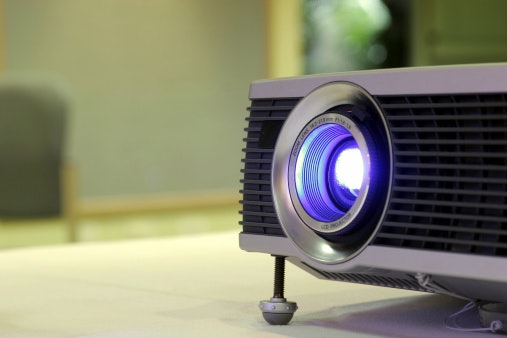
Regardless of your machine’s light source, it will inevitably produce heat. With continuous use, the bulbs will eventually get hot enough that they burn through their filaments more quickly. Eventually, this will burn them out, which is especially true for lamp projectors.
One way to reduce stress on your light sources is to have a cooling system in your device. In ideal conditions, this can even triple the lifespan of your projector. Note, though, that this can make your projector sound louder, especially those which use a fan-based system.

10 Best Projectors to Buy Online
Products | Image | Click to purchase | Details | ||||||||||
|---|---|---|---|---|---|---|---|---|---|---|---|---|---|
Type | Light Source | Brightness | Contrast Ratio | Resolution | Recommended Distance | Input Connections | Dimensions | Net Weight | Other Features | ||||
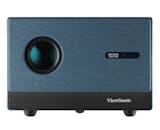
1 | ViewSonic 1080p Full HD with Built-in Google TV Smart LED Projector |LX60HD |  | LCD | LED | 630 Lumens | 4200:1 | 1080p Full HD 1920 x 1080 | 1.42–3.8 m (100" @ 2.28 m) | AV In (3.5mm) x1, HDMI x1 (HDMI 1.4/ HDCP 1.4), USB Type A x2 (USB 2.0 Reader), WiFi Input x1 (5Gn) | 228 x 227 x 159 mm | 3130 g | Geometric Correction, Auto Focus, Streaming Apps, Google Assistant, Standard Accessories: Power Cord x1, Remote Control x1, QSG x1 | |
2 | Epson 3LCD Business Projector |EB-E12 XGA |  | LCD | Lamp | 3600 Lumens | 15,000:1 | XGA Resolution | 1.44–2.88 m | D-Sub 15 pin, HDMI Type A x2 Digital Input (HDCP 1.4), Stereo Mini Audio Input, USB Type B x1 | 302 x 234 x 77 mm | 2400 g | Built-In 2 W speaker, ±30° Vertical/Horizontal Keystone Correction, Split-Screen Capability, Low Power Use (332 W Normal, 0.3 W Standby Eco) | |
3 | Acer DLP Projector |X1329 |  | DLP | Lamp | 4800 Lumens | 20,000:1 | WXGA, 1280 x 800 Pixels | 1-10 m | HDMI, VGA, USB Type A | 220 x 299.5 x 105.1 mm | 2400 g | Manual Focus/Zoom, ±40° Vertical Keystone Correction, 3 W Built-In Speaker, Ceiling/Front/Rear Projection Modes, Acer LumiSense, ColorBoost3D, ColorSafe II, Noise Level of 29 dB, 85% Uniformity, With 1.07 Billion Colors Supported | |
4 | Wanbo X5 Pro |  | LCD | LED | 1100 Lumens | 3000:1 | 1920 x 1080 FHD | 1.1–3.9 m | Bluetooth 5.0, HDMI, USB, WiFi | 252 x 246 x 115 mm | 2710 g | ASA 3.0 Advanced Tech: Auto-Focus + Keystone Correction + Screen Fit + Obstacle Avoidance, Android 11 TV + Google Play, 2x 5W HiFi Stereo Speakers, ≤26dB Ultra-Quiet Operation | |
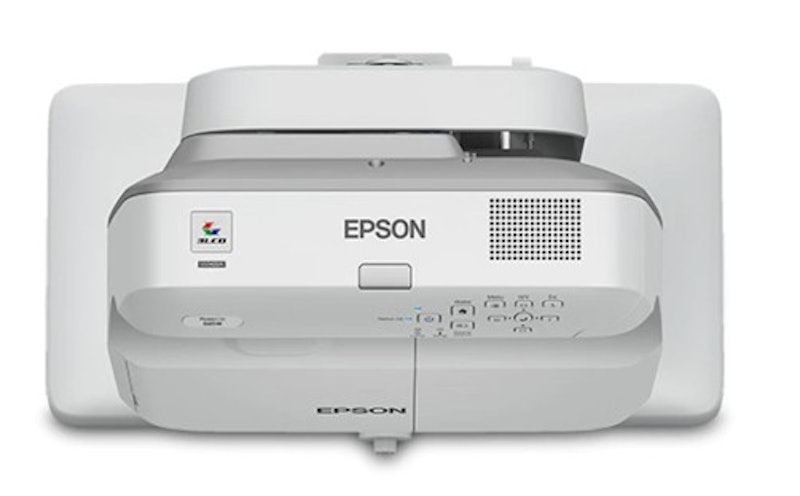
5 | Epson Ultra-Short Throw WXGA 3LCD Projector |EB-685W |  | LCD | Lamp | 3500 Lumens | 14,000:1 | WXGA (1280 x 800) | 0.34–0.60 m | HDMI, Wired LAN (RJ45 x 1), WUSB | 367 x 149 x 400 mm | 5720 g | Supports Dual-Pen Interactivity, Automatic Luminance Adjustment, BYOD Compatibility Including Chromebooks | |
6 | Epson Smart Projector |CO-FH01 |  | LCD | Lamp | 3000 Lumens | ~15,000:1 | Full HD 1080p | 1.19–1.61:1 m | USB 2.0 Type-A, USB 2.0 Type B (Service Only), HDMI | 295 x 211 x 87 mm | 2400 g | 2D Color Modes Dynamic, A/V Mute, Built-In Speaker, Horizontal and Vertical Keystone Correction, MHL Audio/Video Interface, Quick Corner | |
7 | Yaber Entertainment Projector Auto Focus 1080P 1600 ANSI Lumens |K3 Pro |  | LCD | LED | 1600 Lumens | unknown | 1080p | ~2.4 m | 2x HDMI, USB, RJ45 (LAN), Bluetooth 5.0 | 290 x 154 x 323 mm | 5100 g | Auto Screen Fit, Auto Obstacle Avoidance, Voice Control (Alexa), Built-In TV Dongle, CoolSwift Cooling, Screen Mirroring Miracast, Airplay, Windows | |
8 | Yaber Entertainment Projector Auto Focus 1080P 1600 ANSI Lumens |K3 |  | LCD | LED | 1600 Lumens | unknown | 1080P (1920 x 1080) | 1.5-4.0 m | HDMI x2, Bluetooth 5.0 x1, Wi-Fi 6 x1, USB x1, Earphone x1, Lan Port(RJ 45) x1 | 290 x 323 x 154 mm | 5100 g | Auto Focus, Auto Keystone Correction, Intelligent Screen Alignment, Obstacle Avoidance, Google TV (Netflix, YouTube, Disney+) | |
9 | Epson WXGA 3LCD Projector |EB-W51 |  | LCD | Lamp | 4000 Lumens | 16,000:1 | WXGA (1280 x 800) | 1.68–2.02 m | USB A/B, Network (Opt.), Wireless (Opt. ELPAP11), RCA, HDMI, Audio, 2 RCA | 302 x 237 x 82 mm | 2500 g | Security Kensington Lock, Security Cable Hole, Wireless LAN Unit Lock, Password Protection, AV Mute Slide, Auto Source Search, Built-in Speaker, Horizontal and Vertical Keystone Correction, Long Lamp Life, Quick Corner, Split-Screen Function, Video Color Modes | |
10 | Xiaomi Smart Projector Global Version, 400 ISO lumens,1080p HD resolution |L1 Pro/XMTYY03PFMG |  | LCD | LED | 400 Lumens | 2000:1 | 1920 × 1080p (Full HD) | 1.0-3.0 m | HDMI 2.1, USB 2.0, Bluetooth 5.0 | 210 × 128 × 189 mm | 2000 g | Integrated Mediaplayer, Eco Mode, Wi-Fi Network Compatible, Android TV OS (Google Voice Assistant), Auto Keystone, Auto Obstacle Avoidance, Auto Image Adjustment | |

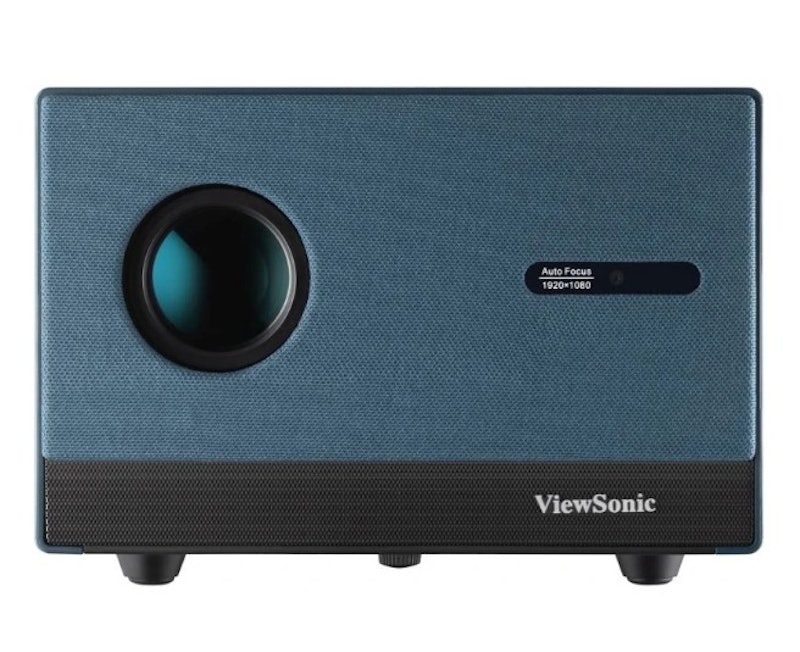
ViewSonic 1080p Full HD with Built-in Google TV Smart LED Projector | LX60HD
Features and benefits:
Reviews mention:
Many find the built-in Google TV interface intuitive for quick streaming setup without extra devices. People note the 1080p resolution delivers sharp images in darker rooms. Several appreciate the reliable auto-keystone correction for easy alignment during movie nights.
| Type | LCD |
|---|---|
| Light Source | LED |
| Brightness | 630 Lumens |
| Contrast Ratio | 4200:1 |
| Resolution | 1080p Full HD 1920 x 1080 |
| Recommended Distance | 1.42–3.8 m (100" @ 2.28 m) |
| Input Connections | AV In (3.5mm) x1, HDMI x1 (HDMI 1.4/ HDCP 1.4), USB Type A x2 (USB 2.0 Reader), WiFi Input x1 (5Gn) |
| Dimensions | 228 x 227 x 159 mm |
| Net Weight | 3130 g |
| Other Features | Geometric Correction, Auto Focus, Streaming Apps, Google Assistant, Standard Accessories: Power Cord x1, Remote Control x1, QSG x1 |
Reviews mention:
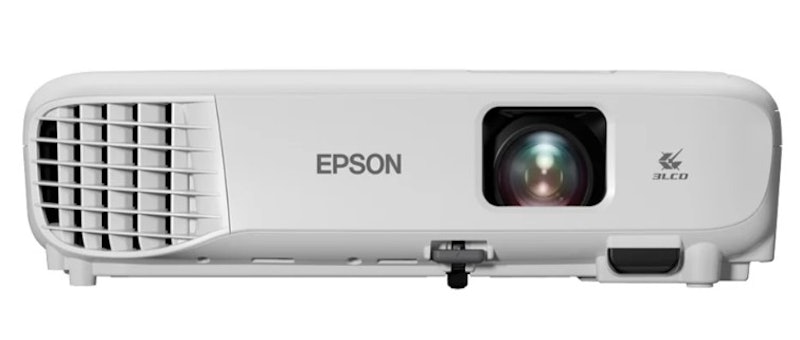
People note the 3600 lumens brightness handles well-lit conference rooms without fading. Several appreciate the 3LCD technology for accurate colors and no rainbow effect during presentations. Many find setup straightforward with clear XGA projection for business slides.
| Type | LCD |
|---|---|
| Light Source | Lamp |
| Brightness | 3600 Lumens |
| Contrast Ratio | 15,000:1 |
| Resolution | XGA Resolution |
| Recommended Distance | 1.44–2.88 m |
| Input Connections | D-Sub 15 pin, HDMI Type A x2 Digital Input (HDCP 1.4), Stereo Mini Audio Input, USB Type B x1 |
| Dimensions | 302 x 234 x 77 mm |
| Net Weight | 2400 g |
| Other Features | Built-In 2 W speaker, ±30° Vertical/Horizontal Keystone Correction, Split-Screen Capability, Low Power Use (332 W Normal, 0.3 W Standby Eco) |
Reviews mention:
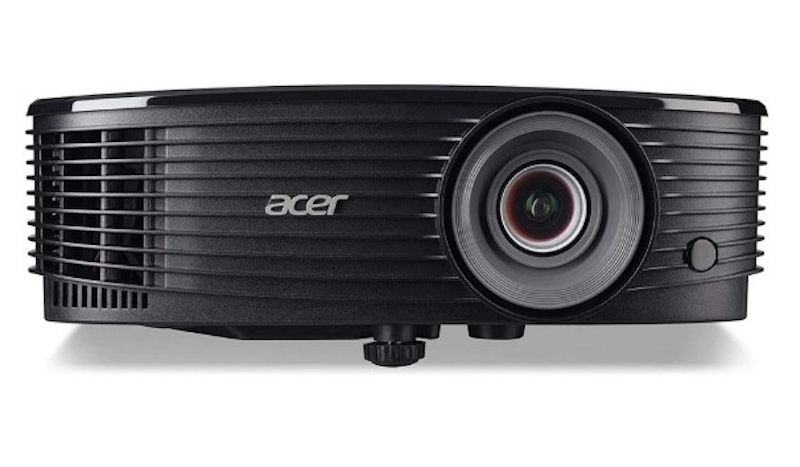
Several appreciate the 4,800 ANSI lumens for vivid visibility in bright environments like classrooms. Many find the WXGA resolution sufficient for detailed spreadsheets and videos. People note the DLP lamp life supports extended use without frequent replacements.
| Type | DLP |
|---|---|
| Light Source | Lamp |
| Brightness | 4800 Lumens |
| Contrast Ratio | 20,000:1 |
| Resolution | WXGA, 1280 x 800 Pixels |
| Recommended Distance | 1-10 m |
| Input Connections | HDMI, VGA, USB Type A |
| Dimensions | 220 x 299.5 x 105.1 mm |
| Net Weight | 2400 g |
| Other Features | Manual Focus/Zoom, ±40° Vertical Keystone Correction, 3 W Built-In Speaker, Ceiling/Front/Rear Projection Modes, Acer LumiSense, ColorBoost3D, ColorSafe II, Noise Level of 29 dB, 85% Uniformity, With 1.07 Billion Colors Supported |
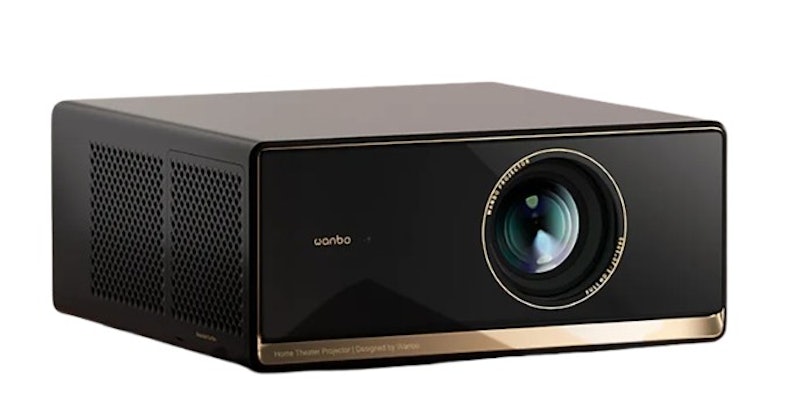
Features and benefits:
Reviews mention:
Several praise its bright 1100 ANSI images and vivid colors. Many like its certified Netflix support and official Google TV apps. People often mention the clear 1080p picture and strong HDR10-style performance.
| Type | LCD |
|---|---|
| Light Source | LED |
| Brightness | 1100 Lumens |
| Contrast Ratio | 3000:1 |
| Resolution | 1920 x 1080 FHD |
| Recommended Distance | 1.1–3.9 m |
| Input Connections | Bluetooth 5.0, HDMI, USB, WiFi |
| Dimensions | 252 x 246 x 115 mm |
| Net Weight | 2710 g |
| Other Features | ASA 3.0 Advanced Tech: Auto-Focus + Keystone Correction + Screen Fit + Obstacle Avoidance, Android 11 TV + Google Play, 2x 5W HiFi Stereo Speakers, ≤26dB Ultra-Quiet Operation |
Epson Ultra-Short Throw WXGA 3LCD Projector | EB-685W
Features and benefits:
Reviews mention:
Several appreciate the ultra-short throw design projecting large images from close distances in tight offices. Many find the 3500 lumens and WXGA clarity excellent for interactive boardroom displays. People note minimal fan noise during long meetings.
| Type | LCD |
|---|---|
| Light Source | Lamp |
| Brightness | 3500 Lumens |
| Contrast Ratio | 14,000:1 |
| Resolution | WXGA (1280 x 800) |
| Recommended Distance | 0.34–0.60 m |
| Input Connections | HDMI, Wired LAN (RJ45 x 1), WUSB |
| Dimensions | 367 x 149 x 400 mm |
| Net Weight | 5720 g |
| Other Features | Supports Dual-Pen Interactivity, Automatic Luminance Adjustment, BYOD Compatibility Including Chromebooks |
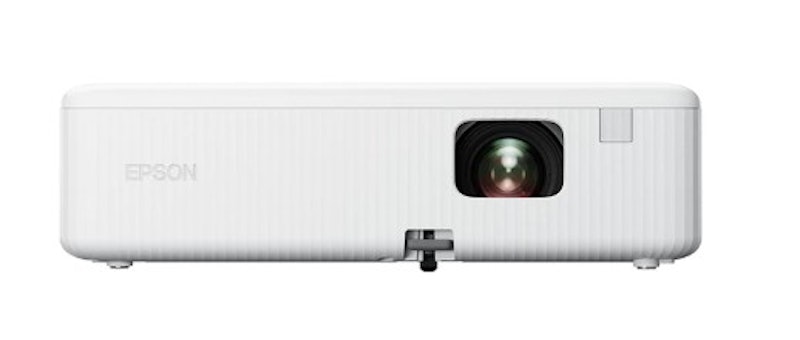
Features and benefits:
Reviews mention:
People note the compact smart design streams Full HD content effortlessly for portable home use. Many find the 3LCD colors vibrant without distortion in casual setups. Several appreciate quick Android OS navigation for family movie sessions.
| Type | LCD |
|---|---|
| Light Source | Lamp |
| Brightness | 3000 Lumens |
| Contrast Ratio | ~15,000:1 |
| Resolution | Full HD 1080p |
| Recommended Distance | 1.19–1.61:1 m |
| Input Connections | USB 2.0 Type-A, USB 2.0 Type B (Service Only), HDMI |
| Dimensions | 295 x 211 x 87 mm |
| Net Weight | 2400 g |
| Other Features | 2D Color Modes Dynamic, A/V Mute, Built-In Speaker, Horizontal and Vertical Keystone Correction, MHL Audio/Video Interface, Quick Corner |
Yaber Entertainment Projector Auto Focus 1080P 1600 ANSI Lumens | K3 Pro
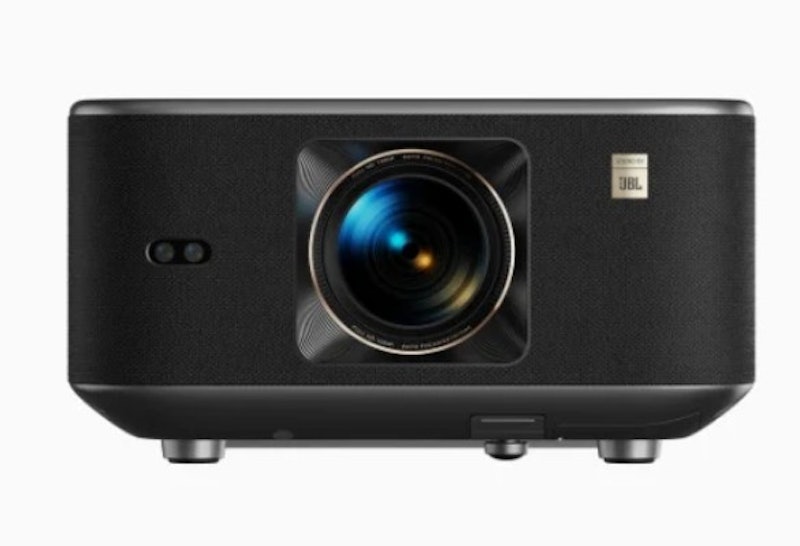
Reviews mention:
Many find the auto-focus and 1600 ANSI lumens produce clear 1080p images for outdoor gatherings. Several appreciate the JBL sound quality filling rooms without external speakers. People note easy keystone adjustments for uneven projector placement.
| Type | LCD |
|---|---|
| Light Source | LED |
| Brightness | 1600 Lumens |
| Contrast Ratio | unknown |
| Resolution | 1080p |
| Recommended Distance | ~2.4 m |
| Input Connections | 2x HDMI, USB, RJ45 (LAN), Bluetooth 5.0 |
| Dimensions | 290 x 154 x 323 mm |
| Net Weight | 5100 g |
| Other Features | Auto Screen Fit, Auto Obstacle Avoidance, Voice Control (Alexa), Built-In TV Dongle, CoolSwift Cooling, Screen Mirroring Miracast, Airplay, Windows |
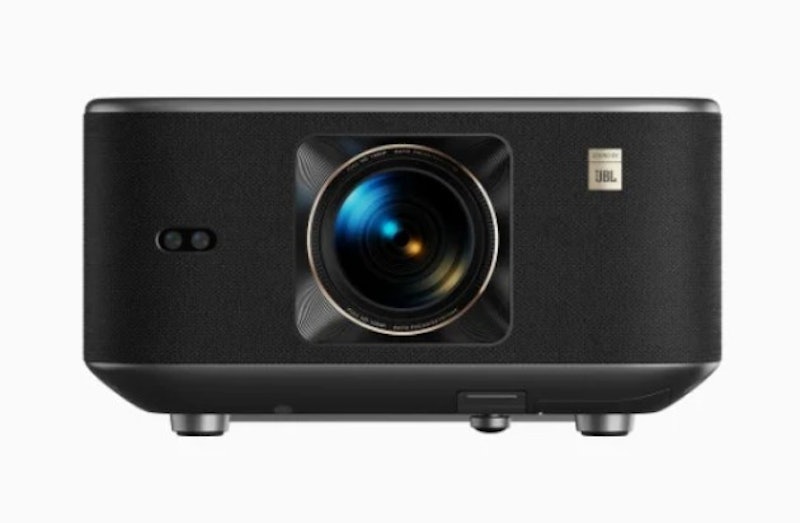
Yaber Entertainment Projector Auto Focus 1080P 1600 ANSI Lumens | K3
Features and benefits:
Reviews mention:
Several appreciate the 1600 ANSI brightness maintaining clarity in low-light family rooms. Many find the JBL audio immersive for built-in entertainment without add-ons. People note the auto-focus simplifies setup for quick 1080p viewing.
| Type | LCD |
|---|---|
| Light Source | LED |
| Brightness | 1600 Lumens |
| Contrast Ratio | unknown |
| Resolution | 1080P (1920 x 1080) |
| Recommended Distance | 1.5-4.0 m |
| Input Connections | HDMI x2, Bluetooth 5.0 x1, Wi-Fi 6 x1, USB x1, Earphone x1, Lan Port(RJ 45) x1 |
| Dimensions | 290 x 323 x 154 mm |
| Net Weight | 5100 g |
| Other Features | Auto Focus, Auto Keystone Correction, Intelligent Screen Alignment, Obstacle Avoidance, Google TV (Netflix, YouTube, Disney+) |
Features and benefits:
Reviews mention:
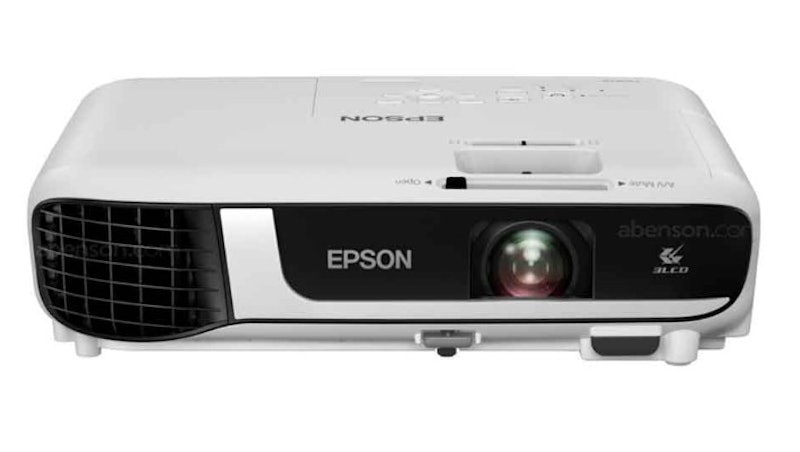
People note the 4000 lumens power through ambient light in training rooms effectively. Many find WXGA resolution sharp for group viewings of charts and videos. Several appreciate the 3LCD contrast for professional presentations.
| Type | LCD |
|---|---|
| Light Source | Lamp |
| Brightness | 4000 Lumens |
| Contrast Ratio | 16,000:1 |
| Resolution | WXGA (1280 x 800) |
| Recommended Distance | 1.68–2.02 m |
| Input Connections | USB A/B, Network (Opt.), Wireless (Opt. ELPAP11), RCA, HDMI, Audio, 2 RCA |
| Dimensions | 302 x 237 x 82 mm |
| Net Weight | 2500 g |
| Other Features | Security Kensington Lock, Security Cable Hole, Wireless LAN Unit Lock, Password Protection, AV Mute Slide, Auto Source Search, Built-in Speaker, Horizontal and Vertical Keystone Correction, Long Lamp Life, Quick Corner, Split-Screen Function, Video Color Modes |
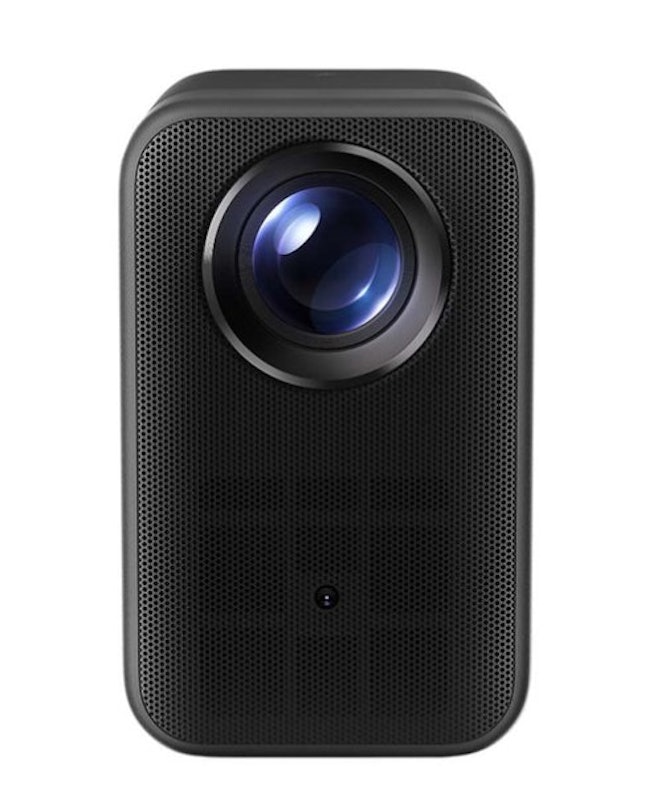
Xiaomi Smart Projector Global Version, 400 ISO lumens,1080p HD resolution | L1 Pro/XMTYY03PFMG
Reviews mention:
Many find the 400 ISO lumens sufficient for cozy dark-room projections with 1080p detail. Several appreciate the global smart features for easy Netflix and app streaming. People note the compact build ideal for bedroom movie setups.
| Type | LCD |
|---|---|
| Light Source | LED |
| Brightness | 400 Lumens |
| Contrast Ratio | 2000:1 |
| Resolution | 1920 × 1080p (Full HD) |
| Recommended Distance | 1.0-3.0 m |
| Input Connections | HDMI 2.1, USB 2.0, Bluetooth 5.0 |
| Dimensions | 210 × 128 × 189 mm |
| Net Weight | 2000 g |
| Other Features | Integrated Mediaplayer, Eco Mode, Wi-Fi Network Compatible, Android TV OS (Google Voice Assistant), Auto Keystone, Auto Obstacle Avoidance, Auto Image Adjustment |
Frequently Asked Questions
Below are some of the most asked questions on the web answered by the mybest team.
How Do I Remove Smudges on My Projected Image?
This is an issue with LCD projectors when dust builds up on one of their panels. You can try cleaning the debris yourself by pausing the video and de-focusing the projector. This will make the dirt look more solid, and from there, it's simply a matter of wiping it with a microfiber cloth. If this sounds like too much work, we recommend going to a local repairman.
What Is That Clicking Sound When I Turn On My Projector?
Most likely, the projector is trying to ignite the lamp but is unable to because of a variety of reasons. It could be that the bulb is close to burning out, or the connector pins are not properly making contact. As such, try reseating or changing the lamp.
Why Does My Projector Lose Display When It's Connected to My Laptop?
This is primarily because your laptop is preserving its battery life by disconnecting unnecessary hardware. To fix this, simply plug the charger into your laptop and restart the program. Note that some models require you to also tweak the power-saving settings in the Control Panel.
Turn Movie Nights Into a Cinematic Experience With These Products
A projector is a really good device, but to fully immerse yourself in a theatre-like experience, you'll need some accessories. Well, look no further! Create the perfect home cinema by checking out our articles below.


Author: Dane Lozano
Editor: Aprille Jarcia
The descriptions of each product are referenced from content available on manufacturer, brand, and e-commerce sites.