10 Best IP Security Cameras in the Philippines 2026 | TP-Link, Xiaomi, and More
Internet Protocol or IP cameras are security cameras that send a live video stream to a partnered device over an IP network or the Internet. Unlike standard CCTVs, they don't record and store data through a digital video recorder. Instead, they transmit a live feed through a network. IP security cameras can be wireless or wired, for home or outdoors, with 1080p or 2K resolution and 180-degree or 360-degree viewing angles.
As they are more upgraded than analog security cameras, choosing an IP camera requires careful consideration of factors to ensure that you're getting the most out of your budget without compromising security. In this article, we've prepared a list of the top 10 IP security cameras for sale on e-commerce sites and a buying guide to aid you in your purchase.

Our recommendation articles are carefully researched and crafted by the mybest Philippines team of writers and editors. To stay true to our company’s mission and vision to help users’ selection process easier, we also collaborate with experts from various fields to ensure that our content stays factual and useful.
Why You Can Trust Us
Every mybest article is crafted with hours of in-depth research and interviews with experts. Each month, we are continually expanding our database of products based on our research. By emphasizing user insight and reliable information, we deliver trustworthy content to readers.
How to Choose an IP Security Camera - Buying Guide
Here are some key points to consider:
- Select the type of camera based on your needs
- Go for a camera with at least 180° field of view for a wide area of coverage
- Determine whether the camera is for indoor or outdoor use
- Ensure the camera has a resolution of at least 1080p for optimal viewing
- Inspect its durability, especially when buying outdoor cameras
- Look for cameras with a wide range of supported viewing platforms
- Take note of its storage capacity
- Consider advanced features such as motion detection, night vision, and two-way audio
For more detailed information, read through our buying guide below.
Select the Type of Camera Based on Your Needs
Although they certainly have a wider scope than analog cameras, IP cameras still differ in terms of how much area they can cover. Generally, IP cameras are classified into twoーpan-tilt-zoom or PTZ cameras and fixed cameras. Determining which is more practical between the two depends on your desired use for the IP camera.
Opt for a Pan-Tilt-Zoom (PTZ) Camera for Residential Use

For residential use or typically for home security use, the pan-tilt-zoom camera would be the better choice because it can direct attention to suspicious movements. IP cameras with audio features would be beneficial as well, especially for nursery rooms where noises could be easily picked up.
Use a Fixed Camera for Commercial Purposes

A fixed camera, preferably with ample storage for longer footage memory, would be ideal for commercial purposes, including offices. This is because it is cheaper and practical, especially if monitoring is required only in a single, specific area.
Go for a Camera With At Least 180 ° Field of View for a Wide Area of Coverage

Another thing that you should consider is the camera's viewing coverage. Look for one with at least 180 degrees field of view, as this gives you enough vision, especially if you just want to monitor your front door, any rooms, or the main door at your office building.
On the other hand, if you want the complete panoramic view, then go for those that offer 360 degrees coverage. This is usually achieved by a pan tilt and zoom (PTZ) feature, allowing your camera to view any specific part of the area it covers in detail. It is the obvious choice if you want to amp up your security system or monitor a large room.
Determine Whether the Camera Is for Indoor or Outdoor Use

Aside from scope, IP cameras also vary in terms of their durability. Specific cameras are built for harsh conditions, while some may be less durable. Before purchasing an IP camera, determine first whether it would be used indoors where it is protected or outdoors where it is exposed to different weather conditions.
For outdoor use, opt for cameras with an IP65/66/67 standard. It would also help to look for ones that are waterproof, weather-resistant, and hard-cased. On the other hand, indoor ones could lack these features as they require less protection and minimal maintenance.
Ensure the Camera Has a Resolution of At Least 1080p for Optimal Viewing

Most security cameras have a resolution of 1080p, which is often sufficient for residential or commercial use. The standard 1080p is capable of providing clear HD images and will give you the most value for your money, especially if you want a simple HD surveillance system.
On the other hand, if you wish to upgrade your current security system, then spending extra cash on a security camera with 2K resolution is something to consider. Compared to 1080p cameras, this can produce sharper images and even digitally zoom on any frame without sacrificing image quality.
Inspect Its Durability Especially When Buying Outdoor Cameras
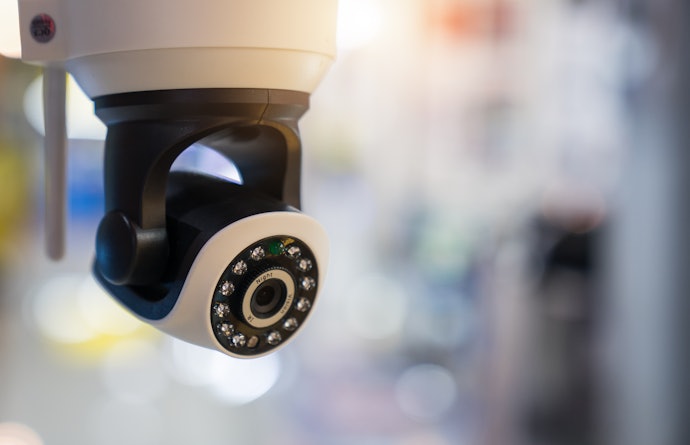
Security cameras' purpose is to ensure that we're protected at all times. Given that, it's vital that our cameras are reliable and can continuously monitor our surroundings despite extreme weather conditions. If you're looking for a security camera that will last for a long time, you might want to look into its durability features, starting with its IP rating.
A durable security camera typically carries a rating of IP65, IP66, or IP67. Additionally, it is ideal if your outdoor security camera is weatherproof, weather-resistant, and has built-in temperature gauges and heaters. This ensures that it can withstand any weather conditions and operate even under extreme temperatures.
Look for Cameras With a Wide Range of Supported Viewing Platforms

Another factor to consider is the range of mobile and operating systems compatible with the IP camera. Through these viewing platforms and mobile & operating systems, the owner can view all the footage and what the camera captures in real-time.
Popular mobile and operating systems include Android, IOS, Windows, and Mac. Cloud storage systems such as Kami, YI, and MI have also become mainstream because of their accessibility and convenience to users.
Take Note of Its Storage Capacity

Security cameras usually have 60-256 GB of storage in their systems. With this, you can record continuous footage that spans 24 hours to almost a week. This applies to security cameras with a 1080p resolution and a refresh rate of 30 FPS. The length of footage that your camera can store largely depends on its resolution, as a higher resolution demands more memory.
If you found the perfect security camera but think its storage capacity is insufficient, you can always purchase a memory card that stores your data once your built-in storage has run out of space. Another option is to consider security cameras that automatically upload your footage to the cloud.
Consider Advanced Features Such as Motion Detection, Night Vision, and Two-Way Audio
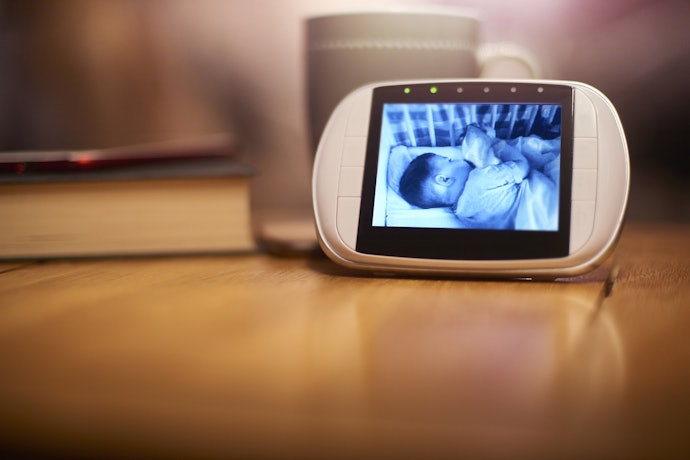
Lastly, it is crucial to consider the advanced features that come with the device. Some of these advanced features include motion detection, night vision, and two-way communication. Motion detection allows the camera to recognize movement and send alerts to connected devices. Night vision, on the other hand, ensures clear footage even in dark and low-light areas.
Finally, the two-way audio feature includes built-in speakers and microphones that allow easy communication and increased security. Other advanced features include Artificial Intelligence for video analytics, Power over Ethernet or PoE, and ultra-HD resolution.
10 Best IP Security Cameras to Buy Online
| Products | Image | Click to purchase | Popularity | Details | |||||||||||
|---|---|---|---|---|---|---|---|---|---|---|---|---|---|---|---|
Type | Resolution | Field of View | Night Vision | Built-in Mic | Motion Detection | Real-Time Notifications | Storage | Power Source | App Compatibility | Setup | |||||
1 | Tapo Outdoor Pan/Tilt Wi-Fi Security Camera|C520WS TP-Link |  | No.1 | Pan-Tilt | 2K QHD (2560 × 1440), 4MP | 360° Horizontal, 130° Vertical | Local (Memory Card), Cloud | USB/Wall Power | iOS, Android | Needs Installation | |||||
2 | Outdoor Camera CW300 Xiaomi |  | No.2 | Pan-Tilt Zoom | 2560 × 1440 (2.5K), 4MP | 360° Horizontal View | Local (Memory Card), Cloud | USB / Wall Power, 12V⎓1A | iOS, Android | Needs Installation | |||||
3 | Tapo C200C TP-Link |  | No.3 | Pan-Tilt | 1080p HD (1920 × 1080) | 93° Diagonal, 83° Horizontal, 40° Vertical | Local (Memory Card), Cloud | USB / Wall Power, 9V DC Power Adapter | iOS and Android via the Tapo App | Plug-and-Play | |||||
4 | Tapo TC40 TP-Link |  | No.4 | Pan-Tilt | 1080p Full HD (1920 × 1080) | 85.5° Diagonal, 73.5° Horizontal, 41° Vertical | Local (Memory Card), Cloud | USB / Wall Power, 12V DC | iOS and Android via the Tapo App | Needs Installation | |||||
5 | Tapo C225 TP-Link |  | No.5 | Pan-Tilt | 2K QHD (2560 × 1440), 4MP | 360° Horizontal | Local (Memory Card), Cloud | USB / Wall Power (12V/1A DC Power Adapter) | iOS and Android via the Tapo App | Plug-and-Play | |||||
6 | Tapo C460 TP-Link |  | No.6 | Fixed | 4K 8MP (3840 × 2160) | 134° Diagonal, 113° Horizontal, 59° Vertical | Local (Memory Card), Cloud | Battery | iOS and Android via the Tapo App | Needs Installation | |||||
7 | Tapo C320WS TP-Link |  | No.7 | Fixed | 2K QHD (2560 × 1440), 4MP | 113° Diagonal, 97° Horizontal, 54° Vertical | Local (Memory Card), Cloud | USB / Wall Power (9 V DC Power Adapter) | iOS, Android | Needs Installation | |||||
8 | P1 Pro Series Baseus |  | No.8 | Pan-Tilt | 3K (2880 × 1620), 5MP | 360° Horizontal, 90° Vertical | Local (microSD/TF Card, up to 256 GB) | 5V/1A USB-C Power | iOS, Android | Needs Installation | |||||
9 | DS‑3107v2 5MP Home Security Camera Prolink |  | No.9 | Pan-Tilt | 5MP, 3K (2880 × 1616) | 110° Wide Angle | Local (Memory Card), Cloud | USB / Wall Power, USB Type-C | iOS and Android via Mezee App | Plug-and-Play | |||||
10 | Security Camera 8000 Prime Series Rover Systems |  | No.10 | Fixed Bullet | 2MP, 1080p (1920 × 1080) | unknown | unknown | unknown | unknown | unknown | unknown | Needs Installation | |||

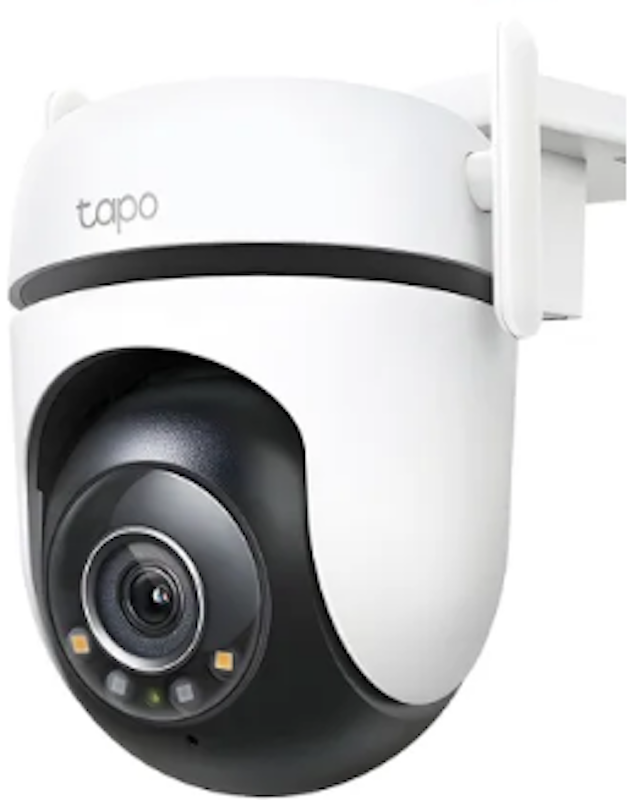
TP-LinkTapo Outdoor Pan/Tilt Wi-Fi Security Camera | C520WS
| Type | Pan-Tilt |
|---|---|
| Resolution | 2K QHD (2560 × 1440), 4MP |
| Field of View | 360° Horizontal, 130° Vertical |
| Night Vision | |
| Built-in Mic | |
| Motion Detection | |
| Real-Time Notifications | |
| Storage | Local (Memory Card), Cloud |
| Power Source | USB/Wall Power |
| App Compatibility | iOS, Android |
| Setup | Needs Installation |

People mention that it handles everyday outdoor monitoring well without feeling complicated to use. Many like the practical night monitoring and responsive motion alerts for checking deliveries or movement near the house. Several note that it suits users who want a straightforward outdoor camera rather than a feature‑heavy setup.
| Type | Pan-Tilt Zoom |
|---|---|
| Resolution | 2560 × 1440 (2.5K), 4MP |
| Field of View | 360° Horizontal View |
| Night Vision | |
| Built-in Mic | |
| Motion Detection | |
| Real-Time Notifications | |
| Storage | Local (Memory Card), Cloud |
| Power Source | USB / Wall Power, 12V⎓1A |
| App Compatibility | iOS, Android |
| Setup | Needs Installation |

Several find it easy to set up and use for everyday indoor checking. People appreciate the pan-and-tilt movement, since it helps cover more of a room without needing multiple units. Many note that the two-way audio is handy for quick check-ins with family or pets.
| Type | Pan-Tilt |
|---|---|
| Resolution | 1080p HD (1920 × 1080) |
| Field of View | 93° Diagonal, 83° Horizontal, 40° Vertical |
| Night Vision | |
| Built-in Mic | |
| Motion Detection | |
| Real-Time Notifications | |
| Storage | Local (Memory Card), Cloud |
| Power Source | USB / Wall Power, 9V DC Power Adapter |
| App Compatibility | iOS and Android via the Tapo App |
| Setup | Plug-and-Play |
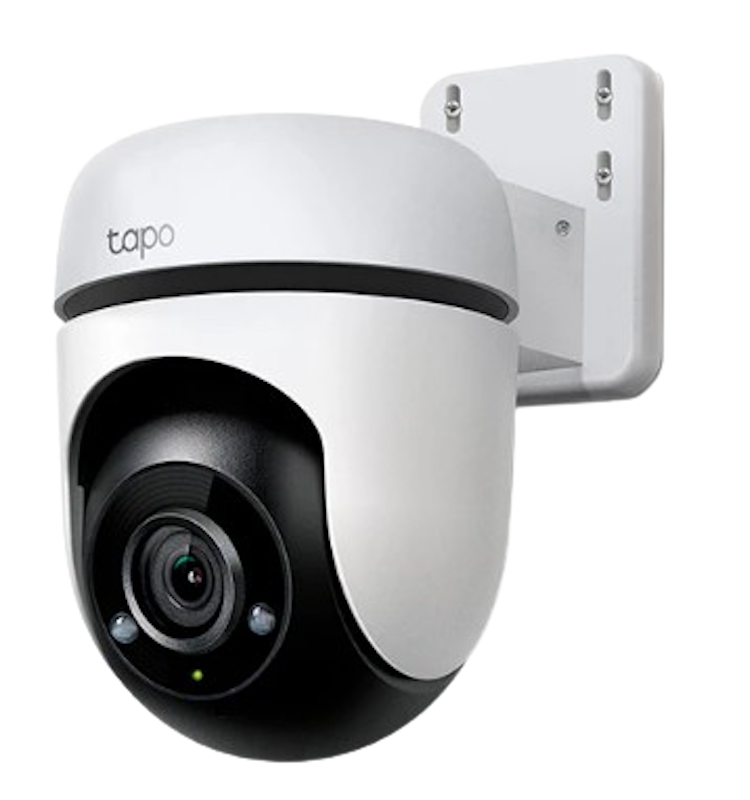
Many like the broad coverage because it cuts down on the need to reposition the camera often. People note that the outdoor-ready build makes it suitable for porches, yards, and gate areas. Several appreciate that it focuses on core monitoring features without feeling hard to manage.
| Type | Pan-Tilt |
|---|---|
| Resolution | 1080p Full HD (1920 × 1080) |
| Field of View | 85.5° Diagonal, 73.5° Horizontal, 41° Vertical |
| Night Vision | |
| Built-in Mic | |
| Motion Detection | |
| Real-Time Notifications | |
| Storage | Local (Memory Card), Cloud |
| Power Source | USB / Wall Power, 12V DC |
| App Compatibility | iOS and Android via the Tapo App |
| Setup | Needs Installation |
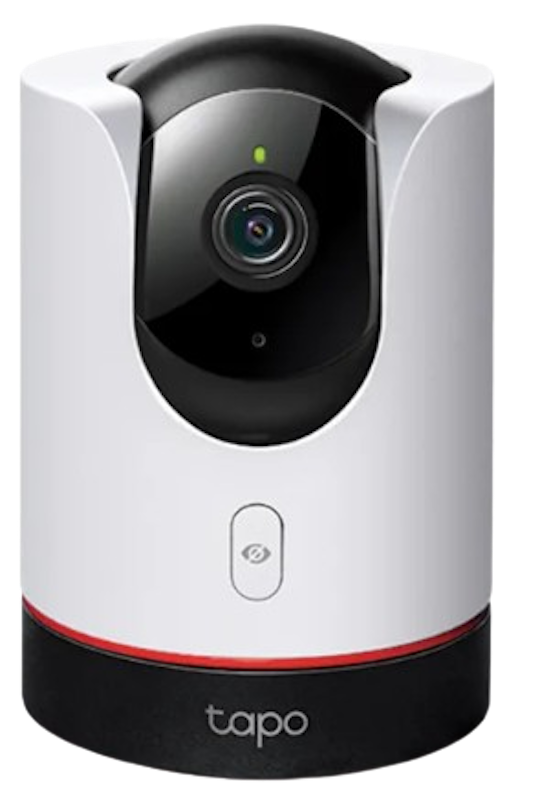
People find the motion tracking helpful for following activity around a room without manual adjustment. Many like the AI detection because it helps keep alerts more relevant. Several mention that it feels suited to busy homes where a single camera needs to cover multiple corners.
| Type | Pan-Tilt |
|---|---|
| Resolution | 2K QHD (2560 × 1440), 4MP |
| Field of View | 360° Horizontal |
| Night Vision | |
| Built-in Mic | |
| Motion Detection | |
| Real-Time Notifications | |
| Storage | Local (Memory Card), Cloud |
| Power Source | USB / Wall Power (12V/1A DC Power Adapter) |
| App Compatibility | iOS and Android via the Tapo App |
| Setup | Plug-and-Play |

Several appreciate the battery-powered setup because it makes installation less restrictive than wired models. People also like the sharper 4K output for checking small details more confidently. Many note that it suits places where running a cable would be inconvenient.
| Type | Fixed |
|---|---|
| Resolution | 4K 8MP (3840 × 2160) |
| Field of View | 134° Diagonal, 113° Horizontal, 59° Vertical |
| Night Vision | |
| Built-in Mic | |
| Motion Detection | |
| Real-Time Notifications | |
| Storage | Local (Memory Card), Cloud |
| Power Source | Battery |
| App Compatibility | iOS and Android via the Tapo App |
| Setup | Needs Installation |

Many find it dependable for basic outdoor security without unnecessary extras. People point to motion detection and night use as the most practical features for porch or driveway monitoring. Several appreciate that it fits common home security needs in a straightforward way.
| Type | Fixed |
|---|---|
| Resolution | 2K QHD (2560 × 1440), 4MP |
| Field of View | 113° Diagonal, 97° Horizontal, 54° Vertical |
| Night Vision | |
| Built-in Mic | |
| Motion Detection | |
| Real-Time Notifications | |
| Storage | Local (Memory Card), Cloud |
| Power Source | USB / Wall Power (9 V DC Power Adapter) |
| App Compatibility | iOS, Android |
| Setup | Needs Installation |
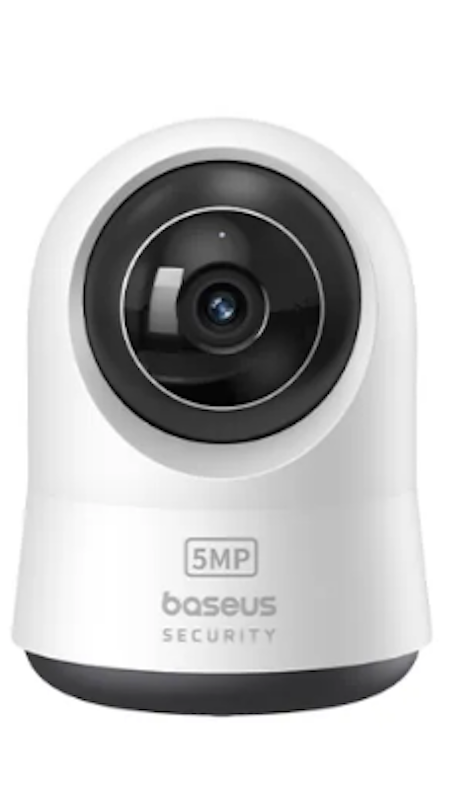
People note that the 360-degree view is useful for covering a whole room from one spot. Many like the sharper video quality, which makes it easier to check details on the feed. Several mention that the two-way audio works well for talking to family members, kids, or pets.
| Type | Pan-Tilt |
|---|---|
| Resolution | 3K (2880 × 1620), 5MP |
| Field of View | 360° Horizontal, 90° Vertical |
| Night Vision | |
| Built-in Mic | |
| Motion Detection | |
| Real-Time Notifications | |
| Storage | Local (microSD/TF Card, up to 256 GB) |
| Power Source | 5V/1A USB-C Power |
| App Compatibility | iOS, Android |
| Setup | Needs Installation |
Prolink DS‑3107v2 5MP Home Security Camera

Several appreciate the dual-band Wi-Fi because it can make connection handling more flexible at home. People find the pan-and-tilt movement useful for monitoring larger indoor areas without adding another camera. Many mention that the overall setup feels practical for families who want simple remote access.
| Type | Pan-Tilt |
|---|---|
| Resolution | 5MP, 3K (2880 × 1616) |
| Field of View | 110° Wide Angle |
| Night Vision | |
| Built-in Mic | |
| Motion Detection | |
| Real-Time Notifications | |
| Storage | Local (Memory Card), Cloud |
| Power Source | USB / Wall Power, USB Type-C |
| App Compatibility | iOS and Android via Mezee App |
| Setup | Plug-and-Play |
Rover SystemsSecurity Camera 8000 Prime Series
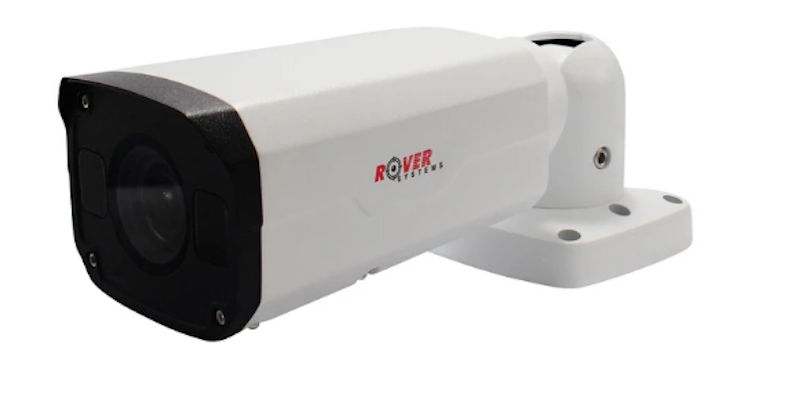
Many find the adjustable lens useful when they want to tune the view for specific outdoor areas. People note that the weather-resistant build makes it a good fit for exposed installation points. Several appreciate the PoE support because it can simplify cable planning in a more permanent setup.
| Type | Fixed Bullet |
|---|---|
| Resolution | 2MP, 1080p (1920 × 1080) |
| Field of View | unknown |
| Night Vision | |
| Built-in Mic | unknown |
| Motion Detection | |
| Real-Time Notifications | unknown |
| Storage | unknown |
| Power Source | unknown |
| App Compatibility | unknown |
| Setup | Needs Installation |
Frequently Asked Questions
Below are some of the most asked questions on the web answered by the mybest team.
Are IP Security Cameras Better Than CCTV Cameras?
CCTV cameras record video footage that can be transmitted only to a specific monitor within a closed system. On the other hand, IP cameras record video footage that can be transmitted and viewed over a local area network, over the internet, or to a hard drive or memory card. Deciding which is better will ultimately depend on how you prefer your recordings to be viewed and transmitted.
Due to technological advancements, digital IP cameras have become popular as they offer flexibility, a higher resolution, and more functionalities. Because of their new and advanced features, IP security cameras can provide better image quality and perform more high-tech functions as compared to CCTV cameras.
Can You Use IP Security Cameras Without Internet?
An IP security camera can work even without an internet connection. In this situation, you can view the feed through a monitor directly connected to the camera, and it can save your footage to a memory card or hard drive. Once you run out of storage space, your camera can either resort to uploading the recordings over the internet or overwriting your previous footage.
With that being said, you can definitely use your IP security camera even without the internet. However, it might be more convenient and time-saving to choose the option where your security camera automatically transmits or uploads your recordings. This way, you won't have to deal with swapping memory cards and transferring data every time.
Where to Place IP Security Cameras?
IP security cameras can be placed in various areas. Usually, it's installed in areas with valuable items or where you need constant surveillance. If you want to keep burglars out, you might want to consider putting them near your front and back doors so you know every person who enters your home.
Inside the house, it's always a good idea to place it in the living room or the main hallway. It is because this is where everyone usually gathers and passes through. Also, the living room is the largest, allowing you to maximize your camera's field of view. Security cameras are suggested to be placed on walls near the ceiling or directly into the ceiling if they're mountable.
More Surveillance Devices to Beef Up Your Security
Still not satisfied with an IP camera? Click the links below to check out other surveillance devices sold online. They might require some time, money, and effort to install, but they will certainly give you peace of mind knowing that you and your family are always safe and protected. After all, it is better to be safe than sorry.


Author: Katrina Balingit
How We Chose and Ranked Our Product Recommendations
Our buying guide was carefully researched and crafted by the mybest team of writers and editors. We used the buying guide as a basis for choosing and ranking the product recommendations, and we looked at reviews and ratings from different E-commerce sites like Lazada, Shopee, and more.
The descriptions of each product are referenced from content available on manufacturer, brand, and e-commerce sites.